I’m also happy with the mail app as it is. The spam + sorting + archieving management I do on laptop and not on phone. When on my way I have no time and mood to care for spam. (edit: shifting a single or few spams to spam folder is easy enough for me) When at home, I have also a laptop and spam filter.
My idea was more meant to make SFOS more attractive and usable for a wide variety of users needs and wishes, and so more addressed to @Jolla .
i add account, using email and “App password” generated in Yahoo for 3rd party apps.
it comes back with some settings, but if I click accept it always says no account created.
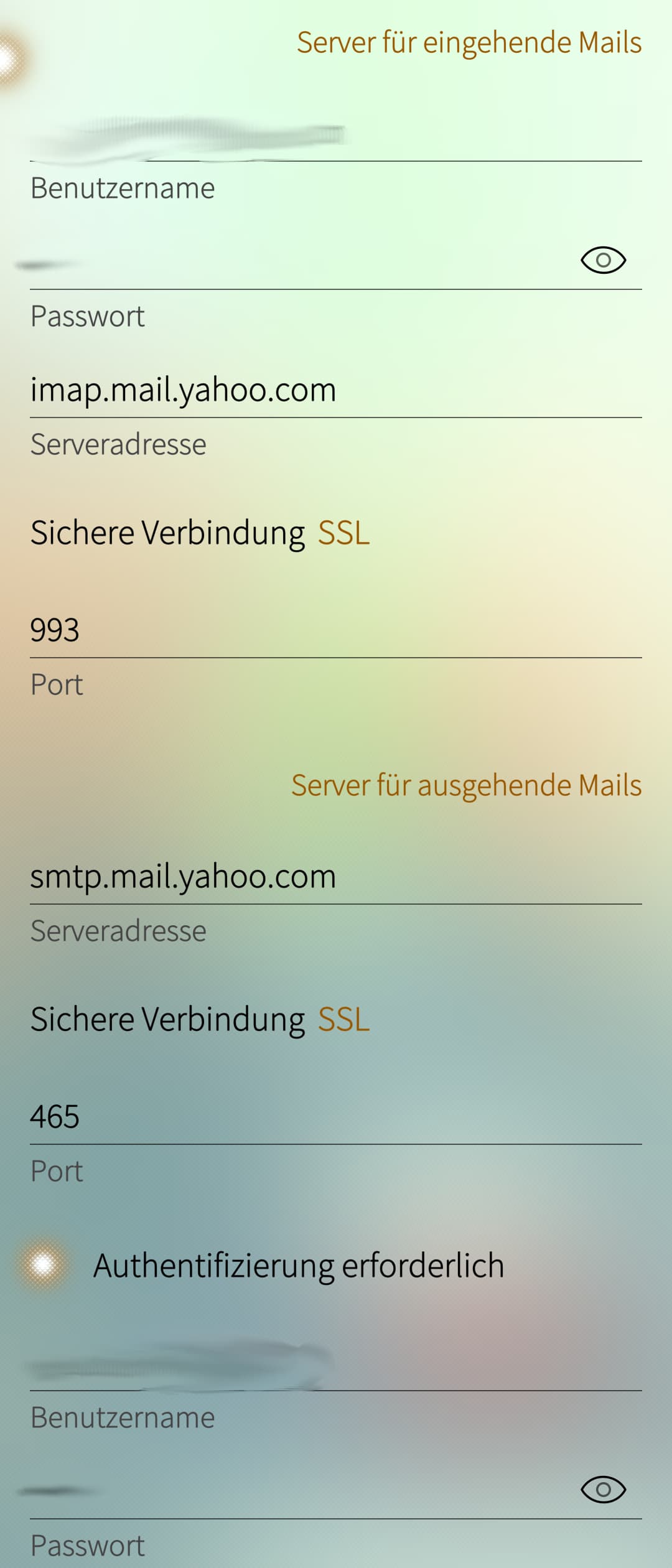
from your screenshot:
serveraddress - what the email app presents back to me is “https://caldav.calendar.yahoo.com”
port - i do not see this field
serveraddress - i do not see this field
port - i do not see this field
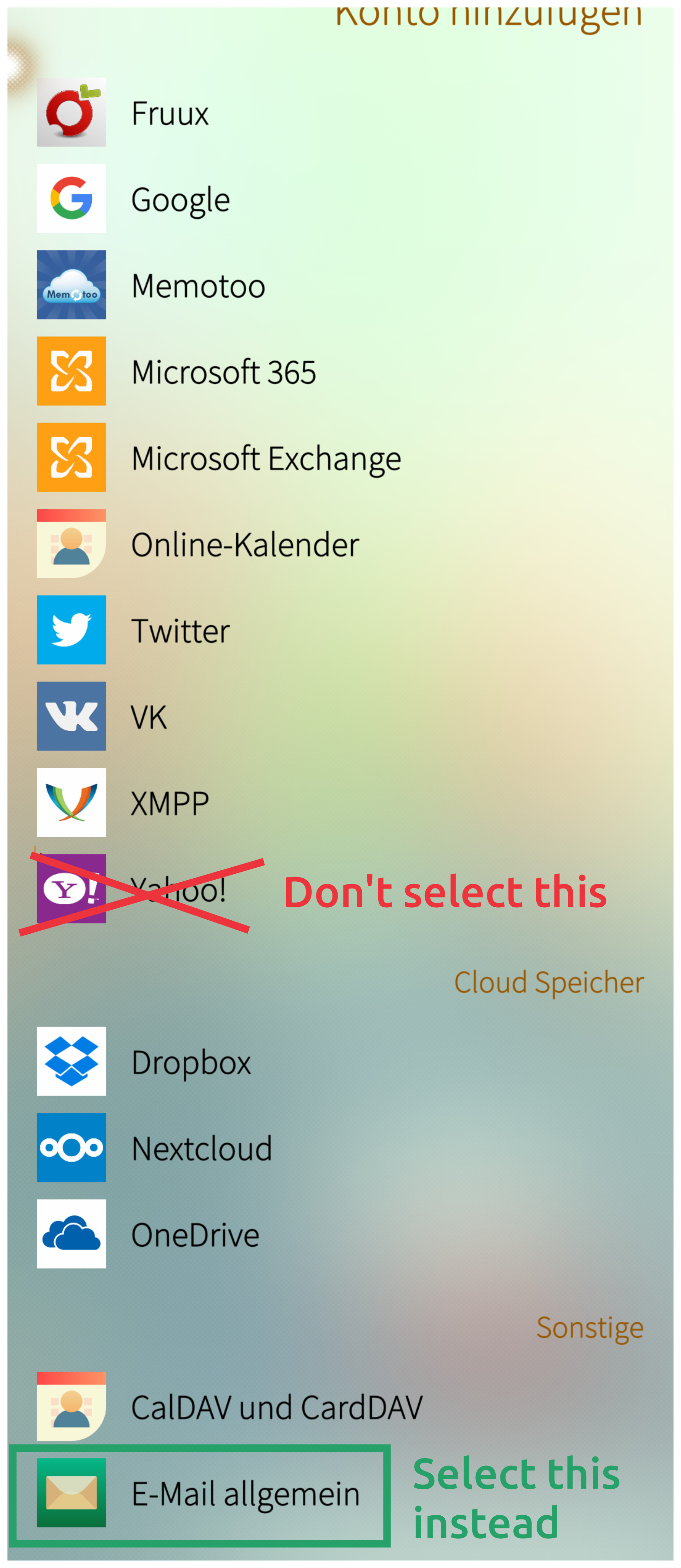
Ah, I think I might know what your problem is. When you go to Account settings in the Sailfish settings app and add an account, you shouldn’t click on the “Yahoo!”-option as it, as you said, only adds calendar and contacts. Instead, you should select “E-Mail” (I don’t know how this option is exactly called in English since I have another UI language). It is the last item in the list (at least for me) and it has the standard E-Mail Icon.
We do hide some options on purpose as those will take away screen estate from other actions and main focus what you’re doing. Thinking is that you don’t always bcc your emails. It’s available there behind … button.
Giving an example from xperia 10 III, if we’d have cc and bcc opened automatically email body text field would barely fit to the screen when virtual keyboard is open as well. If cc and bcc would be open, that would hindering quite a bit basic use case.
Actually I mean something different → a pre-configured address thats configured in the account settings. So, when writing a new email the bcc field is already prefilled. It can stay hidden like it is now.
Do you have also the behaviour that sometimes the read e-mails are not marked as read? Usually it happens when I read fast an e-mail and return to e-mail list.
I had this sometimes. I think it comes from general slowliness of system especially when system load is high from some other app’s activity at a time. It went away from itself after closing other apps / waiting some time / other daytime when providers network load is lesser.
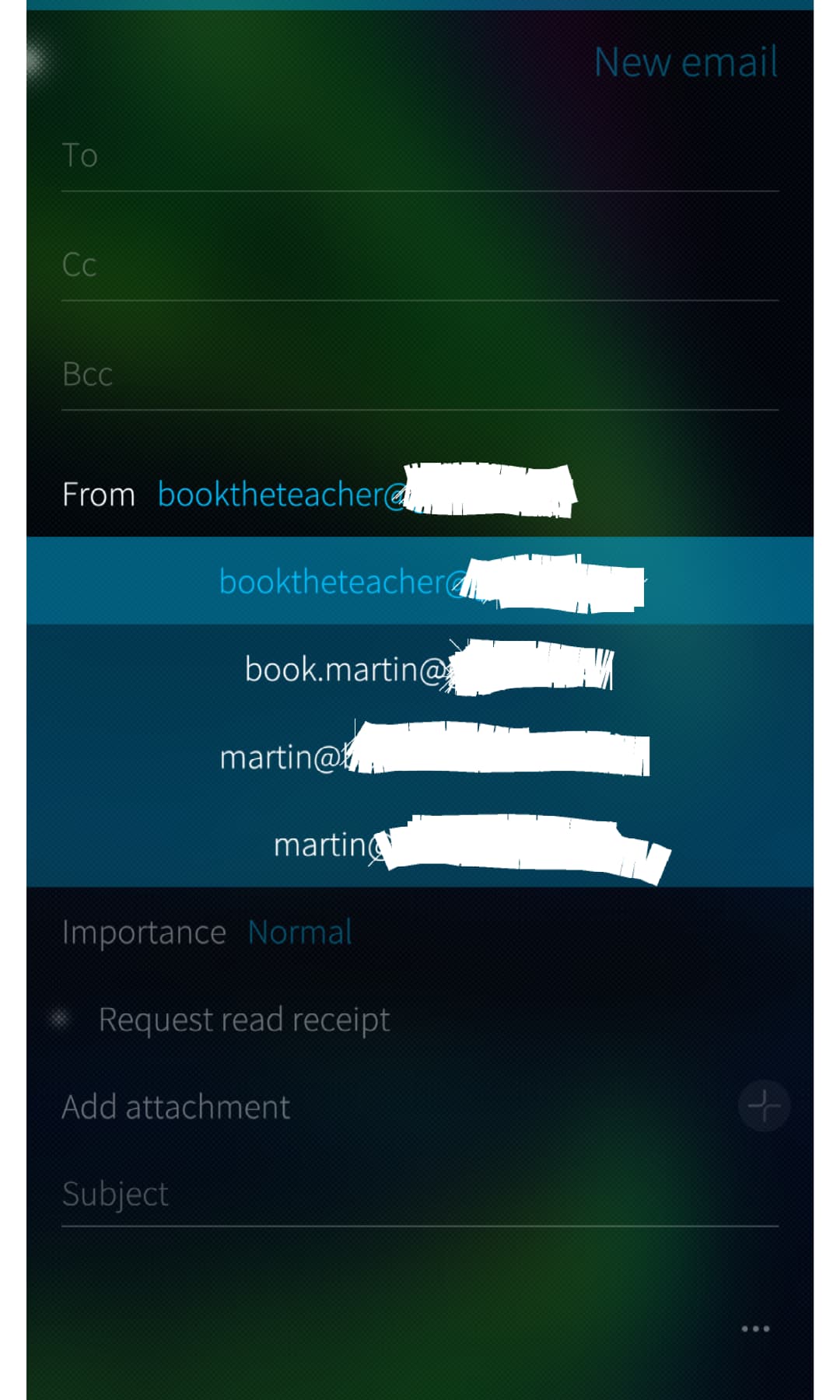
Secondly, the way I get this is the following: If you install several email accounts, open up the email client and pull down to “New email” you get to choose from what address you want to send it from.
I do not understand how/why one would have several identities in one account, but that is me.
I had the case years ago that my mail account was compromised.
I had no choice but to delete it and get a new email address.
Since then I have a new mailaccount and never use the main address, only different aliases.
One only for private, friends and family.
One for shopping and sometimes one for short contacts, that I delete afterwards.
SFOS cannot handle this.
This is the reason why I use K-9 Mail for writing.
I am sure you are right. That leaves me with the question ‘how’ it is done? Do you mean it is possible to create multiple identities with any email provider? Or with what provider and how is it done?