REPRODUCIBILITY: Always (with exception)
OS VERSION: 5.2.0.18 (and .17 & .20)
HARDWARE: Jolla Phone (Batch 1#)
UI LANGUAGE: English US
REGRESSION: From first charge onward
DESCRIPTION:
Inserting USB causes crash and I cannot start device when USB is connected. When attempting to start the haptic response happens, but it does not start. When USB is disconnected the device starts, but shows either 56% charge or a Lightning Symbol. If USB is inserted after boot the device crashes etc.
PRECONDITIONS:
If USB is attached during start-up after the Jolla logo is seen, the device can (sometimes) start with USB connected. In this case it charges but only to 56% (the device says it is full and stops charging but when rebooted it shows 56%).
When the device is successfully booted (USB attached in right moment) and proceeds to charge, and eventually shows a Lightning Symbol in top left (instead battery percentage)… In this state I can plug any USB without causing a crash. In this state, I can attach it to computer and the device ask which USB mode I want to use (and transfer files etc).
Sometimes it hangs up to “Enter security code” step or shows a logo of a lightning box with a charger connected to it (this is also documented in the log shared below). Battery Buddy application does not recognize the battery properly and says the charge is -1%. It feels like the device cannot handle battery charging and crashes when it initiates charging.
Tested with different chargers, all chargers and all USB connections cause crash & fail to start device -issue. I can telnet to the device when booting to recovery mode. Tested to change USB default mode to “Charge only” and other options (no change). Performed telnet wipe “Reset device…” (no change in weird behavior). Lifted battery, reinserted it and “Reset device…” (no change).
The left screw hole threads securing the battery bracket is stripped. This was likely caused by over tightening during assembly. It does not connect to device chassis but the issue can be unrelated. I can use the device to install applications etc. but this issue prevents daily use.
STEPS TO REPRODUCE:
- Insert USB to charge device, crash
- Start device with USB connected, crash
- Insert USB during boot (when Jolla text is show), works until USB is disconnected and reconnected, crash
EXPECTED RESULT:
The device should initiate charging or allow the user to select between file-storage / developer options.
ACTUAL RESULT:
The device crashes when USB is inserted, every time and in most settings (USB can be attached during startup when Jolla logo is visible)
MODIFICATIONS:
After observing bug, I installed Battery Buddy and Whisperfish from relevant repositories. Details in the persistent log.
ADDITIONAL INFORMATION:
Persistent log here: usb-crash.targz (494.7 KB)
The log also includes “Enter security code” -hangup during startup, as detailed above. Issue is being discussed in this thread in the General category.
Screenshot of Battery Buddy information when USB is not connected.
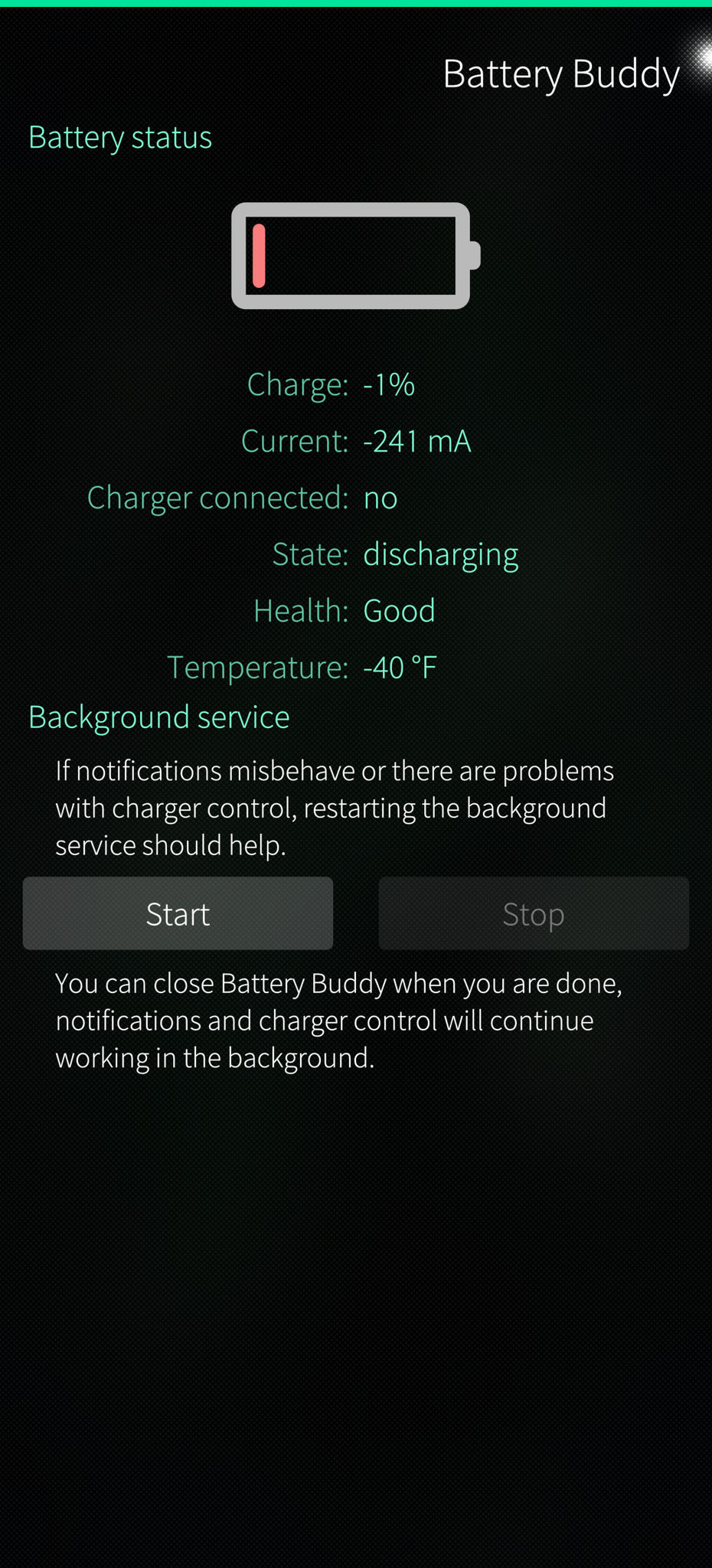
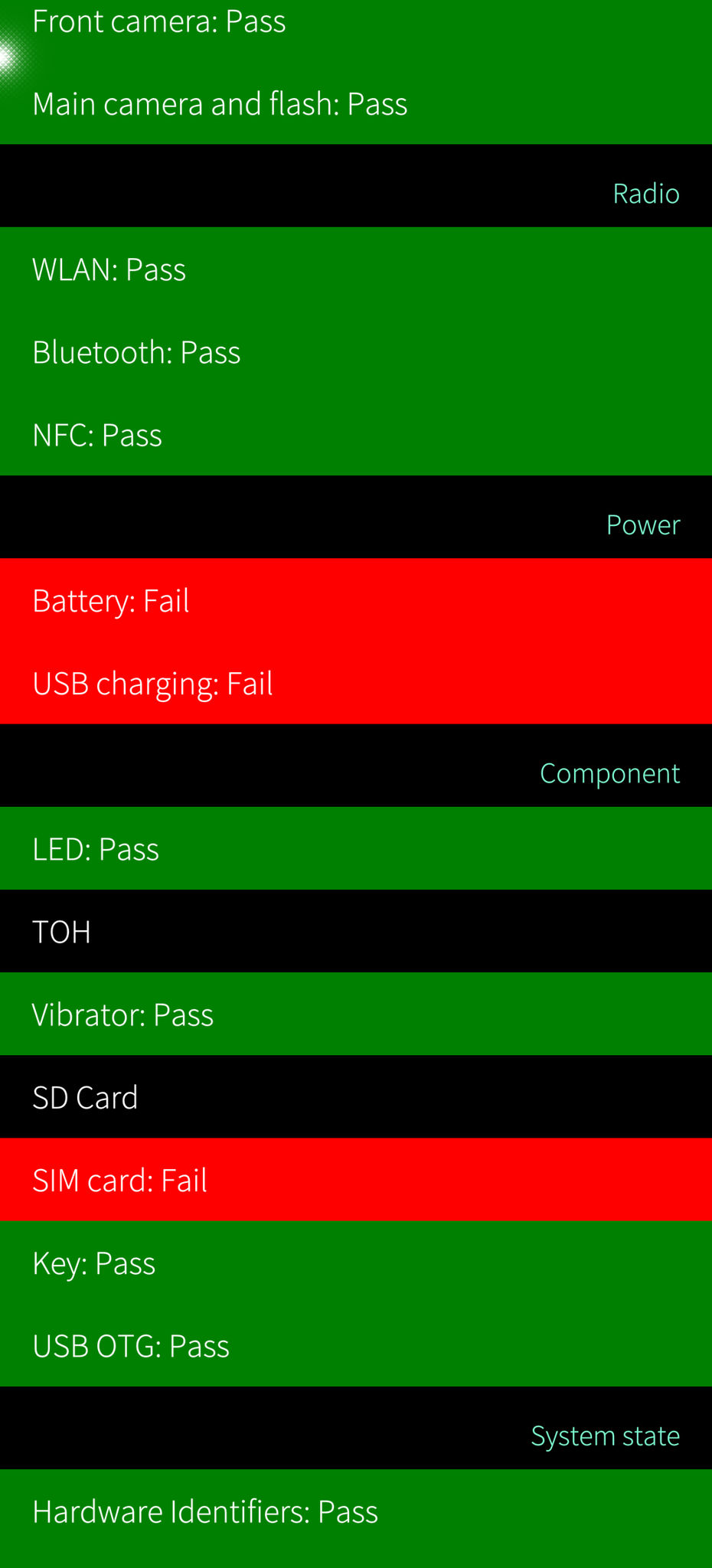
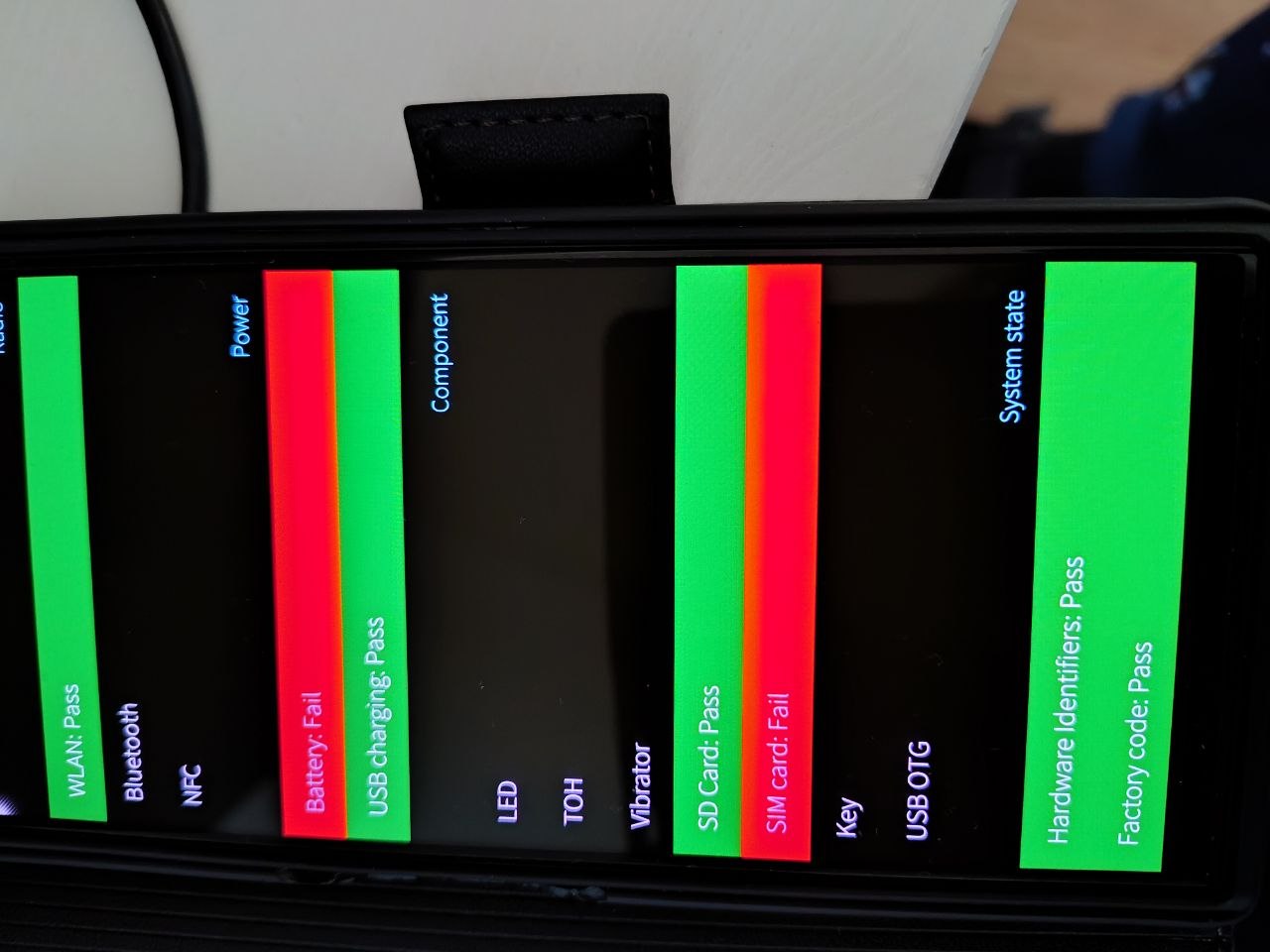
 and if the symptoms match this might be related (-40 feels like a giveaway of some fault).