Bluetooth or not, Swedish BankID is working just fine… even without microG. There’s just a nag screen that you can ignore, or install microG.
Bluetooth have nothing to do with it.
Bluetooth or not, Swedish BankID is working just fine… even without microG. There’s just a nag screen that you can ignore, or install microG.
Bluetooth have nothing to do with it.
Pulling this in to what i think is the main thread.
You alledgedly need either NFC or Bluetooth to add a new one to your phone nowadays.
(And some time you do add a new one or switch phone…)
It didn’t use to be the case, and maybe you can get some sort of exemption - but i wouldn’t hold my breath.
If you have workarounds - please share.
And of course all of this is security by obscurity, so nowhere will they tell you the rules upfront.
And since NFC isn’t yet redirectable to AAS (yet?) - Bluetooth is your option.
…and apparently both phones needs a GPS lock.
Well, you’re right about one thing. If you want to move one existing working BankID from one phone to another, then you’ll need Bluetooth or NFC. But what if you do not have an active BankID or if you’ve lost your phone, maybe it got stolen, what use is bluetooth then?
I’ve never tried, but I can give my left arm on that they would make you get a new passport or physical ID with NFC, to activate your BankID (which would not work on SFOS)… still no Bluetooth though.
All this said, me personally is waiting for AAS bluetooth support (from Jolla), so I can move on from my dying X10III to my X10V or JP2, whichever comes first. @Jolla It’s actually becoming critical.
And in the absence of NFC in AAS your only possibility of getting it then becomes to activate it somewhere else and then move it in. That’s where Bluetooth comes in.
Again, what if I do not have an active BankID or lost my last phone? Bluetooth is of no use! They would have to provide you QR-code like the they did, or stubbornly direct you to those fucking NFC options.
You don’t really think that they would invite you for bluetooth pairing, do you?
I mean i’d have to get/use another [Android] phone (with NFC) that is nominally mine - not theirs. Then i would activate there and transfer over.
Yes, that would be the tortuous work around that I would pay good money to avoid.
You tell me who to pay, and i’ll be right behind you.
Well, maybe Jolla would get their thumbs out an offer a valid X10V license? 
Bankid works fine and i didn’t need any blutooth when i activated a new one on my backup phone.
I don’t get why there would be any problems adding bankid, if you don’t have a working bankid then you visit the bank to get a working bankid.
What doesn’t work is adding an ID to get a digital ID in the bankid app (the one that is a digital copy of your physical ID card).
About Banking all banks i tried in sweden works with Sailfish, i use Länsförsäkringar bank and the app works as does it with a browser and they also have a bankdosa that you can use if bankid is temporarily down.
Both Swish and freja also works with sailfish.
I used my sailfish devices as my only phone since 2013 and i don’t use microG.
So this was recently?
This was my view too - but i keep hearing so many stories to the contrary. But maybe people are not eager to confess they were to lazy to go to the bank office. I assume at least that was required - or are they that random in their settings?
Nobody accepts that anyway. Total fiasco.
I flashed LineageOS to my Xperia XA2 plus and added bankid to it using the bankid on my sailfish phone last month.
I was at the bank to get a bankid almost a year ago IIRC.
If you don’t have a passport, national ID or a working BankID but you do have a valid ID then the only way to get a BankID is to go to the bank.
You can always call your bank office and they will advice what you need to do to get a bankid.
I find that many do accept the digital-id and it is good to use it when you make a contract or buy something since you then have a digital receipt of the identification.
The problem is that many doesn’t understand how it’s supposed to work or the stores system doesn’t support bankid.
I use both bankid and freja at work to check identification, you open your own app and scan the code to get a propper identification, in case of freja if you don’t have the freja app then you can check the id with a webbrowser https://kontroll.frejaeid.com/
https://frejaeid.com/sakerhet-i-frejas-digitala-id-kort/
I do have a working digital-id in freja and i use it every now and then but fewer accept freja digital id than bankid digital-id.
And no Bluetooth required?
Okay, stuff is just random then.
Several people keeps insisting they need NFC and a real ID, despite me telling them this is exactly what i did. Perhaps they are just so unwilling to go there it doesn’t even register. 
I didn’t need any blutooth if i remember correctly i scanned a qr code.
I do see a need for NFC but it’s not needed to have a working bankid.
The only thing in bankid that needs NFC is to add a digital-id nothing else.
I got to my local Nordea office to get help instaling BankID without NFC on my C2.
Well, that might work if your bank actually have a bank office for costumers to visit. Mine don’t (ICA Bank)! They are constantly redirecting me to the NFC options. No matter what I say or do.
When my X10III, (with working BankID) dies, I am officially kicked out of Swedish society.
Who the fuck can function in today’s Sweden without BankID?
You can renew your bankid if it’s still valid.
Banks without physical bank office often have cooperation with a bank with a bank office where you can get help.
According to ica banken support page you should be able to get a new bankid with säkerhetsdosa if you don’t have a valid bankid.
https://www.icabanken.se/kort-och-betala/mobilt-bankid/ansok-om-mobilt-bankid/
I just tried to get a bankid with säkerhetsdosa from länsförsakringar and it seems to work since i saw the qr-code that is needed to install, as a note i needed to use säkerhetsdosa to log into my bank to be able to use säkerhetsdosa to get an bankid.
That is how I got it in the first place but Säkerhetsdosa doesn’t work for moving BankID from one phone to another, no matter what they say on web site.
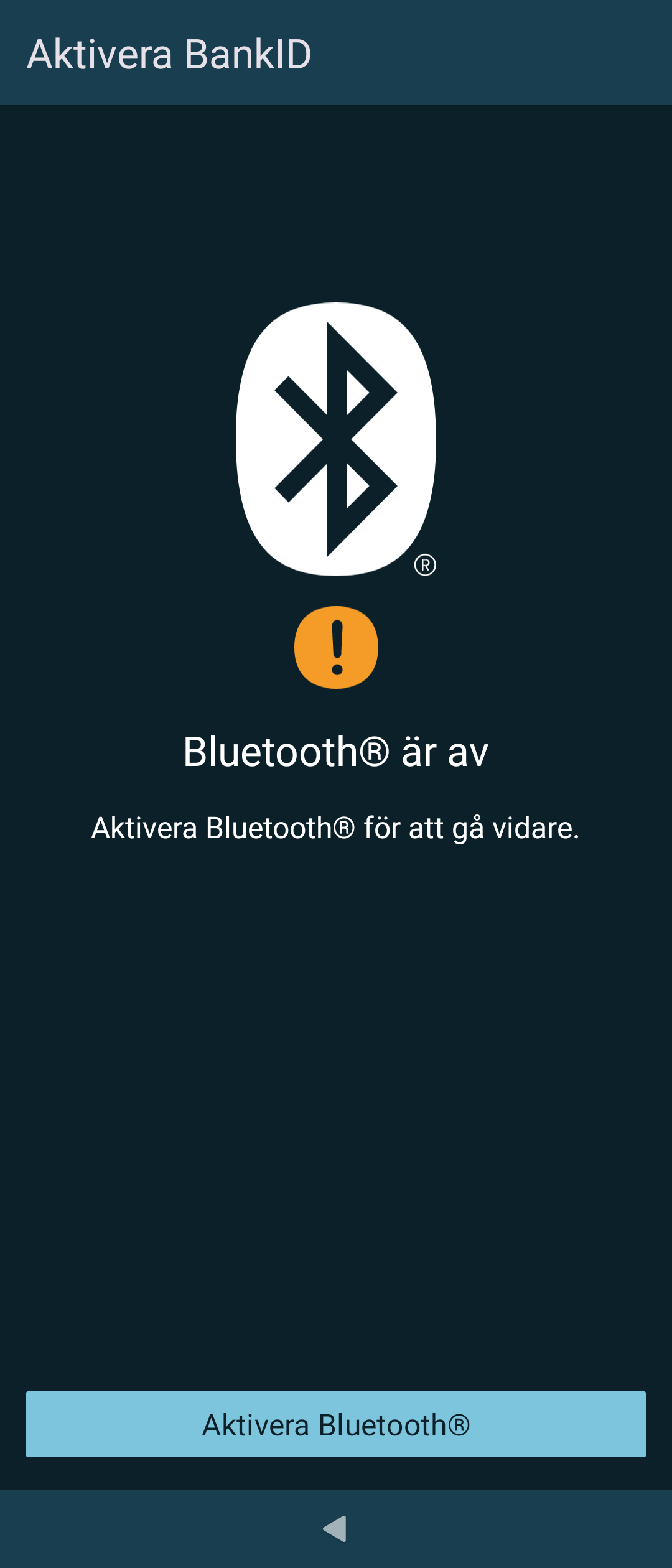
However, after a lot of clicks I found an instruction saying that I can do it using my old phone and get a QR code. So I did exactly what instruction tells me and guess what? At point 11. I got the below screen instead of QR code. 

You don’t move your bankid you add a new bankid then you don’t need bluetooth.
You can have more than one bankid at the same time.
No, then I need NFC and passport/national ID instead. Which is as bad as the bluetooth option.