Hello,
I have been waiting for a response from Jolla Support for almost three weeks. It concerns the transfer of a license from a defective device. Is this normal? In the past, the response time was a few days, if not hours. Or am I contacting the wrong place, since support on Jolla Zendesk is no longer active?
Best regards,
Hyla
2 Likes
They have mentioned that they haven’t been able to keep up with the messages lately. Probably has been too busy with all the development
3 Likes
Thank you for the Info. I hope I’ll get an answer soon. In my opinon 3 weeks is too long … busy with development or not.
1 Like
Rookie numbers! My app has been waiting for their review for over 4 months.
3 Likes
@Hyla_arborea I don’t currently have rights to reply to your ticket directly, but the request has been handled.
@Rikudou_Sennin Which app? The Harbour review queue is not that long, so there is probably something wrong…
7 Likes
Memory Match for Kids
1 Like
Oh, it’s an android app. Those are kind of on-hold in Harbour, as the mechanism how they are handled in Jolla store is not very good, and it can conflict with possible installs/updates from actual android app stores. So unfortunately that might not move forward until we figure out a way to handle that better.
4 Likes
Thank you for your help. I hope there will be an answer soon.
Thanks for the info. Though it would’ve been nice if it was mentioned somewhere in the harbour.
Well, I tested it specifically on SFOS to make sure it works there, so was hoping to get it into the Jolla store.
1 Like
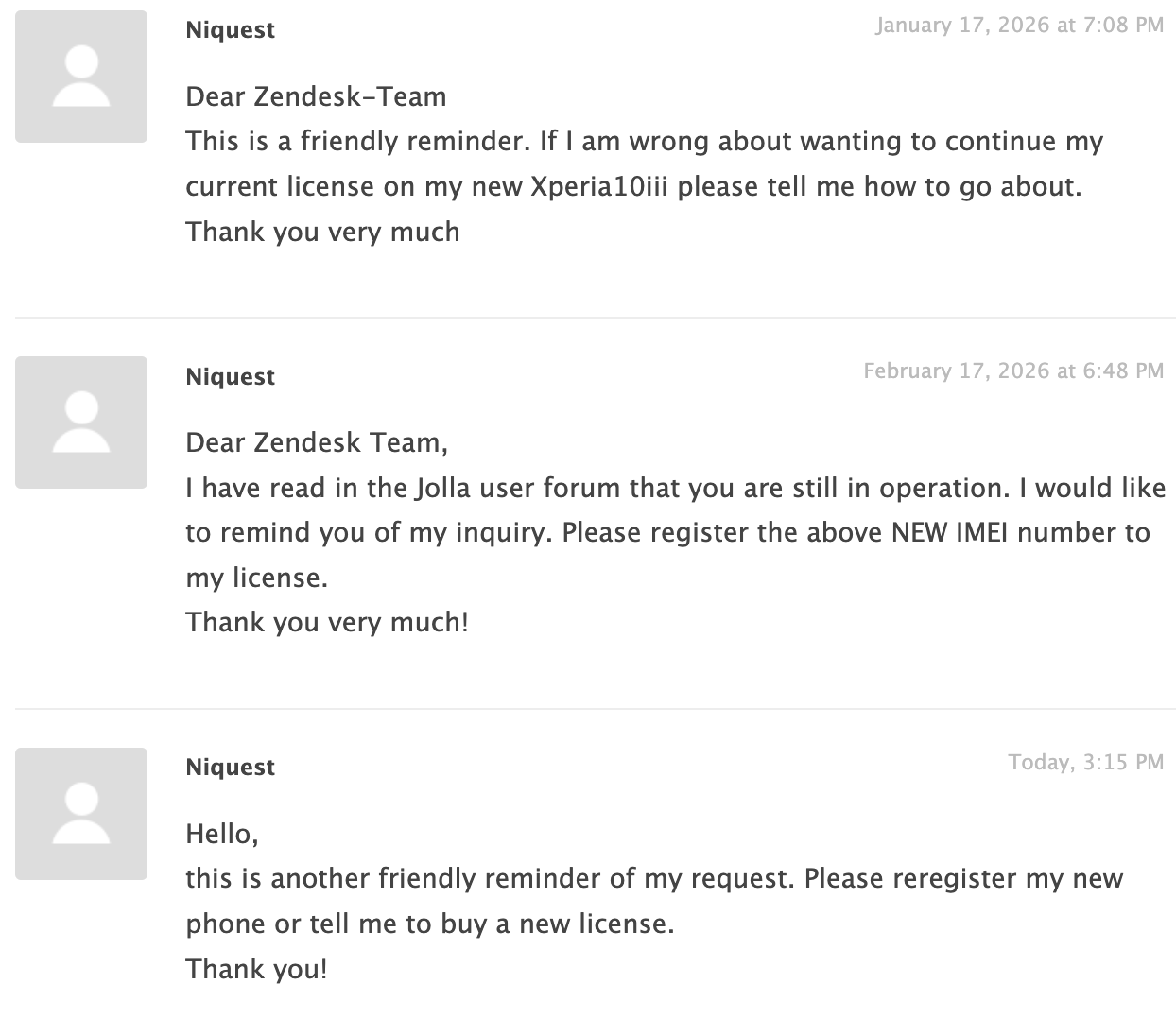
Hi I’d like to revive this thread as I, too, have been waiting for a response from Zendesk for three months now. I opened a ticket on the same topic, license transfer due to broken Xperia10III, and haven’t had either a positive or negative response. Does anybody know what’s going on? @Keto Maybe you can also see my ticket? I’d be happy to get a negative response as well, like, if Zendesk told me to go purchase a new one because the indefinite license thing wasn’t sustainable given the circumstances. Then at least I’d know what to do. Grateful for any lead here. Thanks in advance!
2 Likes
Hi,
bumping this up, still hoping someone will notice us lost souls, camping in the zendesk lobby for three months now.
Cheers
Three months, a complete topic and all that to avoid to buy a new license for a new phone?
1 Like
My takeaway is mostly “ignored for 3 months.”
First time I’ve seen Jolla promise they’ll really start working on their lack of communication was over a decade ago. And multiple times since.
3 Likes
Yeah, that reminds me, it was only like eight years ago I had the most pleasant exchanges with zendesk. Even two years ago it was a matter of days to get a response. Now, I don’t want to be made to look cheap for not buying a stupid license, I’m just nostalgic for the experience  maybe. No but seriously, just tell me.
Support response times? I logged a phone provisioning bug at jolla.zendesk.com which basically prevents my phone being provisioned with Android.
Android App Support is completely missing.
Jolla account Devices page shows this device activated:
IMEI / Device UID: XXXX
Activated: July 3, 2026
On the phone:
ssu s
Device registration status: not registered
Device model: Xperia 10 III (xqbt52 / xqbt52)
Device variant: sony-lena
Device UID: XXXXX
Release: 5.1.0.11
Domain: sales
Brand: Jolla
ssu lr shows aliendalvik repo enabled:
https://store-repository.jolla.com/features/5.1.0.11/appsupport/aarch64/
zypper refresh -f aliendalvik succeeds.
But:
zypper search -r aliendalvik
No matching items found.
Asking them to allow my phone to “see” Android support” in the store. And there is no movement on the ticket! Looks like Jolla takes money , but can not even provide the license hook-up to the device!
Just to check, you have logged in to your Jolla account on the phone? You can access Jolla store and find AAS from there? You should install it from there
I have the exact same thing as nemirova describes and no, AAS is not available in the store under these circumstances. I haven’t really spent time with this problem any more, looking forward to the new phone in August, enjoying my Xperia 10iii without AAS for the moment. It would be nice to know what went wrong, though.
I am pretty sure that there is a bug on the jolla side which happenes during registration of the phone during first time ever boot with SFOS. Once the bug is hit, their (Jolla’s) database has a wrong record which says that device is registered with the sales but in fact it is not registered with the jolla store. Hence device can not “see” the AAS and predictive input in the store to install them. The fix should be simple, for person who has access to this database - run an update for the store table to allow failed IMIE to “see” AAS feature.
more on this, I attempted to re-provision the same device, but it fails to provide the different result. (I re-flash Android 11, configured it, re-flash again SFOS 5.1 and got the nowhere with AAS).
I am not spending another $500 on a new device and another SFOS license to may-be! they will work result. Besides Jolla should stand behind the purchase and honor the money taken even if they are just $25 per license. Shame.
But on the phone you have logged in to your account?
1 Like
Of course I can login into my account. I just don’t see AAS in the store for me.
1 Like