No problem for me. I charge with a maximum charge threshold of 90%.
I have now experienced also charging problems three times. Symptoms are that phone recognises charger but don’t charge before restart. I don’t know if there is any other way to activate charging? Pictures below from battery buddy
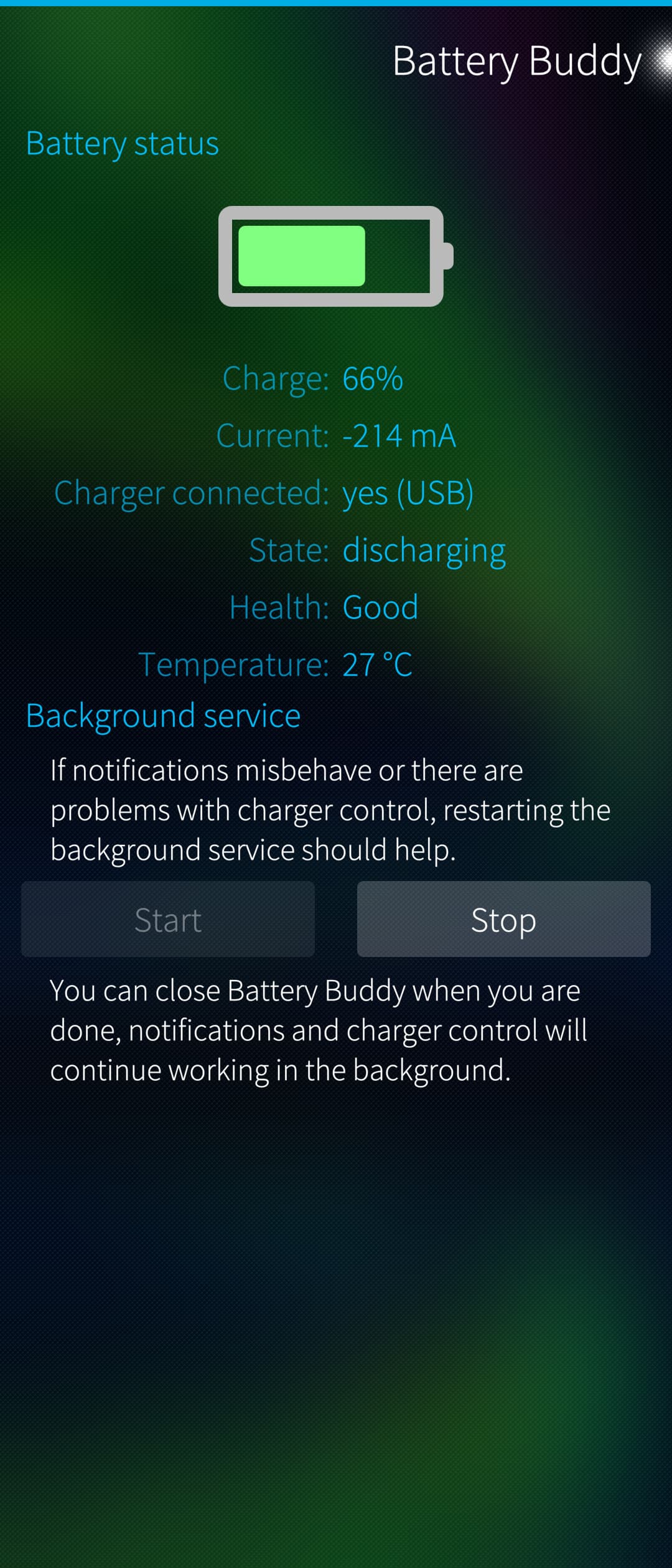
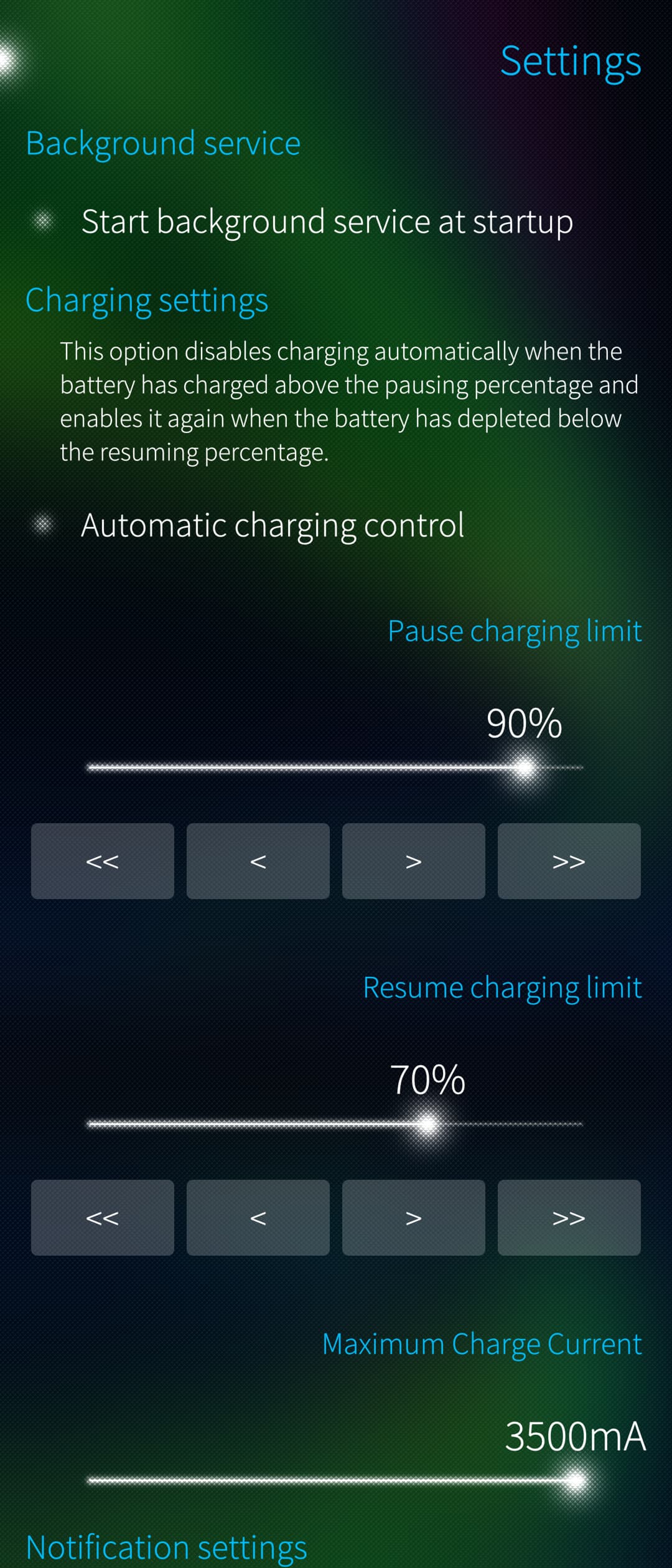
Edit. And immediately after I posted I did see that I didn’t actually stop battery buddy background services. Immediately after I stopped those charging started correctly. So problem is probably related to battery buddy, not to the OS version.
1 Like
Don’t know if its just me, but sometimes i get a charging error due to low voltage. It doesn’t have to do with the release as i also encountered this in former releases. Solutiion is to unplug the phone and plug it in again. Anyone also experiencing this? Ok, i changed the battery once as it seemed old and used… Greetings
Sounds like there’s a problem with your charger/cable/usb socket. I don’t get errors, but charging constantly starts/stops with the cheap charger in my car.
1 Like
FWIW, I don’t think Battery Buddy is necessary anymore for most users, unless you really need
- the audible ping.
- Resume charging limit, but afair some discussions about this years ago, it’s of no importance to battery health
- limit the charging current (this one is actually good to prolong battery life)
It was written before SFOS added charging thresholds in Settings => Battery. Probably still maintained though.
1 Like
Very true, probably wouldn’t need it, I just kind of like how it shows the current it is discharging. I get kind of feeling how fast it is going down
IIRC there are apps that do only that.
1 Like
I spoke to soon, after the upgrade the problem with no audio when answering a call reappeared.
A reboot fixes the issue for a while, but annoying to have to reboot ~3 times a day.
Noticed that the upgrade reset the line “load-module module-suspend-on-idle timeout=1” in /etc/pulse/default_sailfish.pa, after yet again commenting out that line, audio in calls works without the need for frequent reboots.
The drawback is that the battery discharge rate is back to previous levels.
1 Like
Was the audio otherwise working, for example the ring tone was audible?
There are different kinds of long standing open issues around audio, for which we haven’t been able to pin point the root cause.
5 Likes
thx, for reply.
I need do some new test. and waiting the new Jolla Phone
I was thinking that config settings in /etc/pulse/default_sailfish.pa can be overridden in a separate config file, but this section:
### Including a default_sailfish.pa.d directory, which can be used
### for additional configuration snippets.
### Note that those snippet files must have a .pa file extension.
.nofail
.include /etc/pulse/default_sailfish.pa.d
.fail
is at the beginning of the file, so persistent user configuration can only add, not override options. An unloading of the offending module is not possible.
I wonder if that was a conscious choice?
WRT the module-suspend-on-idle module, pulseaudio documentation says this about what can happen when pulseaudio is suspended:
Disadvantages: When pulseaudio gives up the backend, and the backend is not capable of mixing, errant applications can grab the sound device and hold exclusive control over it, making pulseaudio stop working. If pulseaudio does not give up the backend, errant applications won’t be able to play sound, but they will not disrupt pulseaudio’s operation either. This scenario is possible 99% of the time, since most users run an ALSA sink/source without a card that has software mixing. An “errant application” would, for example, try to open hw:0 or front:0 rather than the ‘default’ ALSA device.
I wonder if this could have something to do with the problem we’re seeing, and if it could be that random 3rd party apps are grabbing the soundcard, which could be why not everybody has the no-audio-in-calls problem?
@foo again: you can dynamically unload the module with
pactl unload-module module-suspend-on-idle
A systemd service could automate that.
This will survive updates.
A script that toggles loading/unloading could be added with something like qCommand.
2 Likes
I usually keep my phone on silent, so I don’t know about the ringtone I’m afraid.
Haven’t experienced any other audio-related problems, but on the other hand I seldom play music, watch Youtube etc. from the phone. The only other frequent use of audio I can think of is the alarm clock, which has been working flawlessly.
I see. But are you 100% sure that disabling suspend-on-idle fixes your problem? Because that would be an important pointer imo.
Hi to everyone!
I have been using the SFOS for a couple of Weeks on xperia III. I bought one with android 11, and 5.0.0.72 SFOS.
After accommodation period now I use it as a daily driver, like it, but it’s not always easy.
The latest upgrade went smooth, but one thing bugs me, I can’t use camera from android side apps.
Now I can live without it, but some things are practical to do, like paying bills with scanning bar codes.
Does anyone have the same issue and potential solution to that?
Did you try to start the native camera, or Advanced Camera at the same time.
Seems to me that this used to work for me.
If have no idea what the root cause is, just that it circumvents the problem.
Have had the problem since quite some releases back, I think it was this post that led me to trying the disablement of pulseaudio suspend, and it has worked for me at least:
Like Keto wrote a few posts back, there seem to be a few different issues/behaviours causing trouble with audio, so the solution/workaround that solves it for me might not work out for everybody with audio issues?
Thanks a lot it worked!
2 Likes
@Keto This update appears to be better on my XA2 battery. Have there been changes in that area or is it my perception?
Updates on my XA2, XA2 + and 10 III. went smooth but both XA2 devices still are on Android 11.
And this wont change. Only 10ii and 10iii get the Android Version update.