Oneplus 6(t) - THE port to get

Okay, I can confirm volte IS working on op6t, won’t register on op6

But the patches did help it dropping during call

you don’t need all the weird audio configs, it works just fine with the patches

For anyone else on op6 or op6t:
zypper in ofono-binder-plugin ofono-binder-plugin-ext-qti

option 3, break the patterns

edit /etc/ofono/ril_subscriptions.conf

# Global config
[Settings]
#EmptyConfig=false
emptyPinQuery=true
radioPowerCycle=false
confirmRadioPowerOn=false
uiccWorkaround=false
allowDataReq=on
dataCallRetryDelay=333
startTimeout=10000
#dataCallFormat=11
#useDataProfiles=false
#ecclistFile=/var/lib/ofono/ril.ecclist

# Dual-SIM
SetRadioCapability=off
#3GLTEHandover=true
#ForceGsmForNonDataSlots=true

# SIM 1
[ril_0]
transport=binder:name=slot1
name=slot1
sub=SUB1

# SIM 2
[ril_1]
transport=binder:name=slot2
name=slot2
sub=SUB2

and it should work just fine

If you got op6 not t, you can try it too and see if it works, it won’t hurt you at all

Another update: the binder patch is entirely unnecessary as it works without it

Another update: from all of that stuff only one line is actually useful xd

1 Like

Also @mal helped me fix lipstick restart so now patch manager will work fine.

just do the classic zypper ref; zypper dup

3 Likes

So @fsan06 tested it on op6 and it works on op6 which is cool, my carrier probably despises op6 but op6t is somehow magically fine.

and since it works and causes no issues i’ll switch it to default so you won’t have to do some weird pattern breaking

I made it default so now it’s just classic zypper ref; zypper dup

4 Likes

Wow this is really great news!

Just one useful line, haha! Nice job finding it and making something proper, compared to the janky ai stuff that seems to work only for me..

Awesome job, gonna do a fresh install and use you solution to get rid of all the stuff ai did to my phone.

Tested and works flawlessly on 6T!

Okay so PSA. The fix for restarting lipstick also causes gui not to start so while i’ve reverted that, if you have that issue, remove /etc/mce/60-compositor-enchilada.ini and it will work or zypper ref; zypper dup if you can ssh to it

1 Like

Sounds interesting, I’d love to give it a try. Could somebody going trough that proces note all the steps and compile small how-to?

Compile what? What how-to? What are you on about

I’m assuming there’s some progress with VoLTE on OP6/6T
Simple zypper ref;Zypper dup did not the trick here (ie still not registered), at least I didn’t broke calls, which still work over 2G.

For the record it’s on OP6T NJU/Orange sim.

That’s it. I didn’t say it will work for everyone i said literally opposite.

I had op6t register on orange and work and now it doesn’t even want to register on zenfone 8 so there’s some carrier bullshit involved

Never expected to work 100% at this stage, hence trying part :wink:
So it seems it’s like Panther, in 60% it works every time :slight_smile:
Maybe I should ask guys from Orange support team, maybe someone remember what’s the deal with devices being unable to register. It was something like +12 years ago when VoLTE was introduced.

brother, op6 is not even on the supported devices list so all they’ll tell you is “buy new device”

Don’t make me go to next company integration event to find right guy and torture him until he sneaks OP6es to Orange whitelist :).
Gone are the days when I could poke their systems on my own.

what’s weird is that op6t worked for me in the past but op6 didn’t lol

@mal GOAT helped me fix the lipstick restart and it’s working fine now so

zypper ref; zypper dup time boys

If on boot screen seems stuck just turn it off and on again (the screen, not the phone, click the power button twice)

With recent improvements I got question for yall

  • Add encryption
  • Don’t add encryption
0 voters

You might ask “isn’t the answer obvious” yeah well op6 is not the only thing i’m doing wink wink

Okay guys i get the concept chill xd

Okay I’ve added encryption but if you want to have it you’ll have to reflash with image from the site

it is technically possible to move data to encrypted home but that’s too complicated for y’all dummyheads, and if it’s not, then i don’t have to describe how to do it :stuck_out_tongue:

zypper ref; zypper dup. Your phones should work as if nothing changed, there will be encryption option in settings that’s it.

if you want encryption → reflash

Also I couldn’t upload new images cause github decided to have outage so check for .67 images later [2026-02-13] Incident Thread · community · Discussion #187105 · GitHub

Images are up

5 Likes

Apparently there’s issue with .67 images so hold up guys

Can someone tell me if the installation of AAS files works on the port.
I need WA on a daily basis.
Thanks.

1 Like

Fixed images are up on website/github, enjoy

2 Likes

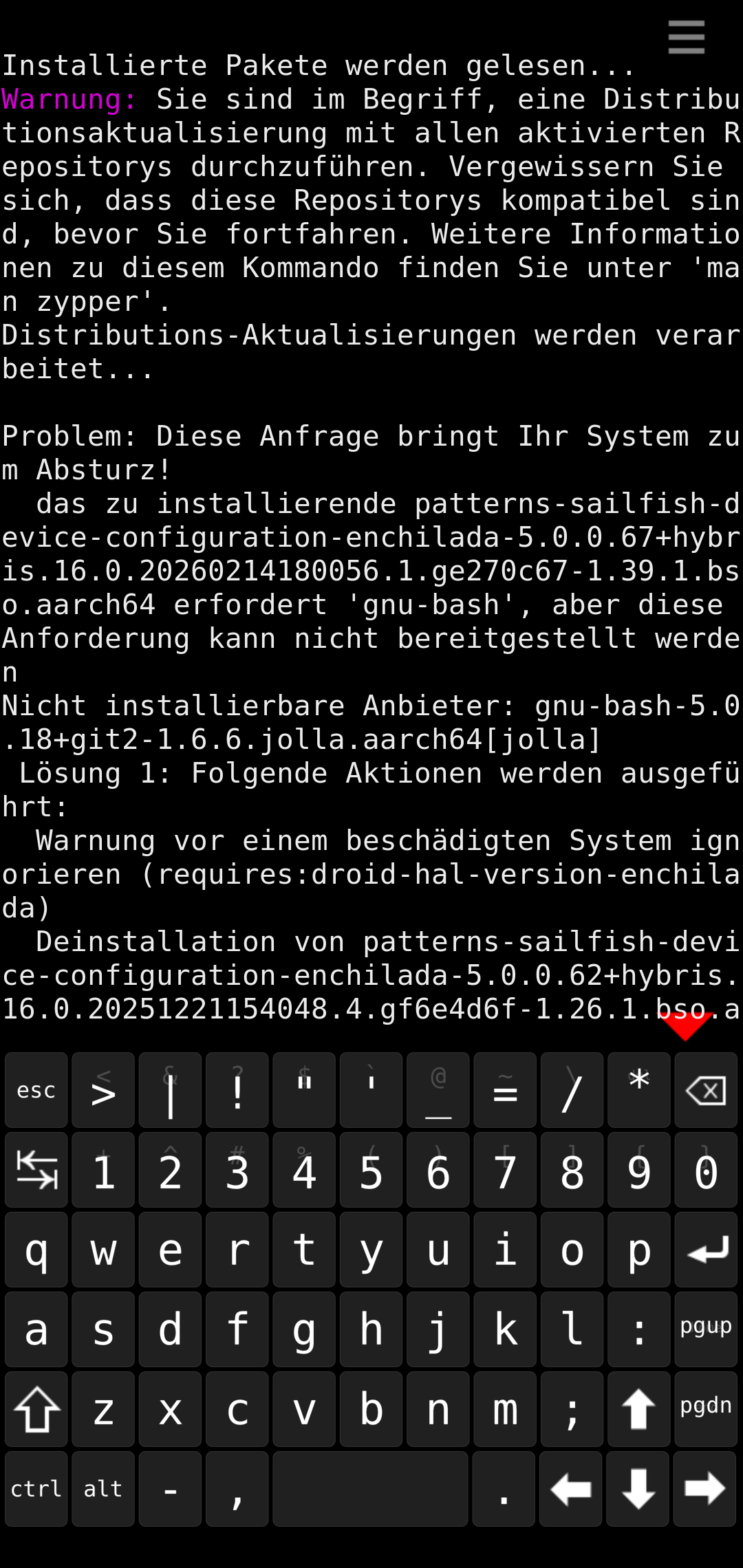
Hi, zypper ref, dup brings a warning “this could break your device” something with sailfish patterns??? I don’t understand. It gives me 4 or 5 possibilities to choose or to cancel. I canceled.