I think it’s software layering.
4 Likes
I would and I hope so.
If a similar issue can make 10 III look perfect (right) after the workaround, I expect j2 to be pitch black when it gets fixed as well.
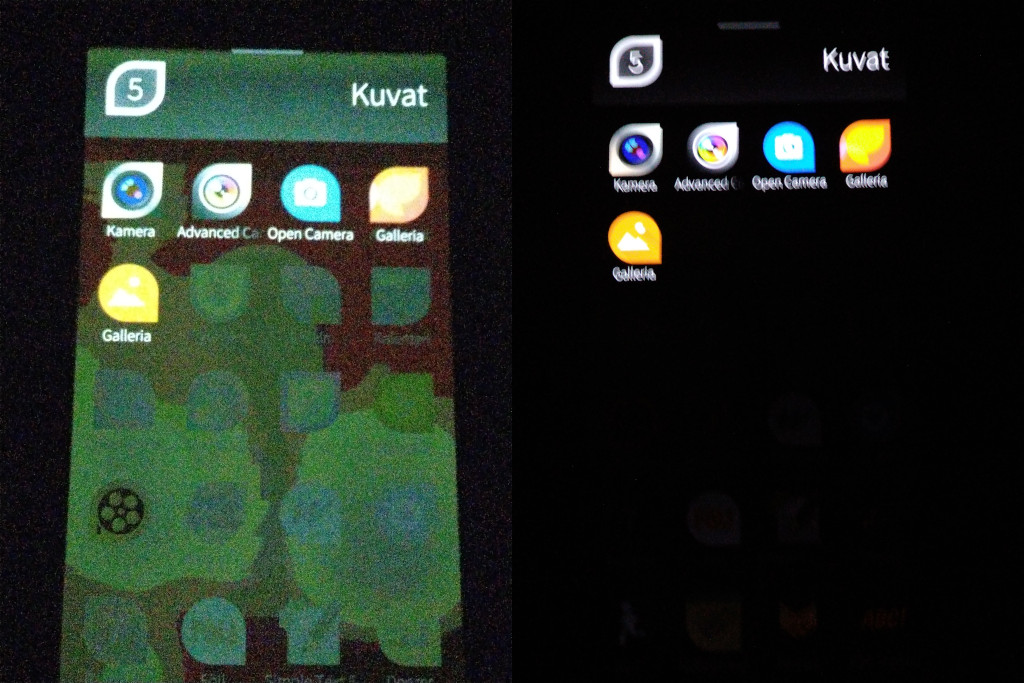
*photo from the fix on GitHub.
3 Likes
I tried to play with brightness as a workaround but I couldn’t fix it that way. But like I mentioned before I can see less glow when the brightness is set to high so maybe something related?
The issue looks to me like near black mura, but I’m not an expert, just a guy with a few devices with similar issues that really hates these things.
First time I saw something similar to that as an example was 16 years ago with galaxy s.
The fix could be completely different in each case so I don’t expect it to be the same as the 10 III (even that applies only with specific blobs/base), but it should be fixable.
As long as the issue looks like your photo (smudges follow the background pattern) it is a software issue and should be fixable.
2 Likes
If there is a problem with displaying black, then it means either it is software-related or the OLED is low quality. I hope it is on the software side; otherwise, over time the OLED could enter a different kind of evolution process.
Most of these issues are software related. I have a 2 year old skyline and pixel 8 pro and they have (sometimes) the same issue but only on the top part of the phone where the status bar is.
You can’t conclude that it’s a hardware issue when it suddenly appears as the brightness goes down, follows patterns behind the transparency, and you can see pure blacks in other (non consistent) areas of the screen depending on the background.
1 Like
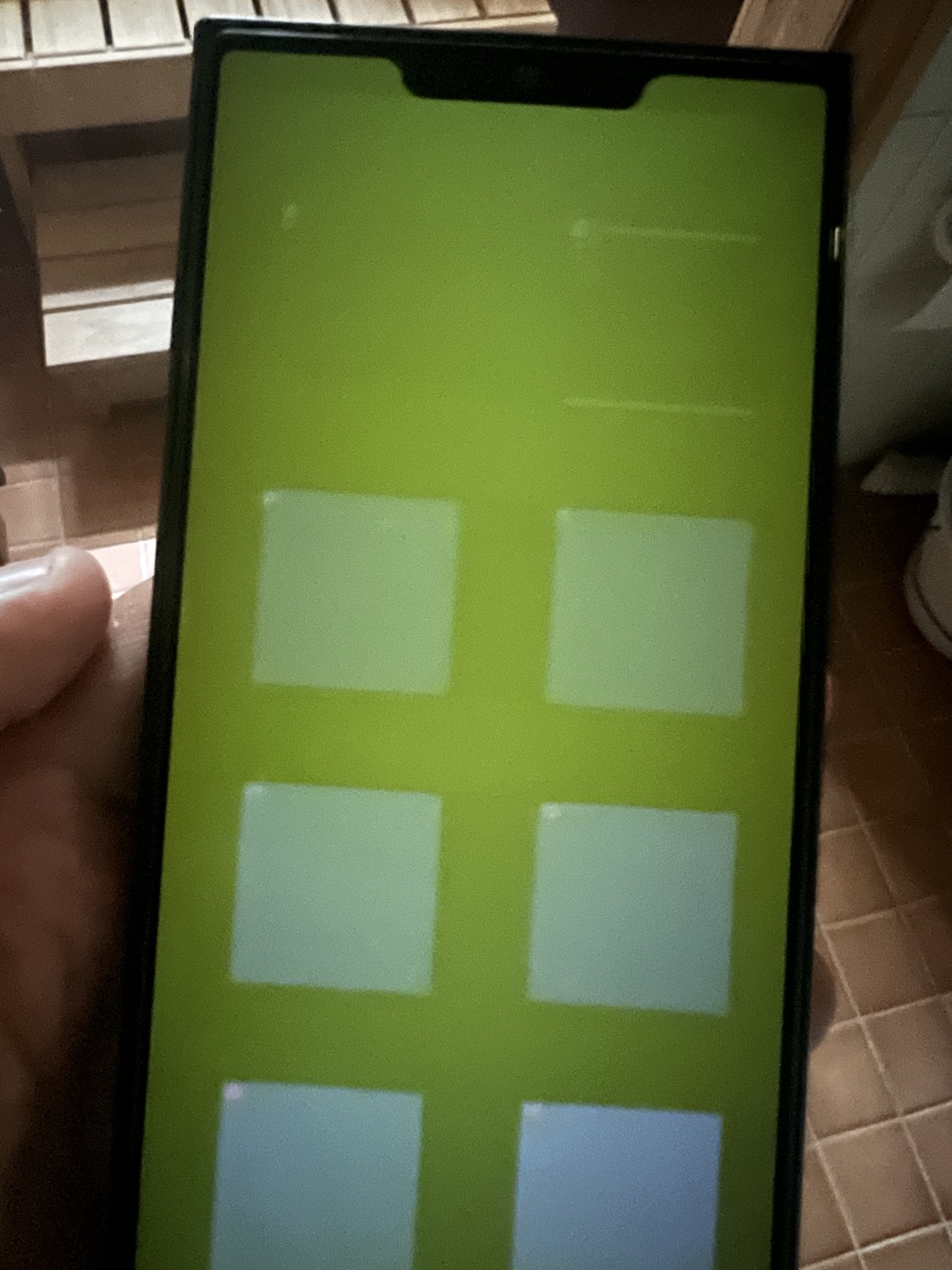
My extremely unscientific test at dimmed environment although sauna window sheds a bit light in the photo, it was not very light in the place.
Test image has black background with various gray boxes. The top left box is black too.
Although extremely shaky test, one can atleast compare to the bezels of Jolla phone that screen is definitely not black.
(Taken with iPhone 13 Pro, Jolla Phone had Adaptive Brightness set to lowest)
White balance is totally off so that most likely explains the green tint.
3 Likes
I looked very close to a fully black image in the gallery where nothing else is shown (also no coloured top bars or something like that).
On the iPhone 12 the screen showing this image is pitch black, I can’t make out the screen exactly nor the notch.
On the J2 there is a very visible dimm light source all across the screen. It looks even, except the screen space left and right of the notch which appears slightly darker than the rest but still clearly emitting light (lumen’s image shows that actually).
1 Like
Is your background image the orange spiral? Looks like it shining through
1 Like
Yes I think I used ambience named “Roihu” or “Flare”, cannot confirm because I changed it already.
Can you share the image so we can all have the same-ish test setup?
My experiences with Jolla 2, 5 days after a very nice journey to Finland and an exciting event in Helsinki:
Hardware:
-
Elegant, surprisingly lightweight, well balanced, lays good in hand, long lasting battery.
Screen is bright, deep black, only in sunlight it’s more vague, but that’s common.
Sound is good, much better that with C2.
Adapter with in-ears works fine.
Being able to change the battery is great. -
Two times the phone slipped out of my hand. No damage (build is good), but a case can solve that. After a while (say, 20 minutes) holding the device my third and fourth fingers are beginning to feel uncomfortable where they touch the back. The same with the lower left edge on my hand. Again, a case would be good. Looking for a book case that fits.
The big notch is crossing over text when scrolling.
Software:
-
Elegant and easy UI, a pleasure to use. It’s fast.
GPS seems to work.
Smaller icons are a good choice.
Fingerprint works well.
Importing contacts was easy with a VC card and the Files app. -
Two disappointments and a bug with launching apps.
After the pre-latest Sailfish update there is something wrong with authentification. General mail does not work with my Soverin.net account. I contacted Soverin, a privacy safe mail service. They gave me a key to solve the problem, but that did not help. I had hoped that this problem would have been solved with the latest update, but no.
The other disappointment: Threema Libre can be installed and the chat function works, but there is no access to camera while video calling. I can see the others, they can’t see me, despite having given access in settings.
So to my regret I had to remove my sim from Jolla 2 and put it in the Volla22 that I keep as a reserve.
This brings me to the question: is the Jolla 2 ready for a larger public? Not yet. The OS is unique and nice and the world really needs to get away from surveillance-capitalism. Jolla’s ambitions are high, but in order to make Sailfish suitable for more people, more attention should be given to the needs of ordinary users., what features are most important. Working on the improvement of one thing is always better than working half on many things.
17 Likes
Did you opened/search a thread if anyone can help?
I think you should also open/search a thread. For me both Telegram and WA can handle video calls already from several releases ago.
1 Like

Yes, he was able to get one at the Helsinki event, this must be the post you read…
I noticed recent phones from my friends are also “surprisingly lightweight” compared to my 10iii. A generation of battery ahead makes a difference.
1 Like
This also makes a difference: glass vs. plastic. For some years a glass back was fashion. Sony e.g. had this.
2 Likes
Do we know where jolla wants to go exactly? Its vision? Could not find it…
Sometimes I switch between must be „the EU phone for all 100s of millions“ or „the tech guys that want to stay away from the us tech bros.“
App for VPN?
Just configure it in settings. Pretty sure commandline equivalents are possible.
Unless it is some proprietary twist of a standard, which you should not use as it is not safe.
VPN is not an app.
12 Likes