Did they include this somewhere in the instructions, or is it Jolla being Jolla again and just relying on everyone to read their minds?
I’m convinced all the backlog in their support department is caused equally by people having the attention span of a fruit fly and the reading comprehension to match, and by Jolla not spending a few minutes thinking things through and communicating clearly and without ambiguity.
Your response makes no sense. I’m already a SFOS user it’s just that my XA2 Ultra, although still usable, is a little lacking in the processing department. As far as ‘suggesting to rely on “sovereign solutions” under the control of a regime that is openly waging a hybrid war against the EU’… I made no suggestion of the kind. AFAIA there is no English version of the Russian Jolla phone even if you were to. I was merely pointing out the obvious stupidity of the EU that’s all.
You might see the need to engage in geopolitical stupidity as being necessary but I don’t. I hate US big tech’ as much as anyone on here, but I don’t hold it against the American people. The same principle applies to every other nation on the planet including Russia.
Using phone without SIM. Findings after one week usage:
These apps from Aurora Store do work (so far flawlessly):
All Proton apps, but VPN
Firefox, Bluesky, Organic Maps
Nordea mobile, Nordea ID
GPS reception: Good/very good, but you can not set your location manually, so expect initial initialization may be lengthy [GPS spec: up to 20 minutes] w/o SIM (A-GPS via GSM). VPN and WiFi hotspot will A-GPS locate you to the data center location via IP, so that does not help either.
Verified with GPSInfo (Jolla store) and Organic Maps (Aurora Store)
Initial (Proton) VPN settings with OpenVPN configuration file is far from user friendly as usr and pwd input fields are always cleared when you exit the device’s VPN settings view to get either of those (solved by copying “<usr>|<pwd>” to the clipboard.
As you can store multiple VPN configurations, after initial setup using VPNs is a breeze.
No Bitwarden app (not in Aurora Store of F-Droid, either).
Terminal requires Developer mode (SOP).
Privacy key configuratibilty is superb and seems to work as advertized.
Also: There has been zero issues with the WiFi hotspots, unlike with my Android phones. I tend to run phones over the hotspots 24/7 with few exceptions.
This was not on the support list, but I can concur: SailfishOS SDK does not work on Windows-on-ARM, i.e. Win11/SnapdragonX, devices (due to well known generic Oracle VirtualBox limitations that are still to be resolved).
Thank you for your insights, but this part confuses me.
There are two native Bitwarden apps: Sailwarden and BitSailor.
In addition, there is the official F-Droid Bitwarden repository, as well as the official App from Google Play, which should be available in Aurora. The last part I have not validated yet, to be fair.
Is it not available, or did you mean, that it did not work?
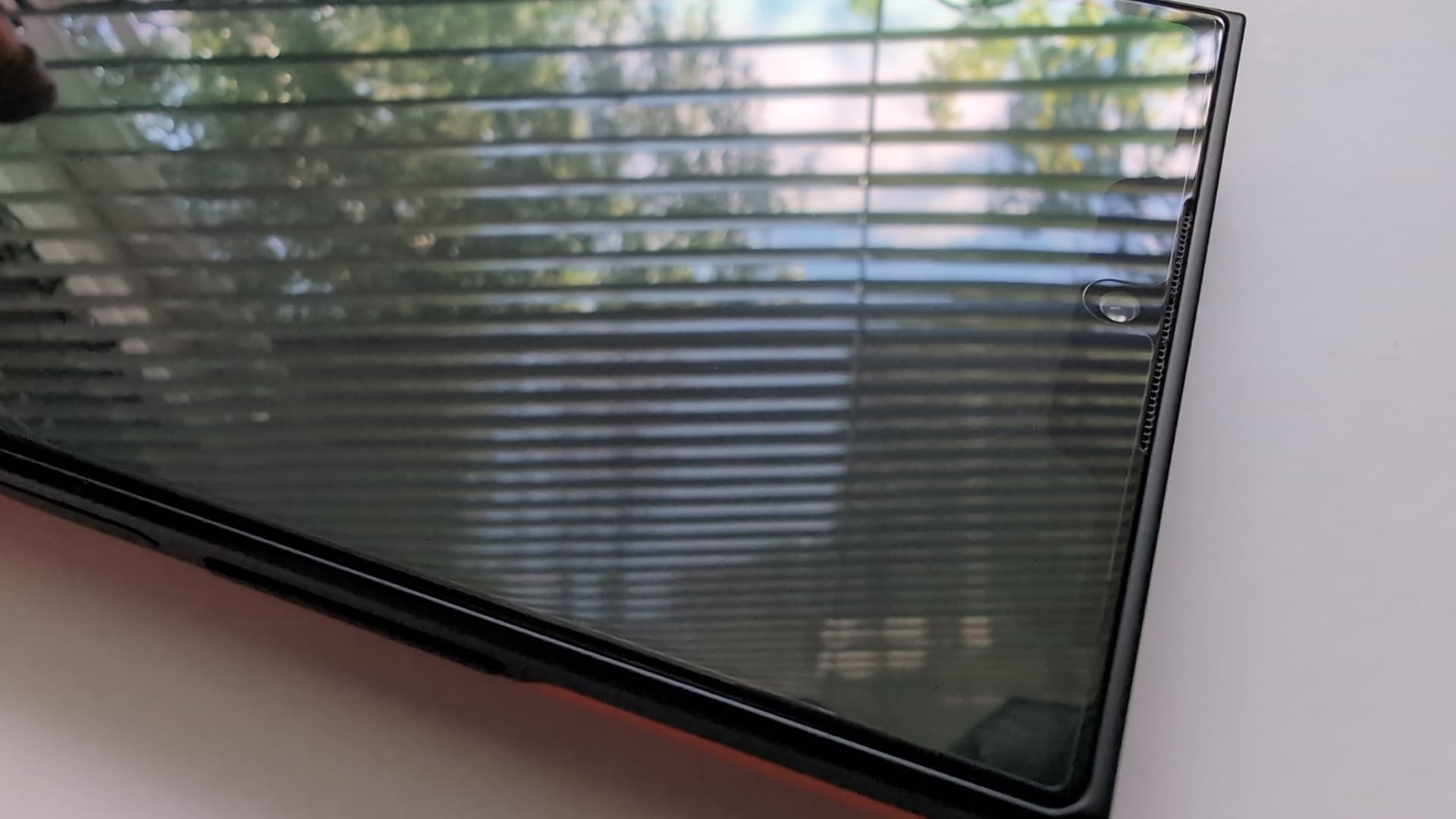
You are supposed to peel the factory installed protective second layer only if you are installing accessory glass screen protector/privacy shield.
When you receive your phone, it will have one layer with a pull tab that temporarily protects the phone during manufacturing and transit, and you are supposed to remove that. Under the first layer, is one of those cheap factory installed protective plastic layers you see phone manufacturers place on every cheap to mid-range phone these days.
@lkraav is having problems with air bubbles forming between this second “permanent” protective layer and the actual screen glass. He has clearly stated, that he removed the first temporary layer and haven’t installed accessory screen protector.
Noticed that if i set the privacy switch on, disabling AAS and reboot the device, WhatsApp messages come through and you can open the application from the notification bar, even if all Android applications are dimmed in the application menu.
Conditions: Start AAS(from options toggled on) when booting the device. Privacy switch on.
i am not sure if this is wanted, or if it matters. AAS probably starts before privacy switch is handled, if you can say it in that way.
Aah, interesting if it’s a factory-installed screen protector in addition to the soft plastic shipping protector. It does get bubbles, but I’m happy to use it while I get the hang of how this phone’s going to get used. Better to let this protector take the scratch, then put on the one I bought for it.
But to be perfectly clear, there were two extra layers at delivery: the peel-off shipping protection skin, then a free screen protector on there. And if you ordered a screen protector, it’s there in its own separate box waiting to be installed.
I’d argue to attah that if Jolla promotes AppSupport as one of Sailfish OS’s selling points, then it’s reasonable for customers to expect the company to invest in fixing bugs and reducing the everyday inconveniences of running Android apps. It doesn’t have to be perfect or deeply integrated like native Android, but it should provide a reliable experience.
I understand that Jolla has limited resources, and I don’t expect every issue to be solved overnight. At the same time, improving AppSupport is in Jolla’s own commercial interest. A better user experience attracts more users, which increases revenue and gives the company more resources to continue improving the platform. That’s the normal cycle for any commercial business.
The key, in my view, is to grow without compromising the original commitment that makes Sailfish OS attractive in the first place: respecting users’ privacy rather than monetizing their data. As long as that principle remains intact, investing in AppSupport seems like the right direction for both users and Jolla.