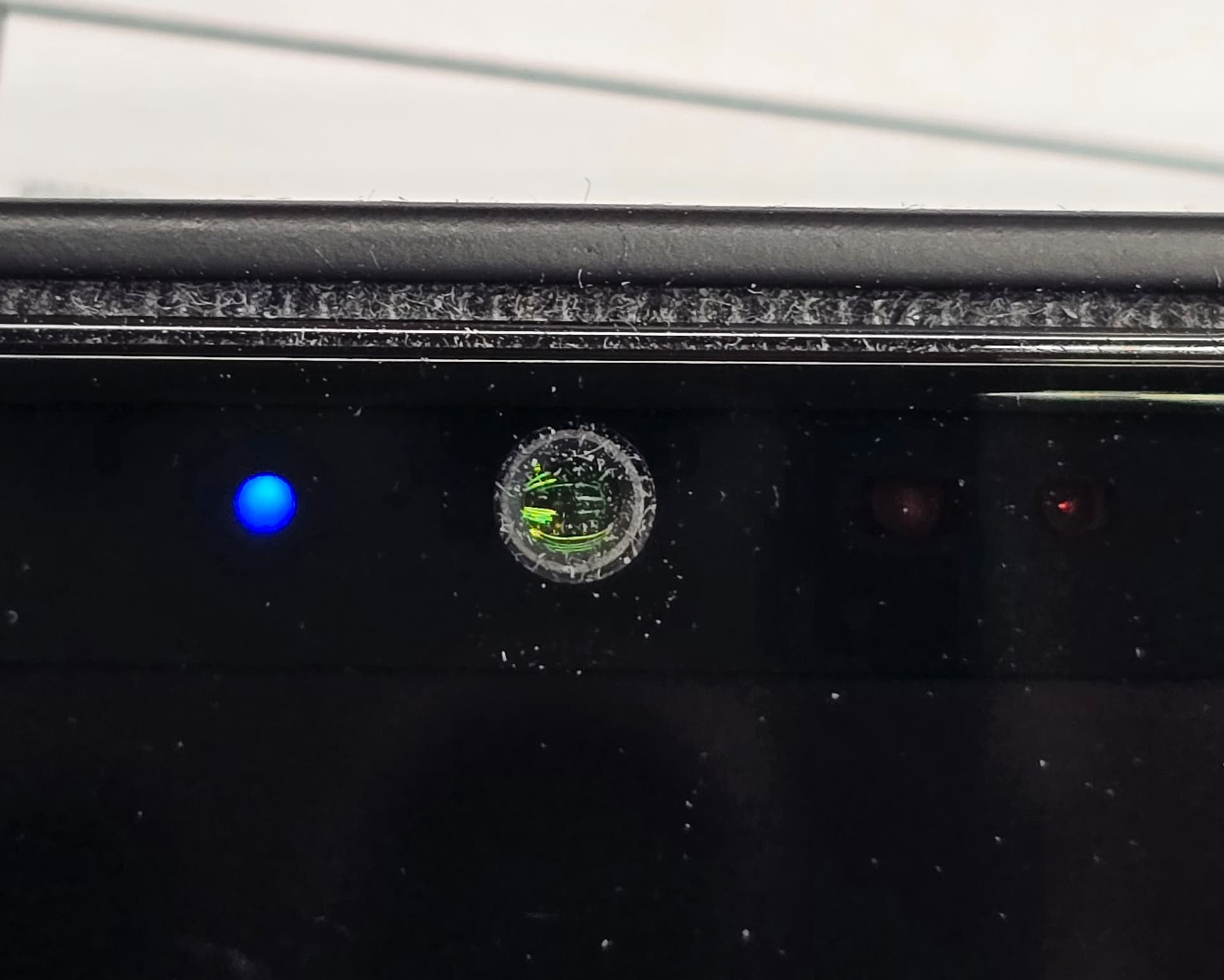
EDIT: Jolla is aware of this problem and asks if everybody affected by the problem to reply with information about their dust affected phone (in front/selfie camera housing).
Example answer:
"
Affected with dust inside front camera housing
Received: During Jolla Phone Day1 launch event - OR - Mailed between July 9 -29
Colour: Orange/White/Black (colour of The Other Half TOH - you received the phone with)
Serial number: JP26…
Order number: # if you have the order number readily available
"
Please see further information on Jolla’s reply:
ORIGINAL POST BELOW:
I noticed that a non-normal amount of dust is getting into the front camera (or atleast the dust is building up in non-normally fast with two weeks of normal use of the phone).
As far as I understand it cannot enter the camera module itself, but is building up between camera module and the screen glass.
The dust makes the image from front camera look washed out and foggy.
PS. The photo was taken with a Fairphone 6 using /e/OS with FP6’s own camera app. I don’t know if that app uses AI to pimp up photo… the dust in the photo looks a bit too white to my eye, so I think there might be AI on play here. But the amount of dust is more or less as portrayed here. I don’t have other methods to take so close up photo for now
PPS. Tried to take a photo of it with my work iPhone… and the iPhone camera app changed the dust to some distorted scape worms Very very not appreciated Apple - shame on you.
I had the same issue after 1.5 years of using a Jolla C2, but I was able to open it and clean it. It seems that when using that protective case, it will take longer for it to happen, because the earpiece speaker gap has no direct contact with your pants pocket fabric and therefore prevents abrasion. But you’re right, of course it shouldn’t happen that fast. I guess there’s a missing camera ring seal.
Do you remember how the housing for the camera was built? Was it just hard plastic or was it made out of silicone? TOZfyT54QKS6XaxW.huge (1600×1200)
If its just a plastic housing Jolla maybe can add a silicone sleeve or something similar to make it seal better?
For a homemade fix i guess you can take some easy to remove glue like hot glue and just seal the camera inside ? Maybe a piece of tape would do the job if you can seal it good enough.
In that case I would as precaution ping @Jolla , @rainemak, @Keto so hopefully someone from Jolla will notice this thread and take precautions in case this there is HW assembly etc problem. Wouldn’t want to send the phone back for repairs later, might be worth to consider halt sending shipments until this is checked.
It is indeed inside the phone - definitely.
I made also a Zendesk report out of it - but there were no option “Jolla Phone 2026” to report onto, (only old models listed in the pull down menu).
So… I don’t know how easily non-JP26 issue will jump on Jolla’s screens at their time of laser focus on JP26 - that was the biggest reason I made a post here in the forum - so that Jolla can make possible corrective measures as early as possible, before thousands of phones already around Europe.
In this case, you should also pay close attention to this: you must absolutely avoid cleaning the device with any wet liquid. After all, if even a small dust particle can quickly penetrate into that area, then a small amount of liquid could directly seep inside the camera. I think the reason for the rapid dust accumulation is that no rubber seal was placed between the camera and the surrounding area.
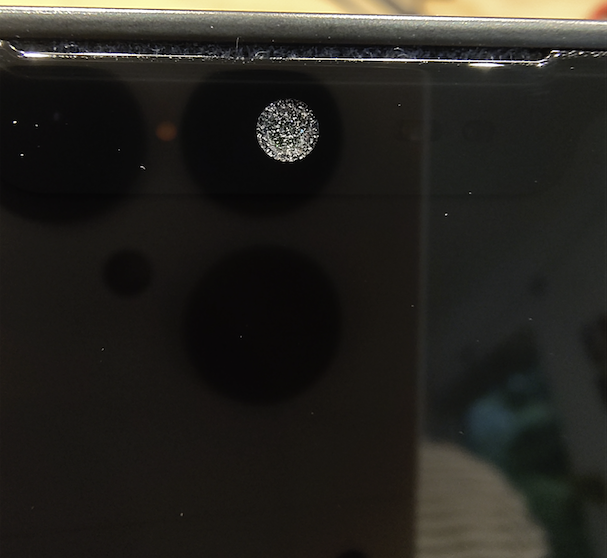

 Very very not appreciated Apple - shame on you.