I am new to this forum, and also to the world of Jolla.
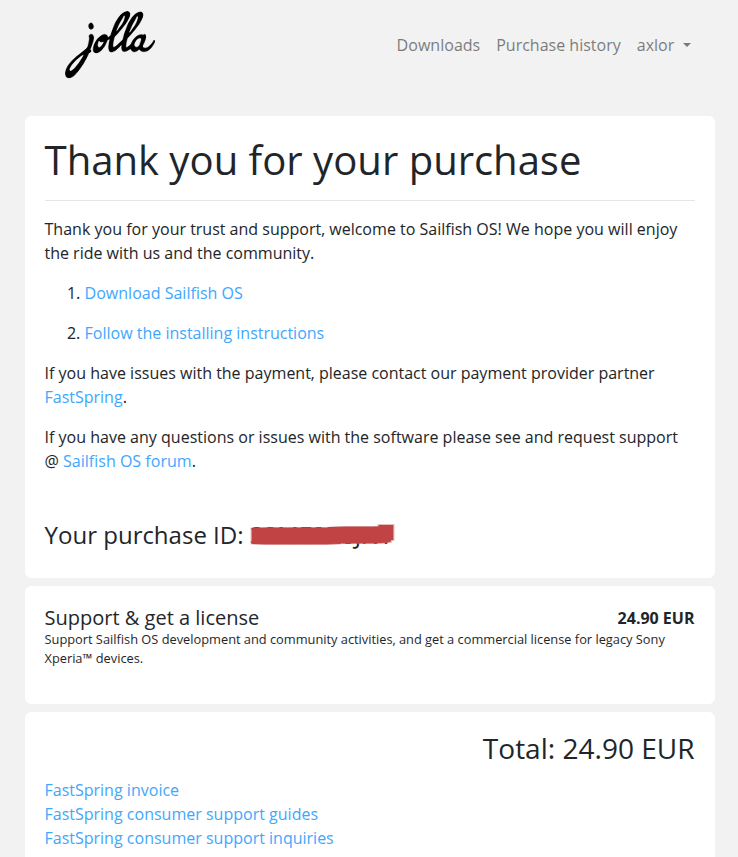
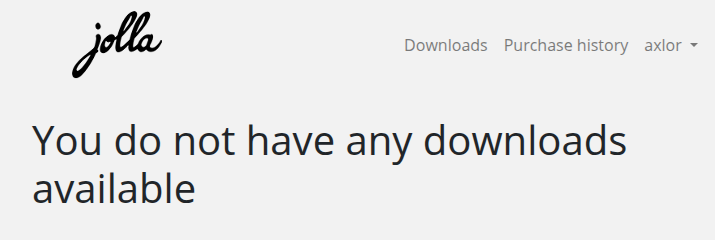
I purchased a Sailfish OS licence from https://shop.jolla.com/ with the intention of installing it on an XA2. However, after receiving the purchase confirmation email with the download links, when I follow the links, I get nothing but the message ‘You do not have any downloads available’.
I wrote to FastSpring to ask them to solve the problem, but as they do not have access to the Jolla platform, they can only confirm that the payment was made correctly.
The next step was to open a ticket at https://jolla.zendesk.com/, but after a month, no one has responded.
I hope to find someone on this forum who can help me. I am eager to try Sailfish OS.
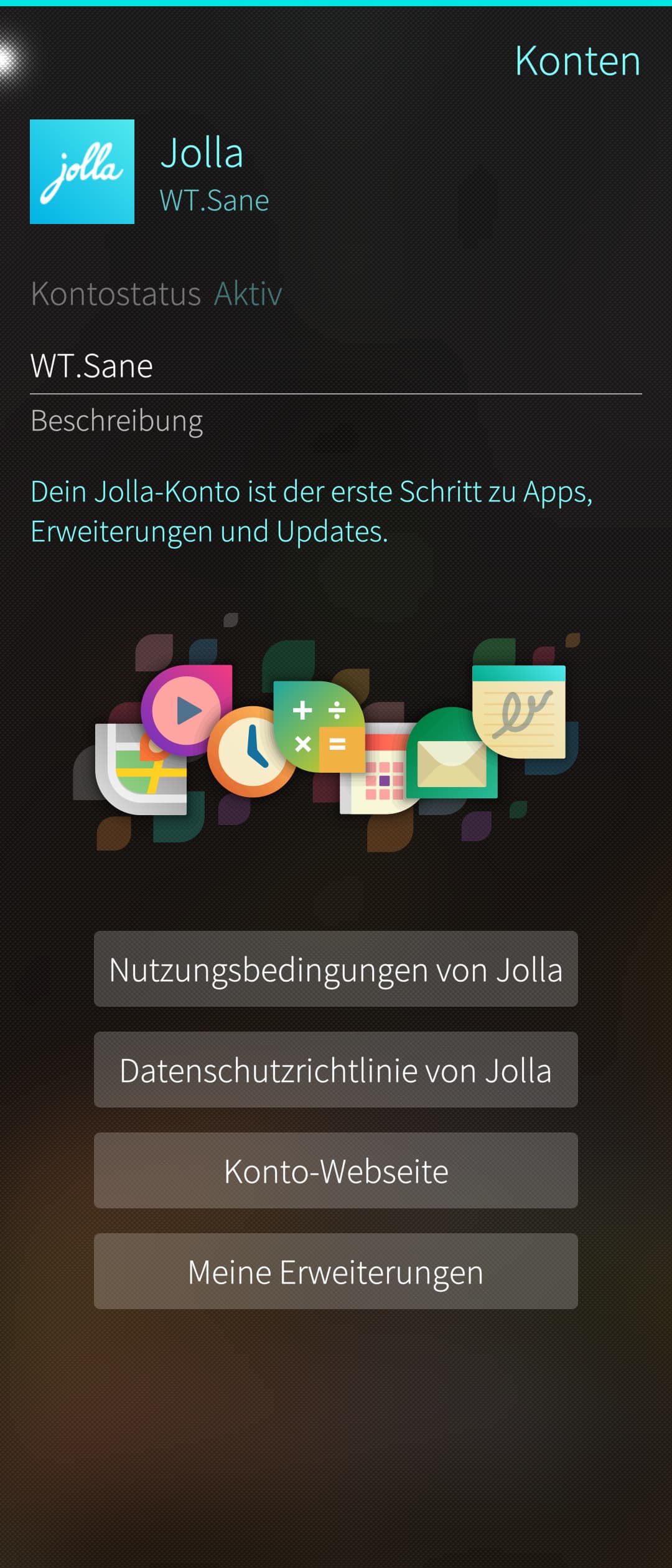
Use the account you already have used for buying the license and login with that account on your XA2 Sailfish OS (under Settings → Accounts → Jolla). This way the license is linked to your device.
Thank you for your quick response, @joboe.
The thing is, my XA2 still runs Android.
I want to format it using a Linux machine, but to do that, I first need to download the Sailfish OS .zip image. I can’t see anything in the downloads section of the account I used to purchase the licence, which is where I’m stuck.
I don’t know if I’m missing something or if I’m explaining myself clearly.
I’m adding screenshots in case that clarifies anything.
Thanks!
Login at https://shop.jolla.com/ go to free trial and get your software and instructions for your device and when you are done flashing you can login on your phone to jolla account and you are done. Enjoy .
I just followed the link in one of my Thank you for your Jolla shop purchase emails.
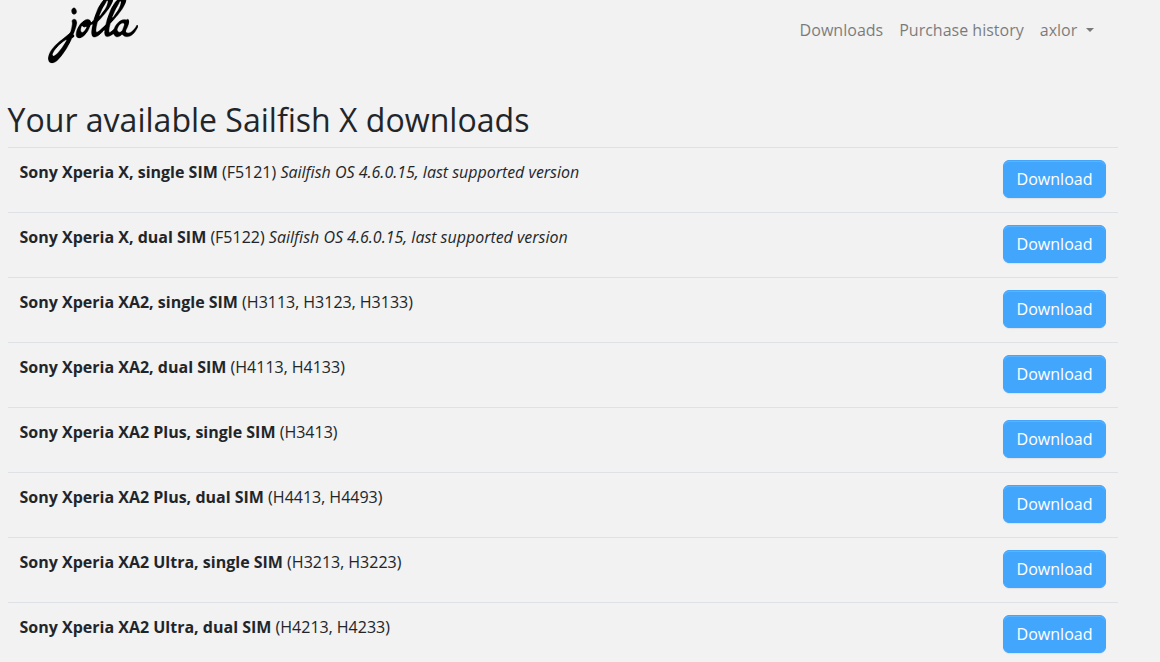
After logging in, this took me to the page in your first screenshot. Then clicking on 1. Download Sailfish OS opened the download page with all my licenses. It appears the store and download is working for me, i.e. site seems up and somewhat functional, so something else must be the problem.
You should have received a response to your Zendesk ticket, maybe holidays interfered.
I’ll try pinging @rainemak to see if he can escalate.
I’ve got it!
After purchasing the Free Trial, the Downloads page now shows me all the options.
Great! I’ll get started right away.
Thank you very much, you made my day.
Hmm, this gets me wondering. Your screenshot showed that you have the paid license, not the Trial.
Could you register your Jolla Account on the phone? That would give you the option to get Android App Support and some other stuff like MS Outlook/Exchange/whatever integration. If these are missing from the Jolla Store, you are still on the Trial version.
edit: The trial version may be fine for your purposes, of course.
Sadly, you’re right. I don’t have access to the services you mention, so I understand that I have the Free Trial version. The issue remains unresolved.
Now, when I access the link I was offered after purchasing the licence, I only see the Free Trial purchase. I don’t understand. Could it be that I have two accounts with the same email address and can only access one of them? I hope to contact someone from support so they can look into it for me.
Do you know of any other ways to contact them apart from the ones I mentioned in my first post (Zendesk and FastSpring)?
Nops, I only see the Free Trial purchase. The only thing I have is the email I received after the purchase of Sailfish OS License, with its VAT and order numbers asociated to my email.
Last month was when the Jolla Phone started, and someone who speaks for Jolla commented they were overwhelmed with support requests Jolla Phone Pre-order campaign has started - #492 by rainemak So it could be your message is buried below hundreds of others and they’ll take some time to discover it. Though 1 month seems too much.
Some forum participants are Jolla staff. I’m not giving names but with those trust level 4 and Finnish names are good candidates Sailfish OS Forum
A next level option would be to call the topic at the IRC meeting with Jolla staff that happens every 2 weeks, next one to occur on the 15th. It’s not meant for individual support requests, but generally the delayed answers from Jolla support since the Jolla Phone pre-order campaign started is a topic of general interest. Community meeting on 15th January 2026
Well, at least a good exercise to get rid of android things. Later on when AAS works think about it and use it as little as possible for you. Happy sailing.
I have already removed and added my Jolla account again. Everything remains the same, the account is active, but when I try to add the App Support add-on, I am redirected to the Downloads page at https://shop.jolla.com/.
That’s where I see that the purchase I made is not reflected in my account. I guess either the support team will fix it for me, or I’ll have to buy it again.
Another option would be for them to send me a voucher code so I can buy it again without paying for it.
I’m still waiting for a response from https://jolla.zendesk.com/ where I have shared the private details relating to the purchase.
In the meantime, I will continue to enjoy Sailfish OS but without some of the apps I like, especially Plex, NewPipe and the banking apps. I got rid of the G apps two years ago when I started using Murena’s /e/OS.
Thank you all for your help.
Best regards!
Edit: I see that you replied above while I was writing…
All your screenshots with a user name in the top right corner show the same name, so to me it doesn’t look like you accidentally made two different Jolla accounts.
I think that downloads are the same for the Trial and the Paid versions. You get access to the paid parts in the Jolla Store once your phone connects to your Jolla account.
So your next step would be to follow the suggestions from @WT.Sane above (including removing/re-adding your account). Then check Jolla Store for AAS and the other stuff. (Changes should take effect immediately, but if being signed in doesn’t help, try rebooting before giving up.)
That’s a bad sign. If additionally the phone is connected to your account and there still is no AAS etc, then it would seem that your paid license wasn’t associated with your account for some reason.
Only Jolla can fix that. They just got back from holidays and they did ask for patience due to being overwhelmed in December. Still, waiting for a month seems a bit long. Zendesk is the official support channel. Send them a follow-up message there, stating your original Purchase ID again.
 .
.