That is a serious looking battery charger!
I lost Handsfree to my car. Not sure if it has anything to do w/ appsupport, or is a 5.1.10 update thing.
I deleted the pairing as it wasn’t managing to connect, and now it no longer shows up in search on the X10III. Other cars handsfrees show up.
Is there a pairing file I need to delete?
If you haven’t already, attempt to pair it again after restarting Bluetooth from Sailfish Utilities, and also disabling the 'Send incoming pairing requests to AppSupport’ option.
Also can you give more information about the vehicle/car entertainment system? Maybe someone else with a similar setup can help you.
1 Like
The point is it no longer shows up in search (so can’t be paired), while unknown things do.
(Yes have tried restarting BT subsystem, whole phone etc etc)
i.e. I think SF has deleted half of the pairing - it doesn’t show it as paired, but it also doesn’t show it in search - as if it was still paired.
I see that there is a long press “Forget” option.
Presumably there is a forget file/list associated with this.
Long Press-> Pair with Appsupport
This causes a notification, which then brings up a pairing dialog.
Since it can’t be read, I missed it.
If the notification is missed and the pairing dialog is not shown/used, any subsequent “Pair with Appsupport” silently fails i.e it does nothing.
(until phone is restarted)
1- Pair with appsupport should not use notification as it is not a notification, it requires specific action. It should be directly bringing up a dialog or similar.
2- it’s a bug that failing to pair it silently blocks subsequent attempts.
I have also tried to connect to a car. I tried to connect to a Tesla Model 3. I changed the name of the bluetooth AAS so I could better see if AAS gets recognized or directly Sailfish..
The car sees AAS but the pairing code does not appear on the phone until the car runs into a timeout. As soon as the timeout message appears the code arrives on the phones screen.
It looks as if the “handshake” for the pairing gets interpreted too late by the phone.
This is always the case, I tried 20 times to pair.
I even managed to pair with the first code after the car showed already the code for the second try, but this leads to a wrong pairing and both will never connect, although the have each other in the list.
Hi to all
Please add ’ restart obex’ to the process of connection to Bluetooth,
So that obex start when Bluetooth start.
Because in Xperia 10III obex is killed once there is less RAM available and we are forced to restart it manually to get contacts and history in my car tablet!
1 Like
Hi all.
I’m having a tricky issue after updating to 5.1.0.11 whereby bluetooth can no longer be turned on on Jolla C2.
Here is a detailed description: Jolla C2 Bluetooth regression after Sailfish OS 5.1.0.11 update - #2 by CLMA31
5 Likes
After the 5.1.0.11 update I tested my C2 and Xperia 10 II with
- Withings Steel HR and Withings Scanwatch, both work with Withings app. At last!
- Fairbuds and Fairbuds XL, both work.
- Sony SRS-XB10 bluetooth speaker, works.
- Voxicon Bluetooth keyboard, works. Also with Android apps, happy to confirm.
Getting the connection was a little shaky at first, on C2 I could not even switch the bluetooth on while in airplane mode. Switching the airplane mode off (without sim-card) allowed me to switch the bluetooth on. Later it worked also with the airplane mode on. Finding the devices took several attempts, deleting devices from the list and trying to reconnect a couple of times. Once connected they worked fine.
1 Like
Can you provide the way you did get this working? Cant get my run s get connected. The watch just gets not recognized…
I can also confirm that connection works with Garmin Forerunner 165 watch
Make sure you unpair the watch from the existing mobile app connection. After that it just worked without me needing to do anything special.
i was able to add my GE Profile ClearView air conditioner (this model uses bluetooth and not wifi for initial setup) using the (awful) SmartHQ app.
(on a side note, gehomesdk works fine on SFOS once the ac is added to the app)
i have an android phone sitting under the window sill for this purpose, and i can now store it safely in the trash. thanks!
p.s.: unrelated to appsupport bridge, the bluetooth in 5.1 can pair with my car without forcing bredr mode. this is a new improvement since 5.0, which required changing breder+le => bredr to pair
Strange… I get it paired over the bluetooth device search in the os, the watch shows the pin and afterwards i see under paired devices the mobileApp, but in the App i do not see the whatch…
Did you pair from app or os?
Edit:
When the app opens, i get the following hints:
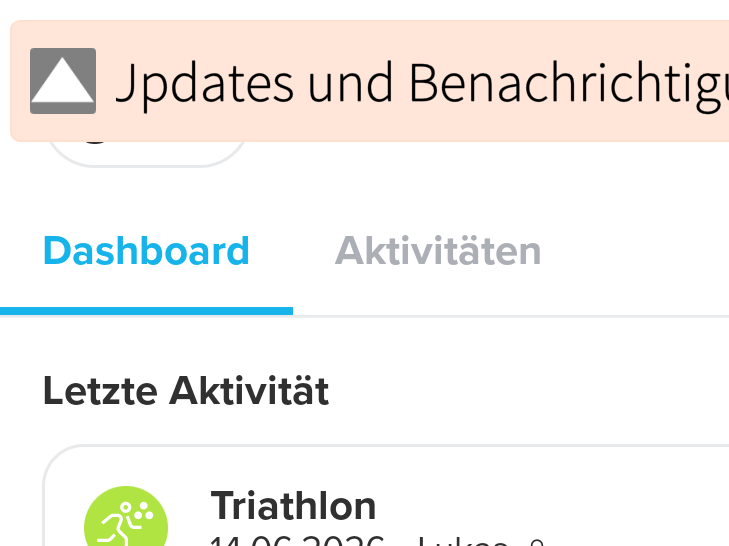
When i press on it:
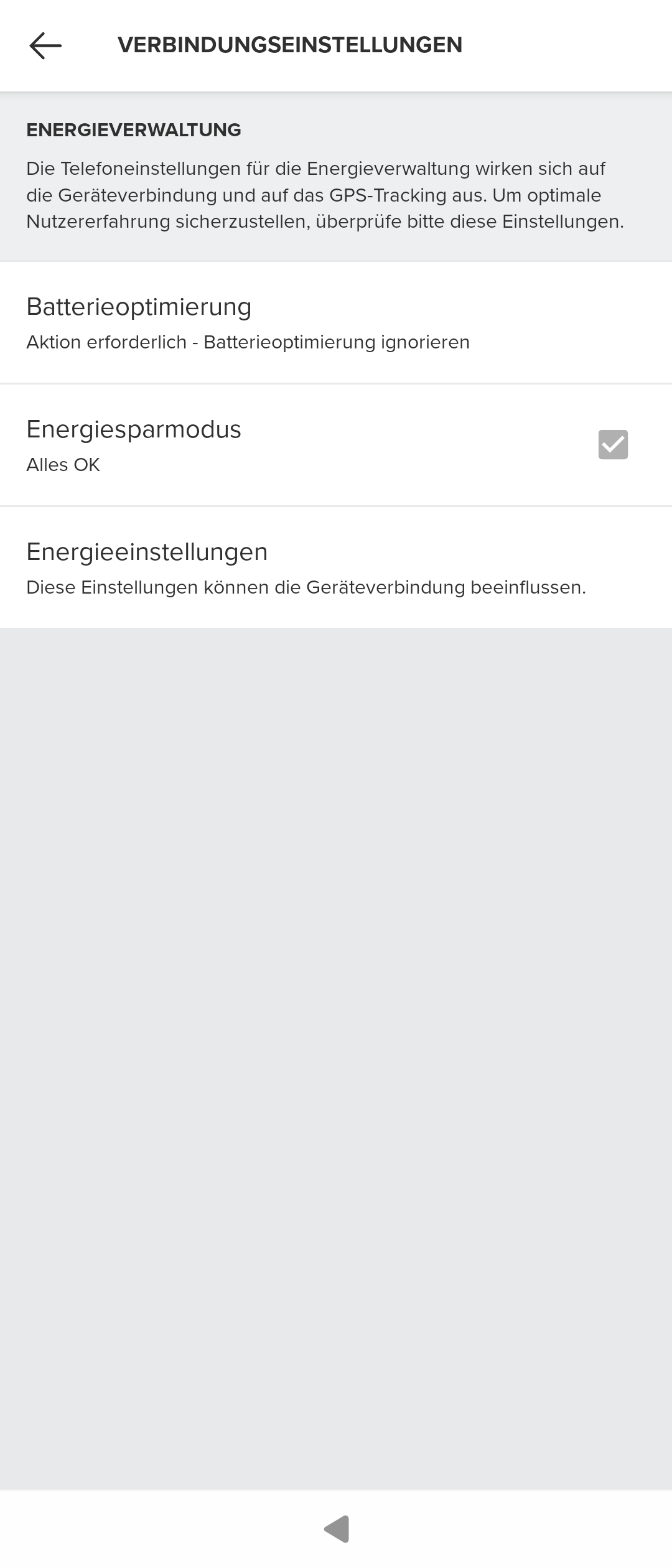
Do you see this too?
Edit^2: a second reboot solved it, could connect the watch from app 
2 Likes
Today I managed successfully to pick a package from DHL Packstation. With the Post & DHL App via Bluetooth controlled parcel locker.
Thanks for that.
3 Likes
I can’t connect BT in my VW car. It was running well before… Now it ask every times to pairing and pairing never works…
What model/media system? I always need to use Bluetoth service restart from sailfish utilities to get my 10 III connected. That’s still the same case with 5.1 as it has been before (and btw isn’t really related to AAS-Bluetooth).
I have the latest VW media system (my car is one year old soon) - and I also must say thag this system doesn’t work very well as also Android and iOS devices sometimes have problems too (and my old Lumia 950 can’t even be paired at all! Maybe a missing Bluetooth protocol…)
And music sometimes has short gaps, but that may be related to the resolution of the music file as it mostly seems to happen with High-res audio.
1 Like
I also live in Sweden. And I can not get BankID working either. I think it has to do with NFC not being supported for Android Apps through MicroG. I think you need to go to a bank office with your phone, to get it installed.
Step by step guide please
Can someone be so kind to provide a step by step guide how to get Bluetooth over MicroG and Android apps working? I am trying to connect Polar Flow without success, and I assume that I am the problem, not the phone or software. I have a Sony Xperia 10 II.