REPRODUCIBILITY: Always
OS VERSION: 5.2.0.13
HARDWARE: New Jolla Phone (2026)
UI LANGUAGE: Doesn’t matter
REGRESSION: Yes
DESCRIPTION:
Android Camera service (com.android.camera2) is unable to access its cache and is unable to take photos as a result.
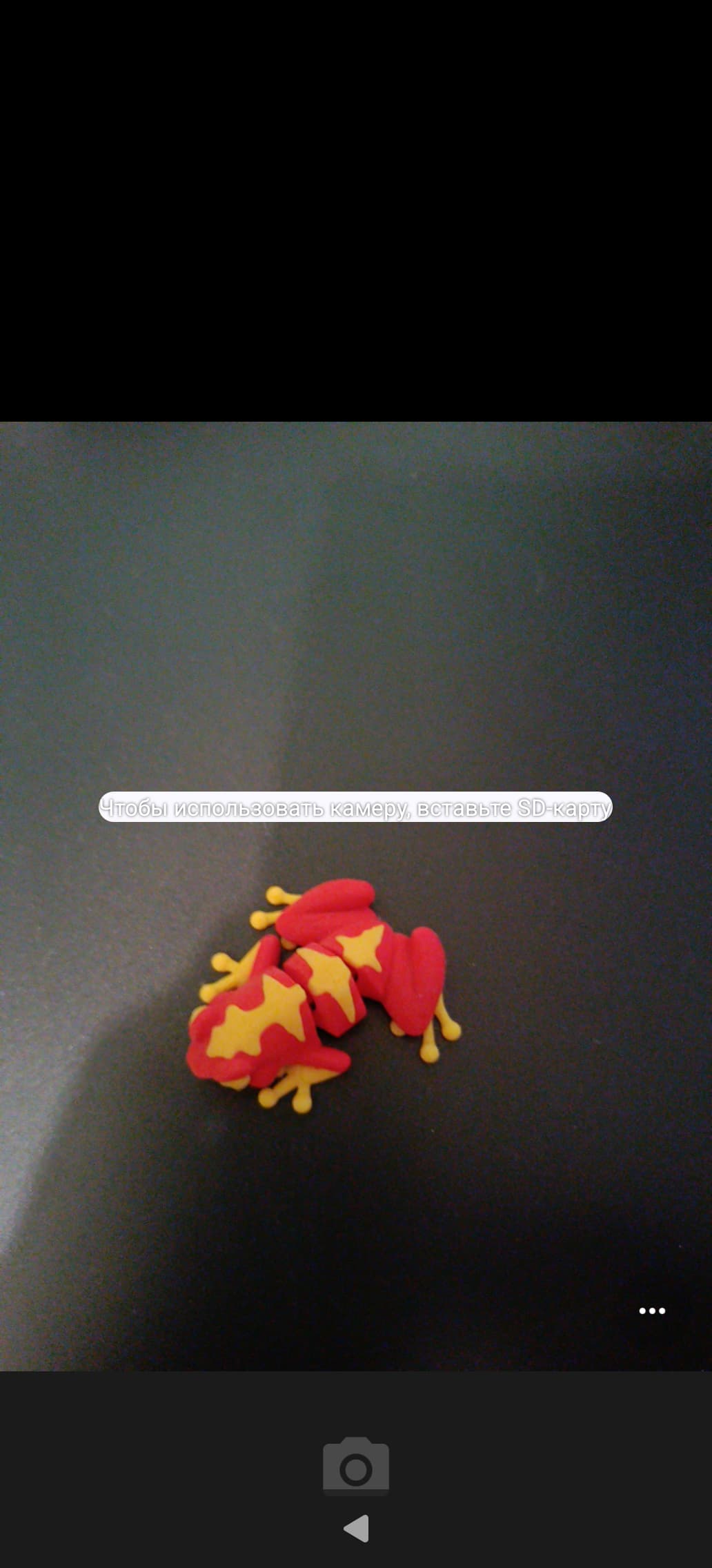
The camera UI shows a button to take a photo disabled, and a bar in the middle saying something like “Insert SD card to use camera”.
Errors in logcat output related to com.android.camera2 indicate that there is a problem accessing app cache (see below in ACTUAL RESULT section).
Why this is important.
The camera service is used by other Android apps to take photos. When I try to take a photo from Element X (Matrix client), I see the same disabled button, the same error and the same errors related to com.android.camera2 in logcat output. Also, at least two banking apps require me to take a selfie, but are unable to do it (this may be related to this issue as well).
PRECONDITIONS:
Android AppSupport enabled and started.
STEPS TO REPRODUCE:
- Run
apkd-launcher com.android.camera2
EXPECTED RESULT:
Fully functional camera UI with a button to take a photo enabled.
ACTUAL RESULT:
Camera UI with a button to take a photo disabled and a bar over the UI saying “Insert SD card to use camera”.
Multiple error messages appear in logcat output:
W FuseDaemon: Rejected access to app-private dir on FUSE: /storage/emulated/0/Android/data/com.android.camera2 from uid: 10028
MODIFICATIONS:
I’ve transferred home directory from Jolla C2, but this is irrelevant. The same effect is observed when using the original home directory. Also, the same effect was reported by at least one more person in Sailfish OS Matrix room #sailfish_os:matrix.org.
ADDITIONAL INFORMATION:
A screenshot of Android Camera UI showing an error and disabled button is attached to this message.