Great! Does it actually work? Can you discover any BT devices in AAS?
Is it worth running sfos as a daily on Nagara yet? Or should I wait? I’m mostly concerned with audio, I had to give up on getting xNext ported over to android and just flat out remove all the dolby nonsense because documentation on the dac solution is next to non-existent.
Nagara Port is the best port I’ve ever used before. I use Xperia 1 IV as my main device. There were no problems with the sound. I hear the other person well and clearly, and the other person hears me well. The phone lasts for at least two days on a single battery charge. Sometimes it can get very hot when using AAS applications.
Thank you all for excellent work.
Definitely YES. I’ve been daily driving it for several months already and it looks like the best SFOS experience I’ve ever had. I intend to keep using it as my daily driver as long as possible (i.e. until it breaks or something like that). The port itself is totally stable and fully functional, but in addition to that the 1 IV and 5 IV are the fastest devices SFOS has ever been ported to, considerably more powerful than even the latest JP2. I can’t recall having any problems with sound, it is clear and of good quality, both calls and media playback. What I don’t like about it is that the 1 IV is quite hungry for power when browsing the web or streaming videos (it’s not unusual for it to momentarily draw even up to 1.5-2 Amps in such case), especially on mobile data connection (on WiFi it seems to eat noticeably less), but on the other hand on standby/idle it is actually the most power eficient of all my SFOS devices - when idling it often consumes less than 0.5% of battery per hour.
Warmly recommended!
I had no more reboots so far since I updated to 5.1.0.11. It has been 2 weeks now (taking photos).
I had random missing touchscreen when waking-up and unlocking from finger print (with normal reaction time).
The situation was bad while I had disabled the double-tap to wake-up feature.
I still have variable delays to wake-up now using double-tap (even worse than before : 5 to 10s) but far less missing touchscreen after that.
Might be an hardware problem on my official Sony-compliant replaced screen device.
Anyway I’m very happy with this snappy port, and photo quality is good with those high-end devices.
power
This is normal on the stock android OS. Sony’s approach to consumption is quite aggressive, to the point of delayed notifications and such. It ramps up incredibly quickly in use, though. The consumption at heavy operation is quite high, which may well have been the motivation for the offset.
Assuming part of the sony open devices source is used here, this might be an explanation.
Also, I might as well ask here since I didn’t get a response on IRC. Are there any other non-gesture launchers around for SFOS? Dyspraxia makes it kinda hard to get the vagueries of gestures right, and it’s an unpleasant user experience for me. I much prefer buttons, so much so that I’ve stuck with a specific launcher layout for almost two decades now. Is it feasible to replicate at least the buttons and application drawer on SF, as pictured below?
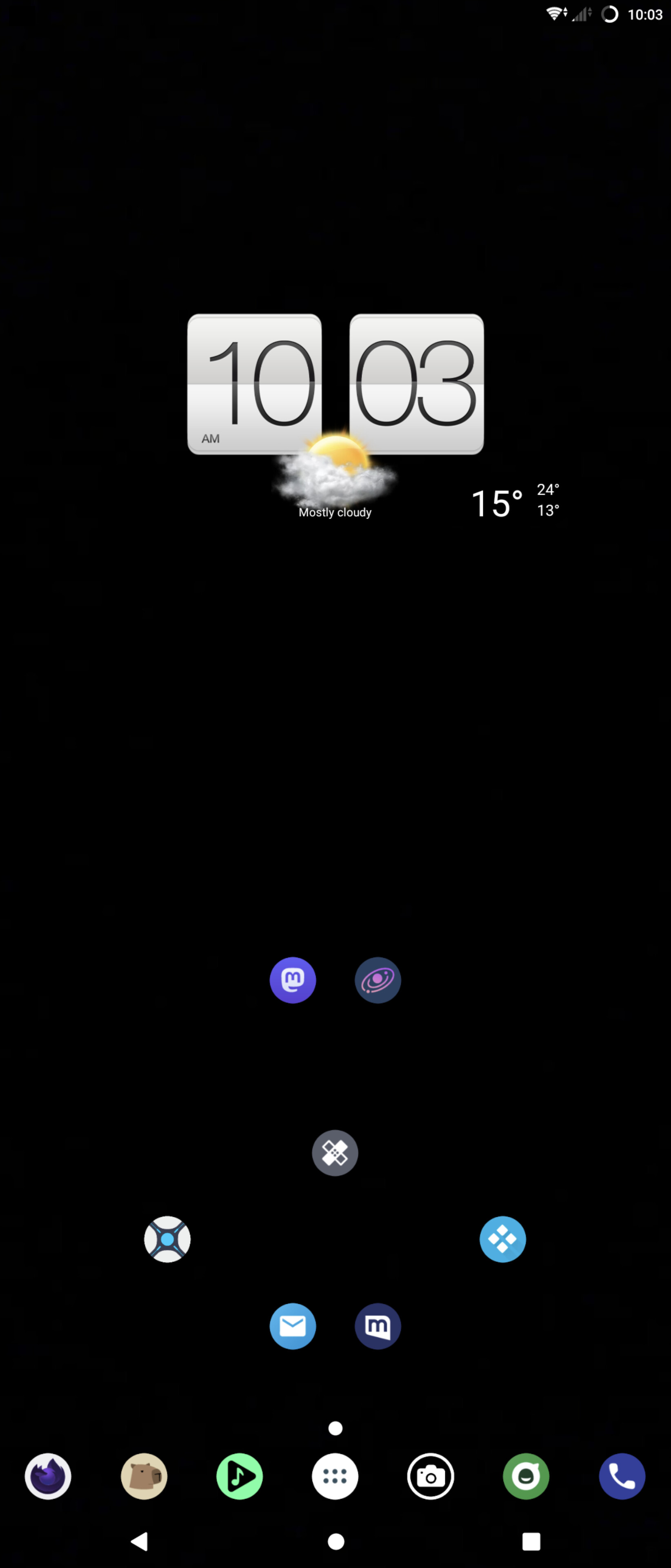
There isnt any patch to my knowledge to replicate such a layout with buttons, no.
SfOS is inherently a gestures OS.
There isn’t even the concept of alternative “launchers”.
I would have imagined that less precise swipe gestures would be easier than hitting buttons - especially tiny ones like in your screenshot.
But please, one topic per topic.
Nice to hear! I did not have “camera on, turn screen off” problems either.
But I still encountered zoom problems sometimes, and camera did froze on taking pictures, but only for a short(er) time and it didnt bring the system down. So it is better, but not gone for good.
@hackman238 Not having a great experience with Meonov phone. I order a XQ-CT54 and all looked good at first, OEM unlocking available. However, the e-sim was not working and when I plugged it in to Sony Companion it says it is a XQ-CT72 (It wanted to flash the CN ROM to fix it ). Some digging suggests the QX-CT54 was not sold in China so they an 90% sure they took a a XQ-CT72 and flashed the global firmware to make it look like a CT54. Can not get a straight answer out of them. Not as bad as selling a softbank one but still annoying.
My Question to the group is will it matter. It is the same Lineage install followed by the same Sailfish install file for both models. SO will it matter that the firmware on there now is not 100% right???
Don’t take my word as gospel, given I don’t own any Nagara device or use this port, but at least for Murray and Zambezi there is no difference between using the 54 or the 72 version with the same software:
$ sudo ls -la /vendor/firmware_mnt/image/modem_pr/mcfg/
configs/mcfg_sw/generic/Russia/Tele2/Commercial/RU
total 112
dr-xr-x---    2 system   system       16384 Jul  5  2011 .
dr-xr-x---    3 system   system       16384 Jul  5  2011 ..
-r--r-----    1 system   system       74396 Sep 15  2025 mcfg_sw.mbn
How can I debug why volte doesn’t register on this operator?
SIM1 with another operator registers ok.
Is there anything I can do before flashing?
I own an 5 IV 128GB and wand to avoid running into 5IV encryption config can lead to too large home · Issue #77 · sailfishos-sony-nagara/main · GitHub beforehand (although I understand that sooner or later reflashing because of the breaking move to LVM-part. will most probably be necessary anyhow)
Great question - YES, since “flashing” is also extracting a tarball, in adb shell you can take this step already:
/usr/bin/sed s/179200/79200/ -iBAK /etc/sailfish-device-encryption-community/devices.ini
after chroot /data/.stowaways/sailfishos or
sed s/179200/79200/ -iBAK /data/.stowaways/sailfishos/etc/sailfish-device-encryption-community/devices.ini
Edit: the difference is which sed you use. Or vi etc. - from tinybox (adb) or busybox (sailfishos) 
Some intermediate camera update, since I wanted to know what’s going on with the freezes:
- SailfishOS camera freeze is directly related to free memory. If something like Sailish browser and Angelfish both run, there are almost 100% chances camera startup freezes and takes seconds to OOM kill other processes.
The reason the preview window iself allocates hundrets of megabytes is not yet known to me, and I couldn’t find a workaround. Also, I assume the 1 IV is less impact if it has more RAM.
Now you know :- D
- Appsupport 13 pretty sure misses this bugfix: https://review.lineageos.org/c/LineageOS/android_frameworks_av/+/359313 and our Android 14 HAL really returns a fence there . The hacky workaround is
setprop debug.fdsan warn_once(or in 10-hybris.confCustomProperties=debug.fdsan=warn_once) and I do not take credit for discovering this:)
Oh man this is awesome. When i was using my Xperia i was always curious about SailfishOS and was sad that they chose xperia 10 models and not the flagship ones.
Please see how the 1 IV scores in a native benchmark compared to other SFOS phones 
thanks!
I could install right away with your suggested fix.
it’s fun to use this super-stable port as a daily driver, even a little bit better than tama (which I had before).
I’m happy to see that also SFOS-development has gained traction.
Any updates on Waydroid support for Nagara? Could the Android 14 patches from WayDroid-ATV help resolve the remaining LineageOS 21 / vendor compatibility issues? Native ARM64 builds would obviously still be needed.
Regarding issue #i77: Since the encryption framework already supports LVM/block devices as an alternative to fixed-size image files, could we also make the filesystem configurable and evaluate Btrfs instead of hardcoded ext4? This could solve the sizing issue while enabling snapshots and potentially a Snapper-like integration for rollback – something I rarely need with Tumbleweed, but when I do, it works like a charm.
Perhaps its worth trying @smatkovi’s scripts from the Murray thread? They’re similar ports so it might work.