OK, then I will try the procedure again. Let’s see if I succeed this time.
Edit:
This time I only deleted the config.ini and I was rooted through the standard starting routine like expected. Though I guess I’m save now regarding space and can restore my backup now.
Just repeating: The issue for 5IV 128GB phones is not yet fixed! Discussion still happen on Bug 77 how to fix this for real
Interesting why would it make a difference if the img is there to show the wizard or not, it is definitely not there the first time, no?
But I did edit the previous post with instructions to strikethrough that part. I think that would have been good as a wiki. Like, in our next release we could start a new thread and pick some of the instructions from here.
I have no clue. I just reported, what I did. I think there is as well a good chance, that it has nothing to do with img file, but there was something different which led to my problems.
Two things, which I recognized on the newly flashed device:
SD-Card (unencrypted) isn’t mounted automatically. I think it was mounted automatically before the reflash, but I can be wrong with that.
For some reasons the icon for the SIM-Card always shows just one bar. No matter how good reception is. This issue definitely didn’t exist before the reflash.
Is this expected?
Is that a problem of SF 5.1., a build issue or is just my device affected?
Your problem number two was a 5.1 introduced problem, but I believe they are trying to fix it. Previously some phones were showing too many bars, now not enough. Maybe next release will show the happy medium.
On my 10 III and V the lowest setting is also too loud but the first click on volume up levels it down. It was always like this, never understood why, but maybe it’s the same in this port too.
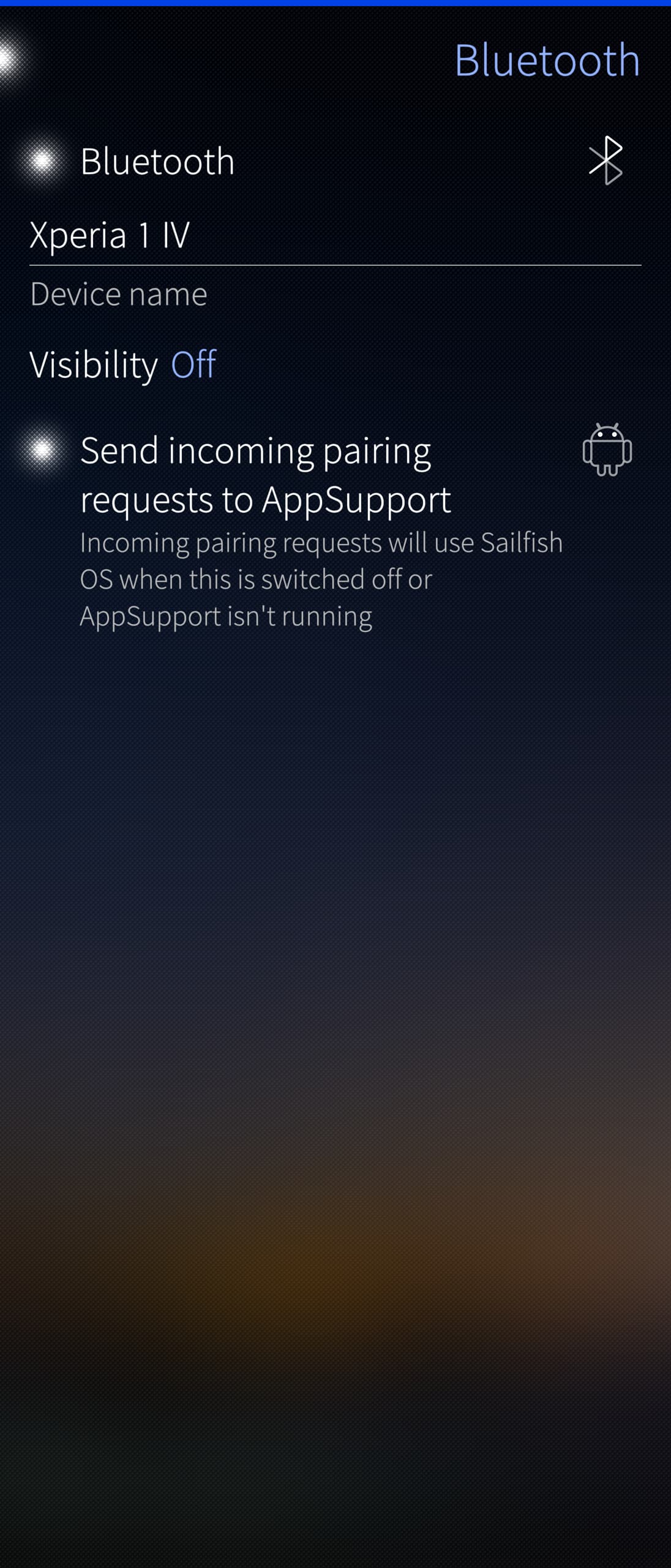
Has anyone tested AppSupport Bluetooth Bridge (appsupport-bridge-bt-* from e.g. the 10 III, bridging Bluetooth with AAS) on 5.1.0.11 Nagara? Does it work?
Just a small info: It turns out that the version of AAS that comes with SFOS 5.1.x.x has broken share function. Clicking “Share” button in an Android app not only doesn’t work but in most cases crashes that Android app. Some people say that it has been fixed in Android 15 based AAS for the J2 / OS 5.2.x.x but it is not clear if and when it’ll be made available for other devices or if this issue will ever be fixed in Android 13 based AAS for OS 5.1.x.x.
But there is a simple temporary workaround: it is enough to replace /opt/appsupport/system.img with the previous version of that file from AAS release prior the one that came with OS 5.1.x.x, and it makes AAS sharing fully functional again. Well, it is a small trade off as in exchange for working share function one gets a slightly older Android OS build with older security patches, but other than that everything works perfectly fine.
If anyone, like me, was hesitating to make the changes, before hearing a few success stories… I just made the changes to my 5iv, following the excellent instructions from @vlagged above, and the SD card route for backup. Dead easy, and no problems encountered
I think that since 5.1 update on X5IV (128GB) my stock browser started behaving badly regarding pixel ratio : I had every pages like if in desktop mode (regardless of the setting). As clicking don’t work when pages are zoomed by fingers, using it became like a new sport.
I decided to try loading the about:config page and it worked. There I tried to change the layout.css.devPixelsPerPx value, from -1 to 3, and it gave the expected result.
I wanted to share this good news even if it’s just plain old regular GNU/Linux way of fixing things.
It adds an aption to route BT requests to AAS. The option is available in SFOS Bluetooth settings. When switched on, Bluetooth becomes fully functional in AAS (while also remaining functional on the SFOS side at the same time), i.e. in AAS one can pair and use all kinds of BT devices like e.g. smartwatches. After enabling (and rebooting the phone), to check if it works you can simply go to Android settings / Bluetooth, enable BT and see if it can find any Bluetooth devices, e.g. your smartwatch, earbuds, etc.