Maybe niche but possible use case is: I need a beep if there is any WiFi available. For example abroad if internet is needed for flight confirmation.
1 Like
Firstly, thank you for making Situations.
Does one need to run Situations as root if one wants to be able to change the ambience? When I try to setup the ambience change, the list of ambiences is empty. Situations came from the Jolla store.
If I may offer a feature suggestion, I think being able to trigger situations by scanning an NFC tag might be handy. Then one could for example stick a NFC sticker in the car (wherever one stores one’s phone while driving) to switch to a “car” situation.
Car situation is already possible with Bluetooth scanning.
It was just an example. You could similarly have a NFC sticker on your night table to trigger the Sleep situation. Or have one next to the door of your house that you scan when getting in. Or on your desk at work.
The Bluetooth scanning suggestion also doesn’t work if you generally keep Bluetooth disabled and only want to enable when it in the car, or if your car is older and doesn’t have a Bluetooth-based hands-free system.
There was a bug with non-root ambience retrieval - which should be fixed in the latest version currently available only in Github. Another limitation with non-root access is that you can only see system built in ambiances there.
Thanks, such feature is actually available on Android. I’ll see if similar can be made available on Sailfish.
Br,
Heikki
1 Like
Thank you for the reply. I was thinking about situations when the phone is flipped screen down while ringing, to set an ambience which silences it etc. But I don’t honesty know if would be really useful (and it would need the proximity too, and awareness that the phone is ringing etc.).
The NFC tag thing is like a better use of time. Thank you for a great app!
I’ll be doing both if possible 
Besides there are already Call State and Proximity Sensor conditions that might be useful in this scenario(?).
1 Like
For this scenario, I think the gyroscope is needed to confirm the device is on a table, because with proximity alone the device would stay silent when in pocket. Thank you for pointing to the Call State, I had overlooked it.
Hey,
Packages were updated, added preliminary “Orientation” condition. And fixed a couple bugs - one which had some actions like launching an app execute twice after the latest startup additions.
A problem with orientation on Sailfish seems to be that it is changed/signalled only if screen is on - or device woken - or something similar. This is still to be investigated. So might be ok for some use cases as a secondary condition. But as a general condition might need some wake up interval added also. Remains to be seen…
1 Like
Something I meant to report, but forgot, is that I am completely unable to add a Bluetooth Devices event, because it simply doesn’t find my car’s bluetooth - even though I am already connected to it! So this seems like some kind of bug? I am using Jolla Phone 2026.
On first launch, the new conditions do not stay visible in the menu. I set “Face down” and ringing & proximity as conditions to silence. But when returning to the Situation setting they are not listed as conditions.
It is probably the app support bluetooth - that is apparently installed by default in the latest Jolla phone - that breaks the whole bluetooth thing unfortunately. I have still to investigate if something can be done about it in Situations.
Interesting. What menu / first launch exactly? I see them just fine, but perhaps overlooked some scenario - so could you explain in a bit more detail what you did? Or preferrably share a video or something…
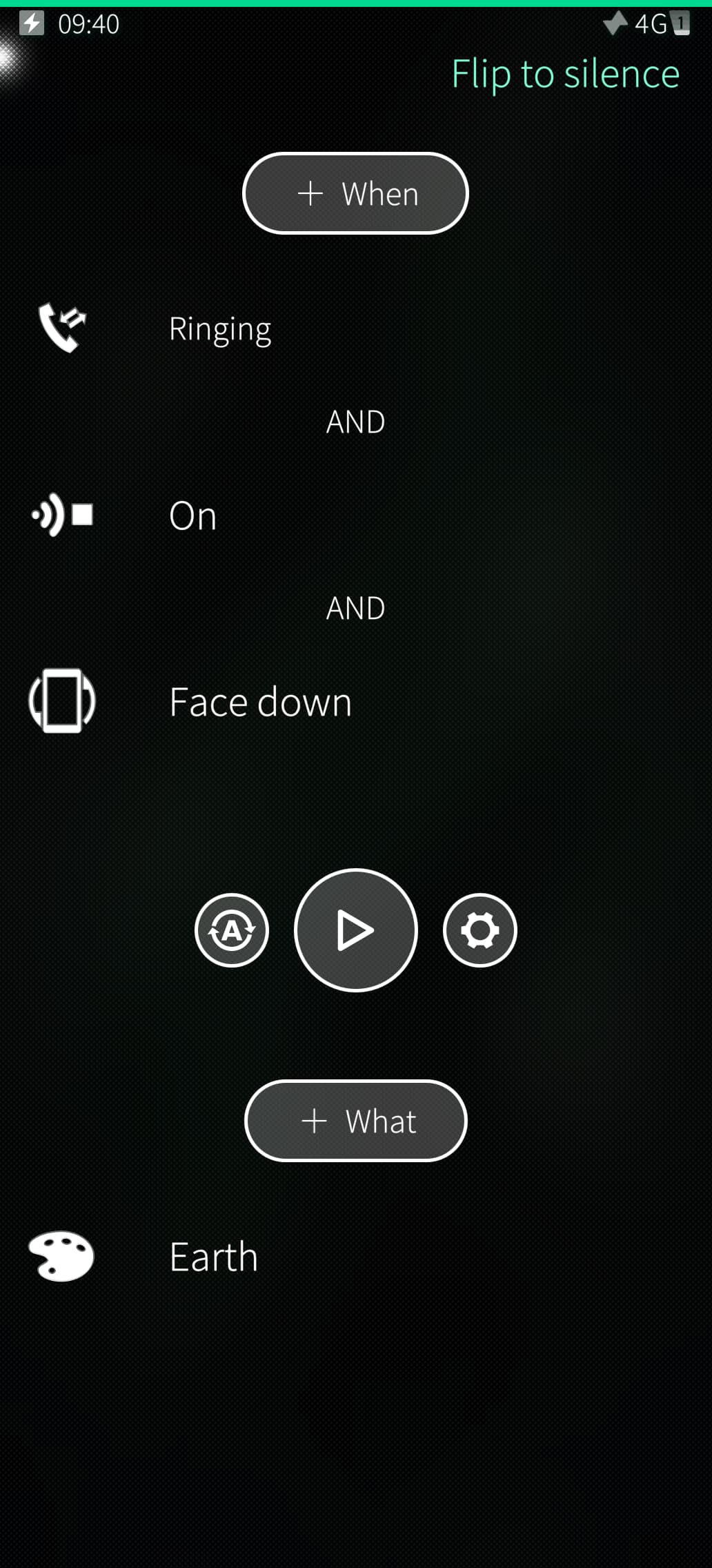
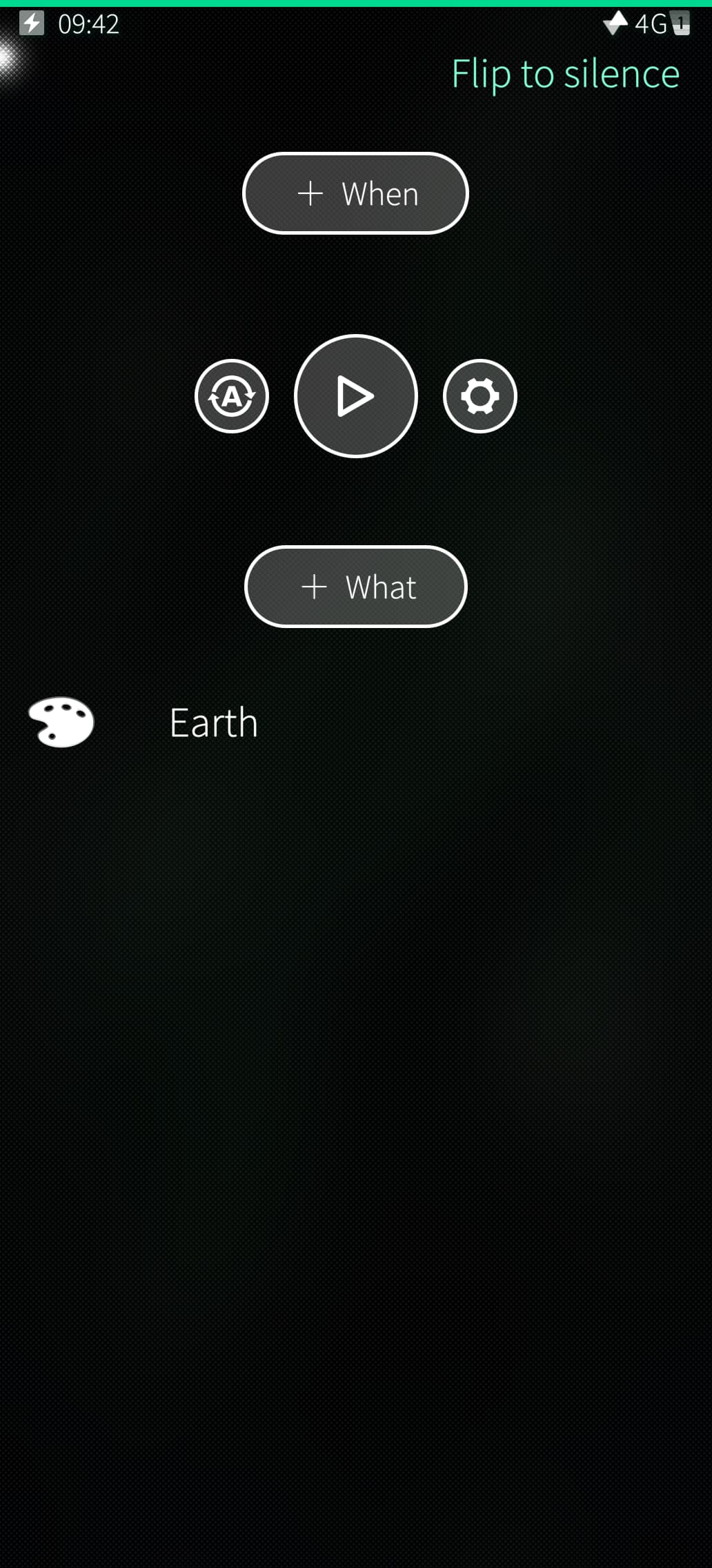
In short when setting conditions, they are not saved.
Edit. I think it actually does something weirder. The sound and feedback settings are effected and it ringtone gets set to “No sound”. The Ambient is not changed, but sound & feedback settings get changed.
App support bluetooth can be installed as part of the first time setup wizard but AFAIK it’s not enabled by default.
It shouldn’t, because I have disabled “Send incoming pairing requests to AppSupport”…
Apparently I had a typo left in qml code and because of that conditions were left in editing state. Now the saving part should be ok again. Not sure about that weird part - is it still there after the fix?
1 Like
On an old xperia it is at least enough just to have the package installed…
The start-up applications don’t save yet. But the other settings seem to save. I’ll experiment further!