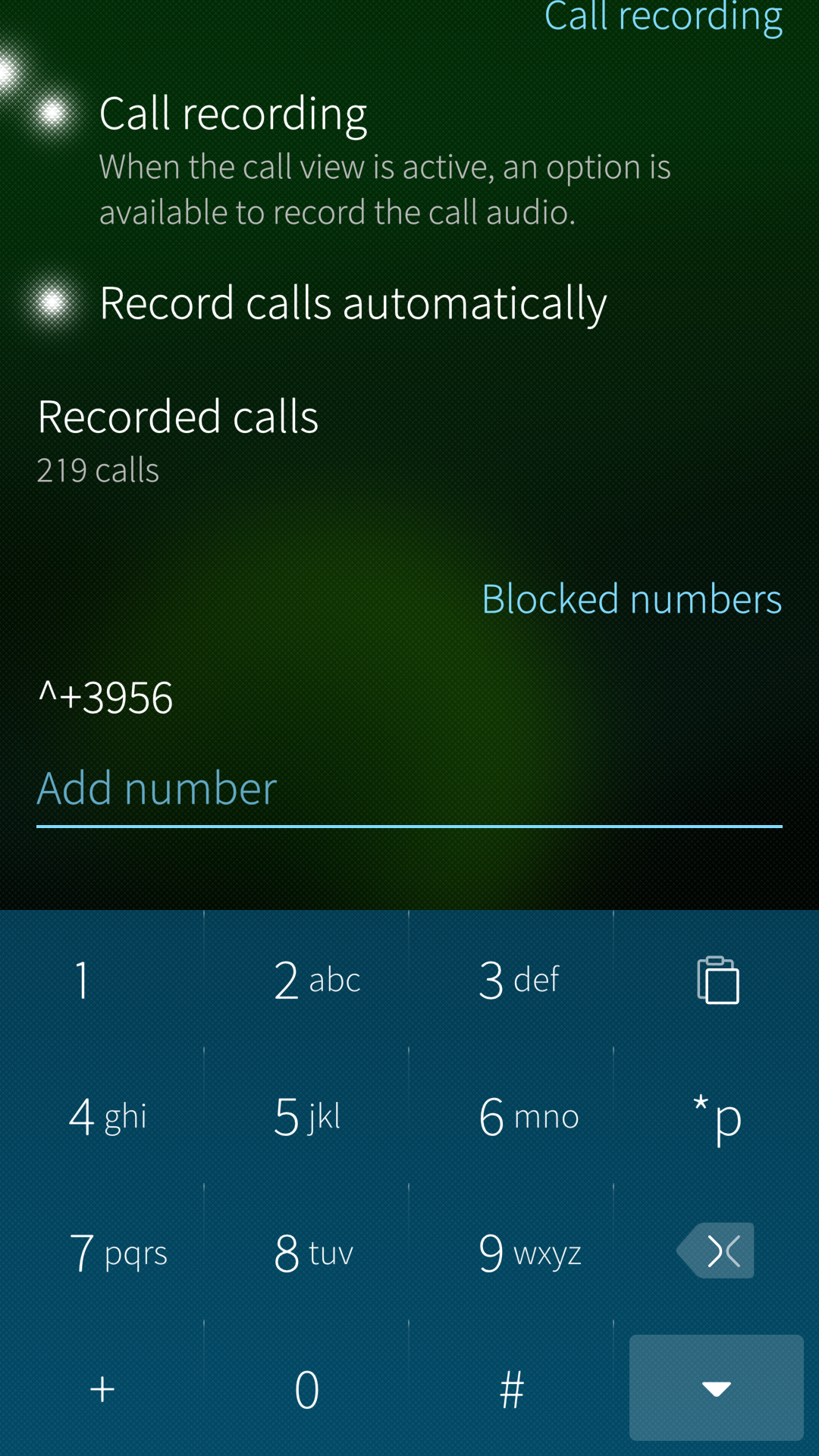
Yes. Thanks to @dcaliste we now have the ability to block numbers, one by one via the GUI or more widely by using commands in the terminal.
In example, here is the command used in France to avoid known advertising numbers:
Yea, i test it, we can simply type in Settings app field this sentence - ^+3956 and press Enter. No need to edit system files! (Sure copy this sentence from Notes, we can’t type ^ there).
Thanks @ric9k for the details. Indeed the backend supports blocking ranges of numbers. It was decided not to show it in the UI because I didn’t find any convenient way to do it, adding or editing.
The ignore list lets the caller earing the ringing tone, while the reject list send them to the voice mail.
There is also a white list to always allows a given number or even list, whatever its matching by a ignore or reject pattern.
Have you tried enabling and disabling Flight mode or maybe changing active sim from Settings → SIM cards. If you have your SIM card in slot 1 maybe like this…
disable SIM 1
enable SIM 1
Nb, if you have SIM 2 already disable you need to enable it first.
A funny bug emerges on the Android side of Tampella-by-upgrade-route (Xperia 10 II): after some uptime, when trying to start an Android app, it instead starts another Android app, the one that has last been shut down. Or not so much doesn’t start it but brings it back up at the point it was (supposedly) shut down.
So when trying to start a new Android up, it instead activates the previous, apparently still-running Android app which had its window shut. This happens on the first try on the icon of the new app. The second try correctly starts the Android app that I was trying to start. Looks like the new Android app tries to start on the first try but quite can’t and shuts down after some seconds.
The update went smooth on my XA2 plus, XA2 and 10 III. (The latter is not in use since echo canceling doesn’t
work.)
For the first time since years I could install Tutamail on the XA2 plus and it works!
Qwant search works in the browser.
Wire voice calling works.
Sms works.
Downloading Organic Maps from FDroid failed.
Not yet tested: gps.
The XA2 plus is the best Sailfish device I’ve had. System storage nearly full and the card slot is broken. If I could get hands on a new one with more storage…
Something seems to have been modded with App Support window timings or related mechanics - for example Slack workspace switch now gets stuck in app switcher on 5.0.0.55, whereas previously it would re-zoom into new workspace window successfully by itself.
Is it requiered here to follow the “brutal way” uninstall, or can some apps remain when following the “clean removal” part?
Is it maybe possible to identify some more system files to delete to prevent all android apps from have to be removed?
I don’t know. I am not keen on flashing, sorry. The person who looked over my shoulder when I did it the last time is not available. Perhaps I will try again in the future.
Besides, I like the screen ratio of the XA2 and XA2 plus more than this narrow, long screen of contemporary Sony’s. The XA2’s also have much better visibility and better sound.