Thanks a lot for this update.
FYI some patches from Patchmanager can’t be activated (i.e. Launcher combined patch. . . )
3 Likes
Update was just fine. One minor difficulty was first reboot. Black background and really dark gray letters, barely visible. I could enter the security code, though, and after that there were no problems.
Bluetooth works now better. Polar sportwatch connects and even updated watch firmware. Excellent!
3 Likes
Very nice update. Now all the old French movies on Netflix Android app do not stutter! Great!
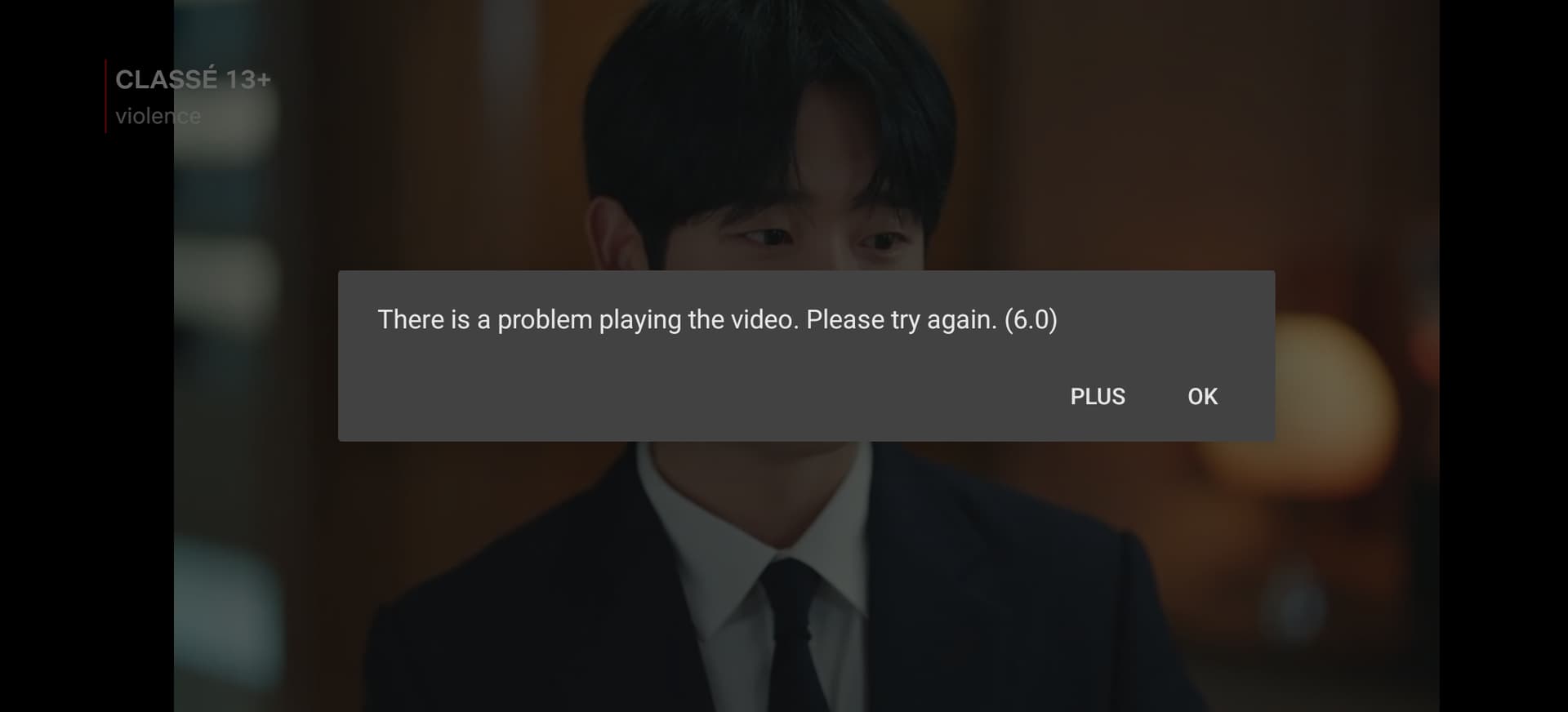
Only problem is when skipping forward/backwards the videos, the video replay is crashing (see screenshot below). I tried with some videos on NewPipe Android app and skipping through the videos makes also the replay crash.
4 Likes
The problem only appears if you had an experimental (0.19) version installed and that got downgraded during the update.
2 Likes
The issue with seeking of videos in Android apps on Jolla Phone is known and a fix has already been found. It will be included in next release.
22 Likes
Alright, thanks for your reply! And for the future fix.
Thanks Jolla, for the update. Update has run clean form 5.2.0.17 to 18 on JP2026.
However, the security code queries do not come from alone, I always have to turn on the screen with the powerkey. This causes by the decryption key request and the device key request.
Wireguard VPN works as expected now after the upgrade! (But why are we limited to a single active wireguard vpn?)
Also I’m seeing 5G connectivity in the status bar for the first time since receiving the phone a week ago, on 5.0.0.17 I would only get a 4G icon no matter where I went.
Seriously impressed with the device as I’m upgrading from a 2018 Android phone based on Snapdragon 845.
1 Like
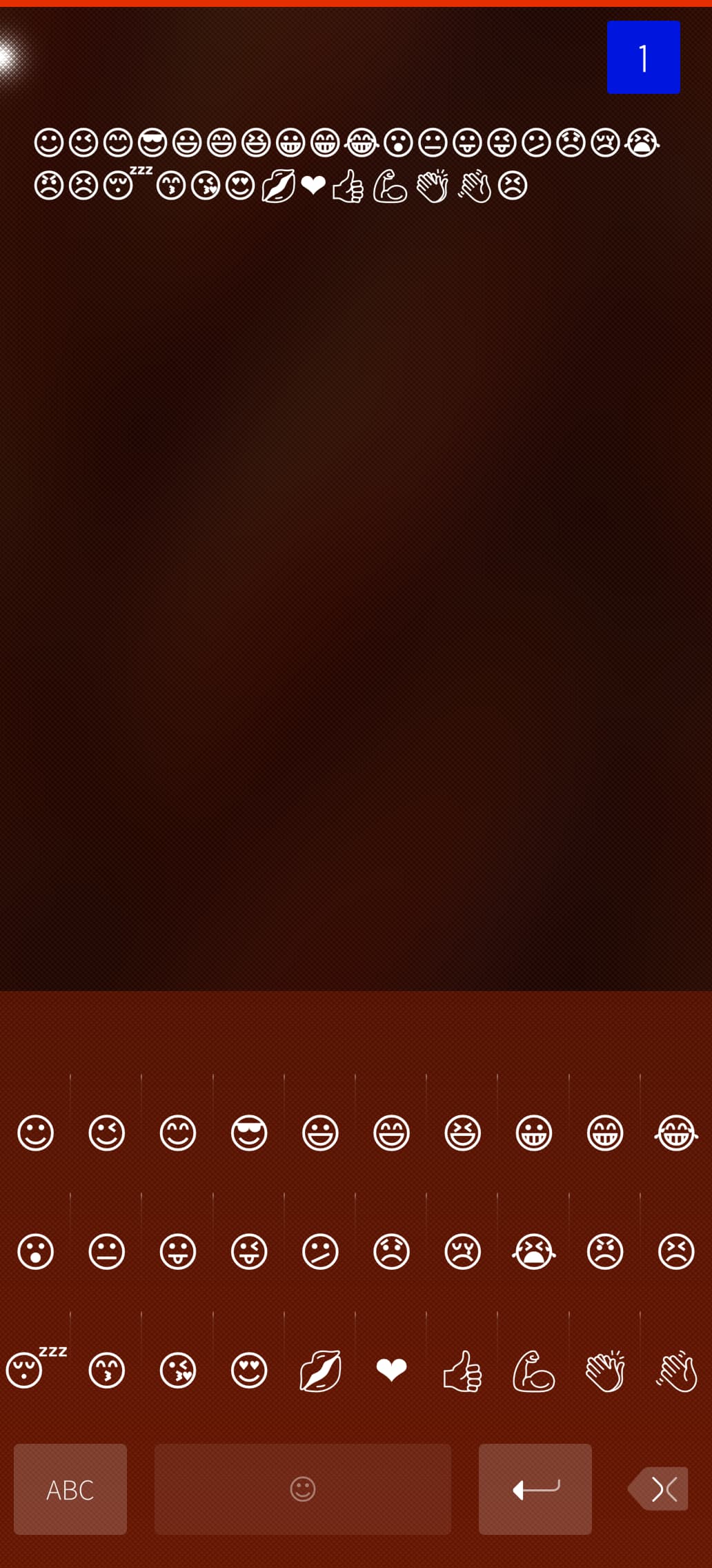
Could someone please share a screenshot of the new emoji font? Is it still only a dozen or so emojis?
2 Likes
Location service is kind of unreliable with Android apps, GPS data is only being used after I manually restart AAS and it won’t last long, after a while it stops working again. As a sort of workaround enabling hybrid location service that uses internet connection too besides GPS data make things a little better but still pretty far from being reliable. There is no pattern I could point at, it feels pretty random.
This was the case with prior releases and the new OS version didn’t address it.
1 Like
unfortunately, i can confirm that this update does not fix the bluetooth issue where the wrong codec is selected on device=>phone connection. (this is the bug where the audio is awful and garbled).
however, it does seem to behave differently, though it is actually worse now. disconnect/reconnect from the phone does not fix the issue (it used to), and now toggling/restarting bluetooth is required.
i’ve observed this twice today with two different bluetooth speakers.
EDIT: but it /does/ fix the very common AAS apps freezing as advertised (e.g.: google maps)
2 Likes
Remove the battery for ~1 min and plug it back in.
When I updated to 5.2 I had the same problem, it was an easy fix, only one line had changed in a file. Maybe I can hunt down where it was again in a few hours for you when I get home.
Edit: nevermind, looks like it’s already been updated.
Thanks for the update, everything went fine. I had a strange reboot out of a sudden after a few minutes uptime and Terminal and Toeterm refused to reopen after I closed them. Restarting ‘Home Screen’ fixed it though.
I also had to reinstall Patchmanager to make it apply patches again. (patches could be activated, but after “reloading services…” nothing had changed.
Edit: I found my Jolla dead on the desk today, but it had ~70 % battery power when I left.
I had to use longpress to turn it on but for now everything is back to normal.
1 Like
I had also problems with patchmanager.
Thu Sep 10 2026 Pekka Vuorela - 1.3.11
\[camera\] Don't show settings hint on every launch. JB#65138
Can confirm! How small but annoying thing is now fixed, thank you @pvuorela!
Tue Sep 08 2026 Andrew Branson - 15.0.0.17.9
\[microG\] Release v0.3.16.252432
I hadn’t noticed this one before, but we got apparently also MicroG version pump here 
6 Likes
Looks like always. Just a few emojis as ever. Can someone explain what exactly Jolla updated and how to access that?
The update went fine, and android apps seem more responsive now, however they do not seem to have any internet connection on mobile data, only when wifi is used…
Tried to reboot the system, turn AAS off and on, changed the treat mobile data as wifi for AAS (and restarting AAS after changing that setting) but nothing seems to work.
No problm with using mobile data for native apps.
Mobile provider: KPN (Netherlands) with IPv6 address.
4 Likes
Jolla updated the fonts version and style. If you look closely you will see that emojis look a slightly different. This allows Sailfish to show much broader variation of emojis, but didn’t bring them to keyboard, at least yet. I asked same question and @attah explained it well IMO to me so here is link: Sailfish Community News, August 27, 2026 - #3 by attah
2 Likes
What mobile provider do you use & which country? Do you know if it’s IPv6 only?
Can anyone else confirm/deny the problem? (Esp. EE in UK)