The issue with the first letter happens with WhatsApp (AAS) for sure, I need to test with other apps. It seems to happen with any text input area in the app.
I am on an Xperia 10iii with the latest available firmware.
The issue with the first letter happens with WhatsApp (AAS) for sure, I need to test with other apps. It seems to happen with any text input area in the app.
I am on an Xperia 10iii with the latest available firmware.
Any chance we can help you submitting bugs in a more structured way?
Github/gitlab? This way we can provide info a bit more precisely (os version, android or not, etc.)
It can autofill as well. It can offer to save a login, then show matching saved accounts when you return to that website or app. The saved data is encrypted locally on the phone.
Sure, the link to the source is provided in each release note and on the first post.
Some people already filed issues that I solved, so please feel free to submit bugs via Github!
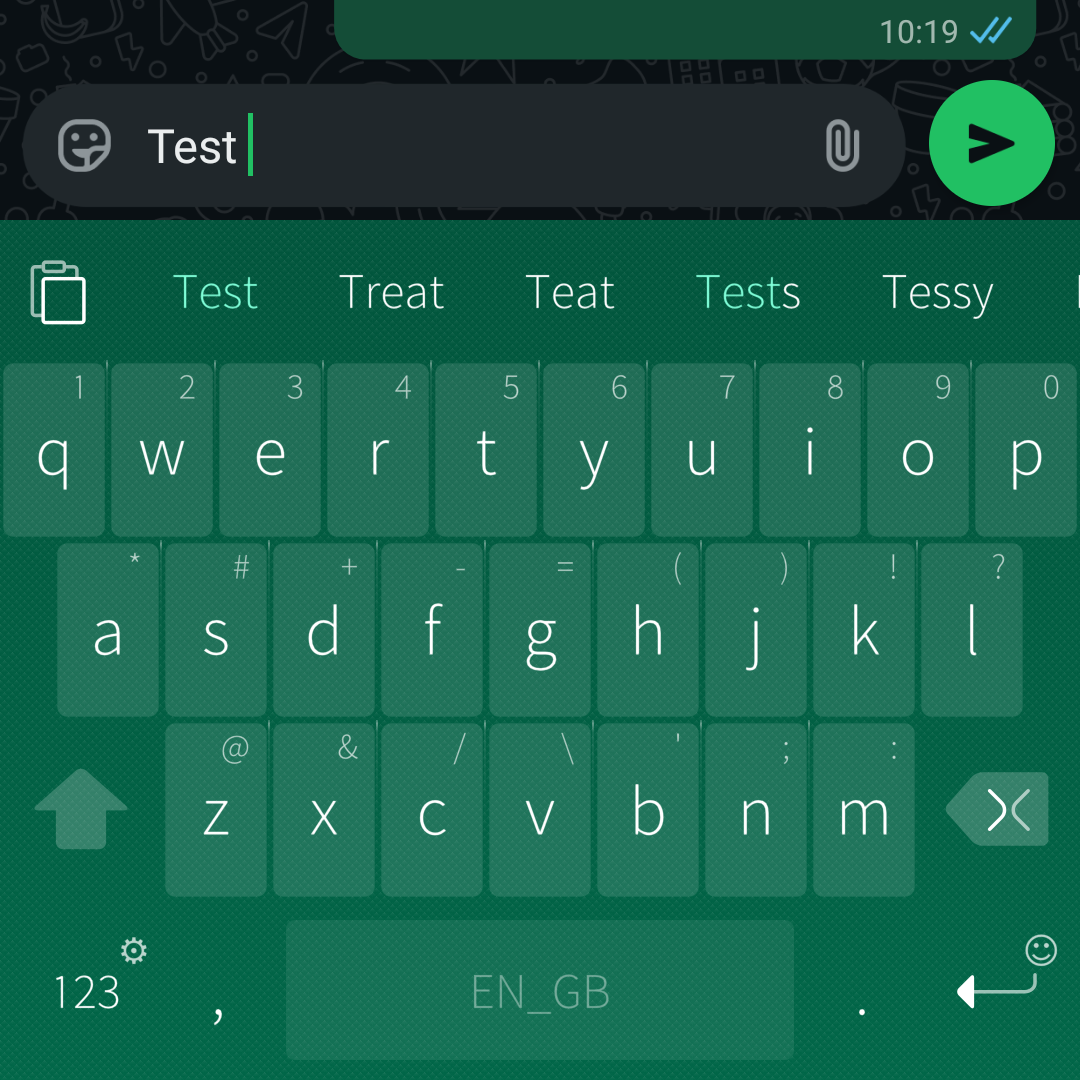
I captured the issue with screenshots, this is on Whatsapp (AAS, latest 5.1 firmware on Xperia 10iii):
Note that if you type regularly (no swipe) this does not happen.
I have this behaviour in android apps also, but not the other one in native apps (e.g. the browser).
This looks like one of the many text entry bugs in AppSupport with self-duplicating or self-reproducing text. They get triggered when RAM is low, or maybe when the CPU is working overtime. Presumably, the swipe-based typing triggers those same bugs for some reason.
I’m not sure if a recent Mautrix or FUTO update fixed this, but it appears to be resolved now.
This is the only thing stopping me using FUTO now - I can attest that I cannot “paste” either, whether clipboard history is on or off. See on stock keyboard, I have a paste button available:
But on FUTO, I do not:
And yet, if I hit 123, then {&=, then Fn, then ctrl, then ABC, then v - text on the clipboard is pasted, again whether clipboard history is enabled or not. But this is a rather tedious way to paste text.
Interesting, I have a row above the letters with the word sugestions and the paste button.
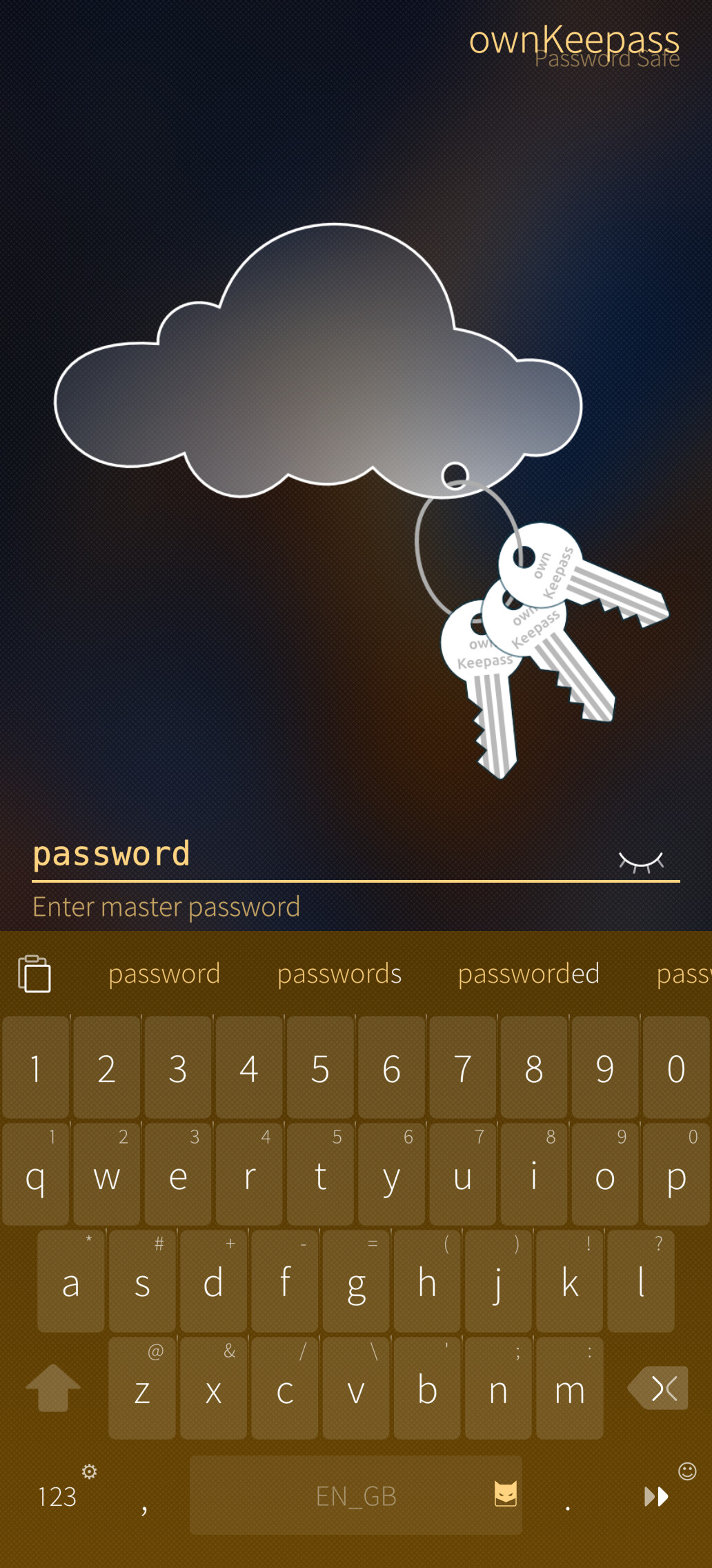
I see this as well, but it disappears as soon as the field becomes a password. Examples:
And yet, if I hit
123, then{&=, thenFn, thenctrl, thenABC, thenv
How the hell did you figure this out lol
Ctrl+v is a pretty normal “paste” shortcut, its just the ctrl button is squirreled away deep in many menus on FUTO.
I did notice just now that when typing in a new WiFi password using this keyboard, the paste button appeared! Which is quite odd. But it doesn’t appear any other time I’ve found so far.
Ah yes I didn’t realise you were just going to the symbols menu, I thought you were inputting some magic incantation or something.
Same thing in Finnish keyboard. In SFOS Apps the Swype works when you select a suggestion.
Sorry if this is a dumb question but is there a way to hide the keyboard once it has opened without leaving the current view? Sometimes i navigate to a page and it focuses a search field or something like that and then i cant move the keyboard out of they way.. 
You can switch to a default keyboard (long-press 123, then long-press the icon in the top-left), and then swipe down on the keyboard. It seems swipe-down-to-hide doesn’t work when the FUTO keyboard is active.
Yes, it has been asked before.
Just swipe down from the spacebar or from the Shift
Seems like w/a not solution. I like the feature, just want to dismiss button and see predictions/corrections.
You can also swipe down from the word completion area. Which is what I’ve been doing the whole time…
How to add a new language that isn’t listed in the app? For the native SailfishOS keyboard I was able to just add a file and the language appeared, but is it possible for FUTO as well? If so, I’d love to make a PR to include a new language.
Hi, separate number row is overlapping with top key row. is there a fix coming to that one?
Great keyboard. Makes life a bit more easier when trying to adjust Sailfish OS world.
Copy and paste is not working in a good way. I can paste only one time. When I want ro paste a second time I’m not able to select the content to paste. The top line clipboard icon is gone…
The from original SFOS keyboard I can paste as often as I want.