I don’t know. After all, it’s something that provides convenience. In that case, they could bring their own auto-correction system in a different way. It really makes things much easier.
This was done on purpose.
However, I’ve added a quick setting to turn off/on the keyboard sounds.
New version will be up soon
I will take a look at it after the upcoming version.
Please show a screenshot or something so I can fix it for you
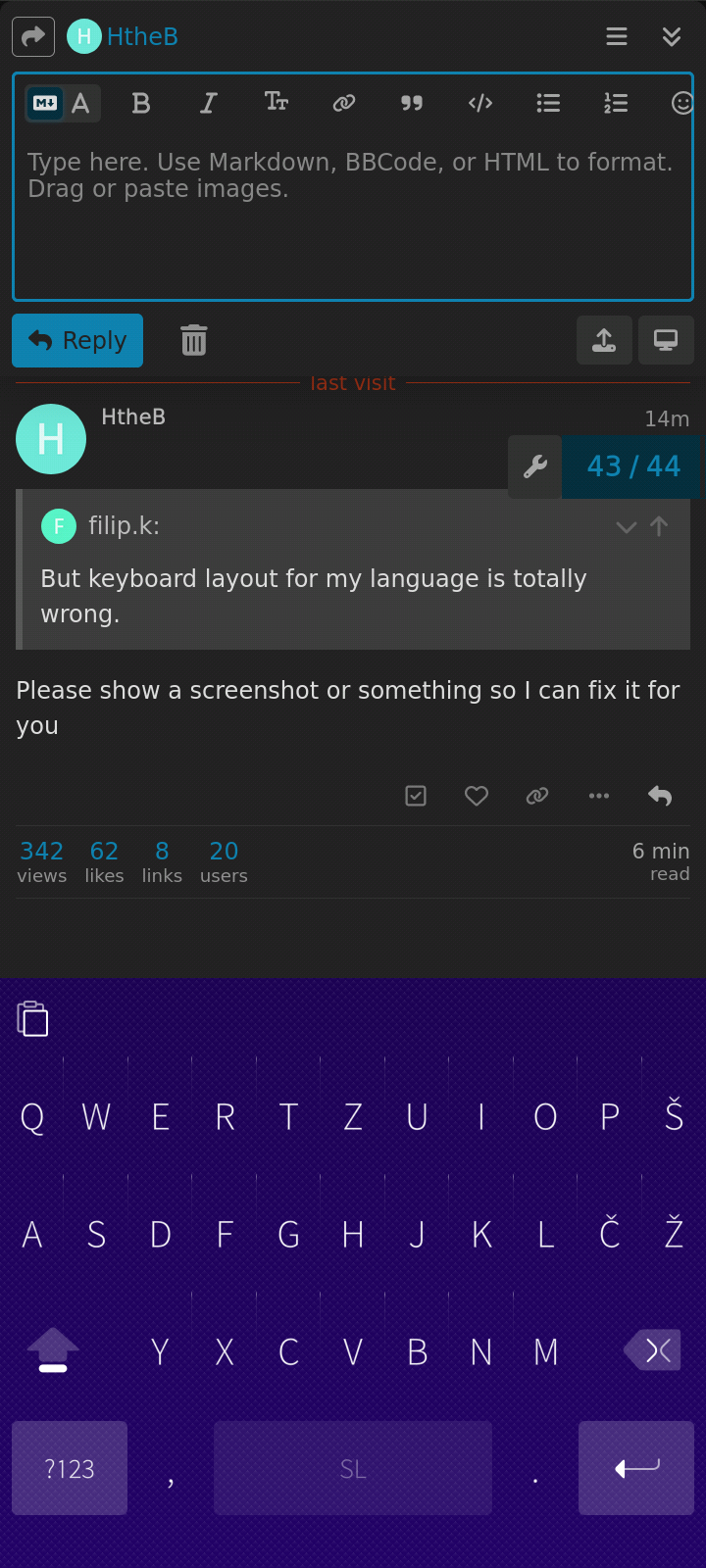
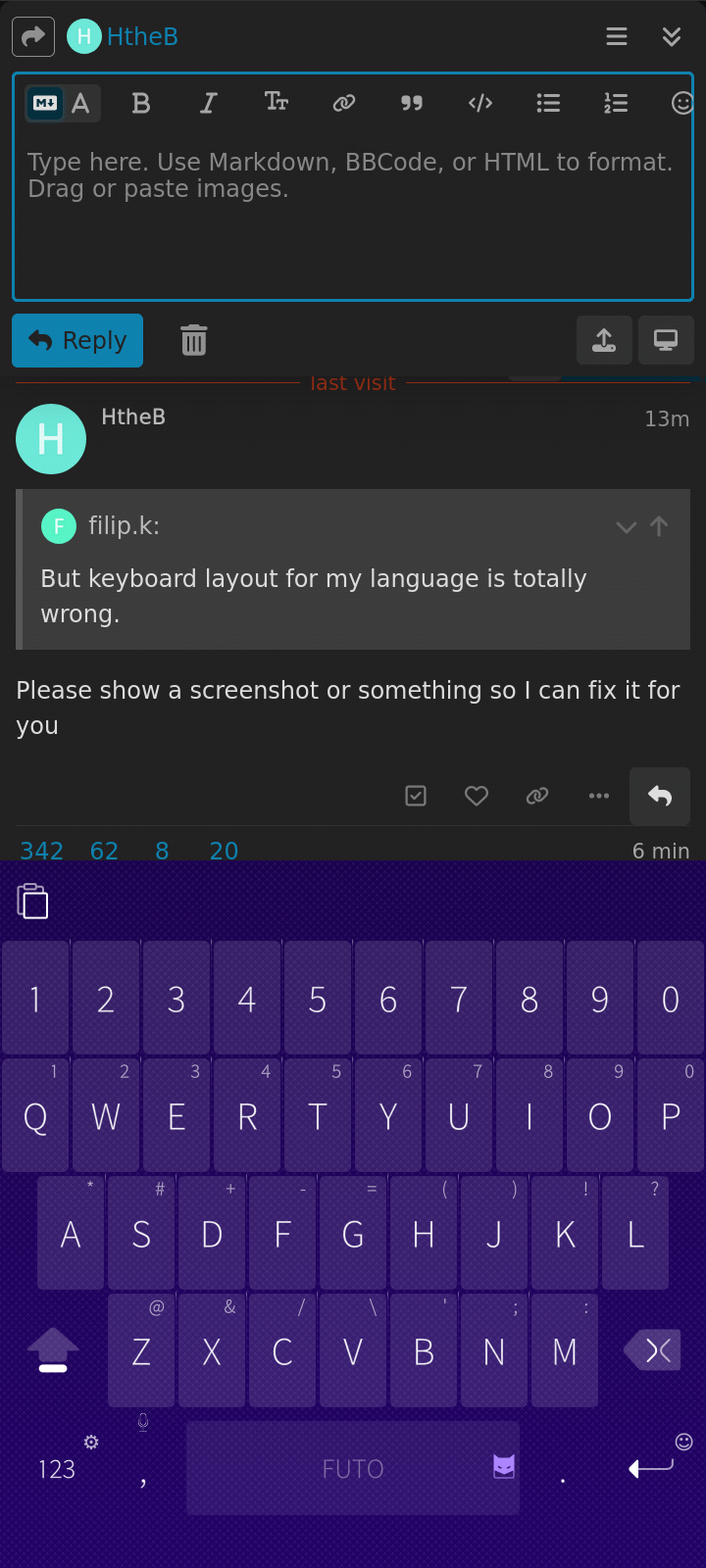
Also a question: is it still possible to switch other layouts than FUTO?
Should be easy to fix this.
I’ve actually already added this in the upcoming version
(Make sure that other keyboards besides FUTO is enabled and just hold down the language button in the Quick Settings inside the FUTO keyboard)
It work very well in French AZERTY. Really like this keyboard. Thanks!
This is my experience, too.
Mine to. I guess first three might be related to SFOS 5.1.
Unfortunately Quick settings doesn’t even open.
Checking in too with JP2026 and SFOS 5.2.0.17
Swiping and settings don’t work, also no way to close the keyboard once opened.
I still thank you deeply for your work! Being able to move the cursor and having symbols and numbers behind the letters is fantastic!
If emojis, settings, and swiping get fixed this will be the all around best keyboard I ever tried in my life! Because real FUTO needs android 
FUTO Keyboard for Sailfish OS 0.2.0
New features
- Added an Fn keyboard page with arrow keys, Esc, Tab, Ctrl, Alt, AltGr, the Sailfish key, F1–F12, Home, End, Page Up, Page Down, Insert, Delete and more.
- Added an optional and customizable extra-key row.
- Modifier keys can be used once for the next key or locked by tapping them twice.
- Added predictions for Greek, Russian, Serbian Cyrillic and Serbian Latin.
- Added Slovenian QWERTZ, Croatian and Serbian Latin QWERTZ, and Serbian Cyrillic layouts.
- Added a keyboard-sound toggle to Quick Settings.
- Holding the language/layout item in Quick Settings can now switch to another active Sailfish OS keyboard.
Improvements
- Spacebar cursor control can now move the cursor horizontally and vertically.
- A second finger can be held during cursor movement to select text.
- Quick Settings and extra keys can be reordered by holding and dragging.
- Added Restore defaults to the Quick Settings and extra-key organizers.
- Improved typing in terminal and console applications.
- Fixed predictions, swipe typing and FUTO Settings not working immediately after a new installation.
- Improved compatibility with Sailfish OS 5.1, including fixes for swipe typing, Quick Settings, missing symbol and emoji tabs, and blank emojis.
Download
The download is available via OpenRepos.net or the OpenRepos app Storeman
Swiping down on the spacebar will close the keyboard.
i found out swyping takes a few seconds warm up time when the keyboard is opened and then it works
Now Swipe works on Jolla C2, with 5.1.0.11
I installed FUTO because I thought it might be a workaround for the bug C2 Commerzbank Phototan App - no keyboard .An option for a persistent keyboard would have been great, but it’s not there and so it does not help on this bug.
With the standard keyboards I can easily swipe between the layouts. When FUTO is active, I can only switch to another keyboard via the system setting. This is annoying.
Huge improvement. Thanks. I just need to practise huge step from native keyboard.
Wow!
Lots of quick fixes, are you a legend or something?
Swipe typing now works, but language ranking might be giving it issues since it constantly changes between my 2 languages while typing, and swiping is 50/50 to interpret the word as belonging to one or the other.
Cursor moving is fantastic, opening settings works and I installed my 2 prediction dictionaries which work perfectly.
Also installed an emoji pack and now I can see them in the text, but still no previews on the keyboard even after restarting.
Extra key row is great!
I don’t see a button for dictating, as soon as I can try it I’ll report back my experience with it!
Thank you so much!
What exactly do you mean?
Can you share a screenshot and tell me which device and which firmware you’re on?
Make sure that you have enabled Voice Typing and that you’ve also downloaded the Offline Voice pack.