Another patch for Jolla Phone 2026 (SailfishOS 5.1.0.11, 5.2.0.16, 5.2.0.17). This one adds a page to app launcher: searchable list.
Not a new launcher, just upgraded stock one. Configurable (via Patchmanager’s patch list).
To access the app, either use newicon visible in App Grid (always last item) or quickly swipe left from the stock App Grid.
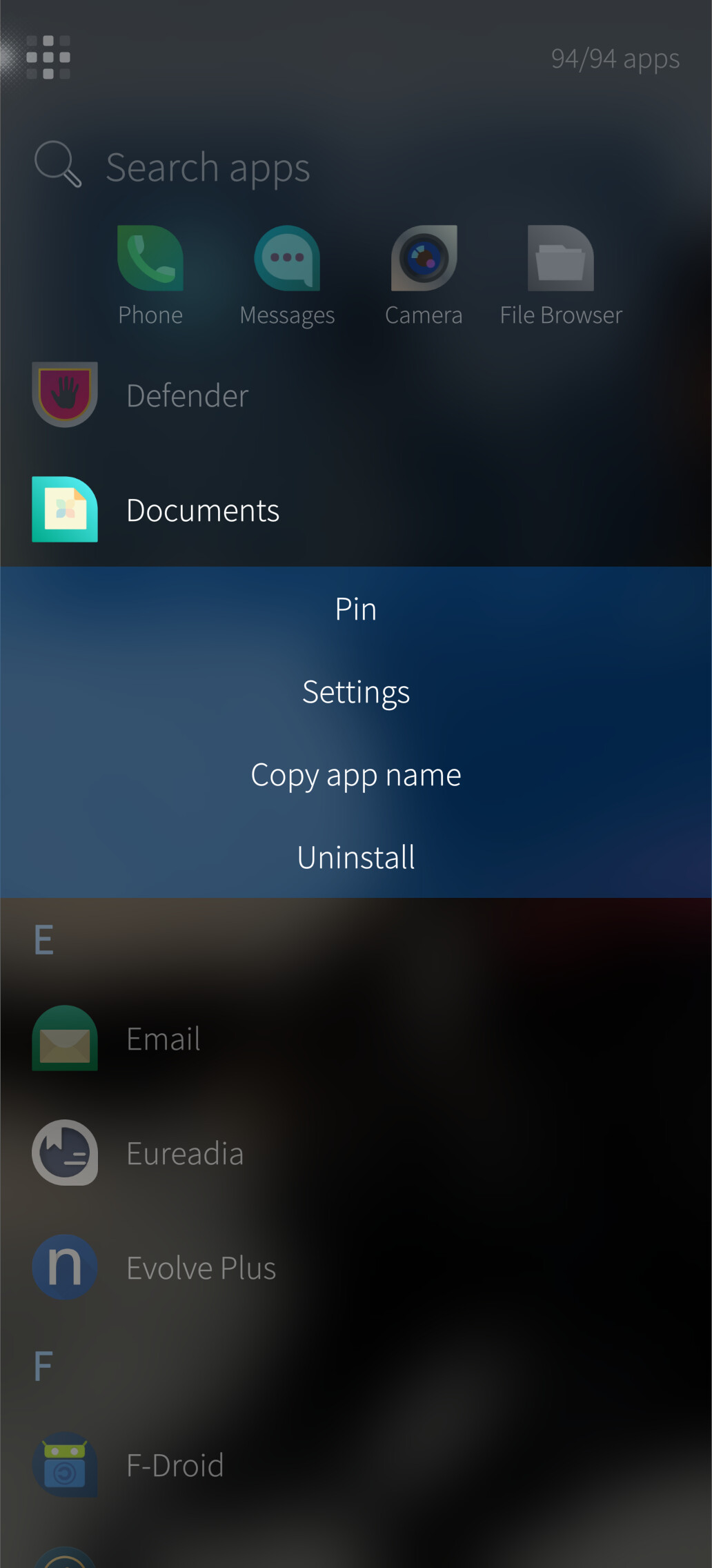
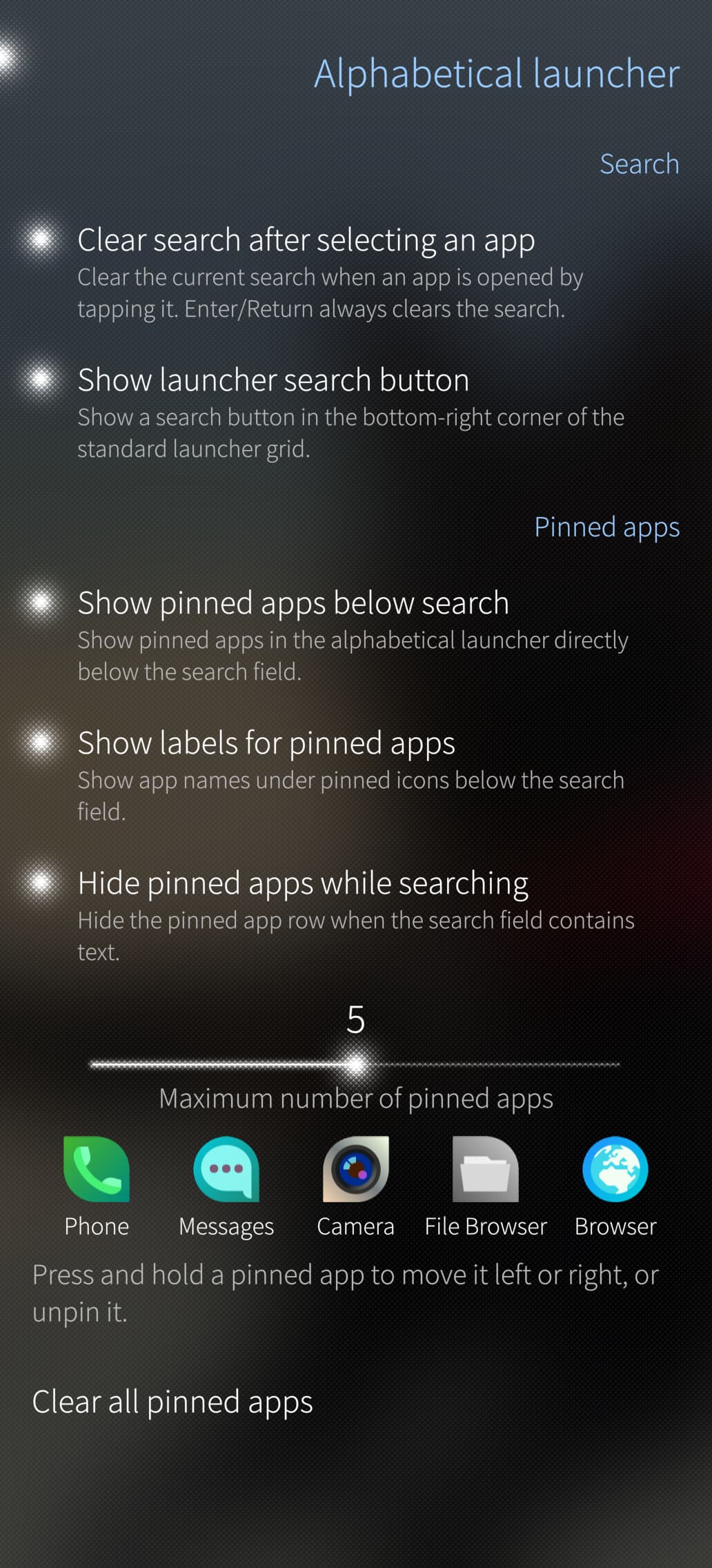
Just swipe left from grid view to access it or use icon in default app list. Hit ENTER to launch first result. Tap and hold for popup menu. Pin apps for quick launch. Rearrange pinned apps in Patchmanager settings. Disable pinned apps in opened launcher view in Patchmanager settings.
I understand you probably haven’t tested it on other versions, but it won’t even install on my device, so I can’t test it either.
I believe it would be enough to add the version compatibility to the .json file, not the rpm, since patchmanager has an option to either honor or ignore it.
Hmm, installed from openrepos, activated in patchmanager, then restarted homescreen. Nothing different, though. Swiping left went to event view. Maybe I should try rebooting?
Ah ha, that works. One suggestion: you should probably pop up the keyboard immediately when the page loads. Other suggestion would be to make the swipe from the apps to the app list completely smooth, but I am assuming that is more complicated than the current behavior.
Would it be possible to set the list as the main page, and have the search field automatically selected when opening it? Also, an option to ignore special characters in search (like matching “e” for “é”) would be awesome!
I added a small 0.1.1 release. It should ignore accents now. And autofocus on search field also improved.
I don’t have other versions that 5.2.0.17 to test though
I know the swipe to open gesture is a bit hard to use - I didn’t want to break the existing grid’s gesture handler (very brutal, dear @Jolla, TBH) and am actually replicating the same behavior but horizontally (please note that vertical scrolling is also a bit “stiff”).
Regarding setting the list as “default view” - while it could be done, current implementation also kinda supports it: just don’t return to grid (don’t swipe back and don’t use top button). This also gives searchbox access via peek gesture (tap on desktop wallpaper).
Awesome! This pretty much mimics how I always liked to use Android with Niagara launcher (no pinned apps to home screen, just an alphabetical list with search bar).
Thank you so much for the update! It’s definitely a lot more convenient with the filter.
I did notice that we can stay on the list view, and it persists the next time the launcher is opened. However, the automatic focus on the search field only triggers when swiping in from the grid. If the launcher opens directly on the list, the autofocus doesn’t happen.
I’m playing with autofocusing the search field. Could you list all the situations you’d want the field to focus automatically?
I’ve already added a small touch area above the search box that focuses searchfield to make it easier to open filtering from desktop.
I’ve also added clearing the search field once app is launched with ENTER key, need to polish it before publishing, since a lot of smaller changes are also there.
Great work on this, and thank you so much for your continued dedication to improving the experience!
Nice catch on automatically clearing the search field upon pressing Enter to launch an app—that is a super handy quality-of-life feature that I completely forgot to mention earlier.
In my view, the ideal behavior (though it might be best as a configurable option in Patchmanager settings) would be auto-focusing the search field every time the app launcher opens. That way, you can instantly start typing the name of the app you want to launch right away, similar to how the Windows key or Home key works on desktop platforms.
 icon visible in App Grid (always last item) or quickly swipe left from the stock App Grid.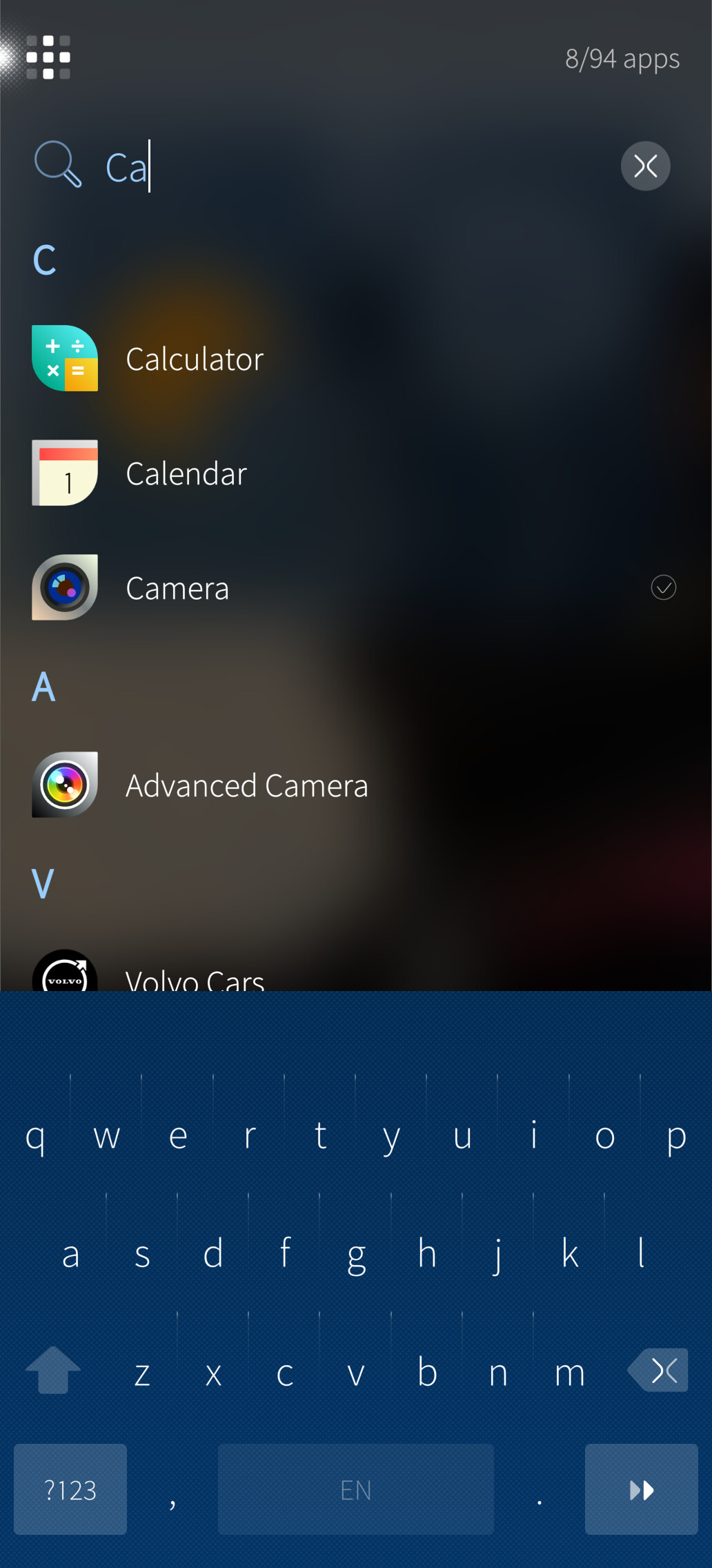

 I don’t have other SFOS devices to test…