Thanks, will look into this. Initially I had “autofocus always”, but it was annoying when you use “peek” (since the form was there! It always focused and expanded search list on every wallpaper tap and after every launcher restart). I need to gure out how to differentiate between “show” and “peek” states.
In the upcoming version I’ve also changed the sorting method of matching apps to be more logical (if you type “sett”, by default “microG Settings” was a top hit, in new version “Settings” will be top result).
I just got an idea: the search box peek is useless anyway, so if I manage to find how to distinguish in which state the launcher is, a “Pinned apps” section could be displayed in the dock (the same behavior as default grid view peek). So it would be “tap screen for shortcuts, swipe screen up for search”. Poor-man’s dock
Persistence would be handled by the Patchmanager’s settings API and list management would be done via context menus in the grid.
I’m also thinking about adding more context menu actions (Uninstall, Copy app name, check app details).
Peek view replaced with dock. You can pin up to 5 apps to dock to have those accessible via peek (wallpaper tap). Search box now autofocuses always. Popup menu for list entries. Results are sorted in more user-friendly way (before search for “settings” returned “microG Settings” as first result, now it returns “Settings”). I also added a rudimentary translation mechanism, currently English and Polish are added. If someone wants to help translating, here are the strings…
This was effectively a great idea!
You did such a great job, so fast and so clean. This behavior is surely the best compromise.
I installed 0.2.0, it’s working like a charm, and I’m really happy with it.
Thanks a lot for this!
Is there any way to buy you a coffee?
That’s true the movement is a little tricky, a little tip,
While swiping left, angle your finger slightly upwards. (And don’t wait for animation, juste release)
Dude, you only get one life, so make the most of it.
I believe it would make sense to also clear the search field when pressing on an app, not just when pressing Enter, since sometimes the top result might not be the app you want to open.
I will also test if the swipe distance from Jolla2 is to big for X10III, because its a little bit tricky to match the search pache. But it works also with many other patches. In the moment I have to change this both parts if you upload a new version.
@rdomschk Uploaded 0.2.3-40, please test If it works, I’ll update compatibility in Patchmanager Web Catalog (can’t do it in RPM due to missing sources that sailfish-patch requires…).
This version also has an option to display pinned apps below searchbox, can be disabled in settings. I’m not a super fan of this feature due to amount of space it takes, but sometimes I have to close the search overlay to use pinned ones - this should solve the issue.
Regarding swipe-left-to-open, I originally had an ugly button before figuring out how to handle swipe Maybe I should add it back, but it is completely non-SFOS and I believe some old-school users would bring torches and pitchforks against this heresy (well, this launcher is also a heresy )
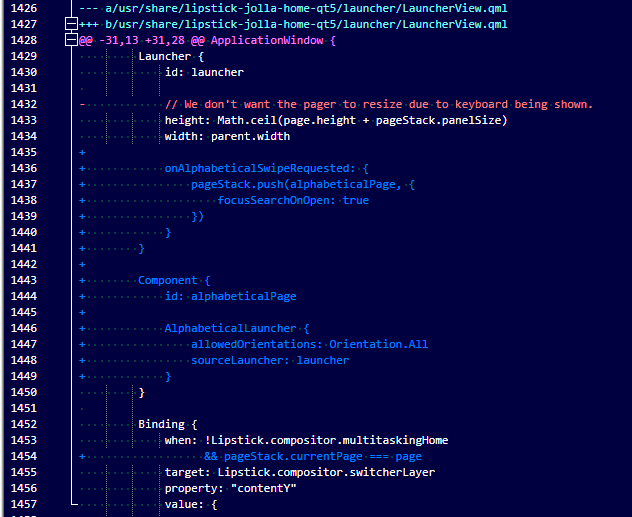
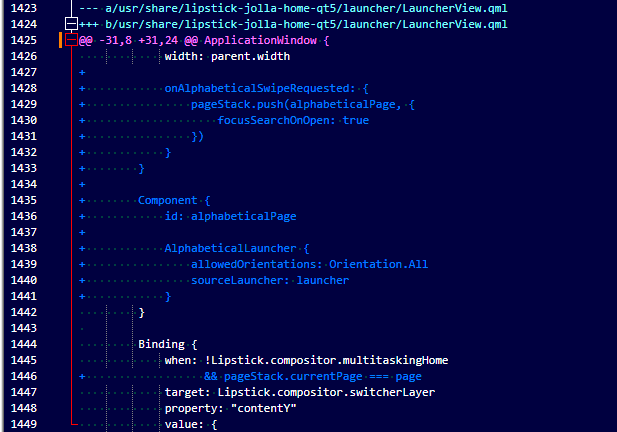
@SomethingElse This version run perfect on 5.1.0.11 and the new pin function is also very nice. The swiping is not so easy aggain. I try to delete some frome here:
But its not better. Slowly swipe works not only very quick swipes shows the additional page. Maybe its good to have a ugly buttom and in options the user can unshow it for only swipe. But no pressure its work for me. Nice weekend …
@rdomschk@davidrasch - I’ll add a small button in top right corner of the launcher grid, but if I’m suddenly gone, you know which mob to blame
I’m doing some refactoring, updated version should be available today evening or tomorrow…
@rdomschk thanks for testing 5.1.0.11 compatibility, I’ll mark it as compatible in next release (I can’t figure out how to edit published version in Web Catalog).


 (took longer than I expected, had some issues with registration…)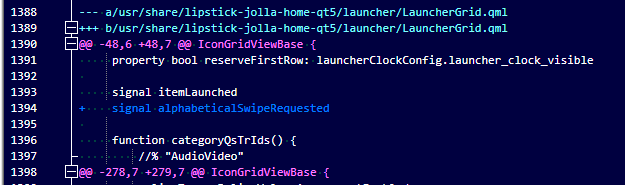

 Maybe I should add it back, but it is completely non-SFOS and I believe some old-school users would bring torches and pitchforks against this heresy (well, this launcher is also a heresy
