This is what I get, when starting from Terminal. …
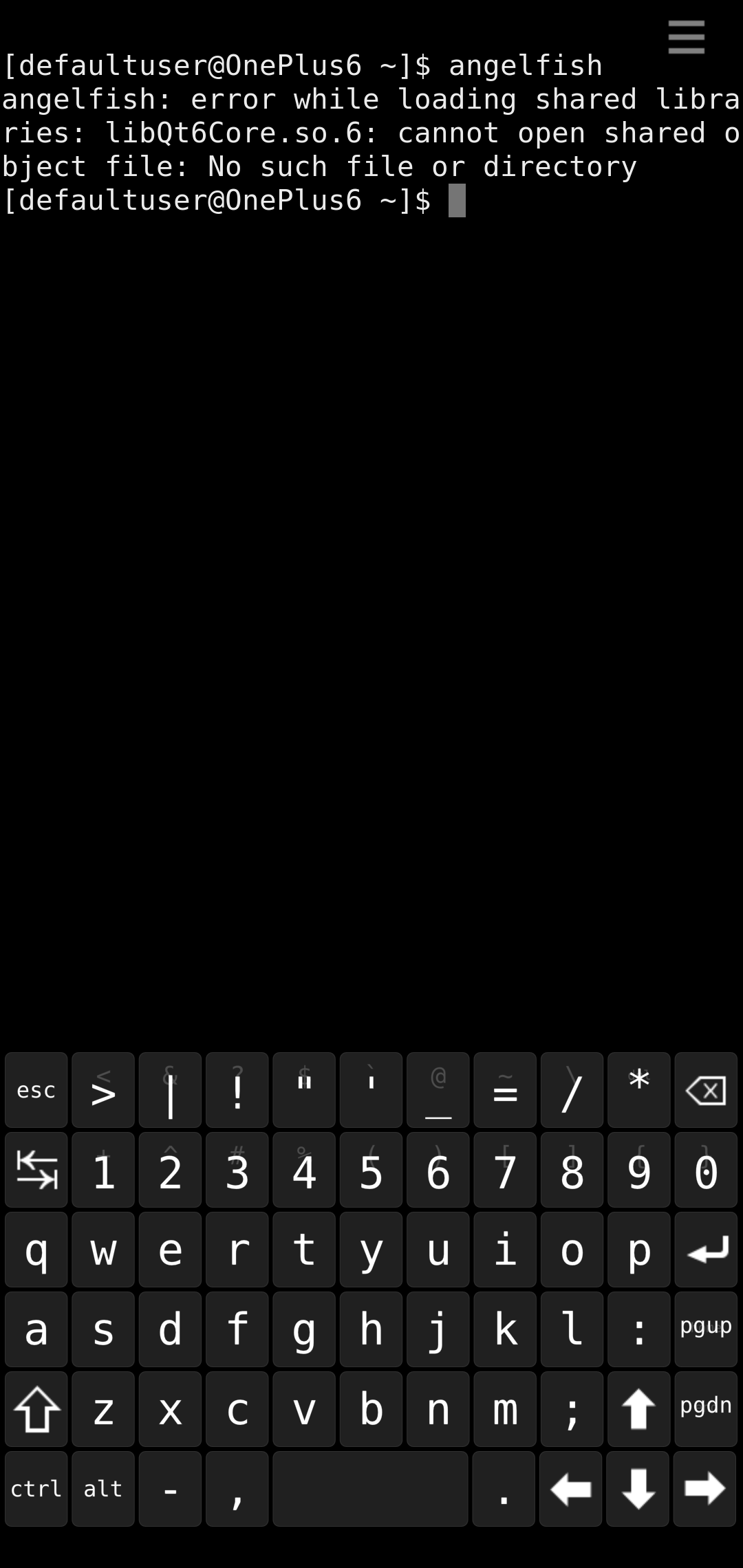
Ok, I got this error too and solved it with this command:
devel-su strip --remove-section=.note.ABI-tag /usr/lib64/libQt6Core.so.6
On the other hand, if you want to start angelfish from Terminal, you have to run:
qt-runner angelfish
1 Like
Doesn’t help, still got:
...
library "libion.so" not found
That’s another error. Libion.so isn’t missing in my phone. Did you do ‘zypper ref’ and ‘zypper up’?
Yes, but after i perform it again the error is fixed but angelfish start with an empty window.
Thanks for your help, i wait until it will be officially released at chum for end-users and install it again.
Oh, sorry. But what error do you have if you start angelfish from Terminal with ‘qt-runner angelfish’?
No error, just a blank window. But i have removed it so far, i’m fine with the SF-Webbrowser. I come back when its more polished (actual build with the blocker-addons…etc).
Thanks a lot it works now.
devel-su strip --remove-section=.note.ABI-tag /usr/lib64/libQt6Core.so.6
Did solve the problem.
1 Like
This error line is imho standard on sfos
Can see it in tidal player too
And does not hurt
I made one last attempt and was able to get the newest angelfish to run. Before that, I uninstalled all Qt5/6 packages from Chum and then reinstalled only Qt6-Package using the console.
4 Likes
Mr. Magister, are you still thinking about mainline op6?
Could you eventually add something to this discussion … Mainline kernel and Sailfish
yeah but everything needs time and everything needs my attention
4 Likes
Hi, I have struggling to get SFOS on my OP6 enchilada but after 4 dispersed failed attemps I decides that today could be the day, And I am not able, I am starting to wonder that maybe it has to be with my msmtool. There has happened a lot of different things but the most basic is that when I set patition to b with fastboot and boot twrp then after installing lineage.zip from vervandi website then slot A gets a black screen with a blue led on and slot be gets lineageos. But even if this has been for me at least a confirmation that I can flash lineage to the system in general something this lineage installation has worked even if it is on the non expected partition, other times this slot B (slot A is broken) gets on a loop without starting. I have had also problems booting twrp from partidion A. Anyways the flashing is not working for me and I don’t know why since once upon a time I installed on to the OP6 caleb’s version port,
Thanks for your attention
UPDATE: After 6 hours on testing finally I got the port working, the problem was the msm tool, In case you don’t know where to get it theres is this web page:
https://onepluscommunityserver.com/list/Unbrick_Tools/
1 Like
cant you just use fastboot with oneplus devices? or for what is this msmtool needed?
MSM Tool serves to the purpose of restoring OP6 to the original state. In my case the first time I needed to use it was when I tried pmOS and the installation of the mainline kernel OS erases the partitions. But I used a MSM Tool that was restoring the phone to OOS version 5.1.5 (Android 8) and for this port of SFOS OOS version 9.0.x (Android 9) is needed In that website you can find MSM for different OP models and specifically for the OP6 that restore to OOS 9.0 that it is the one needed to install this port. Another use case where MSM Tool is needed it is if you brick something during the process of installing this port.
About fastboot, yes it works. I was using Windows to do the process, also MSM Tools is a tool for Windows. For using fastboot you need Qualcomm drivers.
1 Like
I followed the instructions to a T and used the tool with the link that you provided. USB 2.0, original cable, qualcomm drivers… The flashing process runs as expected. The device then reboots and doesn’t get past the turning oneplus symbol. How long does it take you to get past that state?
It takes about 2 min. Maybe you need to run MSM Tools as an administrator
I did run it as administrator. I’ll try again some time. Strange.
ISSUE: It doesn’t connect to cars calling system via bluetooth
In msm tool I checked the button “lite firehose” (I don’t know what this is doing, but maybe it helps you too) I had trouble with a oneplus nord n10 5G to set it up for ubuntu touch. With that lite firehose button it worked for me.