8 Likes
3 Likes
The radiation levels are pleasingly low. 
So i can leave my tinfoil hat off while on 5G 
5 Likes
A week impressions: MMS does not work, I have tried two different carriers (Tre and Telenor in Sweden) with the correct settings and it does not work, same SIM-card in Apple iPhone 12 Mini works for MMS
I failed getting OpenVPN working, Wireguard VPN worked out of the box
Internet sharing from my Jolla to my laptop does not work, not really sure why, my laptop does not even prompt for password just switches back to my known networks
Maybe a bit late to the party but i noticed this post just now and I just wanted to share a small review i wrote on reddit if anyone is interested. It’s here.
3 Likes
What does that mean?
Just leaving it on the events view is not postponed enough?
Both volume buttons. Definitely a shortcut.
Also; sending screenshots of websites instead of actual pictures should be registered as a war-crime.
Sure there is - in settings and optionally in the top menu.
Still 9% steps though. That’s always been plenty granular for me, but headphones are different.
Isn’t the whole events view basically that?
Or what do you mean?
2 Likes
Just to clarify - both volume buttona for screenshot, but press and hold both.
3 Likes
On Android you can also dismiss a notification temporarily and have it reappear to you after a given time (that you set). Kind of like a reminder that that notification exists, and you have to do the thing you said you’re doing. It has been introduced in Android 7.
There’s literally a log of all your previous notifications in the past 24h. If you accidentally swiped away the wrong one, you can at least find it there.
3 Likes
In android there is a button on notifications that basically makes it appear again after some time and making the sound or vibration as if it arrived anew. It’s useful when you are busy and there is something you need to reply to. You can postpone it to make sure you won’t forget about it after you aren’t busy anymore.
Yeah you are right about this one, they corrected me in comments on reddit too. Didn’t know about it when i wrote the review. I’ll be probably editing it as i get more experience with the phone or maybe I’ll write a follow up.
I mean yeah, but that’s not what i mean. In android, when you press the volume button, the volume bar appears next to the button on the screen so it’s right next to your finger and also lets you switch to silent mode or let’s you see other volume sliders for media, notifications and so on to adjust those. You can do it on the fly from anywhere without the need to dig through the settings or having your quick toggles cluttered.
In android in settings there is a history of all notifications you recieved in the last day. Even those you dismissed or lost. It’s useful when you notice a notification that cought your attention but maybe you don’t remember which specific group chat or email or something it was and you don’t want to dig through all of them if you accidentally dismissed it or if it got overwritten by new messages in that chat before you got to checking it. Or it’s useful when somebody sends you a message and then deletes it. You can still see what the message was in the notifications log.
1 Like
You can already “snooze” a calendar notification, so it pops-up again later. Instead of dragging upwards to dismiss it, you drag downwards to choose Snooze
But one annoying bug is if a calendar notification appears while I am typing with the keyboard, the keyboard is above the notification so I can’t read it! First have to drag the keyboard down to hide it.
3 Likes
I understand you are used to Android and it’s hard to adapt initially, but to be honest, I find Android pretty terrible in terms of UX, and the volume control is a good example of overkill UI that most people find confusing. If you look also at IOS and see how the same problem is addressed there, you’ll find that SFOS is not that bad after all.
7 Likes
Hi @mozkozrout,
I read your small review (wonder when you would call it a longread though)  and your answers on comments.
To use a nice analogy:
You were clearly used to a motor yacht and now you have bought a sailing yacht.
After a short while, you’re trying to convince everyone sailing, that your motor yacht was much … (whatever)
In short, If you don´t want the hustle of sailing, stick with your motor yacht..
Which is totally fine, but the Jolla Phone just isn´t that,
You’ll have to learn how to sail!
This was by no means intended to offend you.
But it seems so obvious
8 Likes
Have you tried cabled android auto on your car? A user previously found a fix with cabled device on car 
Hi,
I guess you mean my comparisons to android right ? Well i mean that analogy is actually pretty nice.
Not saying that motor yachts are better than the sailing yacht but they are definitely more modern and more efficient. And it makes sense right. Sailing yacht is pretty and a lot of fun to use, it is great for hobbyists. However if we live in a world where everyone sails to work and uses their yachts every day and needs them to be capable and reliable, then this friction isn’t ideal, especially if we want these sailboats to become a viable alternative to big oil monopoly and we want more people to be able to sail.
Haha i mean i wrote that review mostly for people who are used to mainstream phones and are looking for an alternative. But still i mean looks to me like you are basically that i should learn and get used to how things are in SailfishOS or get back to android but i mean when i criticized something in SailfishOS it was usually a missing or worse functionality so there is nothing to learn right. Or idk if you mean that i am trying to make SailfishOS into something it isn’t
Doesn’t iphone have like 4 separate volume levels too ? Tho its true in ui its just a big slider and nothing else. Tho you can adjust it by touching it and you can change more sound settings in their version of quick toggles. I don’t remember very well tho.
I mean tho i generally agree with you. I really don’t like how modern android looks and i think the UX is terrible as well. Ever since they introduced materialU it feels like it’s designed for toddlers or something. Huge margins and padding, tons of wasted space. Haha can’t really see that in the volume slider particularly tho. Its just a simple slider with one button at the top to turn on silent mode and it has three dots at the bottom to access other sound sliders if you need. Mostly just a slider tho.
Next time I’m drunk I’m going to make a patch replacing the volume bar with a diagonal one across the screen.
Seems like the best compromise, unifying the needs of the pro-horizontal with the pro-vertical people.
Oh, and someone could make a ToH with an actual physical slider or wheel! 
20 Likes

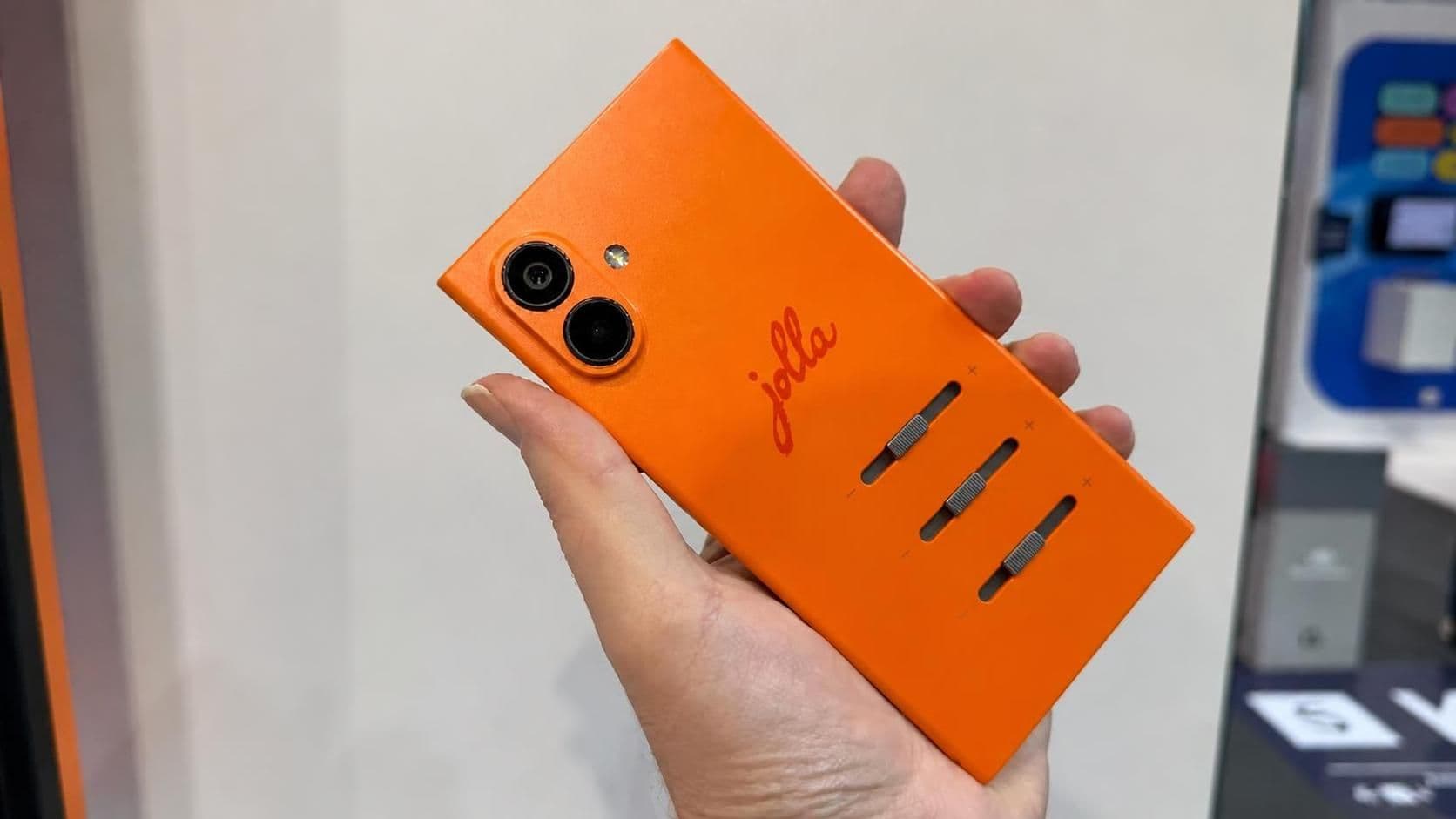
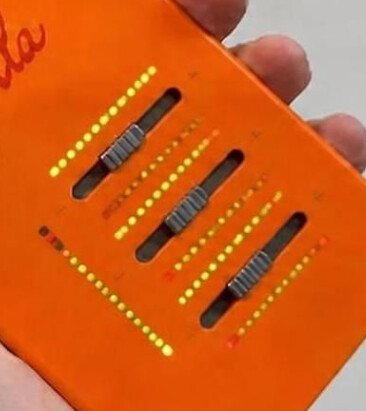
Please consider settings for the angle.
Heck, let Power Users ™ choose the curve /function for drawing it.
4 Likes
Except the infamous dust in front camera issue documented elsewhere, happy J2 user here.
Significantly better in every aspect compared to its predecessor, XIII10 .
Most improved for me are perceived speed, VoLTE, battery life, Bluetooth .
My usage is fairly simple - phone, mail, web. Some android apps (school related, Wire, Whatsapp, Firefox, car, etc) .
10 Likes
Not to mention the GPS lock, which is fast and it’s working way better than X10iii
8 Likes