So.. I got 5G at the city for a brief moment
Correcting myself: I randomly get 4G or 5G in the city, even staying at the same place. But when starting a speed test, if 4G is displayed, I still get 5G speeds and the display then switches to 5G.
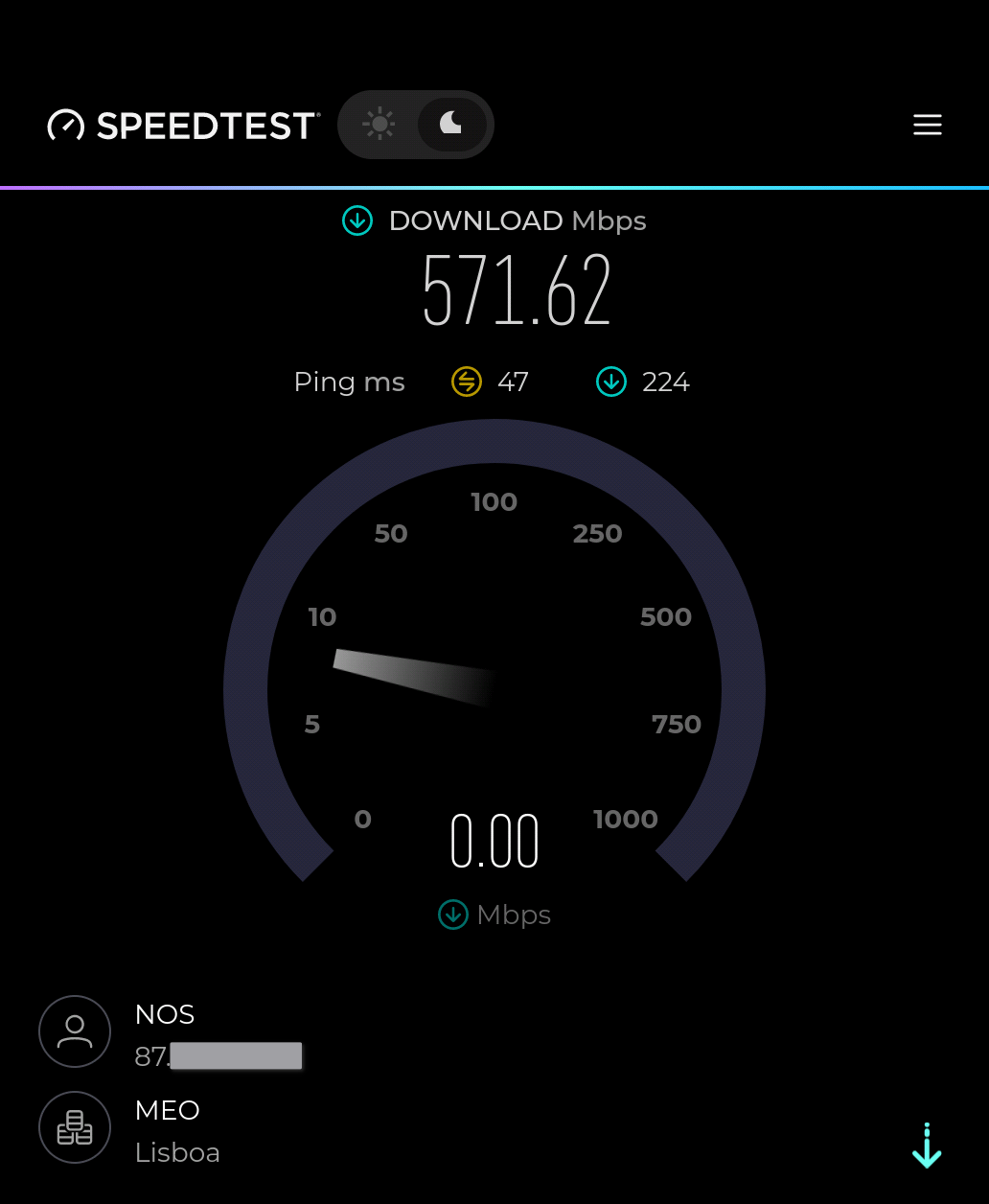
Somehow the phone isn’t sure if it has 4G or 5G, but I do get 5G.
4 Likes
Today I did a test outside in an open place. The tedt hit 380 mbit before dropping to 210 mbit. Further test landed around 200-250 mbit. So I guess 5G is working.
Do you know if the patch you reffered to will be part of sfos in a later release?
i verified bands on the vodafone.cz at my location (they does not block 5G for unknown devices)
LTE FDD: 800Mhz, 1800MHz
5G: 700Mhz (N28), 2100MHz (N1)
I use Odido in the Netherlands as my provider and had no issue getting 5G also while roaming in Italy last week, it only bumps down to 4G when I connect to wifi to save battery
Sorry, maybe i’m a bit autistic - but as opposed to what exactly?
Of course it will.
Actually got 5G and decent speeds while in a wide open area at night on Simyo in The Netherlands.
Right back to 4G and a barely usable connection when I got home.
So it’s not technically broken, but the circumstances it requires to reach its full potential make it barely usable for me.
2 Likes
I saw 5g on Vodafone NL once in a split second. Then immediately 4G again. Otherwise satisfied with the phone and up and down load speeds. Much better than on the Jollas C2. I use the phone for daily use for a few days now.
I have no 5g on telekom germany, too. Works with pixel 9a, 7a
1 Like
On Mobile Vikings (Proximus) in Belgium I get 5G. Not far from you to come and test 
Does anyone know “who’s fault” this is? (That no 5G connection is established).
Is it
a) Jolla and the sailfishOS software?
or
b) the provider (e.g. Telekom Germany)?
If it is a), I would hope to get an update somewhen in the future. If it is b), I guess we are doomed.
or c) something completely different?
1 Like
If two phones running the same software on the same location with the same provider show different results, there is a hardware issue in one of the phones.
With 2 sim cards O2 Germany and Congstar, both connect fine with Pixel 9 pro to 5G, but only 4G with JP2. Same location. And the quality of connection is shown always minimum.
Just to note for the signal strength indicator, it is known bug that it shows unrealistic low signal strength. So it itself doesn’t mean anything. For 5G, did you change the setting in the phone “Prefer 5G”? I don’t remember if the native selection is “Prefer 4G”
Edit. But yes, I have same experience even in Finland. Places where other phones truly have 5G connection usually Jolla phone doesn’t and defaults to 4G. Personally I think this might be due the SFOS currently thinking signal strength is extremely low and defaulting back to 4G. That said, I am able to get 5G when the signal is extremely strong
Edit: I checked on the Pixel 9, and it looks like it was using 5G band n20, which according to bands listed on Jolla Phone (Sep 2026) – Jolla Shop it should be supported.
Original post:
My hypothesis is that because Jolla Phone supports less 5G bands than e.g. the Pixel 9, and it might depend on the bands used by the local antennas in the area, that’s why some people can connect to 5G with D. Telekom and others can’t. And this might be a hardware limitation that cannot be fixed.
2 Likes
I have tried to understand the different 5G bands, with the help of AI, and at least AI claims rock hard that only band that Pixel 9 supports that could affect coverage in Europe is n48. Apparently other bands are mainly north america specifics, but AI can always be wrong so don’t take this as a fact
1 Like
The 4G/5G icon discussion can be a very philosophical one.
It depends on whether the network runs 5G SA or 5G NSA, the latter implying a connection to a 4G network.
It also depends on the implementation of each manufacturer as there are several additional factors/parameters taken into account when deciding whether to show 4G or 5G on the display.
Among these factors, not only 5G SA/NSA is considered but also the frequencies or the power level of the signals are considered. So, it could happen that a UE is connected to a 5G NSA network, and due to the frequency used and/or the quality of the signal, a 4G is being shown (I am talking about lower layer parameters).
But of course, from the marketing point of view, it is cooler that a 5G icon is shown 
5 Likes
It could also be the transceivers manufacturer (i.e. Mediatek) fault. SFOS gets the connection information directly from the transceiver.
Hi, at least I can say, I did change to “prefere 5G”.
2 Likes
Hi,
It’s an AI summary of my recent experience and “research”:
I briefly saw the 5G icon while I was on the train, which confirms the hardware works fine. The drop back to 4G comes (according to AI) down to two main software/modem reasons:
Strict UI Reporting (oFono vs. Android): Mainstream Android/iOS devices often show the “5G” icon as soon as they connect to a 4G anchor cell that signals 5G availability (UpperLayerIndication), even when idle. Sailfish OS and oFono are much stricter: they typically only display “5G” when a true, active 5G NR (New Radio) data session is established.
Generic Modem Profiles (MBN) & DSS: Sailfish OS relies on generic modem configurations rather than carrier-certified ones. While this works fine for standard 5G (like n78), it often struggles with complex 5G NSA (Non-Standalone) band combinations or DSS (Dynamic Spectrum Sharing) used heavily by carriers like Telekom (n1/n28). If the generic profile doesn’t perfectly match the cell’s parameters, the modem safely falls back to stable 4G.
Conclusion: It’s not a hardware defect, but rather a mix of honest UI indication and missing carrier-specific modem optimizations. As a bonus, staying on 4G saves a lot of battery compared to 5G NSA!
Would be nice to get some feedback from Jolla.
4 Likes