REPRODUCIBILITY: 100%
OS VERSION: 5.2.0.17
HARDWARE: Jolla Phone 2026
UI LANGUAGE: English
REGRESSION: N/A
DESCRIPTION:
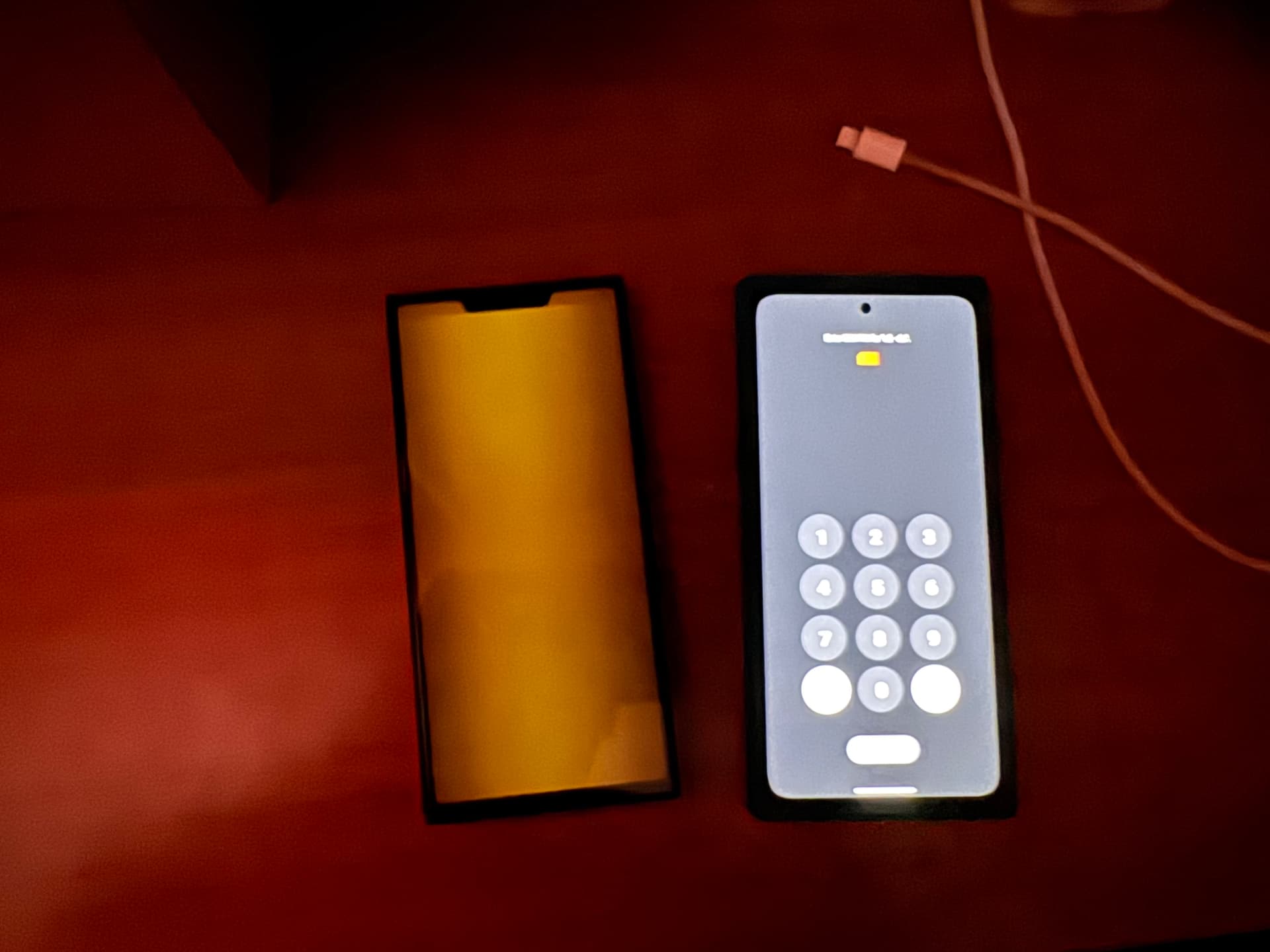
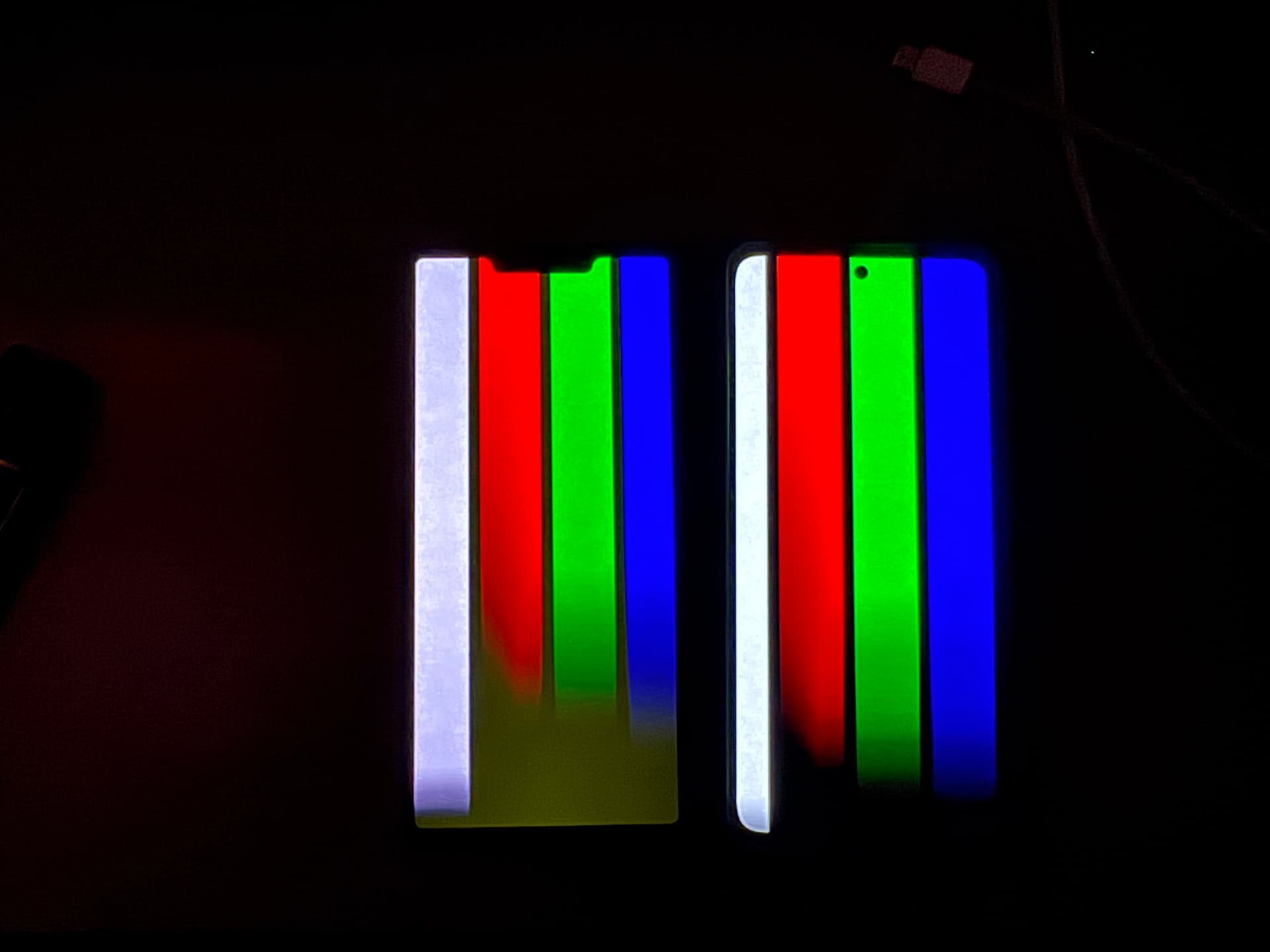
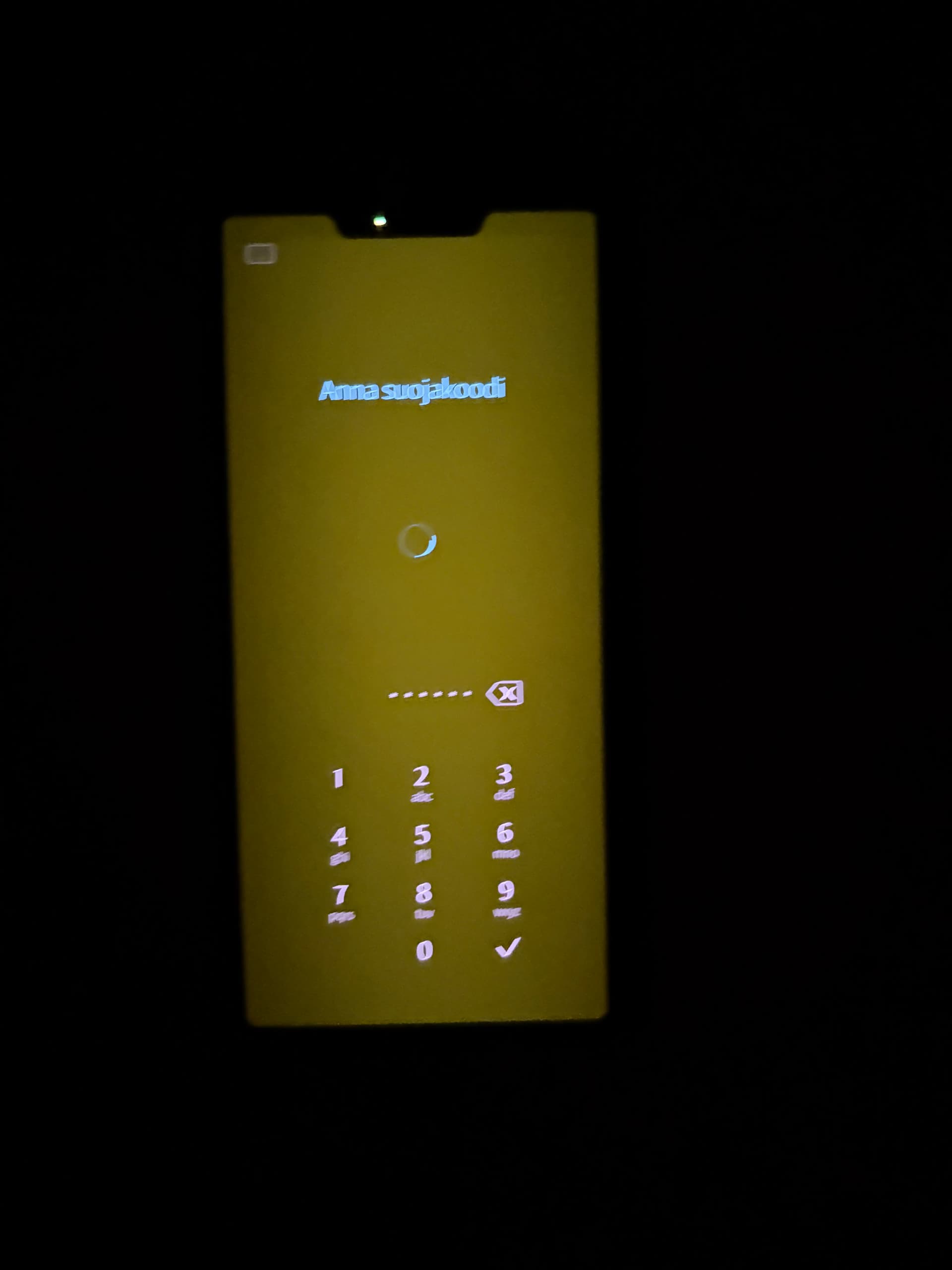
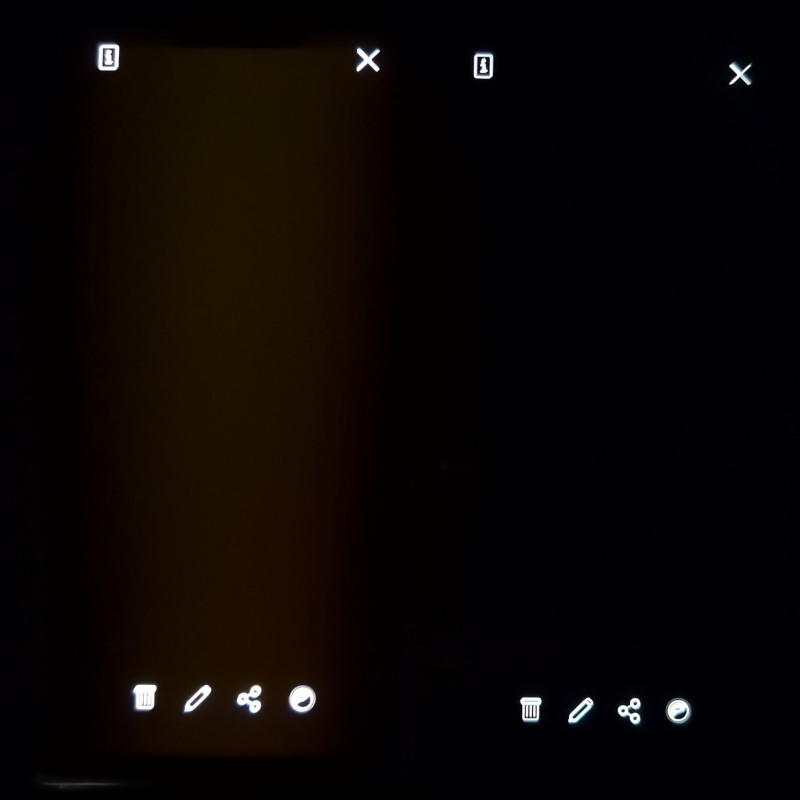
Display is showing a greenish-yellow hue in lower brightness all over the screen. It is apparent always but easier to see indoors and with darker wallpapers.
There is also a different shade or lightning in the notch area.
PRECONDITIONS:
A black wallpaper or a wallpaper with a lot of blacks parts.
STEPS TO REPRODUCE:
Use any full black wallpaper or an abstract wallpaper with a lot of dark parts (a typical “oled wallpaper” as a term)
lower the brightness to reasonable levels if not already apparent
Go to a place that is not direct sunlight or fully lit
EXPECTED RESULT:
A perfectly good screen with deep blacks, uniformed and totally off black pixels.
ACTUAL RESULT:
Yellow/green hue on your screen and black parts aren’t black. Possibly different level of brightness/color in the notch area of the screen.
MODIFICATIONS:
None.
ADDITIONAL INFORMATION:
Hello.
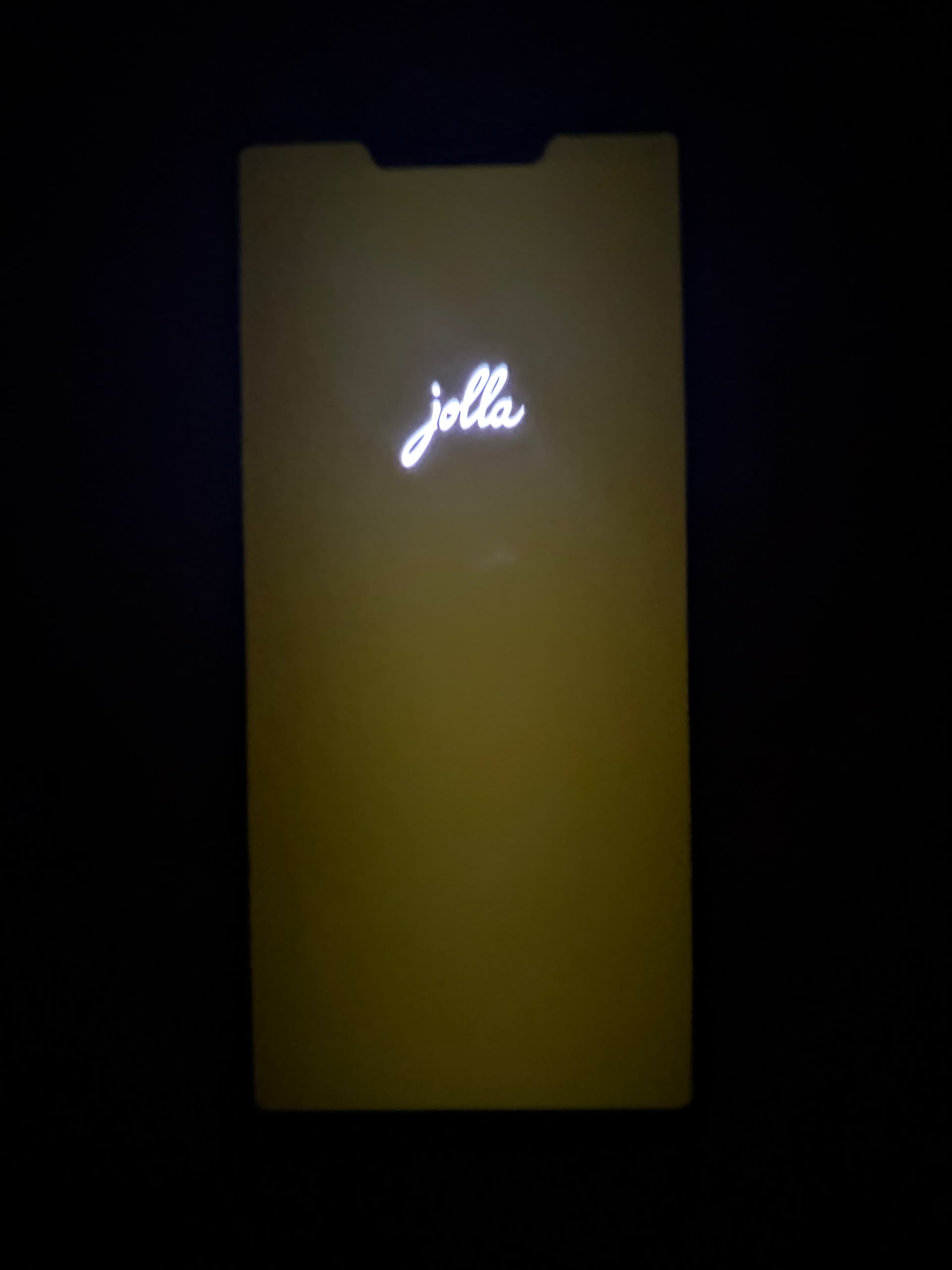
From the first boot of my j2 (opened it at night a few weeks ago) I’ve noticed that the black area around the Jolla logo was lighting up like an old low end LCD screen.
As I was setting up the phone and made my ambiance (abstract shapes with blue, silver, black parts) I noticed that my whole screen looks like it has blue light filter but in a more yellow-ish shade.
The issues looked similar to 10 III with crushed blacks wherever there’s another color close to black, plus the yellow-ish hue my 10 III had (without the brightness fix) but much worse.
There is also a slightly different shade of color around the notch area, that you can see when the screen lights up the blacks while it shouldn’t.
I asked a lot of people in telegram and many have the same or similar issue so far.
Here are some pictures in a darker environment next to another old mindrange phone with oled screen for comparison.
Results are slightly exaggerated due to phone camera, but just as apparent with naked eye.
I hope not, but I guess we will see.
Maybe it will help get Jolla’s attention once everyone who confirmed the same issue in other topics and platforms sees the topic.
My situation isn’t as bad as seen in Kanthal pictures, but I also experience this when going to dark room and putting black picture on the screen. Black isn’t really black
Beware that black pictures can be non fully black, as noise, compression and other factors enter in play, I guess.
The best thing to test is perhaps the black in the CSD tool or the black screens at boot.
(although the former seems better, as it allows to play with luminosity)
Yellow-looking pixels mean that the red and green subpixels of each OLED pixel are being driven, creating a kind of positive offset to each color-value. I could easily imagine this being related to an incorrectly selected color profile, as has already been established here on the forum. If a color profile produces warmer colors, the red subpixels and even the green subpixels in particular have to be driven more strongly. This means that the red pixels start displaying red earlier, but they also stop earlier once they reach full saturation.
You can see in the pictures both phones at boot and also while unlocking in the video.
It’s not about the picture shown in one specific place like the browser.
I have the same issue. I haven’t reported it here in the forum, because I thought this is a known issue with all the delivered phones and thus being taken care of. I have also seen issues related to the display reported in multiple topics, but attaching two pictures here to give some weight to this issue if it’s a separate one.
Thank you!
I also thought it would be a known issue but the answer from the sfos meeting was that people experience this differently (talking about blacks not being black) so I guess either it is a display issue, or they just don’t notice it under bright lights in assembly.
Today, I made an interesting observation when restarting the start screen in Tools. It first became almost completely black, as expected, although there was still a slight amount of brightness visible in the dark. Then, just before the start screen appeared, I saw the yellowish-dark tint shown here.
Yeah, not everyone is affected by it, which makes it a real mystery.
At least the people who are affected by it can rest assured it’s a software bug and so it can (and will) be fixed. You (if you’re affected) can see this when you turn the phone off and on again: during the first couple of seconds, the screen correctly displays the Jolla logo with the rest of the screen pitch black (i.e. the pixels aren’t turned on), but then suddenly it gets the green hue and it looks like a weird LCD.
I wonder if the manufacturer sent two ever so slightly different revisions of the screen, and one requires a slightly different colour configuration than the other.
I’ve experienced something similar like I have described here:
So first I open some supposed black screen, then I switch on/off room lights or use flashlight to phone light sensor, I can see the hue comes more visible with small delay when the ambient gets dark. This leads me to think that less screen brightness, more unwanted hue which comes clearly visible with fast automatic brightness level change. Could it be also that the screen brightness level is at max level for some seconds when turning on the phone?
It’s not about the screen brightness itself, because you get the same results if you turn the brightness all the way up (and disable automatic brightness). I tried opening the terminal just now, and it shone bright like a diamond as soon as I started it. So it has to be something that changes early in the boot process, that causes the issue.