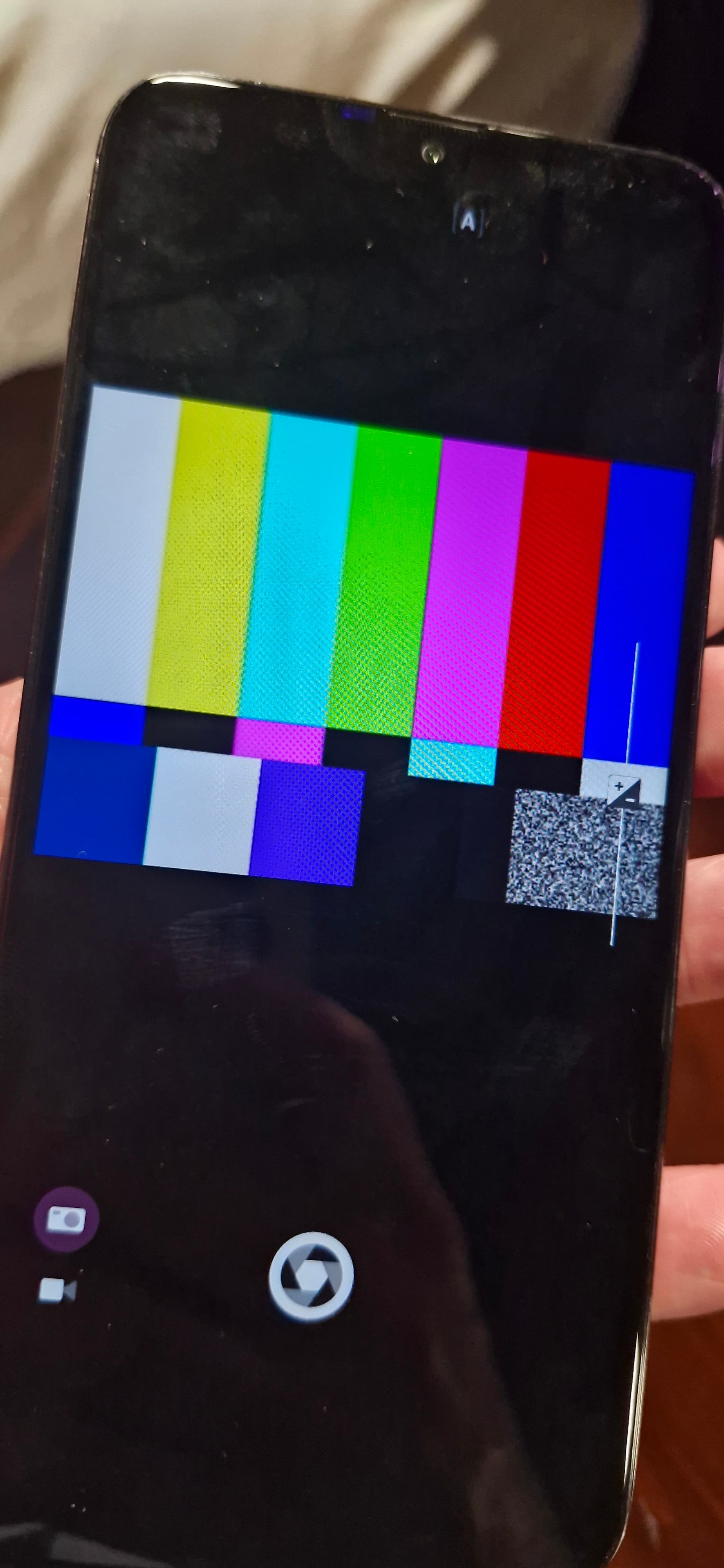
Hello.
Another BIG dysfunction on my new phone : The app photo doesn’t work…
So first : what’s wrong with it ?
And then : how can I ask the return of my phone ?
Waiting more than 4 months to receive a smartphone like this is awful…
Hello.
Another BIG dysfunction on my new phone : The app photo doesn’t work…
So first : what’s wrong with it ?
And then : how can I ask the return of my phone ?
Waiting more than 4 months to receive a smartphone like this is awful…
I had that happen with the C2 too. It worked after I reflashed it.
Instructions: Fastboot flashing of Jolla C2 It’s not rocket science
…or simply a factory reset will do the same. Check this thread were the same thing happened: Camera App shows test picture
Please try removing file /home/defaultuser/.cache/gstreamer-1.0/registry.aarch64.bin and see if that helps
I had the same error and was also very frustrated that after several months I got a phone with defective camera. Then I installed the scanner app which was working like a charm. So it was no hw error. A factory reset brought the solution. Maybe they should include a menu item to reset camera. (For browser the same)
Usually camera issues are because some rare issue causes gstreamer to blacklist the needed plugin and in that case removing the gstreamer cache as mentioned in my earlier message should fix it. It seems to be quite rare issue during first boot or something, but difficult to debug because it’s so rare and random. I also think an option in settings to reset that file might be a good thing to add.
@NpJC2 Did you manage to get camera working with the instructions?