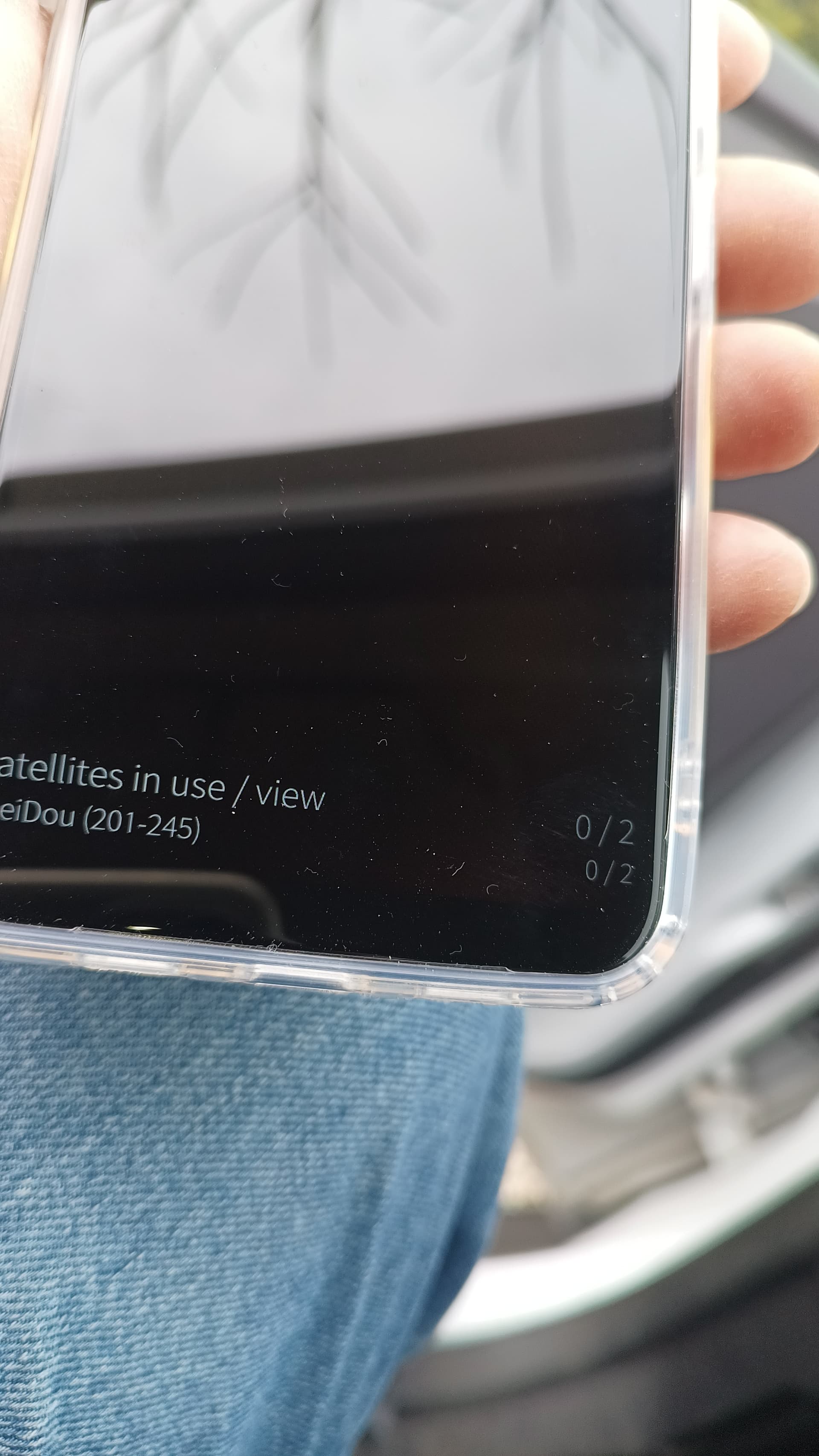
Does it really not work at all or does it just take a very long time to get a fix? It might take several minutes, depending on the signal quality.
You might want to install GitHub - direc85/harbour-gpsinfo from OpenRepos. This app should show how long it takes to get a GPS fix and how many satellites are visible.
This applies to all GPS devices, not just the Jolla C2. Other phones might use some “tricks” to show a location faster, such as estimating it based on cell tower positions.
There is also A-GPS which should reduce the time needed to get a GPS fix by downloading information via mobile data. It is possible that the A-GPS implementation on the C2 is broken.
For me the GPS is very poor on the C2 as well. I’ve tried navigating with it between France and the Netherlands this year, not a pleasant experience; two issues really:
Oftentimes it simply doesn’t get fix, sometimes fixes itself after a reboot, sometimes requires a 2nd of 3rd reboot; then works
While navigating it usually works fine for a period, either minutes to hours, but then the fix quality gets so poor that the navigation goes to the other side of the highway, or even a nearby village, usually requiring step 1 all over again
This happens both under native (Puremaps) as well as Sygic on Android; however Sygic is special since (on top of Android) it runs so slow that new challenges start to arise, especially in conjunction with points 1 & 2
Went yesterday to zagreb and gps with android (magic earth) would not work at all
Tried 3 times on the way
In such a case puremaps stops to work too and position does not move at all
At night in zagreb, pure maps (aas disabled) would work
Filip.k
Often when someone posts about having trouble with a feature there is someone else saying ‘Mine works fine’. This is not helpful.
GPS and satnav is a common problem in Sailfish on Xperia devices since Jolla1 ended. With Jolla1 Here was reliable. I used it as satnav. With Xperia X, XA2 and 10 III GPS did not work well enough for driving a car or it didn’t work at all. I installed the interesting GPS detector app, but that only shows satellites after a while. MLS is now obsolete. Will there be a replacement?
I mostly use an old ipadmini cellular. Without sim, offline, MagicEarth works perfect that way. Not fond of Apple though.
However, what I read in the Neostumbler app (FDroid): it searches for beacons like telecom masts, BT and wifi. GPS is not mentioned. How is that with Apple’s beacons?
Good morning everyone.
I need to know how the gps.conf file is configured on the Jolla C2s that receive GPS.
On mine, and not only on mine, the file doesn’t exist. Instead, there’s gps_debug.conf, and it’s very different from those on the Xa2 or Jolla C1.
Can anyone with a C2 with a working GPS (no matter how slow or fast) post information about the presence and content of these files?
On my C2, the GPS only gets 2 satellites in sight after 3 hours.
Since I think the last batch, including my C2, was configured too quickly, the screen wouldn’t even turn on, so I had to fix the file under /vfsensor. I’ll post the details soon. It’s likely that other files are missing or unconfigured.
I which kind of location did you test GPS? I just tested with my C2 on a balcony and got a GPS lock in about a minute or so with 10 satellites in use and 22 visible. Indoors the device doesn’t see satellites easily but that is common for most devices and in my test after I brought the device indoors the number satellites dropped to 5 in use out of 8.
I’ve been following you for a while… And I see that confusion reigns supreme…
GPS doesn’t work if it can’t literally see the satellite… Do you see the stars at home?
If the GPS works inside your home, it means it’s sensing the signal reflected off the walls of some house/building and that the signal passes through the glass of your windows. In this case, you’d notice a lower accuracy… even 30 meters… in range…
Another example of GPS working at home is when the phone has A-GPS enabled… or something similar.
Now, is some kind soul willing to post the GPS files and their route? Just search with your file browser by entering “gps”?
This is only if your Jolla C2 receives GPS with the GPS Info app or another app. I don’t care if it finds the position in 5 minutes or 5 hours.
This helps me understand if my problem is a software or hardware one.
My C2 is part of the Q4/25 batch. And I’ve already fixed the rotation problem by simply changing the orientation threshold number in the appropriate file. Detailed information will follow soon.