Hosts-block (ad-blocking via /etc/hosts) now in Chum

hosts-block Ad-blocking via /etc/hosts

(general explainer - my motivation)

After installation the script runs immediately, and then updates every week (configurable).

By default medium protection is used, provided by one of firebog’s meta lists, checked against false positives.

You can add as many sources as you want - they’ll be combined and de-duplicated to create the ultimate ad-blocking hosts file.

3 formats are supported, all are URLs to:

  • a list of URLs to hosts blocklists (metalists)
  • uBlock’s uassets repo (all will be stripped of extra information HOSTS cannot deal with) (uassets)
  • actual hosts blocklists (many lists contain extra info or formatting, but the script will extract the domains only) (listurls)

Each variable can contain several URLs, separated by newlines.

If you want stricter or less strict blocking, copy
/usr/share/doc/hosts-block/cfg.sh to /home/defaultuser/.config/hosts-block/
and edit it to your liking.
The file is sourced by the ash shell script, i.e. it follows shell syntax.

When the edited config file is saved a forced run is triggered automatically.

You can force-regenerate the hosts file manually with devel-su systemctl start hosts-block-forced.service or devel-su hosts-block forced.

The script sends various graphical notifications when something important
happens (good or bad).

“Modifications to this file normally take effect immediately, except in cases where the file is cached by applications”
(source). Since this is the case for the SFOS browser you will be prompted to restart it if required.

White-/Blacklisting

You can whitelist sites by creating
/home/defaultuser/.config/hosts-block/whitelist.txt - the format is much like hosts
itself but without the numerical IP address, so just the [sub.]domain.tld, one per line.

Same for blacklist.txt/blacklisting.

Both can also be achieved via two “Open with…” .desktop files that will show up in a context menu for links, but unfortunately
not in the browser itself as that would require a Share plugin (TODO).

Please keep in mind that the www. subdomain has to be specified explicitely, if so desired.
In other words, for most domains you’ll probably want 2 lines:

domain.tld
www.domain.tld

There is no way to add wildcards for all subdomains to hosts.

If one of the black/whitelist files is edited (manually or via .desktop entry), an offline (not forced) run is triggered automatically.

Before installing the package

There is nothing to do if you haven’t customized /etc/hosts. But if you want to use its content as the head of the new hosts file,
move/copy it to /etc/hosts.head before installing.

In any case, rpm will archive the existing /etc/hosts as /home/hosts*, on initial installation only.

If /etc/hosts.head does not exist, the script uses a default hosts.head (see repo) that covers both standard SFOS and AAS entries.

Either file becomes the “head” (i.e. the first few lines) of your new hostsfile.

It is, however, not a good idea to put to-be-blocked domains in /etc/hosts.head. Please use the blacklist feature for that (if you think
these domains haven’t been covered by one of the available blocklists already).

If you uninstall hosts-block /etc/hosts.head (or the repo default) will become your regular hosts file again.

Other apps writing to /etc/hosts?

You should not have other software installed that modifies hosts. System software won’t do this anyhow - the file is static
by definition (which does not mean that one isn’t allowed to modify it).

Nevertheless, upon first installation rpm will archive /etc/hosts to /home/hosts*tar.gz but will not restore it upon uninstallation.


Source
Framagit.org
Notabug.org
28 Likes

Many thanks to you for bringing ad-blocking to lazy tinkerers like me!

Certain sites load much faster, almost instantly, after installing Hosts-block. I always thought the browser was just a bit slow in some regard, but apparently it was all about excessive traffic caused by the ads.

I don’t know if this should be expected, but I had to install lipstick-qt5-tools before I was able to install this package.

devel-su zypper install lipstick-qt5-tools

5 Likes

Yes, adblocking is good for performance, too.

Thanks for bringing the dependency issue to my attention. lipstick-qt5-tools is listed as a dependency; I thought that as such, it gets installed automatically.

It’s not even a hard dependency, only for notifications.

3 Likes

Thanks for bringing it to chum! I had it installed before already and did the installation without uninstalling it before. So far I didn’t notice any problems, do you think that was OK?

1 Like

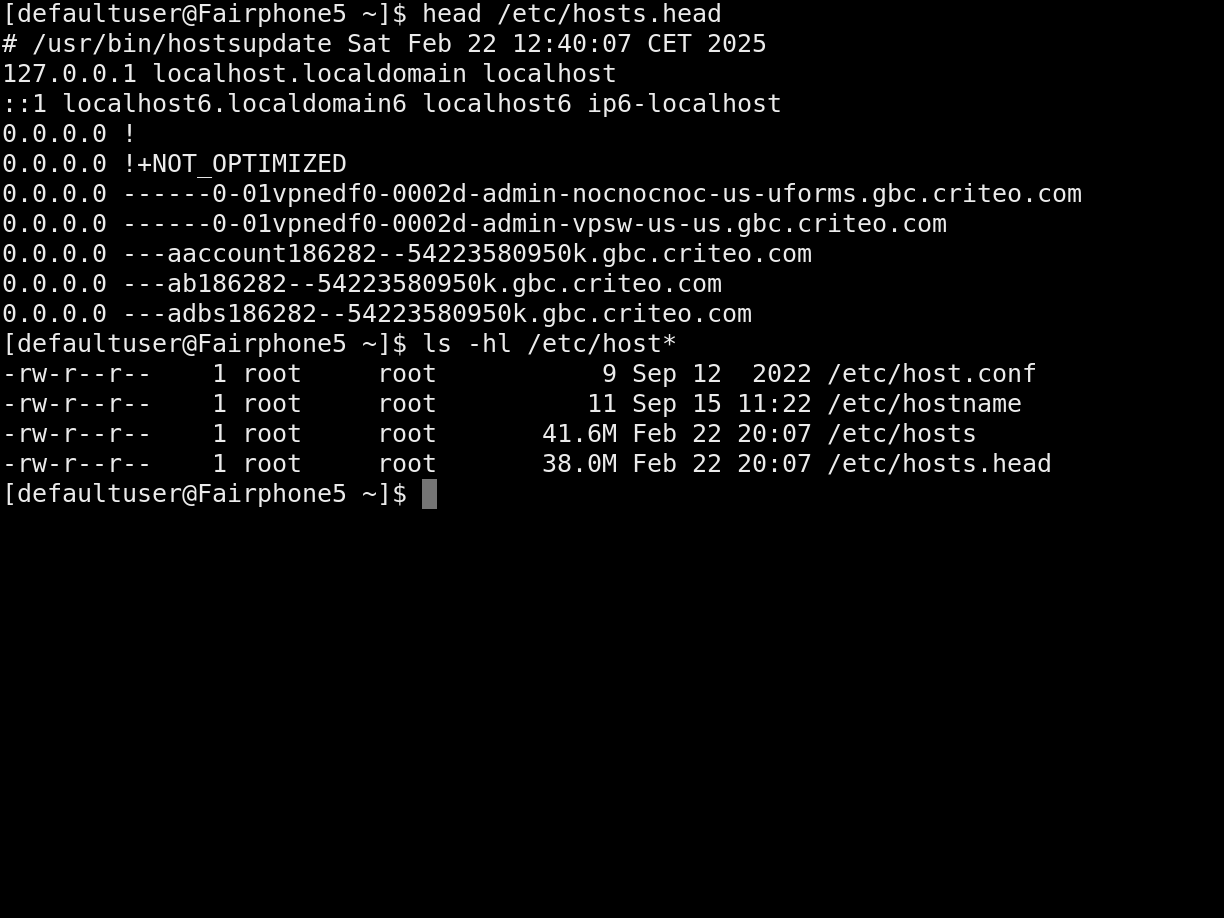
I don’t think that caused any problems. But please show us:

ls -hl /etc/hosts*
head /etc/hosts.head

Very nice! Finally! Cool!
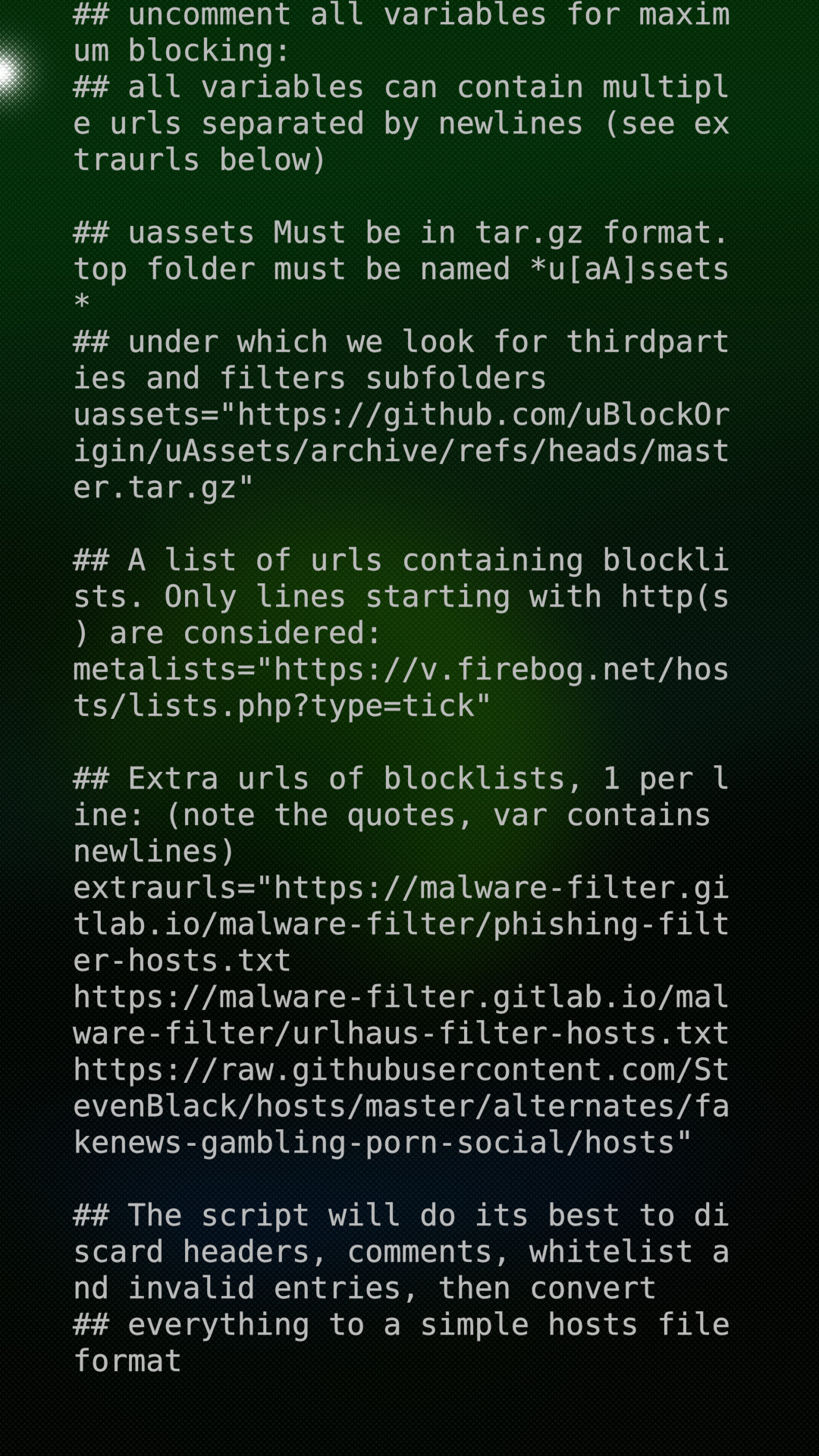
Ohnonot, would you explain please, if i want to adblock “more and more and more”, i need to copy cfg.sh file from doc folder to home/defaultuser/.config and uncomment last lines only as on screenshot? That’s all? What’s after, need to restart something, how?

1 Like

Thanks for using it.
Yes, uncomment the variables from here onwards:

## uncomment all variables for maximum blocking:
## all variables can contain multiple urls separated by newlines (see extraurls below)

## uassets Must be in tar.gz format. top folder must be named *u[aA]ssets*
## under which we look for thirdparties and filters subfolders
uassets="https://github.com/uBlockOrigin/uAssets/archive/refs/heads/master.tar.gz"

## A list of urls containing blocklists. Only lines starting with http(s) are considered:
metalists="https://v.firebog.net/hosts/lists.php?type=tick"

## Extra urls of blocklists, 1 per line: (note the quotes, var contains newlines)
extraurls="https://malware-filter.gitlab.io/malware-filter/phishing-filter-hosts.txt
https://malware-filter.gitlab.io/malware-filter/urlhaus-filter-hosts.txt
https://raw.githubusercontent.com/StevenBlack/hosts/master/alternates/fakenews-gambling-porn-social/hosts"

and save as /home/defaultuser/.config/hosts-block/cfg.sh.

Currently it won’t automatically update /etc/hosts*; open a terminal and enter
devel-su systemcl start hosts-block

* I just found out that this is relatively simple to achieve. Stay tuned!

1 Like

Sorry, I can’t access per ssh at the moment, therefore only per screenshot:

Thank you! In manual was not said about hosts-block folder in .config :slight_smile: Systemctl )

Cool, etc/hosts was 3,58 mb, now it 40,78 mb, amazing! Let’s block’em all :smiley:

Yep, restart service from Terminal is kinda easy. For newcomers of Sailfish - sure hard and not obvious)

Ou! It even can block ads in AppSupport too! Excellent!

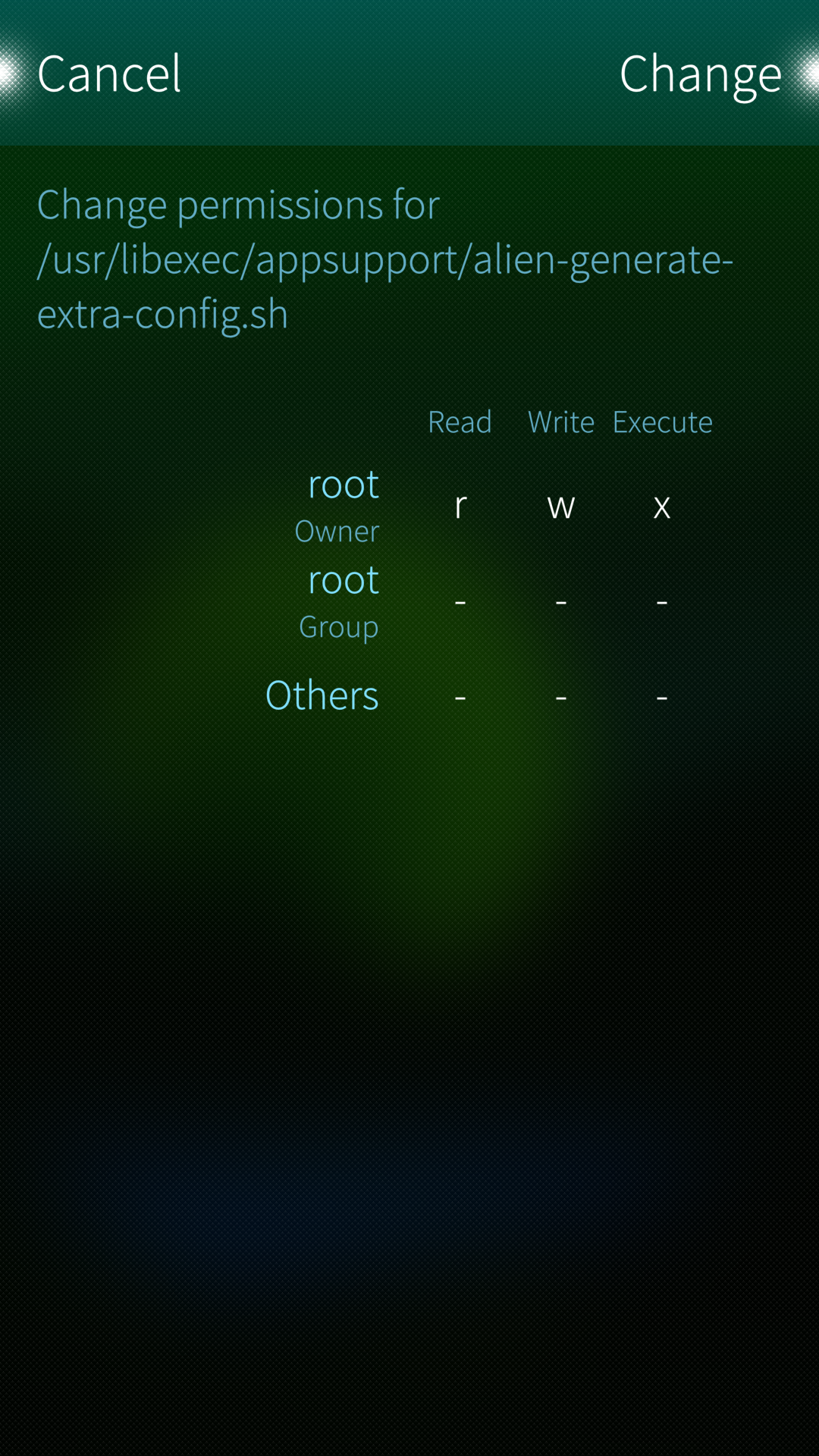
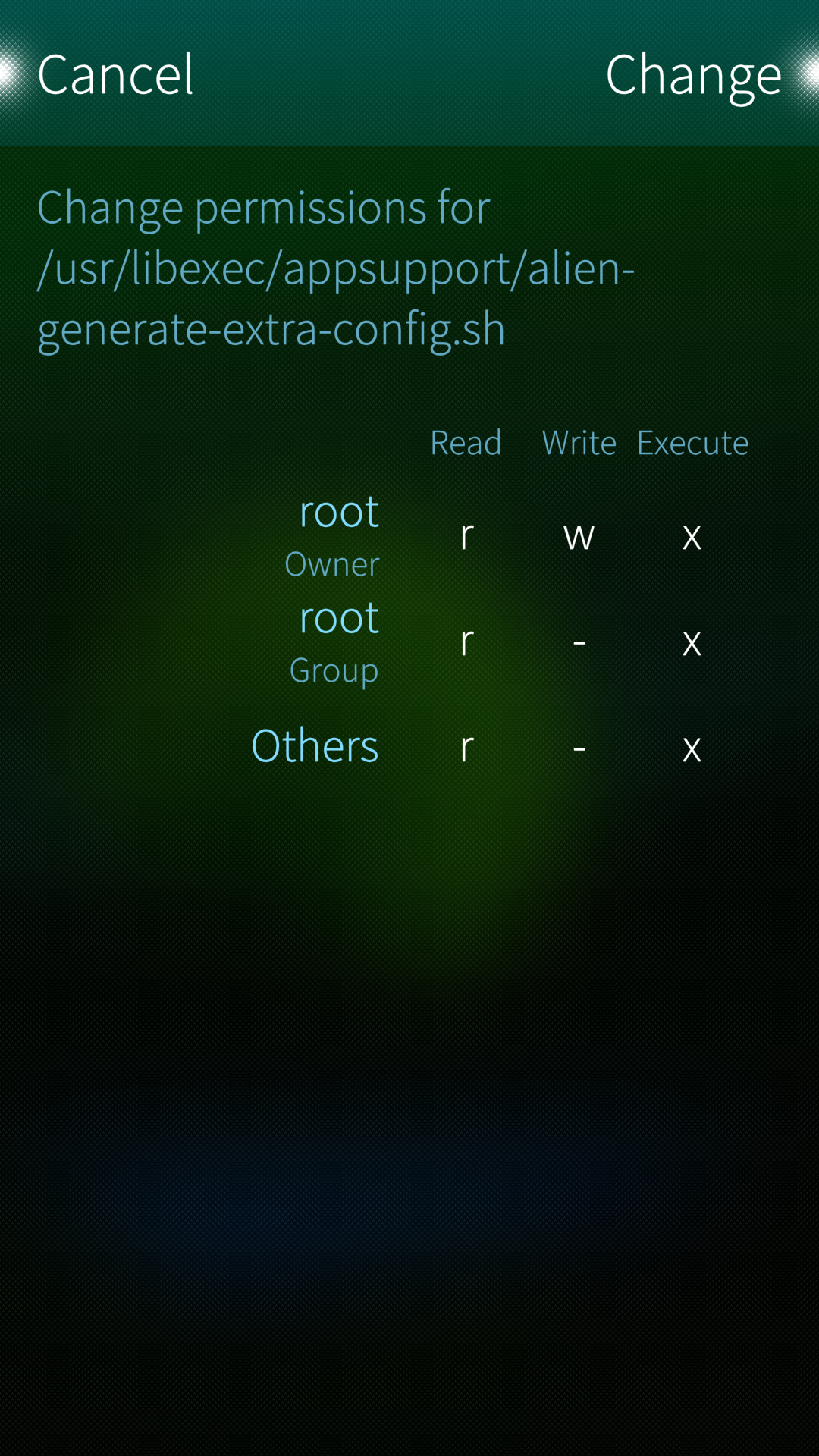
We must set file alien-generate-extra-config.sh executable as root only?

Tested with rights set to all, except 2 in middle:

But not works, on same page in Sailfish - no ads, in that page in AppSupport - there’s ads.

Then - just start AppSupport and it will work?
If we want to disable ad block in AppSupport - just delete this alien-generate-extra-config.sh file?

And would you please explain, how does hosts-block works with this huge 40 mb file on filesystem? Read it every time? Load it into memory? In what process? Didn’t find any new processes in Crest after installing hosts-block.

2 Likes

This last solution of creating 50-etc-hosts.sh works for AppSupport! Cool! Free from ads everywhere on Sailfish now :blush:

1 Like

@jauri.gagarin.II
Your system still works but hosts.head is too large.
Just delete it (as root), it will be recreated with default values the next time the script runs.

devel-su rm /etc/hosts.head
2 Likes

Nice! I will evtl. look into it, but next up is the auto-restart on config/whitelist/blacklist changes.

And would you please explain, how does hosts-block works with this huge 40 mb file on filesystem? Read it every time? Load it into memory?

https://www.man7.org/linux/man-pages/man3/gethostbyname_r.3.html

In short, the glibc resolver does it. How exactly it’s buffered I don’t know but I’m sure all or most of it will be loaded into memory.

But programs can use their own ways to resolve names. Usually they still respect /etc/hosts but not always (Chrome).

I have used hosts-based adblocking on various devices for years (with equally large files) and never had performance issues.

3 Likes

This did not happen for me just now, the Chum package pulled the dependency in just as one would expect. Maybe this is from the very old package (before I made this thread) or the one from Openrepo’s (broken through my fault, @vlagged should remove)?

Version 0.0.6-1 now in chum:testing :tada:

As promised blacklisting & whitelisting works and the script will auto-update /etc/hosts if one of blacklist.txt, whitelist.txt or cfg.sh have been edited in ~/.config/hosts-block

1 Like

Not sure what happened there. The message is very recent and the 0.0.2 from openrepos should’ve fixed it (maybe the 0.0.2 builds were not listed as latest, as there were two… hmm).

To be safe(er), I have updated 0.0.6 in openrepos one last time, and added a message to use chum. Thanks

I installed the package was from Chum testing repository after reading your original post. I even double-checked this just now; the package is not listed as installed in Storeman, only in Chum GUI.

I’ll see if I can reproduce the issue.

1 Like

What is the name of the application in Chum? I can’t find it…

How can i install this application?

You have to enable the test repo in the settings. Maybe even to not only show packages.

I turned it on. But I left the option to only show apps on.
When I turned that off, I was able to find it without any problems.

2 Likes

For some reason I had to reset the phone.

However, now I have a problem that it won’t boot. It just shows the Sailfish OS logo.

Any ideas?