The 1000 cuts…
I’ve been on the forum for a while, ran Sailfish OS myself from the XA2 and 10iii, and am well-versed in Linux subculture as well. While I can’t tell you how I felt about the honeymoon phase all those years ago, I have some specific issues that plagued my experience with daily-driving the XA2 that feel suspiciously familiar here.
For onboarding: Importing info didn’t feel that bad as a long term Android user, logging into my Google account and importing contacts and calendar events is about as much as I would need, but I also understand some people may need access to other data, such as from their Google Drive, or may appreciate other specifics, like carrying over the text messages and call logs from their previous device. I actually have this complaint going outbound too, as when I returned to Android, all the messages and calls and even contacts I had built up on Sailfish were just… stuck on that old XA2. We have microSD slots on the majority of SFOS-capable devices, yet fewer and fewer Android devices have them, nevermind iPhone. Again, this is an issue with the other companies too, for taking user choice away and building barriers in to prevent the intentional exfiltration of that data.
To divert on the topic of Google Drive, we do have Dropbox, Nextcloud and OneDrive support, which does help for specific users… but supporting parts of this and that feels very disjointed. I only understand OneDrive being there insofar as Microsoft Exchange support being part of the licenses, so it’s really a question of why more of Google systems aren’t implemented if you want to onboard users more easily. Again, can’t say anything about Apple, the walled garden is real, and the only out is an app that Apple themselves begrudgingly built and released on Google Play.
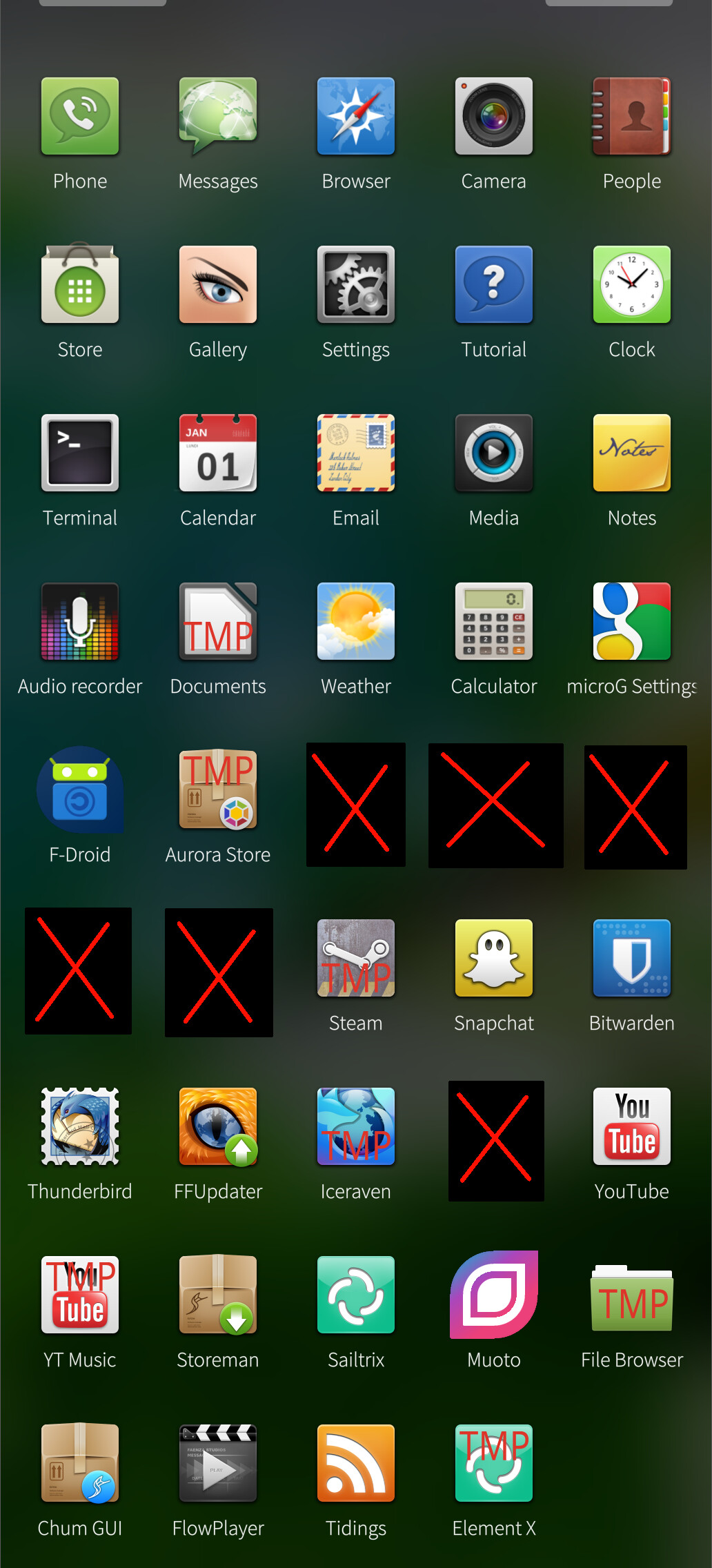
To say there are no familiar apps seems incorrect? Phone, Messages, People (so Contacts), Email, Browser, Camera, Gallery, Media (music), Calculator, Weather, Notes, Documents, Clock, Calendar… If you ask me, that’s all that a phone should have out of the box (emphasis on OUT OF THE BOX). If you want more, you get them from the Jolla app store; this changes the conversation, but like with every phone, Google Play Store, Apple’s App Store, BlackBerry World or the Windows Store on yesteryear’s gadgets, you are beholden to what’s in those storefronts. If the conversation is around privacy, you aren’t likely to be installing anything out of those storefronts anyway. It’s not a moot point, just a different topic.
I would agree that the web browser would solve a lot of issues with app availability and compatibility… if the web browser worked. And no, each user’s self-forced kowtowing to make the browser work for them by shedding services or deciding to use a different gadget or web browser isn’t a valid answer. For reference on where the web browser issue stands, Firefox ESR 115 released in 2023, and I know from experience that it is the last supported version of Firefox for macOS 10.14 Mojave. So by being on Gecko ESR 115, we are now stable with a 2018 desktop operating system and 2023 web browsing specifications. Great, I still can’t get past captcha blocks and websites keep half-loading. These browser bumps feel like the bare minimum when they need to be bleeding edge, especially if users are expected (or even trying) to avoid Android apps and can’t get native SFOS versions for their apps. That said… Youtube does work. Twitch, not so much, the chatbox breaks but I’ll get over that.
It was mentioned that the keyboard tends to miss letters. I feel seen, as I’ve had this same complaint and have had to revise a few forum posts whenever I posted via my XA2. That said, this is user error by consequence. There are effectively no options to configure the keyboard without patches. When the only meaningful option you can change for the keyboard is if the landscape keyboard is splitscreen, sorry, Apple’s virtual keyboard is infinitely superior. I’ll have my Blackberry back if it’s going to be this way.
Here’s a brief summary of what the virtual keyboard needs:
- separation of keys (Gboard allows you to disable key borders on Android)
- height adjustment
- number row over alpha keys
- cursor control (spacebar on Android can shift the cursor left and right for precision)
- feedback options (the visual pop-up is fine, but I prefer to disable that, and I also prefer haptic feedback when typing)
I understand text suggestions are an additional licensed feature, though it would be nice if we could also hide that away if we so choose (without having to uninstall it, also no, I don’t want to clear my learned words, this isn’t a privacy issue, I just want to turn it OFF and back ON).
I see the complaints about the wallet and NFC payment systems, but to that, my opinion is pretty firm: my phone is my phone, my wallet is my wallet. I have observed people desperately logging onto public kiosks trying to recover their smashed iPhone because it has their ID, payment methods, 2FA, the works, and had to tell them that iTunes wasn’t on the computer and no, we can’t install it. Don’t put your life on your phone, that goes regardless of if you’re on Sailfish, Android, or iOS.
As for Android AppSupport, this is a double-edged sword the same as it is on other devices or operating systems, enhanced by the specs of your exact device. I’m still observing OOMs and CTDs on the 10iii with 5.1 but I’m making a more concerted effort to use native apps on the 10iii.
The more time and effort Jolla puts into AAS, the less resources going into the OS proper. That’s the same hole RIM found themselves in a few years into Blackberry 10. I would rather we see improved documentation and SDKs for developing native apps.
To then discuss my other issues, some of which are due to being in America and others just being… bad.
- Cellular service could be spotty, I would often have my 4G drop to 2G when making a call and then never getting back to 4G without using airplane mode or restarting the phone.
- Calls often don’t work; I know they connected because my cell service DROPPED to 2G, but then audio wouldn’t work. I would often call voicemail first, get no audio, call it again, get audio, call the person I was trying to talk to, and MAYBE it works, or maybe I got no audio again! If they called me, it’s a coin flip if I can hear them!!
- MMS has been discussed time and time again, it appears there will be zero work done here because EU telcos are killing support for MMS in their networks entirely. RCS does not exist and isn’t planned for several reasons.
- GPS rarely if ever picks up, and sitting my phone on a windowsill for 30 minutes on Pure Maps hoping it would get a satellite is, to put it bluntly, a waste of time.
- Sharing files, images, etc. can fail between SF and AAS layers because apps just don’t hand that off correctly.
- Several USB (and even BT) protocols are not supported, some of which I actually use, like USB ethernet tethering to my laptop or a console, USB-C audio, DPAM, etc.
- Unrelated but the Jolla Mind2, despite running a version of Sailfish for its OS, doesn’t support SFOS devices for the Venho AI suite? Make that make sense, please.
If I can summarize this to actual pain points within Jolla’s control, we need a better way to transition from a non-SFOS device, basic features of a phone, including phone calls, EMS, text messaging, group chats, RCS and the like all must work correctly, we need all sorts of keyboard configuration, WE NEED A CURRENT AND FREQUENTLY UPDATED WEB BROWSER, we need better documentation and a better SDK, and frankly, we need more than a small subset of Sony phones and the rare first-party device. I’d like to run Sailfish on a tablet or palmtop, but the Cosmo Communicator was dropped before 5.x released, and no one’s working on the x86 image anymore.
I see where Sailfish is improving though. It’s just that most of the improvements are under-the-hood maintenance things that don’t matter when the surface is as rough as an unfinished 2x4. Now we add that Commodore is coming to market with a flip phone, an entirely different form factor than what Sailfish OS has been built for this entire time? We don’t know if they’re implementing their own launcher or shoehorning keyboard input or a list-based menu into Silica, nor if the Callback will even release. If it does though, we’re going to be back on these forums having the same complaints, made worse with brand recognition (what’s left of it for Commodore anyway).
 ), but that one was/is for Harmattan.

 happy to hear you’re enjoying Muoto


 then its ok.