REPRODUCIBILITY: always
OS VERSION: 4.6.0.15
HARDWARE: Xperia 10II, Xperia 10V
UI LANGUAGE: English
REGRESSION:
DESCRIPTION:
Sent Emails are not saved into Sent even Drafts are not saved!
PRECONDITIONS:
imap account same as i have in JollaPhone-1
STEPS TO REPRODUCE:
Send Email
Compose new email and swipe back
Check corresponding folders Sent and Drafts
EXPECTED RESULT:
To have sent email in Sent folder and draft in Drafts folder
ACTUAL RESULT:
No email is saved
MODIFICATIONS:
no
ADDITIONAL INFORMATION:
This works nicely on my old JollaPhone with SFOS 1.1.7.28 so it is big surprise that i dont have any email synced what was sent from actual SFOS
it is own DOVECOT imap server, it works on old JollaPhone, iPad, iPhones, desktop thunderbird, everywhere but not from recent SFOS
even tried to set in account setup sync Inbox, Sent, Drafts but no change. no emails are saved
Hello,
Could be that your 4.6.0.15 is saving sent email in a different IMAP folder than in previous version ?
I had this kind of issues changing language on my device years ago. You can check all IMAP folders from the email client swinping center-left, then center-down and choosing refresh folders.
no cant be, no new folders like Sent messages (what iPhones does) or any other on the server… i have verified everything (doing in IT since '98 so i know a little)
on the 10V is in use different server and same behavior
well problem is not to configure folders. Keeping ‘defaults’ Inbox, Sent, Drafts, Trash should not be changed, on the opposite iPhones, iPads or Outlooks should be reconfigured to respect these folder naming…
problem is that on new SFOS it does not upload emails to the server, so email with this bugs cant be used for work… and i must stay on JollaPhone-1 where it works 100%
I still do have this Issue, which in special annoying when sharing an Mail Account with another Person, that can not keep track of the Mails I did sent from my SFOS phone. As I can not change the Config on the server side, is there any Idea what could be done on the client/SFOS side? Maybe @dcaliste has some Idea?
Yes, i tried that. And that not really is the problem. As worked out on the other thread, the Issue seems to be that there is a “Sent” folder on the server side, that is respected from most mail programs and working on most IMAP Clients, but on SFOS is not considered as “Sent”-Folder. So on SFOS there is are two “Sent” folders which of one contains and syncs all other sent mails, but not the one sent from SFOS, and the one that contains only the ones sent from SFOS but never syncs to the server. Same for the drafts.
However, i could offer to provide a mailbox for debug purpose on my providers Server to someone with the necessary debug skills if that helps?!
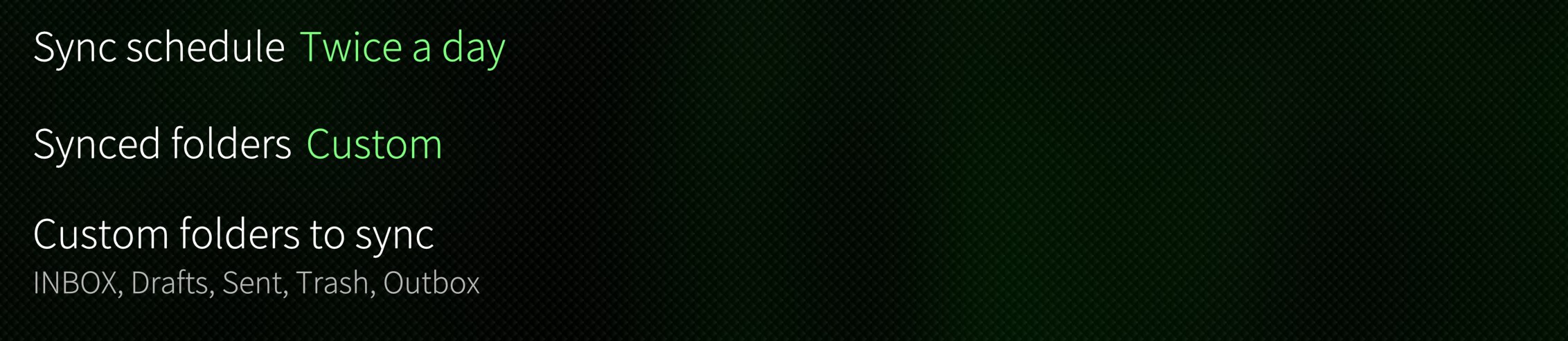
i just checked folders to sync if there is another “sent” folder, and yes! In the account settings → Synced folders (custom), Custom folders to sync: there are Sent and Outbox, but Outbox does not exist on the server … if i go to check Outbox folder in email app, i can not even refresh this folder.
I also noticed that in the folder list in the app is Deleted Items (does not exist on the server too) and mails deleted on the phone goes into this “Deleted Items” and as the folder does not exist on the server mails are not synced
strange is that if i click on one of INBOX, Drafts, Sent, Trash, all of them goes On for syns or Off for sync and the Outbox is added to the selection as well. so it looks like it is completely confused …
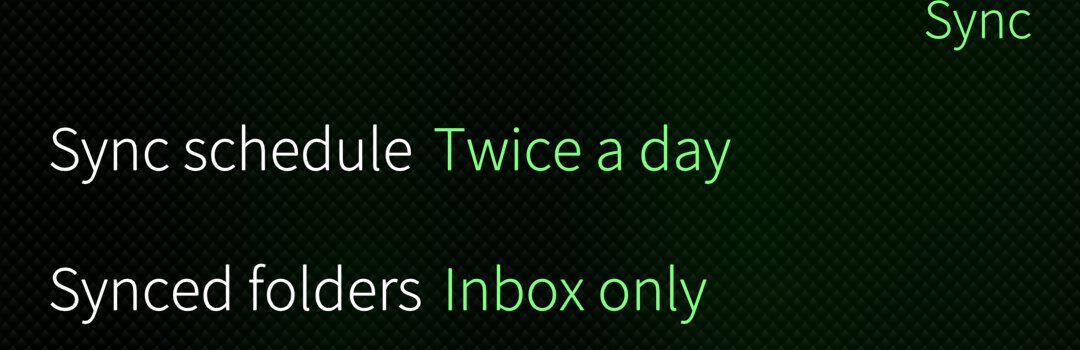
EDIT: deleted account and recreated (actually SF 5.0.0.67), only changed sync period to twice a day and syncing Sent and Trash works as expected. im not going to touch synced folders settings as i am happy user now, will try to customize synced folders after week or so and we will see
Just make sure you select only your own custom folders from the server, and especially not Outbox.
Outbox is a local pseudofolder for messages to be sent. It should not ever be synced.
Not sure about Deleted Items as there is a Trash thing defined in IMAP, but to be safe, ignore it too.
I can confirm that, just yesterday i wrote an e-mail and then the app minimize whatever for, when i opened it again, my mail was gone instead of being saved as draft.