REPRODUCIBILITY: 100%
OS VERSION: 5.2.0.16
HARDWARE: Jolla Phone (2026)
UI LANGUAGE: Slovak
REGRESSION:
DESCRIPTION:
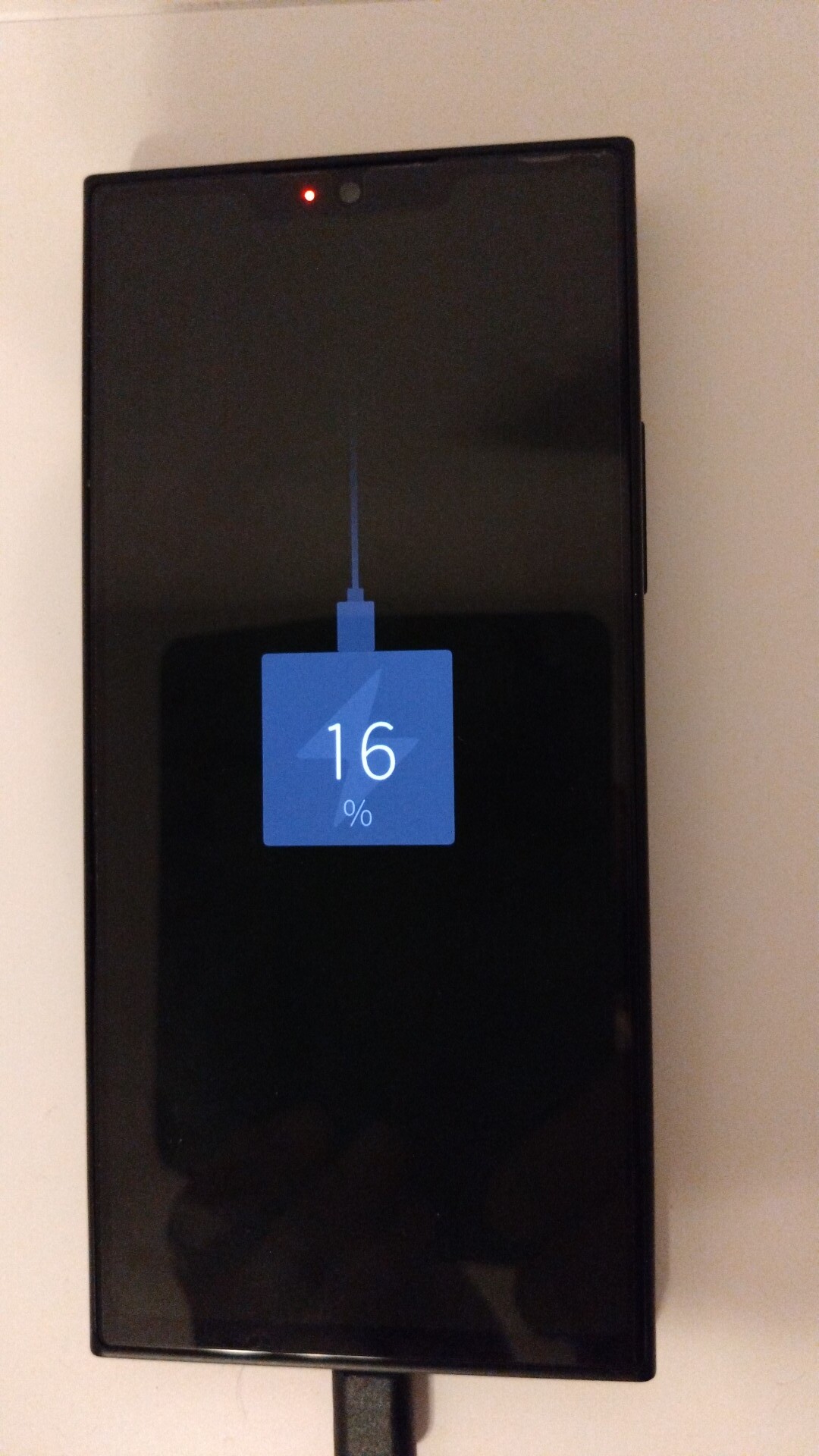
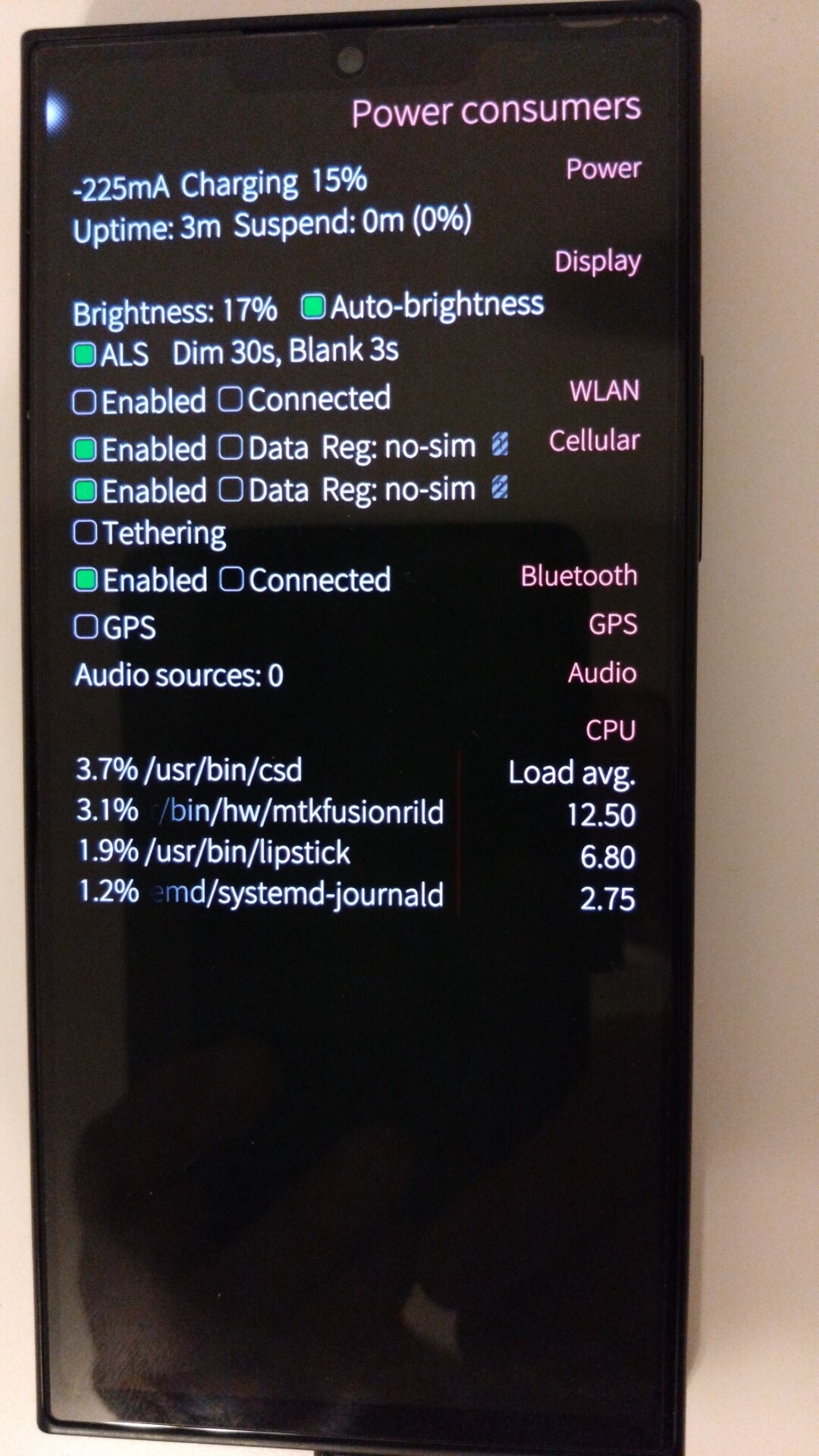
For two weeks charging worked without problems, I tried two Sony chargers, one for a Gemini PDA (1300 - 1500 mA), all worked well and without problems. Until today, 15.8.2026. Battery Buddy 4.4.0 beta 4 sent a notification when the lower limit was set to 22%, I connected the mobile phone to the charger but the current in Battery Buddy was still negative and low, even though after the release of beta 4, which also solves the minus sign when charging, I tested the application beta 4 and it worked correctly, without a sign and the current was about 1300 mA. To be sure, I also checked it in CSD, the result is the same, the mobile is in “charging” state, but the current is low (approx. 200-350 mA) with a negative sign (minus), i.e. the mobile is not actually charging.
Both the charger and the phone remained cold after an hour of connection/charging (they didn’t warm up as usual). I tried the chargers and cables on both X10II and X10IV, everything worked correctly. I blew out the socket on the phone, gently moved the cable, it didn’t help.
PRECONDITIONS:
Mobile connected to the charger
STEPS TO REPRODUCE:
Connect the mobile phone to the charger
EXPECTED RESULT:
Charging with a current of approx. 1300 - 1500 mA
ACTUAL RESULT:
The mobile phone is in charging state (LED, status) but the current has a negative sign and has a low value (200 - 350 mA) as when discharging.
MODIFICATIONS:
ADDITIONAL INFORMATION:
The result is the same with AAS on and off
I also tried charging with the phone turned off
It is the first time I hear of issues with non-PD chargers. Odd.
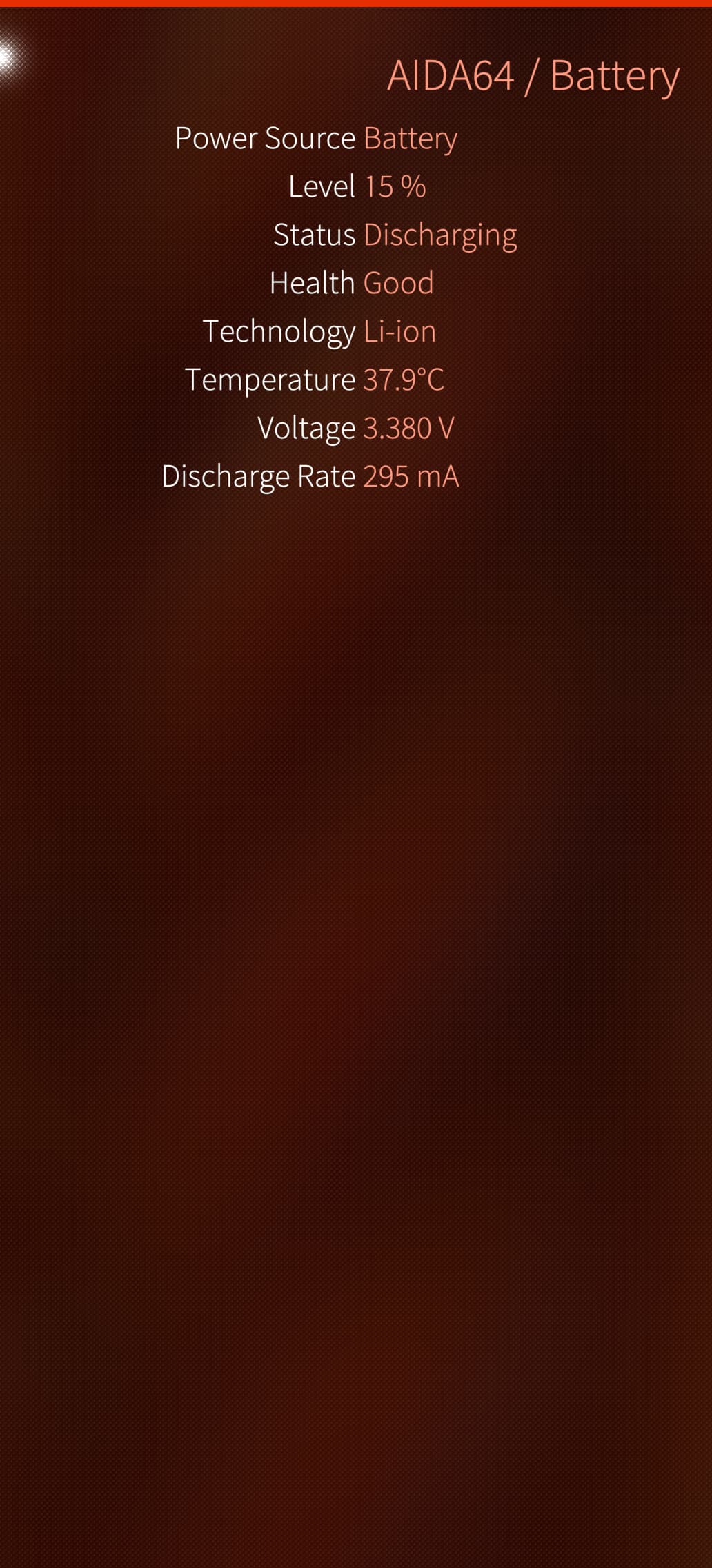
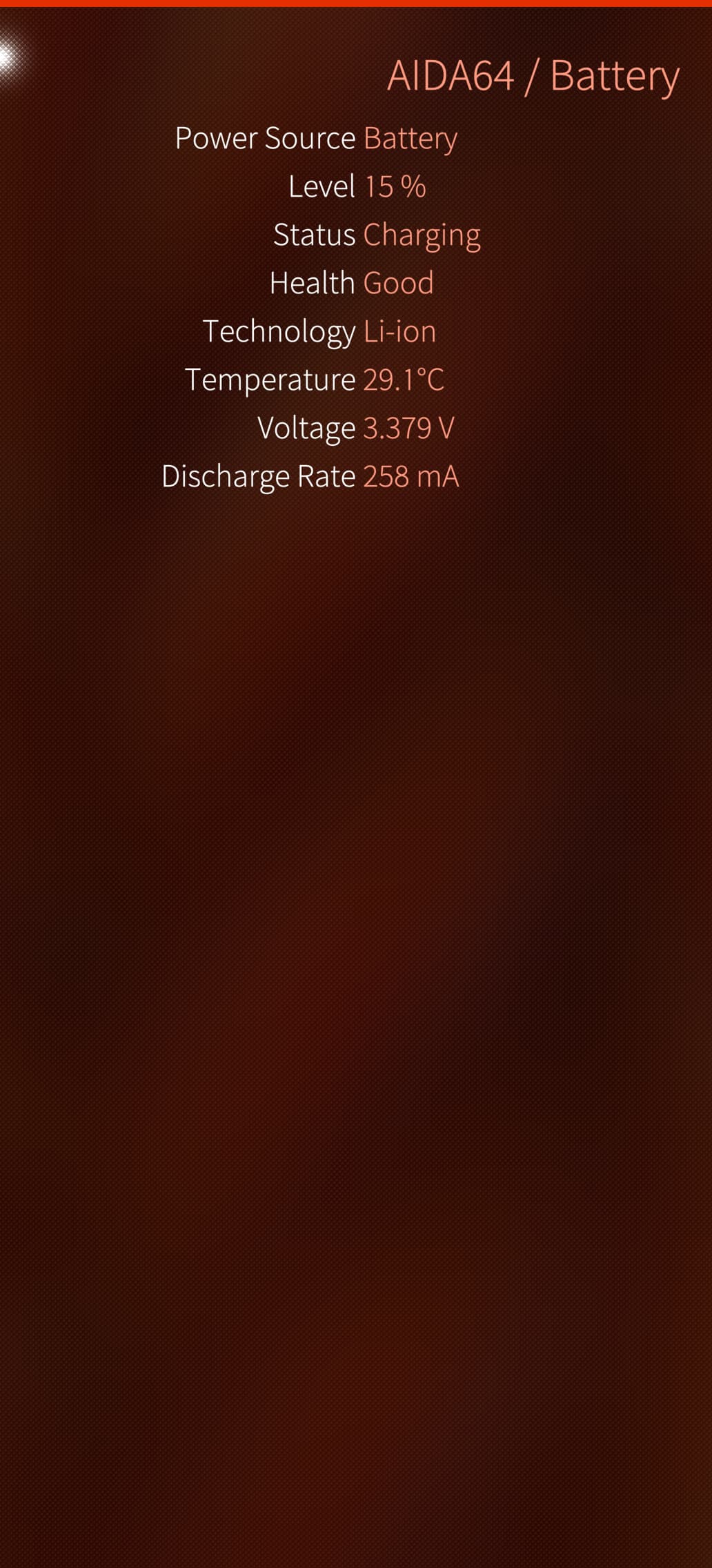
Just fishing in the dark here. Can you install AIDA64, what battery voltage does it show and what amperage is it showing when plugging in the charger? Does it change beyond idle fluctuation?
I think there might be a problem with the cable or the adapter, since it isn’t showing any increase at all. I think the best option is to try it with a different cable.
Could you maybe have set a charging limit through an app like Battery Buddy? You know, like the option where you set it to charge only up to 80% and not go any higher. Is it possible that you’ve accidentally limited yours to 16%?
I did a bit of research for you. Apparently, the BB app can sometimes bug out and get stuck at a low-level charging limit. Could you try this in the terminal? What does the actual limit show as? Because the issue you’re having kind of seems like it might be getting stuck on a charging limit, but I’m not sure.
for d in /sys/class/power_supply/*; do
echo “=== $d ===”
for f in status online present current_now voltage_now input_suspend charging_enabled charger_disable bypass_mode constant_charge_current_max charge_control_limit; do
if [ -r “$d/$f” ]; then
printf "%s: " “$f”
cat “$d/$f”
fi
done
done
Yes, you can copy and paste the whole block into the terminal at once; there’s no need to run it line by line. It only reads and displays the charging-related values.
for d in /sys/class/power_supply/*; do
> echo “=== $d ===”
> for f in status online present current_now voltage_now input_suspend charging_enabled charger_disable bypass_mode constant_
charge_current_max charge_control_limit; do
> if [ -r “$d/$f” ]; then
> printf "%s: " “$f”
> cat “$d/$f”
> fi
> done
>
> ^C
for d in /sys/class/power_supply/*; do
echo “=== $d ===”
for f in status online present current_now voltage_now input_suspend charging_enabled charger_disable charge_control_limit; do
if [ -r “$d/$f” ]; then
printf "%s: " “$f”
cat “$d/$f”
fi
done
done
edit : Ah, I see the problem. The last done seems to be missing, so the terminal was just waiting for the command to be completed. Sorry about that. You did the right thing by aborting it.
[root@JollaPhone2026 defaultuser]# for d in /sys/class/power_supply/*; do
> echo “=== $d ===”
> for f in status online present current_now voltage_now input_suspend charging_enabled charger_disable charge_control_limit; do
> if [ -r “$d/$f” ]; then
> printf "%s: " “$f”
> cat “$d/$f”
> fi
> done
> done
Did you press Enter after typing the code? I just wanted to help as much as I could. I’m not sure where I went wrong, I guess someone more experienced will be able to help.
He doesn’t use code-tags so the quotation marks gets borked.
for d in /sys/class/power_supply/*; do
    echo "=== $d ==="
    for f in status online present current_now voltage_now input_suspend charging_enabled charger_disable charge_control_limit; do
        if [ -r "$d/$f" ]; then
            printf "%s: " "$f"
            cat "$d/$f"
        fi
    done
done