I AM SORRY, Enter!
“=== /sys/class/power_supply/battery ===”
“=== /sys/class/power_supply/mt6720-gauge ===”
“=== /sys/class/power_supply/mtk-master-charger ===”
“=== /sys/class/power_supply/mtk-mst-div-chg ===”
“=== /sys/class/power_supply/mtk-mst-hvdiv-chg ===”
“=== /sys/class/power_supply/mtk-slave-charger ===”
“=== /sys/class/power_supply/mtk-slv-div-chg ===”
“=== /sys/class/power_supply/mtk-slv-hvdiv-chg ===”
“=== /sys/class/power_supply/primary_chg ===”
“=== /sys/class/power_supply/primary_dvchg ===”
Ah yeah, the quotation marks are the problem, my friend. If you do what our friend here suggested, I’m sure it’ll work. @lhodas
=== /sys/class/power_supply/battery ===
status: Charging
present: 1
current_now: -48900
voltage_now: 3380000
=== /sys/class/power_supply/mt6720-gauge ===
online: 0
present: 0
current_now: -263700
voltage_now: 3379000
=== /sys/class/power_supply/mtk-master-charger ===
online: 1
present: 1
voltage_now: 5054
=== /sys/class/power_supply/mtk-mst-div-chg ===
online: 0
present: 0
voltage_now: 5054
=== /sys/class/power_supply/mtk-mst-hvdiv-chg ===
online: 0
present: 0
voltage_now: 5058
=== /sys/class/power_supply/mtk-slave-charger ===
online: 1
present: 0
voltage_now: 5058
=== /sys/class/power_supply/mtk-slv-div-chg ===
online: 0
present: 0
voltage_now: 5058
=== /sys/class/power_supply/mtk-slv-hvdiv-chg ===
online: 0
present: 0
voltage_now: 5058
=== /sys/class/power_supply/primary_chg ===
status: Not charging
online: 2
=== /sys/class/power_supply/primary_dvchg ===
status: Not charging
online: 0
current_now: 0
voltage_now: 5058000
I am connected via USB/SSH
For completeness, before the error was detected, the state was like this:
BB set lower: 22%, upper: 85%, charge from 65%
SFOS settings: lower limit 5%, upper 95%
When the error occurred, I stopped BB and canceled the limits in Settings
I think we may have found the actual problem. The charger is detected, but primary_chg stays at “Not charging”. Battery Buddy uses primary_chg/bypass_mode on this phone, and since both BB and the SFOS limits were active, it may have got stuck disabled. Could you try this once as root?
devel-su
echo 0 > /sys/class/power_supply/primary_chg/bypass_mode
I did, should I restart mobile?
I’d try unplugging and reconnecting the charger first. If it still doesn’t charge after a minute or two, then restart the phone with BB and the SFOS charging limits disabled.
Nothing has changed, it doesn’t charge (according to what I see on the top left screen, in AIDA64, in CSD and in the result of your script
=== /sys/class/power_supply/battery ===
status: Charging
present: 1
current_now: -56100
voltage_now: 3327000

=== /sys/class/power_supply/primary_chg ===
status: Not charging
online: 2
bypass_mode: bypass mode off
I made you go through a bit of trouble. Even after having you run those commands, I don’t think it has anything to do with BB or the charging limit. The only thing I can say is that one of our friends named Martin had a problem like yours too, but I think he said he solved it by trying a different cable. Maybe try a USB-C cable, just make sure it isn’t PD. And are you on the latest 5.2.0.16 version? I remember a few users had complained about this too.
EDİT MARTİN FRİEND MESSAGE :
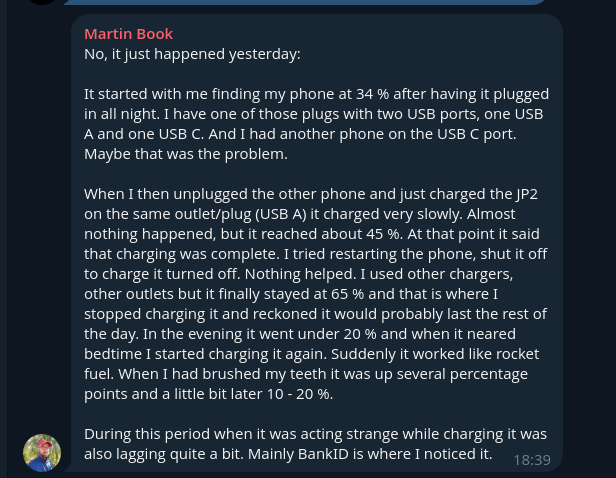
Tried cables A/C, C/C, laptop charger with C, nothing.
I have 5.2.0.16.
Thank you for your effort and help.
2 Likes
We couldn’t solve the charging issue, so that didn’t work. There’s a forum thread related to the 5.2.0.16 update where people discuss whether there are any unusual problems or abnormal behavior while updating the phone. I think you should also explain your problem there, along with the things you’ve already tried.
To be honest, I didn’t like not being able to solve the problem, but since the phone isn’t mine, I don’t want to lead you down a different path and possibly make things worse. It would be better for people who are more knowledgeable and qualified than me to help you with this.
Good night.
6 Likes
I’m pretty sure the first stop should either be the BatteryBuddy thread, or remove BatteryBuddy, shutdown, remove any cables, then start the phone.
2 Likes
Yes, I did exactly all that as soon as the charging stopped working, I also turned off the limits in Battery Settings. None of this helped (as I write above), the problem started at 22% capacity, now it shows me 4% (it’s turned off), because I also tried with the help of @anon15408959. I can see only one option and that is to charge the battery outside the device. I haven’t dared to do that yet, because I don’t know what kind of contacts it has and whether I would destroy it by improperly charging it.
1 Like
You forgot the ability to charge through the TOH power pins…
2 Likes
You know something more about it, it’s HW, I’m not an expert?
He meant that you can also charge it from that side by making a connection arrangement to the pogo pins on the back. It’s actually a very logical idea.
Honestly, I find it hard to believe that your phone has a hardware issue. Something else came to my mind: could you go into Battery Buddy and play around with the percentage values in the charging level section there? For example, set it to 90 and plug it in for charging.
TOH pins can be used to supply power to the phone.
Just connect the power pin and ground and you can feed voltage between 5-9V (max 1A) to charge the device.
I may try if my battery lasts, reinstall it and set the limits again.
Thanks for the tip, I’ll think about it and look for a way to do it, because I don’t have many options left, but first I’ll try PolatBirdal’s tip with Battery Buddy.