Thanks, fixed it, just have to wait ~10 minutes until the release. Btw, what did you use to make that log report?
5 Likes
Seems to work now. And this time I just used basic gdb debugging if you meant that
btw. I was wondering is it possible to add “fingerprint to unlock” like on android version?
1 Like
Something to that end should be there already, if you enable system unlock. Though recently it just wants confirmation from me instead of password/fingerprint and I’m not sure whether that’s because SFOS changed the way it works or whether I’ve fiddled with my device way too much (which is possible, I did play around with polkit on my device and had no backups)
I tried the OS auth to unlock the vault, it didnt work for me.
It just complains that vault is locked and must be unlocked to continue, then I need to reset the OS auth thing.
Hmm, if you could send the logs during that loop, it would help a lot cause I cannot replicate this.
App looks really nice!
I added login credentials and it sent me back to login screen, when i restarted the application it brought me to authorization and nicely in. Just foor feedback, thank you very much!
Would it be possible to add a selector in the mainscreen where you could select between .eu/.com
Good night. 
dont know how to debug that, if I use gdb get “OS authorization check failed”* error when I try enable it, if I go to directly to issue it doesnt give any useful debug data and stop on the same error when I need to reset.
I also tried with /usr/bin/harbour-bitsailor + journalctl -fa but that didnt work either as that did have my logins
I dont remember how debug stuff with login information, will have to check later
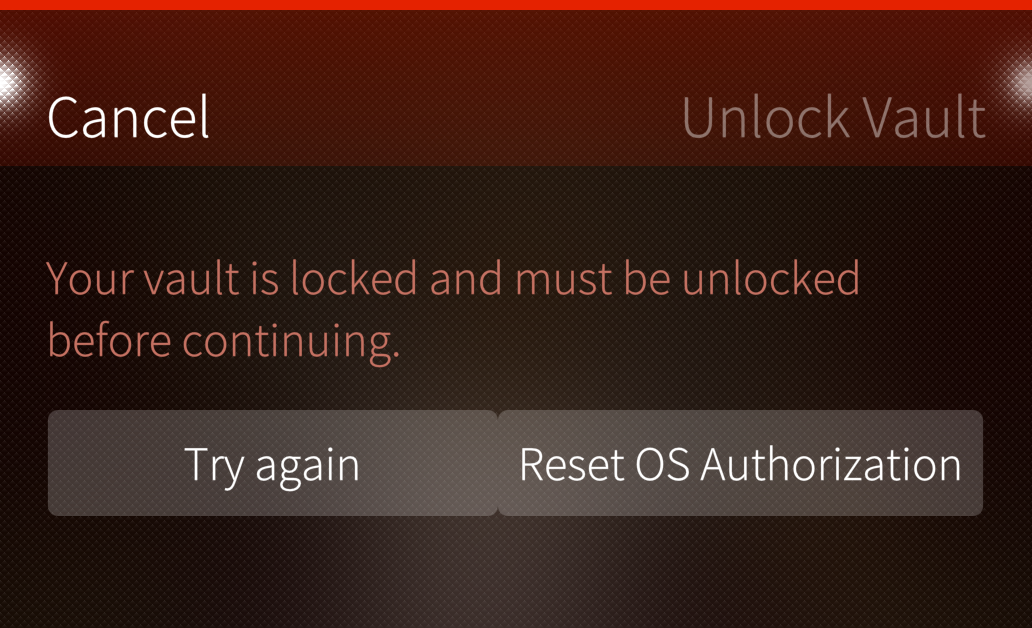
(this is what I see every time when I try to open with “Use OS auth to unlock vault ”)
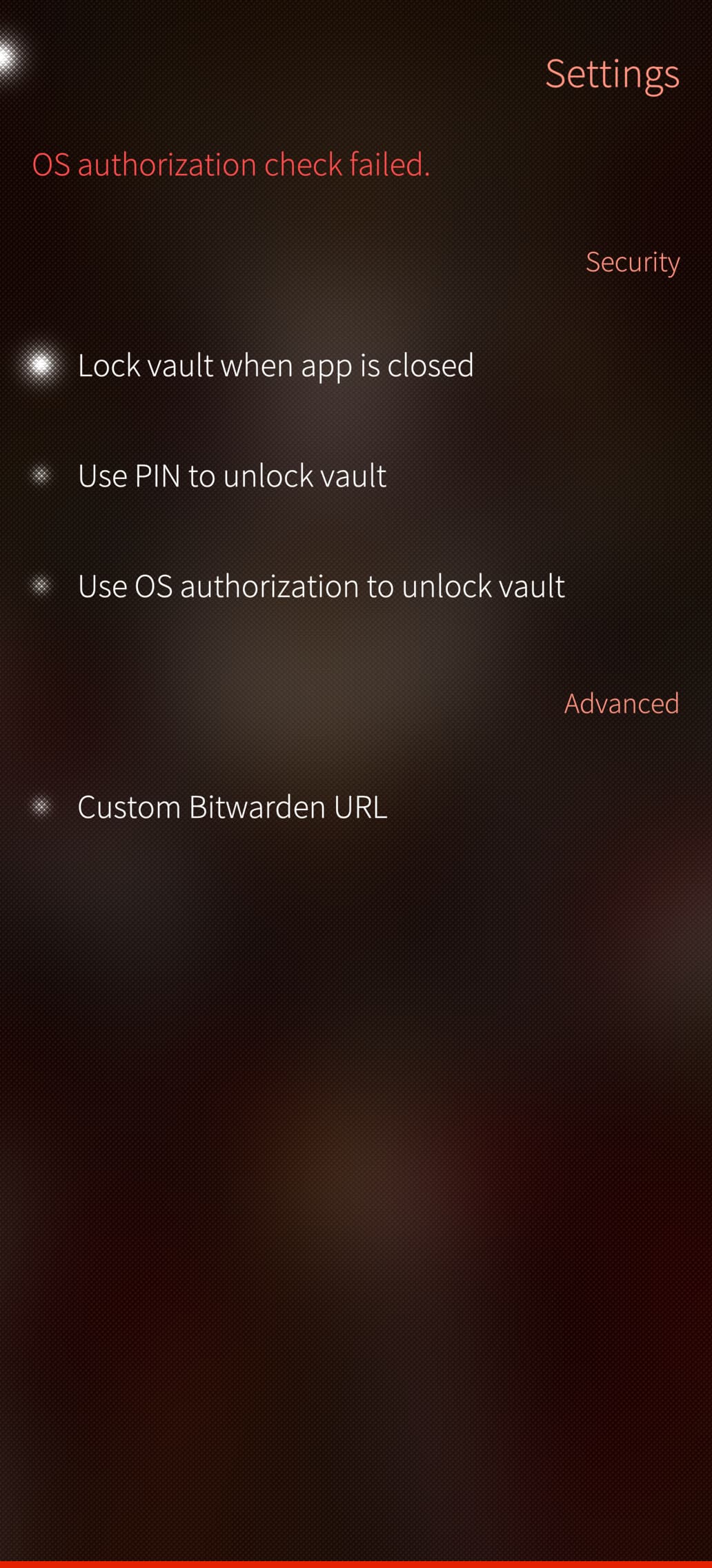
(*that error came using gdb, when I try to enable “Use OS auth to unlock vault ”
Cannot login here after update. I tried uninstalling and deleting files from ~/.config/, ~/.local/share/ and ~/.cache, then reinstalling.
When using mail/password I get a “failed to prelogin: unexpected status code: 404” error, and when using API key, I get a “login error - unexpected status code: 404” error, either on the UI or in terminal. I am on a personal server if that matters (url like https://example.com/pass).
I’m using a self-hosted instance of Vaultwarden, and I can’t seem to authenticate using an API key. If I use my login credentials, I do receive a notification email and can access the app, but then I get stuck in an infinite loop if I click on any item to access the vault data.
Thanks a lot for the app refresh  here is my experience. Hope it helps…
Similar setup (self-hosted vaultwarden server, but using email/passwd) and issue here. Login is blasting fast, but then getting in infinite loop when clicking on an item.
Vaultwarden displays “CLI - Linux” device.
I closed the app and reopened it. It is now showing an error message: “Failed unlocking because the session got in an invalid state. We logged you out.”
So the VaultWarden instance is not on the root path, but on a subpath, like /pass?
1 Like
@Rikles & @myjolla_ph Found the issue, will be fixed within an hour.
4 Likes
@Rikles , @myjolla_ph, @TcCoy: Fixed both issues, should work now.
6 Likes
Vaultwarden can also run on a root path.
I would test with my vaultwarden instance, but i cannot install the app as Storeman doesnt give me the install option
Thanks a lot, indeed my instance is on a subpath, the last update solved the issue, it works perfectly now !
2 Likes
Which phone? And OS version?
Jolla Phone 2026, SailfishOS 5.2.15
Probably have to try via the github releases (or wait)
Hmm, don’t have access to that phone yet, but it should work ok. Maybe try it using the GitHub release.
You can try downloading either straight from Github (Release v1.2.1 · RikudouSage/harbour-bitsailor · GitHub) or OpenRepos (BitSailor | OpenRepos.net — Community Repository System).
I have issues with Storeman not seeing packages all the time, usually running pkcon refresh in a terminal fixes that for me.
pkcon refresh did the trick for me. Weird. I already refreshed through Storeman with no success before. Thanks!
1 Like
Is there some trick I need to do for login in to the bitwardern.eu?