If you like me and dont want to input every block list into the /etc/hosts file manually and you also want them to update automatically - this could be a good solution as the default browser (and Angelfish) dont support addons.
Heads up: I tested this myself using the (new) Jolla Phone 2026 on SFOS version 5.2.15
The general overview:
The idea is to install and run the Adguard Home server locally on the Phone to use it as a DNS ad (or whatever else) filter so it also blocks ads on the go instead of just in the local network you are in (theoretically you could also use a VPN to connect back to the home network where your adguard is running, but that just as a side note for another possible solution).
Setp by step (its not hard :P):
in the Terminal app of your choice paste the automated quick install below or from there github with curl (as curl is preinstalled) curl -s -S -L ``https://raw.githubusercontent.com/AdguardTeam/AdGuardHome/master/scripts/install.sh`` | sh -s – -v
after the install go to 127.0.0.1:3000 (localhost) in your browser where you will find installation instruction
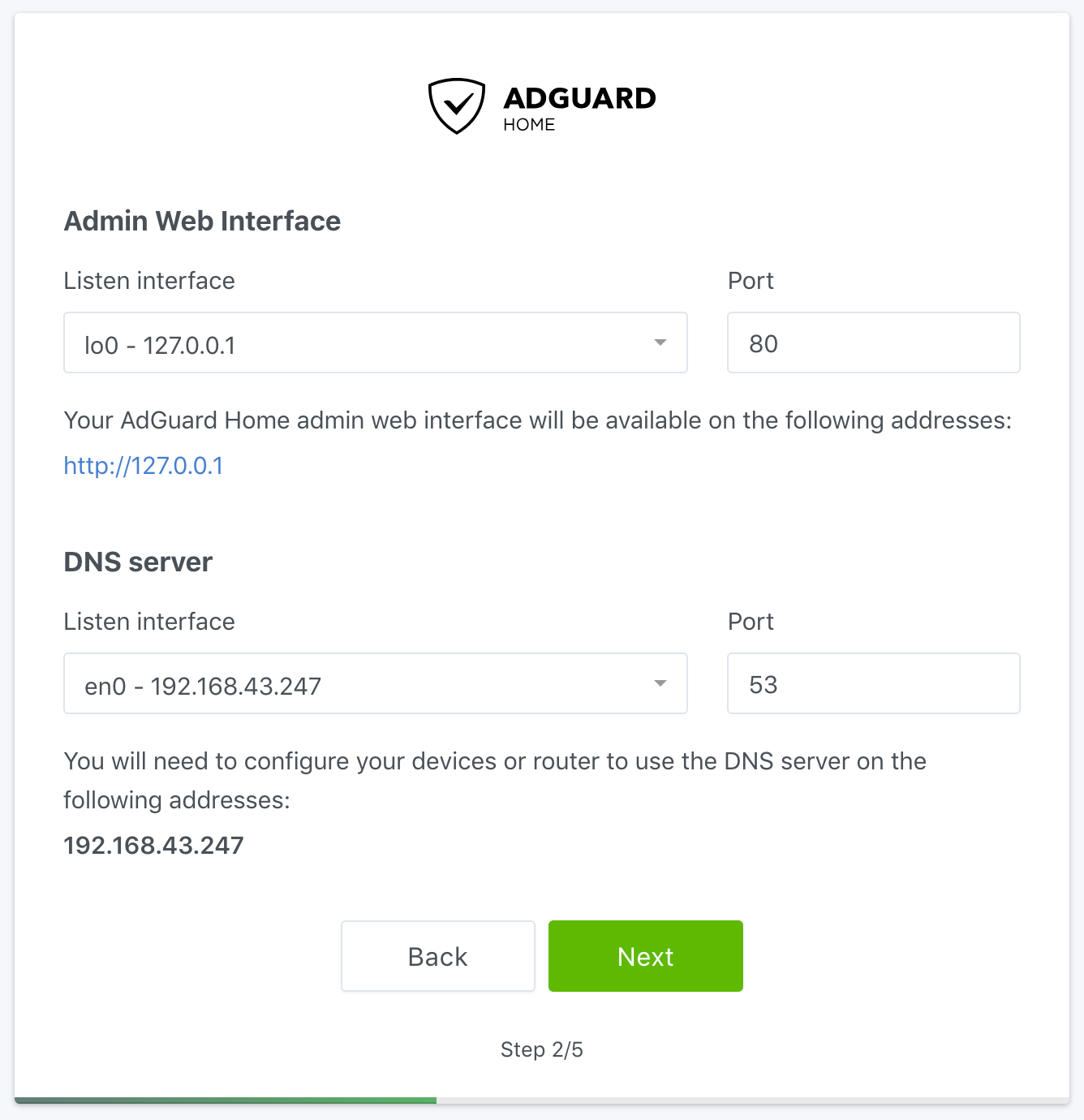
make sure to set the listen interface to only be localhost (127.0.0.1) for both admin panel and DNS server. the DNS port can be kept at 53.
This is because else the adress routing wouldnt work.
when you are on the main page after the installation and on IP 127.0.0.1 (not Port :3000) you should go to the DNS settings. It should be located in the top left (hamburger menu) under settings > DNS-settings.
Make sure to take out any domain (example.com) from especially the first field (as they cant be processed in our setup and would resolve in errors) and replace it with an IP address of a DNS provider (9.9.9.9 - Quad9 as an example)
at this point you might want to go to filter > blocklists and add some block lists. I can recommend Dan Pollocks list, Peter Lowes Blockist and the ublock origin filters
the final step is to go to the network settings in SFOS and set e.g. in your Wifi network automatically configure IP to off and then input 127.0.0.1 as your primary dns server
there might be a way to automate this so that the default dns always gets set to localhost automatically, but I havnt seen a way to do it as of now because /etc/resolv.conf seems to get ignored.
I was not able to test with mobile network (no SIM installed as of now)
i feel so stupid now not having read the forum fully… I thought your post was about explaining how ad blocking through /etc/hosts worked…
Whatever i installed a server locally on my phone. never imagined to do that as a lifelong android user so Im happy
Edit: I read into it real quick, but it seems blocking with DNS (like here with AdGuard) is more potent in filtering stuff out then just blocking IPs
your app does not appear to be listed in Chum on the Jolla Phone (just checked). Maybe because of it using v5.2.15?
I remembered going through the 3 stores for an adblocker, but not finding one. Hence why I made this guide.
I have tried Defender but it only crashes the phone and then after it rebooted the app will not start again! - so both your apps not working on the new hardware from my experience
Warning: this may be fixed now though. I have tried Defender 2 weeky ago
Privoxy is the more elegant, future-proof, rule-based option, but comes with some (knowledge need) configuration.
Defender is the older DNS list based solution (nobfilter rules, names must match exact) but comes without any hurdles. Just activate, choose some list(s) and you are good.
from my understanding Privoxy was just some preconfigured libraries and yeah i totally forgot about testing your app shortly after launch xD
I still like my hacky way of choosing to install a server on linux (phone) c:
Its probably way more practical to actually use 1 of the 2 apps though. Ill take a look. Can you maybe explain the difference between Privoxy and Defender a little bit? (decision paralysis :P)
great even more options…. xD
if Ill ever abandon my local Adguard server i than have to decide between 3 apps O:
What are generally the differences between these 3 now mentioned apps? Arent all just editing the /etc/hosts with known blocklists and keeping them updated?
thanks! Ill definitely check that out. I was mostly interested between the difference between Defender and your Host-block as they seem to me to do the same. Im aware that that will probably be very wrong.
Privoxy by @nephros seems to be a bit different, but i havent figured out what it does differently…
Defender is the older one, has a nice GUI, pre-configured block lists, works just out-of-the-box, of course joins selected lists and deduplicates, sanitizes all entries.
Ad-block and Defender work both on domain names only.
Which is passive, nice and quite old-school, but still effective
One drawback is: both work with explicit domain names, e.g. 123.xposn.com is blacklisted but they change to 124.xposn.com then the block will not work until recognized and that specific domain entered in a blacklist.
Privoxy works with an internal proxy and rule based: you may define filter or use wildcards like e.g. *.xposn.com which will effectively filter all domain names with xposn.com ( or just parts of it ).
Privoxy is maintained by @nephros (thx) and he is updating it from time to time.
So you would be in charge to update the rule set yourself. But as those rule are better and cover a wider set of domains. One of the reasons why e.g. oisd.nl ceased to support plain text hosts file blocking.
On Defender the lists are fetched automatically (each week, month or day).
For ad-block I do not remember.
Mixing dns based blocking and rule set based blocking can be done together. I have -of course Defender) and privoxy installed, configured and running/protecting me.


 - so both your apps not working on the new hardware from my experience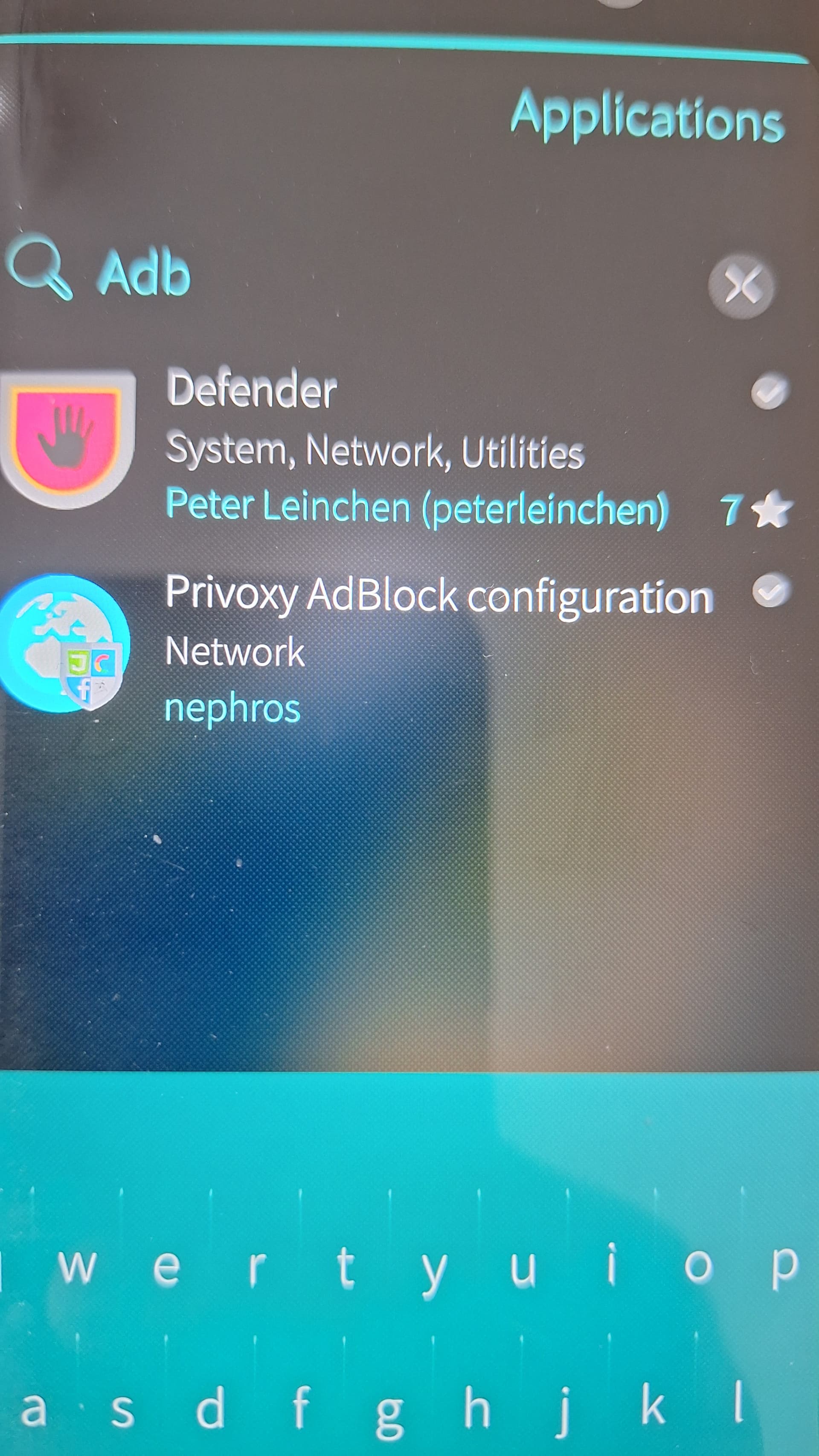
 Defender) and privoxy installed, configured and running/protecting me.