I have installed Sailfish on my Quintus and after a few days of use, here are some observations
* 5G works (After a few days of use, 5G suddenly drops to 2.5G and never comes back. It’s a known issue and hopefully will be fixed soon).
[/quote]
I experienced this when crossing countries within the EU: I have two SIM cards from two different countries and one of them operates now only in 2.5G thst was flawless in 5G before. In an Andoid device this specific SIM cards works, this is why I suspect the combination SFOS Quintus device + this specific SIM card. The second SIM works with 5G in the SFOS Quintus.
You said this drop to 2G is a known issue? What is the background to this phenomenon? Can the end-user do something to get 5G back?
I am daily driving this device with SFOS since more than 2 months. What a nice and pleasant experience, everything works, VoLTE, no audio after GPS like my X10iii, USB DAC Dongle works, GPS. Also the camera produces usable images, from memory I would say that the Quintus results in more vibrant images than the xperias.
This nice experience will probably cement me finally for my daily driver in the SFOS ecosystem! I disliked the Xperias elongated form factor so much that I always switched back to other (non SFOS) device for daily use.
Thanks @Piggz for your nice work.
Currently I only miss the possibility to limit charging to 80%. The hardware for this must be in place since VollaOS offers that possibility but I did not found a way to limit charging to 80 % in SFOS!
Wow, this is excellent news. I might bootstrap a simple GitHub repo later on this month, once I have a bit of time, documenting all devices, just like the Linux Surface | Devices community has done. Unless there’s a better place to write all this up.
Now that my Xperia 10 III has more and more network problems (… and I fear it is a hardware problem) I decided to give up my wait for a working main camera and make the Quintus my daily driver. So I installed Sailfish and set up all to my liking. So far so good.
Fingerprint is not working
I knew that. Not a big thing
Main Camera and with it Flashlight is not working.
I knew that. This one is hurting me badly, but I hope that there will be soon an update from @piggz solving this problem (I hope a reflash is not necessary then, but I will see)
Jolla Store is crippled, it just shows around 30 apps.
That was a surprise for me. Is this a known issue? Are there workarounds? There are some apps I really miss, which are not in Chum or Storeman. I can download them with my Xperia though. But that’s not very comfortable.
Battery life could be a bit better, but it’s OK.
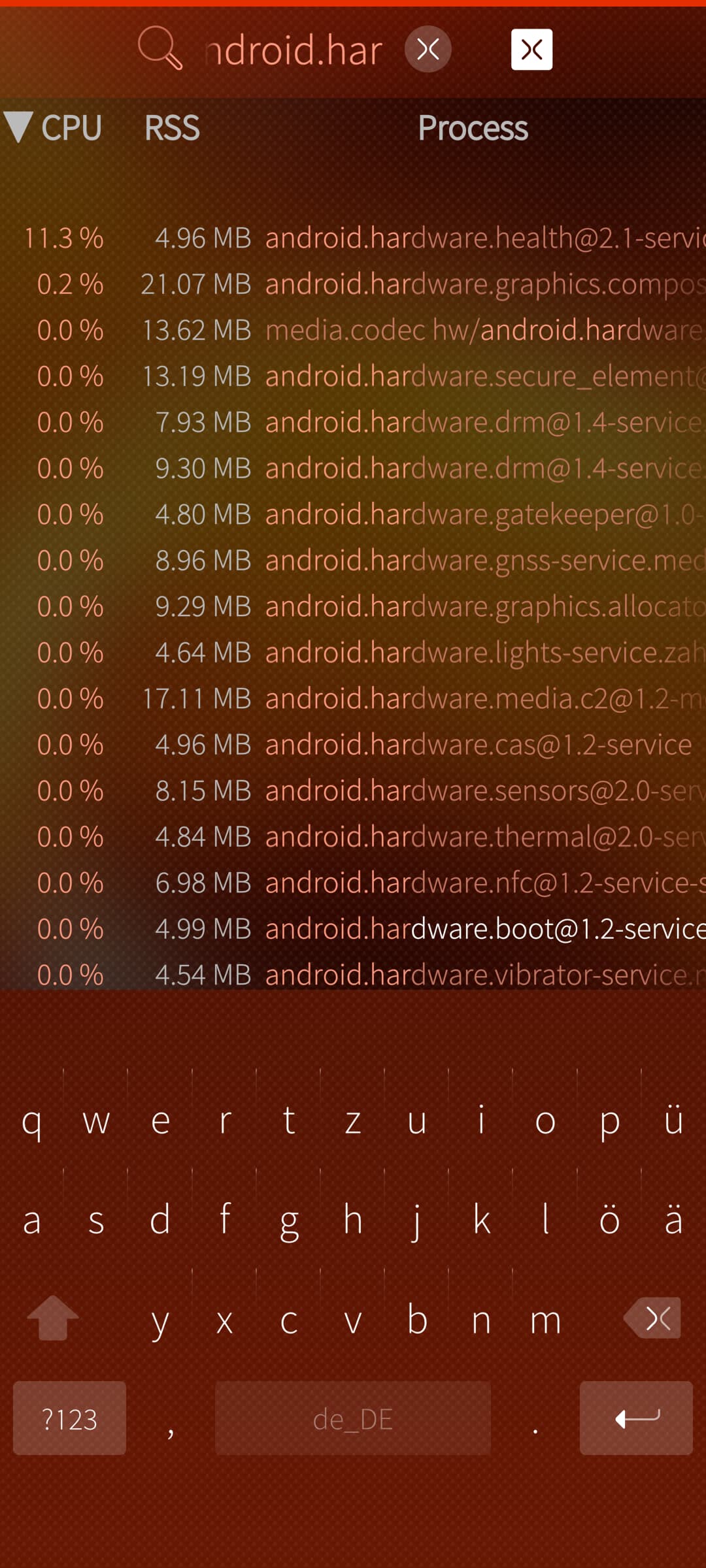
Anyway, there is a process named android.hardware.health@2.-service (located in vendor/bin/hw/) which runs all the time and using around 10% of CPU. Is this normal? Or is this something specific to my device.
Apart from this, the experience is really nice.
Thanx @piggz
I wonder about your cam and flashlight not working, I use regularly a dedicated mirrorless camera, but I was surprised by the good quality of the images from the Quintus (compared to Xperia 10 iii or V), so that I use the phone more and more to take pictures.
Crippled Jolla store I had also, but sideloadibg works, so it was only an initial issue I forgot about in the meantime.
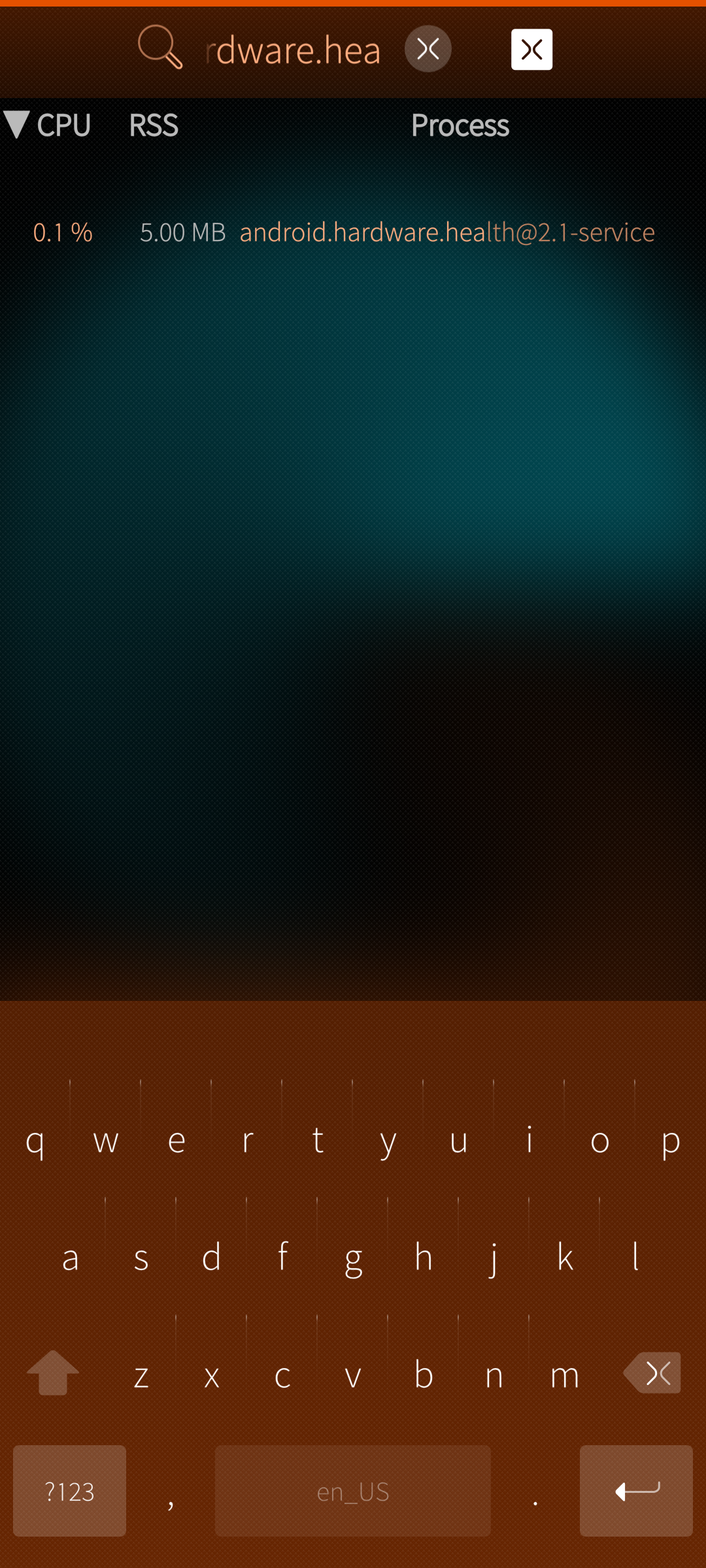
The process android hardware health is slightly different named and much less CPU intense than what you experience, see screenshot.
It is puzzling that our experiences are fundamentally different in some hardware aspects.
The only complaint I have that sending mails stopped working and KDE connect cannot upload anything to other devices in the network, gives Error 102 messages
The camera thing is because I have a quintus from a newer batch. There were some changes on hardware side. It didn’t work on Volla OS as well at the beginning. I send in the device two times until they understood, on themselves, that there were minor changes. I have a long mail history here because of that problems.
That’s exactly the process. I just have a typo in. But a much higher CPU consumption:
Maybe this has to do with the camera module as well. Hopefully Adam can say something regarding this service.
Mails are working on my side as expected. But if this wouldn’t work, this would be a show stopper for me. So I hope it stays like that. Sending emails is essential for me.
Regarding the store, what do you mean with sideloading?
I use another mail program anyway because the SFOS mail program does not support mail aliases, e.g. multiple sender adresses.
Sideloading means I had the rpm file downloaded from elsewhere and installed it from the file manager, not tge Jolla store. I did it with e.g. Seaprint and Situations apps
to update from existing installation to latest .68 (after updating the repo in usr/share/ssu/features.d/adaptation-community.ini) or is a complete reflash necessary?