On vacation I would like to use my Xperia 10 III as an usb modem for my laptop. Will the phone also be charged via usb? And how to usb thether the laptop? I don’t want to use WLAN hotspot at all.
I seem to recall that this was not easy to do and needed dev mode or something similar.
The WLAN hotspot is the best/easiest way.
As user root I do:
- enable IP-Forwarding:
sysctl net.ipv4.ip_forward=1 - disable Wifi:
/bin/dbus-send --print-reply --type=method_call --system --dest=net.connman /net/connman/technology/wifi net.connman.Technology.SetProperty string:Powered variant:boolean:false - clear all NAT rules:
iptables -t nat -F - enable masquerading on the cellular interface:
iptables -t nat -I POSTROUTING -o rmnet0 -j MASQUERADE
The default route on a laptop needs to go to the USB interface of cause.
3 Likes
well, thanks but this is way to complicated for me.
Here’s the easy way for you
Go in terminal and type
devel-su
pkcon refresh
pkcon install usb-moded-connection-sharing-android-connman-config
systemctl restart usb-moded
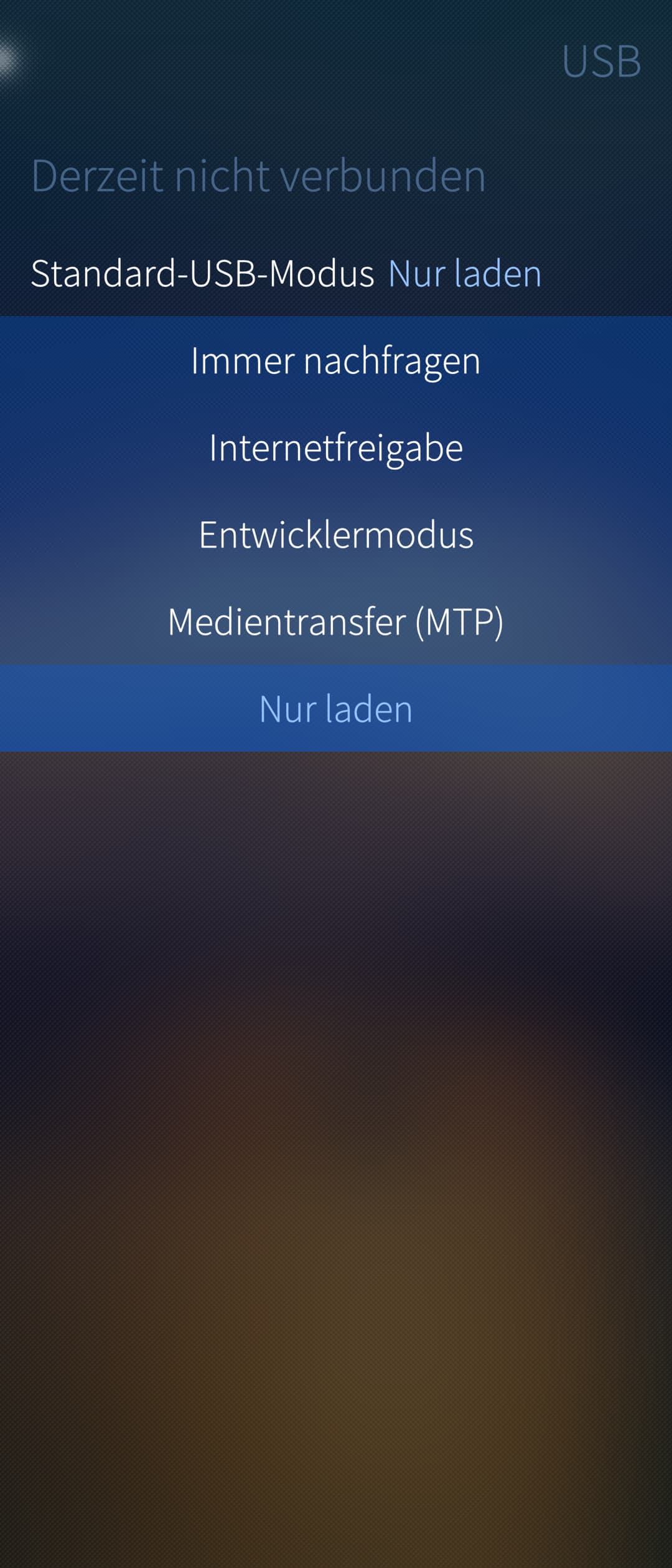
After that usb tethering will appear on usb settings 
19 Likes
 this is the solution.
2 Likes
@Pingutux Please mark the solution above.
1 Like
Btw.: Tried this on a Jolla C2 - it doesn’t find the needed package.
Wow, never considered to ask about this feature, just thought it wasn’t a thing as I see no reason why it wouldn’t be stock
Thank you!
2 Likes
I think you should mark the message from @247 with the installation steps as the solution, since it contains the actual solution to your original issue.
2 Likes
I tried it on my C2, and it seems to work, in usb setting i found the new entry for “Internetfreigabe”!
1 Like
I may have missed the question to install some dependencies…that’s why it failed at the first time. Works now!
1 Like