Standalone Web App Mode for Sailfish Browser
tldr;
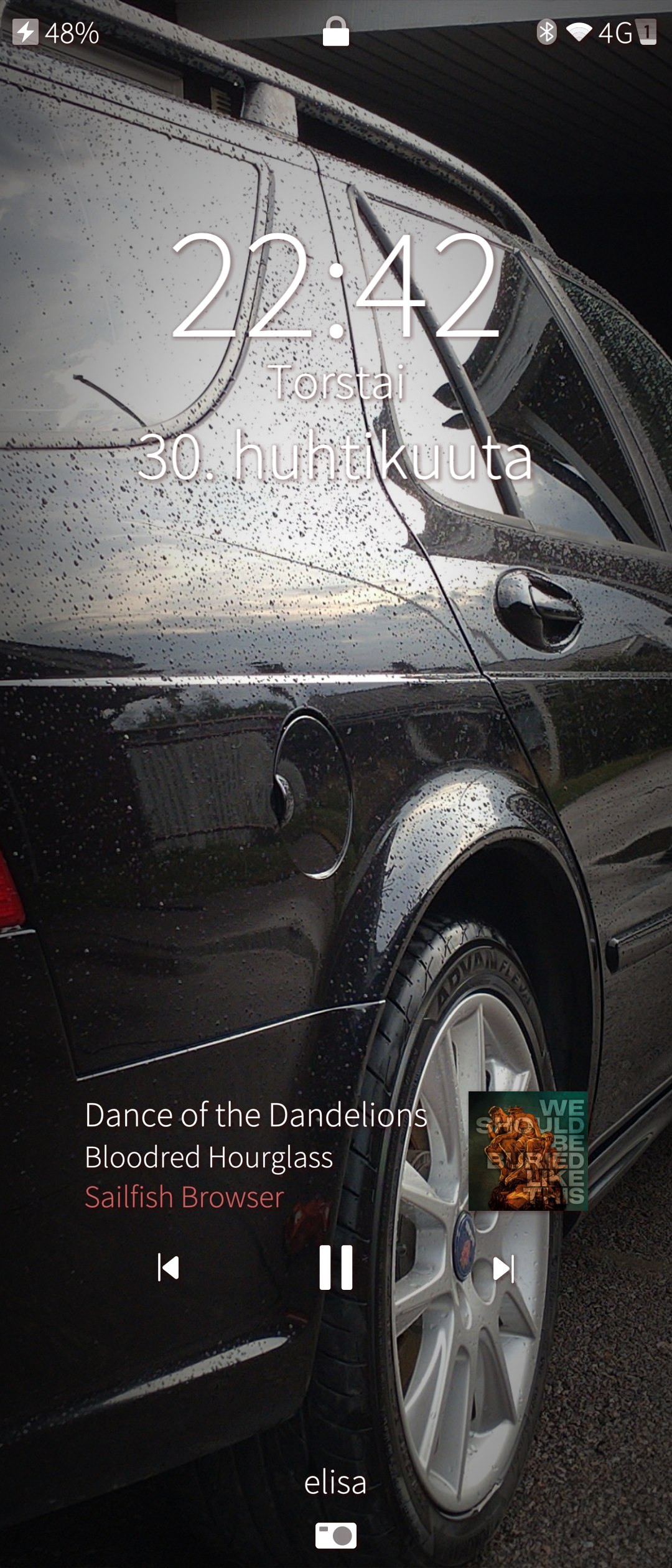
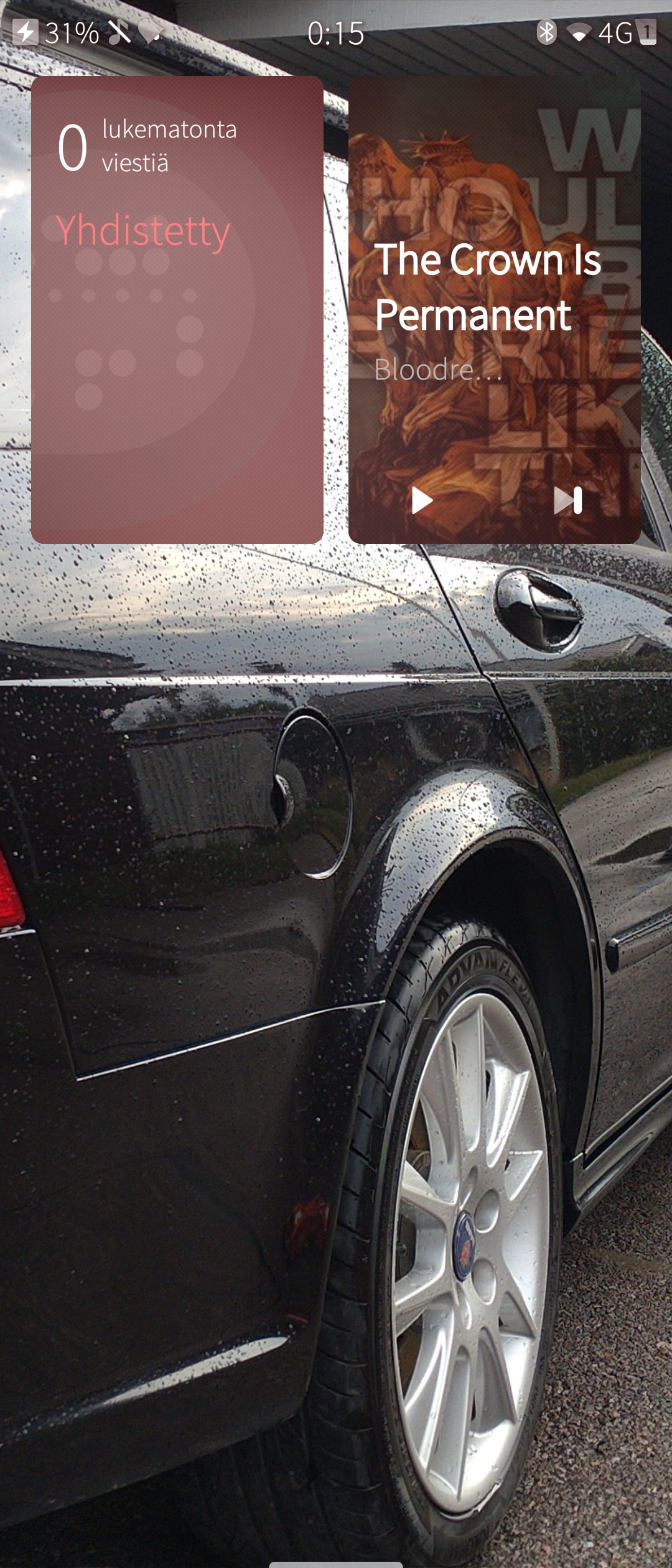
I’m now able to run navidrome as a standalone web app and the playback stays on in the background with lockscreen controls, added also an active cover.
Foreword
I know there has been discussion about AI slop but bear with me, created something seemingly quite useful with Claude Opus 4.6. Some people might find this useful, I can publish the code somewhere if someone wants to build it themselves, but mostly I’d just like to have some discussion around the topic, pinpoint design flaws, terrible shortcuts that have been taken etc.
Overview
Adds a -webapp <url> launch flag to sailfish-browser that opens a URL in a dedicated, chromeless browser instance — isolated session, separate D-Bus identity, and no background suspension. This is the foundation for PWA-like support on Sailfish OS.
How to use
sailfish-browser -webapp https://music.example.com
Changes
1. Webapp launch mode
Files: common/browserappinfo.h, common/browserappinfo.cpp
- Added
webApp(),webAppUrl(),webAppId()static methods webAppId()derives a stable 12-character hex ID from the URL’s origin via SHA1profileName()auto-isolates webapp data under~/.local/share/.../webapps/<id>/— each webapp gets its own cookies, storage, and cache
2. QML entry point selection
File: apps/core/browser.cpp
- Loads
webapp.qmlwhen-webappflag is present (instead ofbrowser.qmlorcaptiveportal.qml) - Auto-opens the webapp URL on launch
3. Multi-instance D-Bus support
Files: apps/browser/browserservice.cpp, apps/browser/main.cpp
- Each webapp registers a unique D-Bus service:
org.sailfishos.browser.webapp.w<id>(and.uivariant) - The
wprefix ensures valid D-Bus names regardless of hex hash content - App name set to
webapp-<id>for process identification
4. Chromeless webapp UI
Files: apps/browser/qml/webapp.qml, apps/browser/qml/pages/WebAppPage.qml
- Starts in fullscreen with no browser chrome
- Tap content area to reveal a compact toolbar (back, URL label, reload, menu)
- Toolbar auto-hides after 4 seconds of inactivity
- Menu offers “Open in Browser” and “Close” actions
5. External navigation restriction
File: apps/browser/qml/pages/WebAppPage.qml
- Captures the webapp’s origin from the first loaded URL
- When the user navigates to a different origin, the navigation is blocked (
goBack()) and a dialog prompts to open the link in the main browser viaQt.openUrlExternally()
6. Webapp overlay and toolbar components
Files: apps/browser/qml/pages/components/WebAppOverlay.qml, apps/browser/qml/pages/components/WebAppToolBar.qml
- Minimal overlay with loading progress bar
- Compact toolbar styled for standalone use
7. Background audio — no more suspension
Files: apps/shared/ResourceController.qml, apps/shared/WebView.qml
- Added
webAppproperty toResourceController - When
webAppistrue:- App going to background does not suspend the Gecko engine
- Display turning off does not suspend the engine
- Audio/video resource policy stays acquired (keeps system audio route alive)
WebView.qmlgains awebAppModeproperty that passes through to the resource controller- Result: Audio playback continues when switching apps or locking the screen
8. MPRIS2 lock screen media controls
Files: apps/core/mprisplayer.h, apps/core/mprisplayer.cpp, apps/core/browser.cpp, apps/shared/ResourceController.qml, apps/shared/WebView.qml, apps/qtmozembed/declarativewebpage.cpp, data/media-control.js, data/prefs.js
- Full MPRIS2 D-Bus implementation (org.mpris.MediaPlayer2.sailfish-browser) with play/pause/next/previous controls
- Lock screen displays track title, artist, and cover art — sourced from the site’s MediaSession API
- A frame script (media-control.js) patches MediaSession.prototype before page scripts run, intercepting:
setActionHandler()— captures next/previous/play/pause handlers registered by the web app- metadata setter — reports title, artist, album, and artwork URL to the embedder
- MPRIS D-Bus commands from the lock screen invoke the site’s own MediaSession action handlers (true next/previous track, not just seeking)
- Falls back to direct
- Enabled dom.media.mediasession.enabled Gecko preference
- Uses the same MPRIS2 interface as native and Android apps — standard Sailfish OS lock screen integration
9. Desktop shortcut creation (WIP)
Files: apps/browser/bookmarks/desktopbookmarkwriter.h, apps/browser/bookmarks/desktopbookmarkwriter.cpp
- Added
saveAsWebApp()/writeWebApp()methods
10. Service Worker & Cache API
File: data/prefs.js
- Enabled
dom.serviceWorkers.enabledanddom.caches.enabledGecko preferences - Required for offline-capable web apps
11. Build compatibility fix
Started from next -branch
File: common/mdconfitemcompat.h
- Created a compatibility shim for
MDConfItem→MGConfItemrename in SFOS 5.0 SDK - Applied across 5
.cppand 2.hfiles that use config items
Architecture notes
- Based on the existing captive portal pattern (
apps/captiveportal/) — the closest existing “standalone single-page” mode in the codebase - Uses
PersistentTabModel(not private/ephemeral) — webapp sessions survive restarts - Each webapp runs with a fully isolated Gecko profile (separate from main browser)
- MPRIS2 media controls use the same D-Bus interface as every other media player on the device (native and Android apps)
- MediaSession interception uses Cu.exportFunction and Cu.waiveXrays to cross the Xray wrapper boundary between chrome and content scopes
- Tested on Xperia 10 III with SailfishOS 5.0.0.62
What’s not yet implemented
- Web manifest parsing (auto-detecting
display: standalonefrom<link rel="manifest">) - Add-to-homescreen install prompt UI
- Push notifications / Notification API
display-modeCSS media querytheme_colorapplied to status bar- MPRIS2 via Gecko’s
MediaControlKeySource(current implementation uses frame script interception — works, but the proper approach is anEmbedLiteMediaControlKeySourcein xulrunner-qt5)

