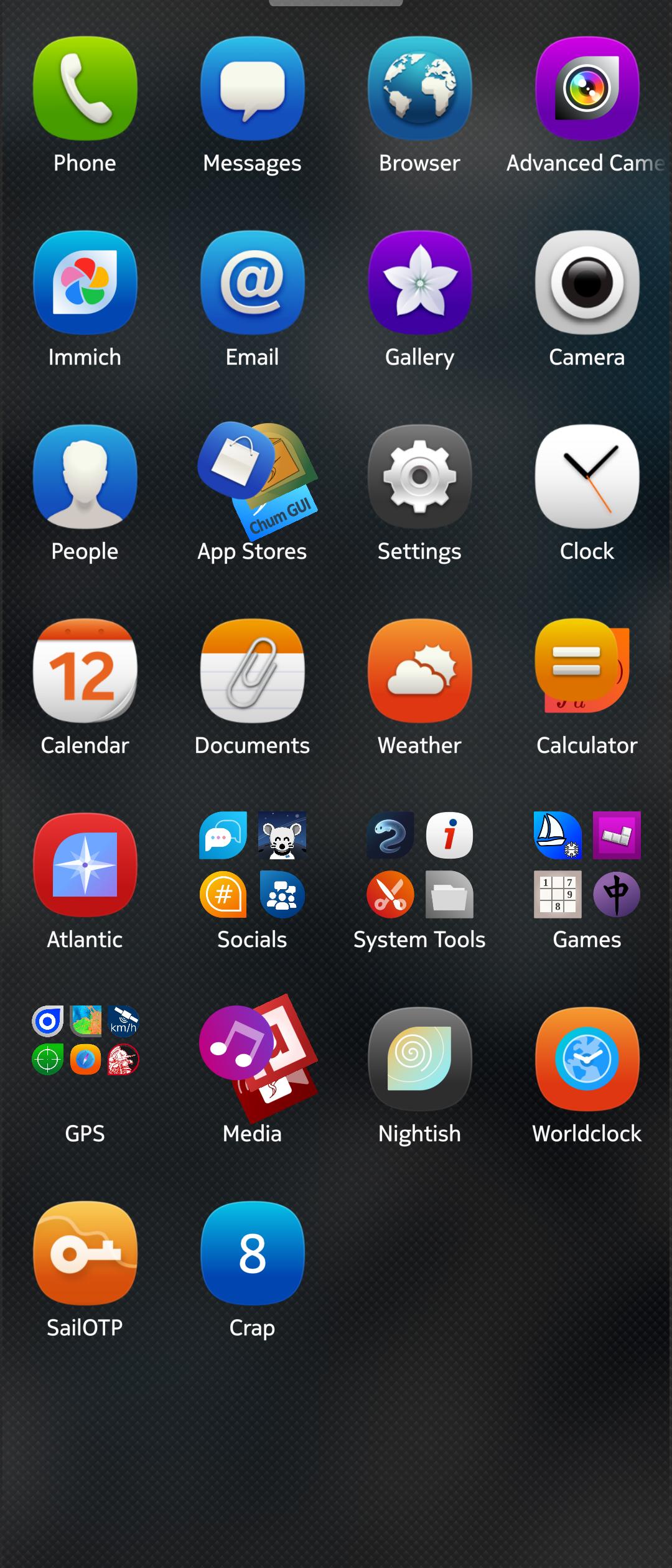
So there is this cool new phone where app symbols have round corners on one or another side (is there a meaning to it?) and you can sideload apps from different stores and operating systems… and its all mixed up in one big colourful mess
so, did i somehow miss the options for:
-sorting app list alphabetically
-having multiple home screens to categorize manually (E.g. SF apps & Android apps)
I understand having a plethora of icons in the app drawer can be confusing.
But I also think sorting them alphabetically isn’t a good solution for that - more like a terrible workaround.
Yes i tried folders but its not as handy as different screens. Sure, a bunch of standard sorting options would have been nice (date of install, name, SFOS vs. Android) to suit different needs. But i can understand this is not top priority rn
Perhaps look into Launcher Combined Patch [Fork] - it doesn’t explicitly do what you want but it does make for a neater app drawer. Folders are much more usable, for example, when you can “peek inside” and see what app icons might be hiding in there.
If you don’t like the app icon style (which is purely just that - a stylistic choice to differentiate SFOS from Android / iOS) you can install Muoto and a corresponding theme - personally I like Harmattan.
There was a fun thread on the forum a few months ago - Your primary phone - you may get some ideas from there as to how to set up your app drawer.
Maybe there is also some Partnerspace programs that could provide an additional “app drawer” to suit your needs, but I haven’t looked into that as I don’t really use that feature.
Different app screens go against the basic design philosophy. I guess it is something you need to decide if you like or dislike and if it is a deal breaker.
You can sort apps manually though and I think this is a much better way of doing it than any automatic sorting alphabetically or by installation date.
Someone willing to could create an automatic folder binning system based on the freedesktop categories (is this how all Storeman, Chum, Fdroid, and Google Play Store sort their apps?). This was something done well on the n900 with Catorise
Personally speaking though, I think manually sorting is for the best. Keep your most used apps on the first app drawer screen, the most used at the bottom for ease of access/reach. Then sort your less frequent apps into collective drawers
Well, for the original Jollla apps, colours do have a meaning.
If you have a device with a multicolour LED, the colour it blinks correspond to the app icon background.
Green is email or phone, blue messages, yellow/orange calendar/alarm and so on.