Sailcast - Podcast client with Podcast Index integration

Hello,

a few days ago I released my podcast app “Sailcast” for Sailfish OS on Github:

GitHub - t-sappl/harbour-sailcast: Podcast app for Sailfish OS with gpodder Sync Integration · GitHub (both source and pre-compiled RPM files).

Until Openrepos is accepting uploads again and the app is ready for release on Jolla Store, I want to take the opportunity to introduce the app here and maybe raise some interest and get feedback/suggestions.

I’ve been following Sailfish OS and this forum for years and started in 2020 with an (albeit underpowered) Xperia. When I received my new Jolla Phone 2026, I realized again how great the platform is (especially on a performant phone) and so I tried to move from Android to Sailfish and use as much native Sailfish apps as possible.

For listening to podcasts I was using gPodder, AntennaPod and Kasts - all synced with gPodder Sync, but on SFOS I wanted something more sophisticated, so I gave it a try (see Use of AI) and started Sailcast.

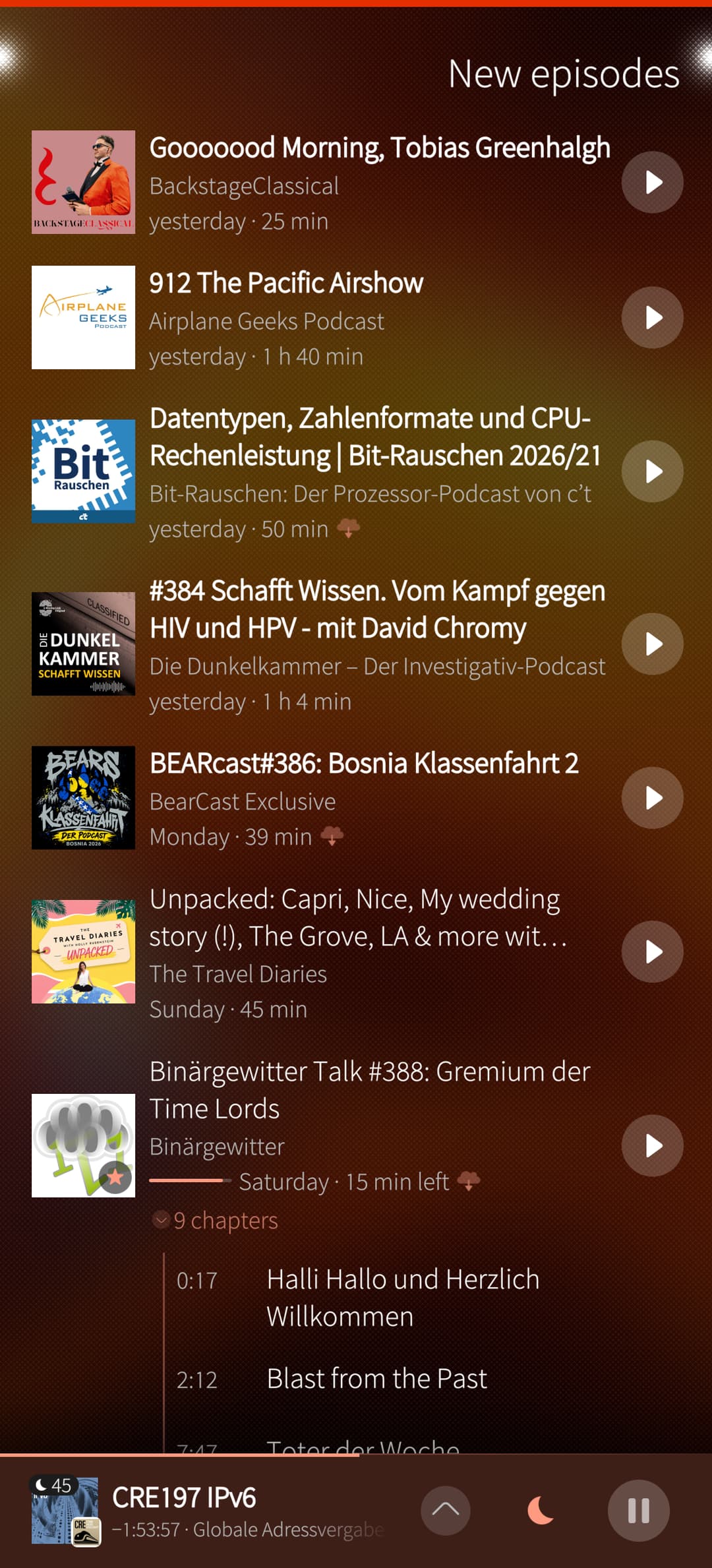
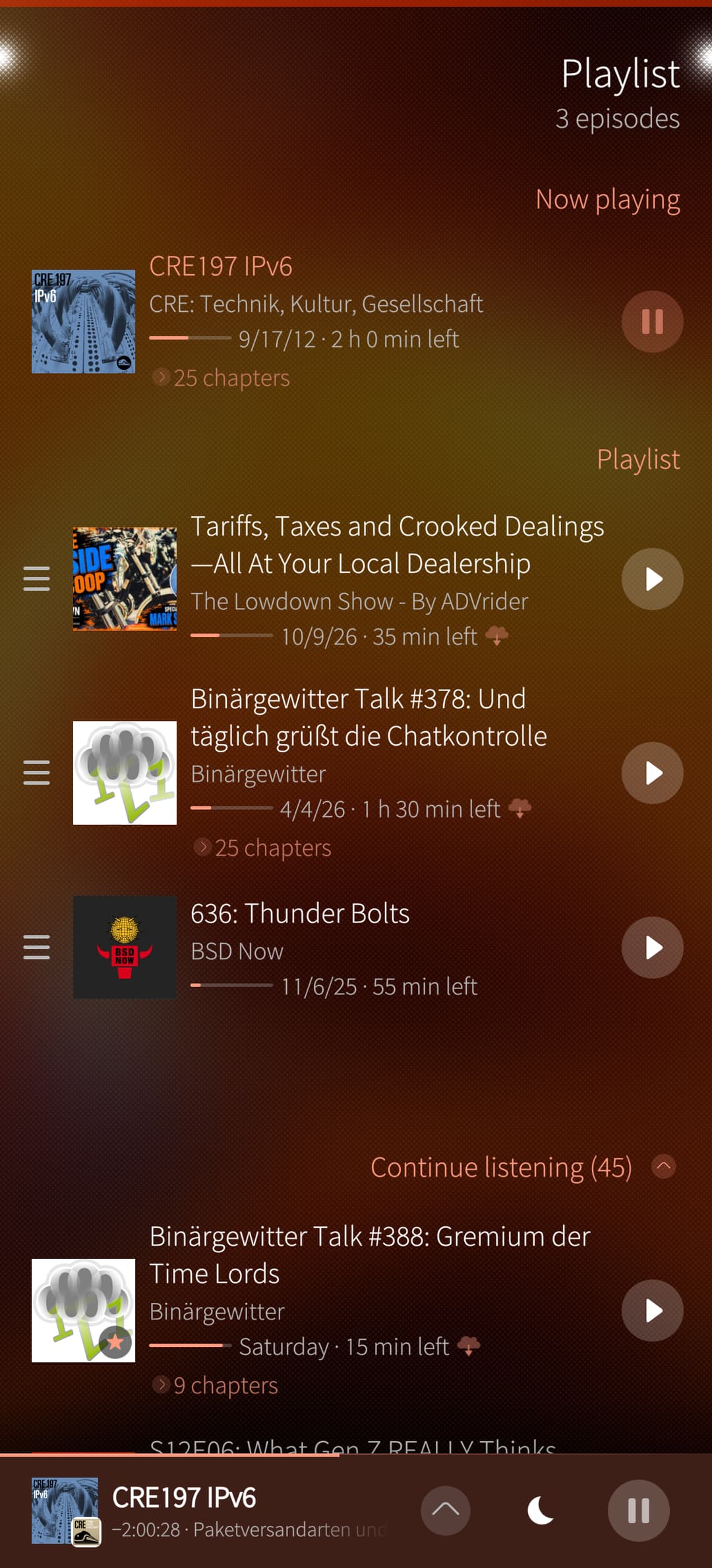
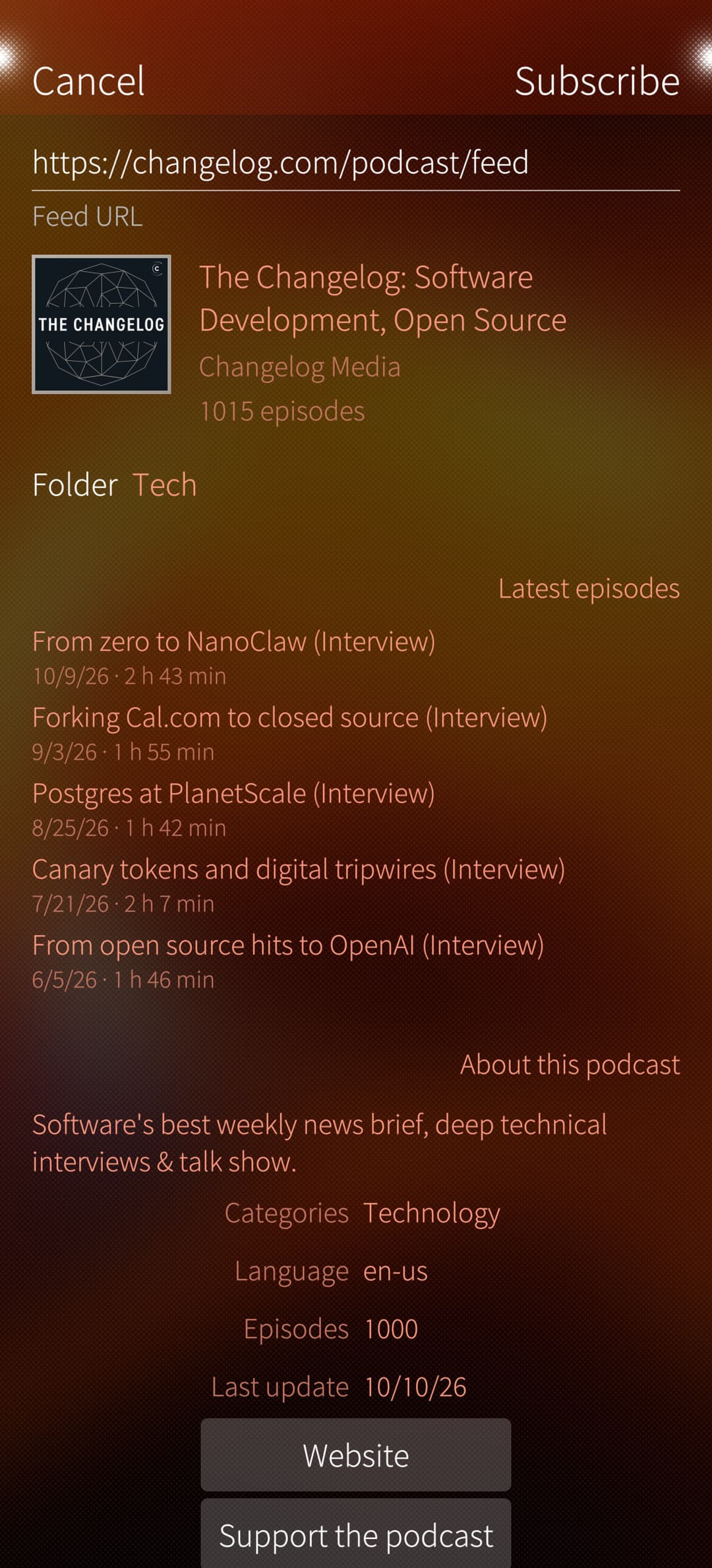
My goal was an app that is not only functional but also pleasant to look at – with and interface that fits nicely into the beautiful and clever design of Sailfish OS (see screenshots below).
The current release focuses on the features I use everyday and which could be useful for other people as well:

Features:

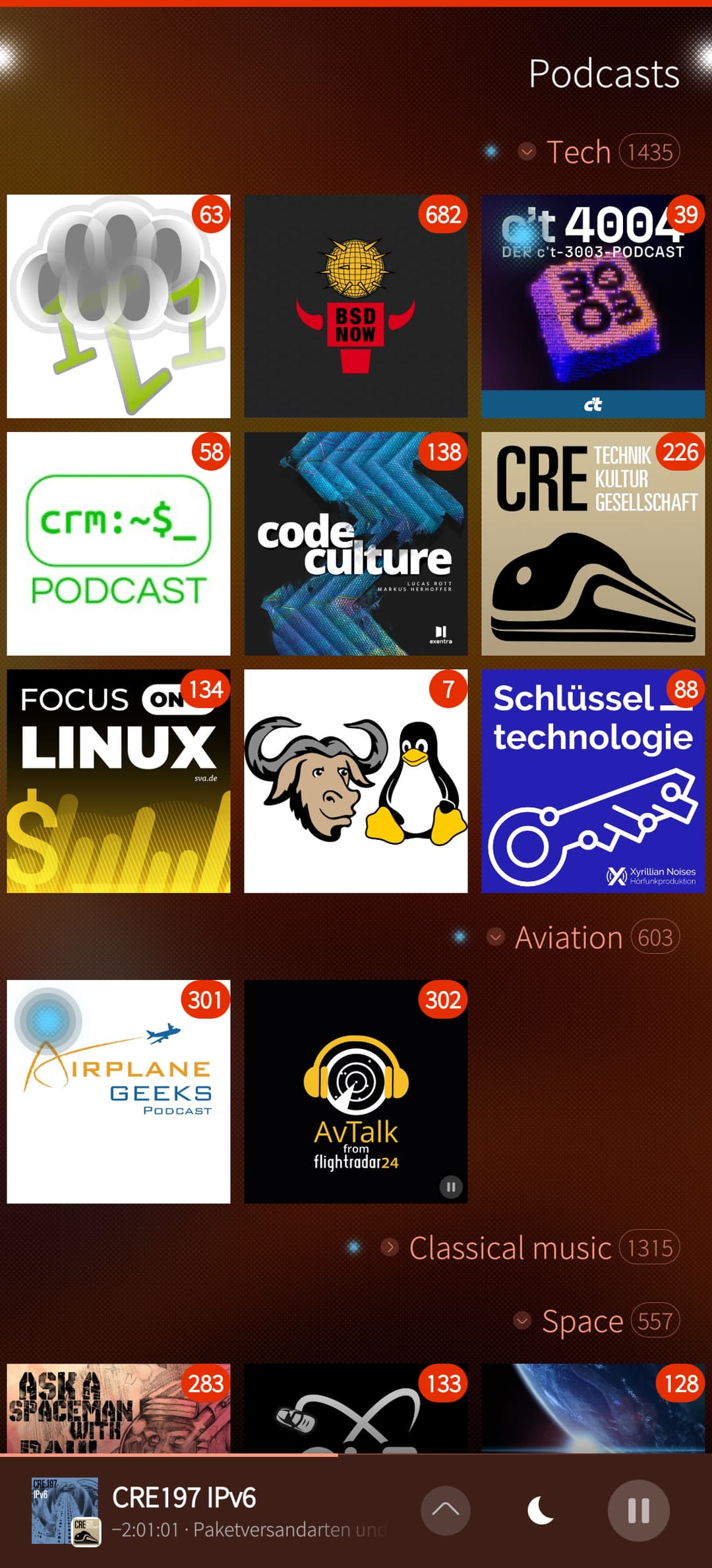
  • organizing podcast feeds into Folders, displayed as covers or as a list
  • Playlist with Continuous listening and sorting feature
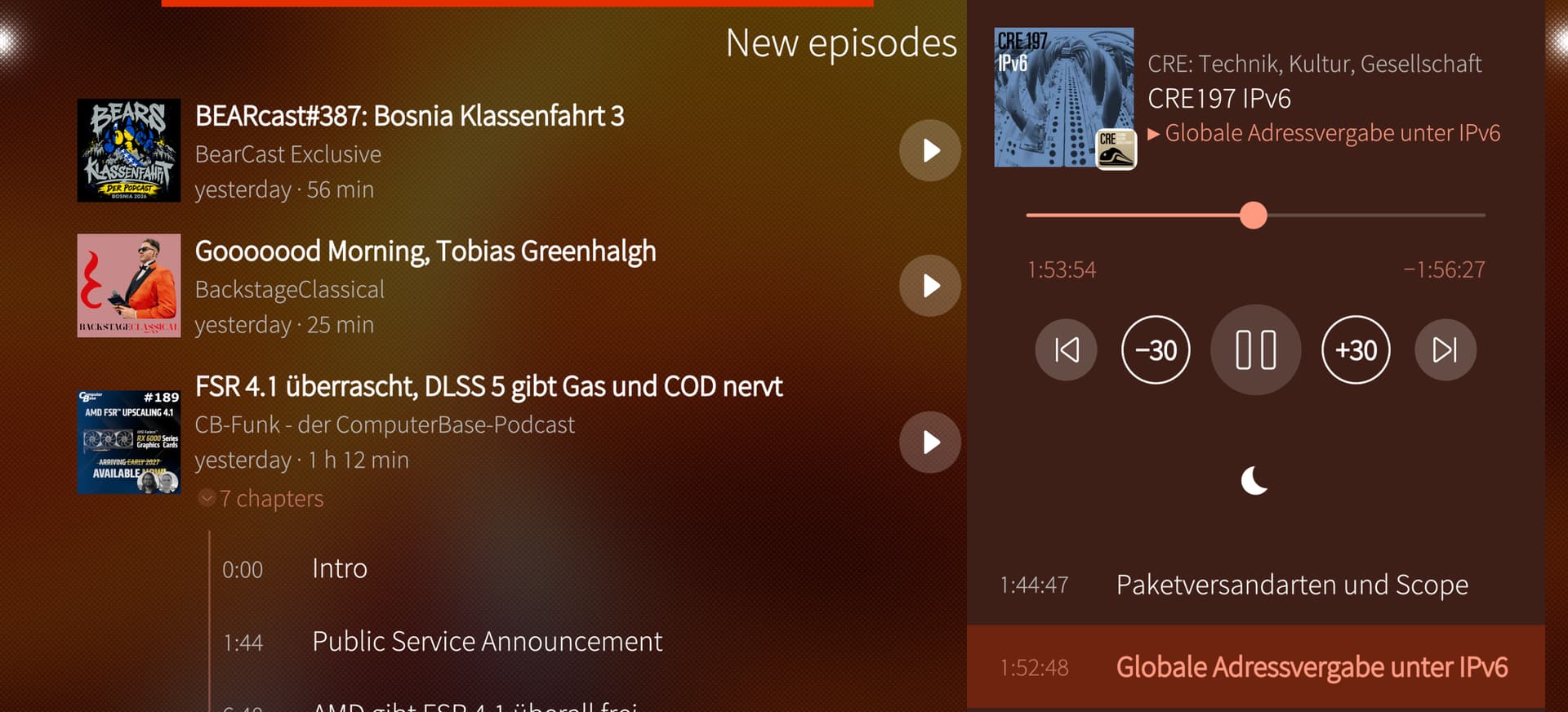
  • customizable lock screen/cover controls and landscape mode
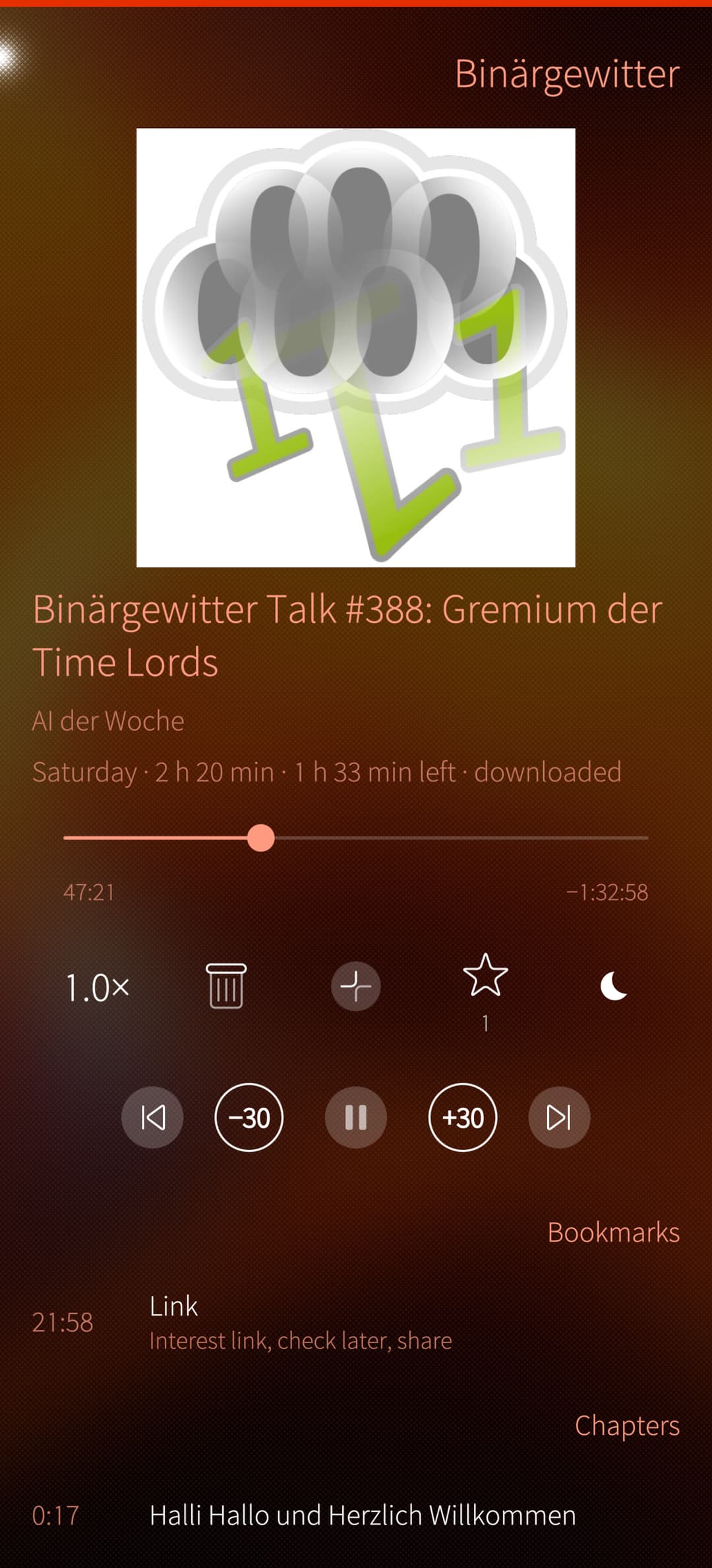
  • interface for quickly adding “bookmarks” with notes in the currently played podcast, also available as an option on the cover page
  • Downloads and archiving of whole podcasts to the Music folder,
  • adding new feeds either trough a Pocast Index interface, copy/pasting URL from the feed, Apple Podcast or Spotify - or through a search algorithm on a website (Input: lagedernation.org and it should find the podcast feed)

Screenshots:
Podcasts (Folder with Grid Mode) / New Episodes / Playlist

Player with bookmarks / Search and Subscribe
Landscape:
Use of AI:
I work as a business analyst in the financial sector, and I also saw this project as a chance to learn how AI can fit into my daily work – where AI is having a growing influence, whether we like it or not. I wanted to try to use it along my whole working process: analysis, design, specification, coding, code review and testing. Sailcast was developed with the assistance of Claude (Anthropic). I defined every feature of the app, made the design and technical decisions and studied and reviewed every change, so I understand the code.
I tested each build on my Jolla Phone (2026), where I’ve been using the gradually evolving app every day for the last three months, along with AntennaPod on Android and Kasts on the Desktop.

As mentioned before, feature requests and suggestions are highly welcome.

A big thank you to everyone who puts so much development time and heart into Sailfish OS. I hope that I can also add my small part with my apps to taking the platform further.

Greetings from Vienna,
Thomas

Side note:
for the same reasons and on the same principles I built Sailfeed, a reader for Nextcloud News ( Sailfeed | OpenRepos.net — Community Repository System ), as well as my first try Sailwave, for internet radio streaming (Sailwave | OpenRepos.net — Community Repository System).

21 Likes

This looks good, will give it a try once open repos opens back up. I’m using gPodder at the moment but I don’t love the UI of that.

1 Like

Grab it from the github page if you wont wait…

Very pretty. I also miss Antennapod so I’ll gladly give it a go.

(As I’m also working on some media apps, I am interested in the Sailfish design guidelines as of 2026.
Silica offers several components but I have no idea what’s best (tabs? buttons? pages?). Did you tell Claude to follow specific instructions on the matter?
Pretty off topic so we can continue elsewhere :smiley:).

Hello,

i am really glad you like it and I hope it makes you miss AntennaPod a bit less :slight_smile:

In the app (and also Sailwave) I have used pages for the main “views” of the app (podcast list, new episodes and playlist)
“Swiping” between these pages is done with a kind of “ring navigation” (with pushAttached) with swipes either left or right.
Other pages like Downloads, Settings or Bookmarks are pages outside of the ring navigation. They are pushed on top of the ring pages (pageStack.pushed) and therefore are left using the familiar swipe back.

I didn’t tabs (could be used in the settings page instead of subpages) and hardly any buttons.
Actions are either pulley menu for pages or context menu for items

Apart from the “PlayerBar” (on the bottom) almost everything is standard Silica components and standard theme/Ambience colors/values => so it looks like a regular Sailfish app and it took quite some going-back-and-forth and testing until I arrived at this stage.

DESIGN.md, section 8. User Interface in the Github repo describes this better and could also be used as a base for other applications:

Happy to share and discuss more via PM so we don’t hijack the thread.

Greetings,
Thomas

3 Likes

Hello Tsappl,

thanks for your nice app!
Has all the nice features I miss from the other native SFOS-Apps mentioned here.

:crossed_fingers:that it gets accepted in store :slight_smile:

Excellent attempt at replacing Antennapod. Definitely a project to follow closely. I have a small feature request. Currently it is not possible to mark mulitple episodes as played. This is a major pain when importing subscriptions on a new phone. Would be cool to have a batch edit function.

Hello,

thanks for all your positive feedback and suggestions.

Currently, I am working on version 1.2 with some nice new features and various improvements. I am planning to release this version on github within the next few days and this should also be the version for initial release on OpenRepos and :crossed_fingers: in the Jolla Store :slightly_smiling_face:

=> While using the app I did encounter this problem too as I tend to add podcasts but don’t plan to listen to all 700 episodes, only the last few ones and a counter of 678 unplayed episodes annoys me :grinning_face:

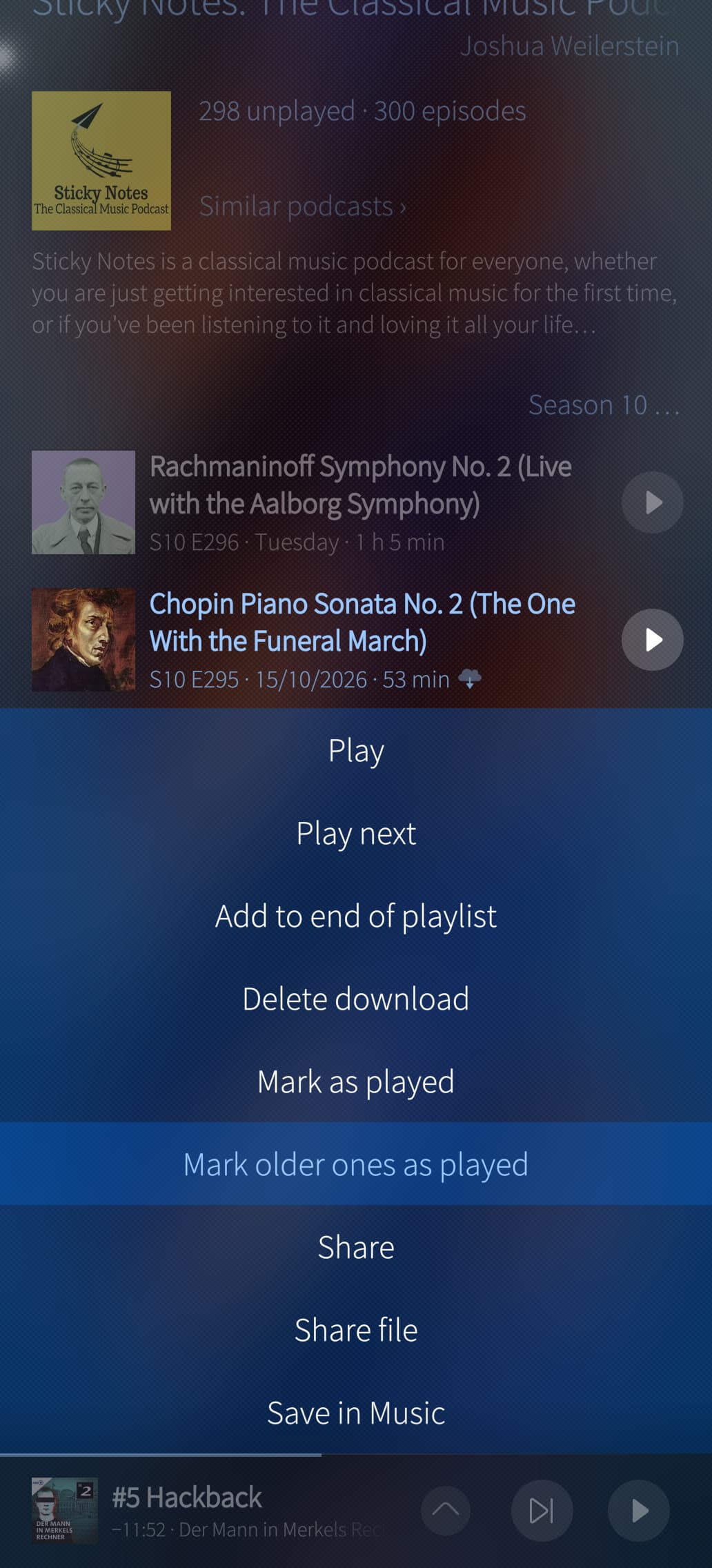
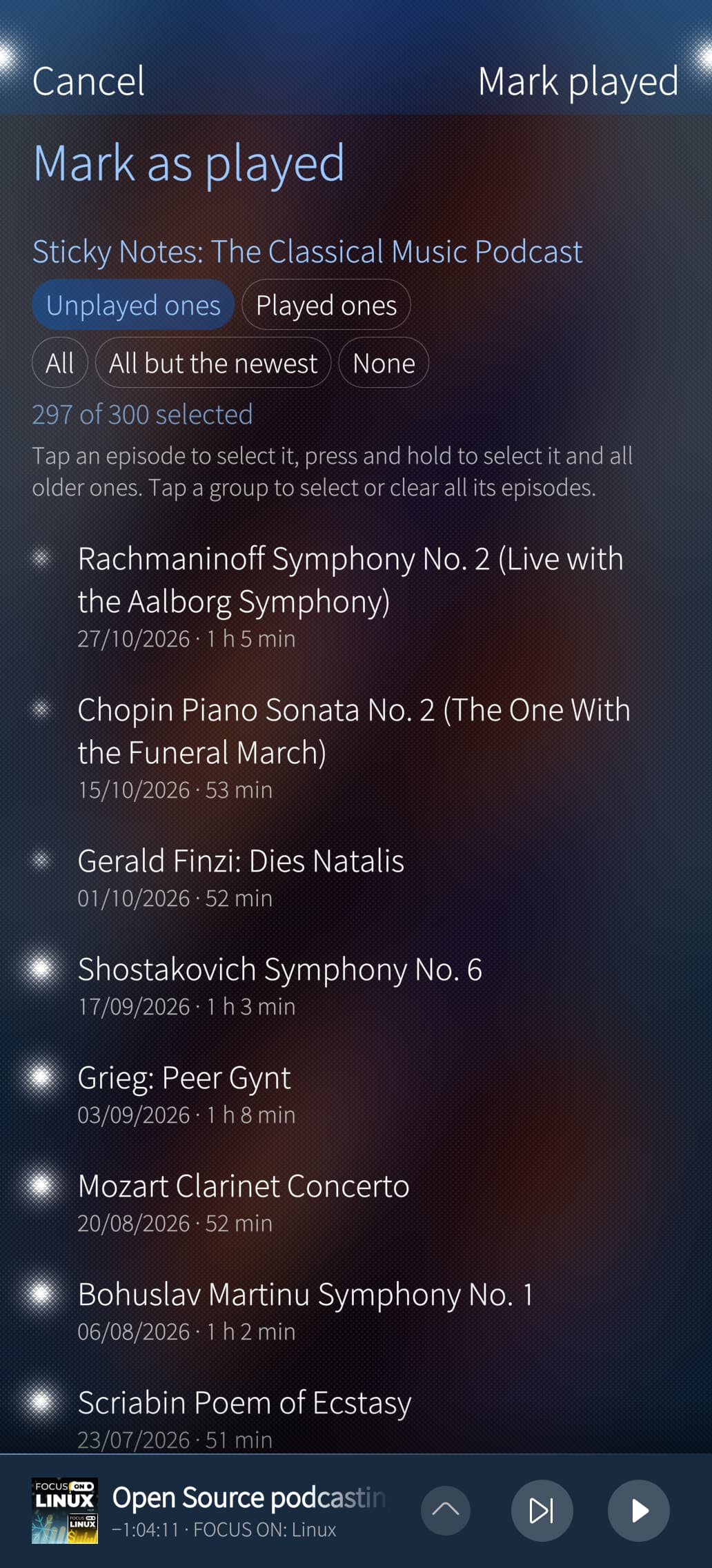
In the current version there is an option to mark all episodes of a podcast as played (via a pulley on the podcast page) or all episodes older than a selected one (via a context menu on an episode).

For v1.2, I found a more advanced solution for this: beside the 2 current options there will also be a dedicated page for this in the pulley of the podcast page.

Please see this screenshots which also shows some of the refinements:

Context menu on episode / Dedicated page via pulley menu (Edit: new version with mark as played / unplayed options)

Please let me know if this would help in your case or if you have other suggestions.

I will keep you updated in this thread once I have pushed v1.2 to Github.

Greetings,
Thomas

1 Like

Cool to see a new podcast app.
Mostly using Podcatcher so far.

Did you implement a way to save the full list of podcasts of the device, as to copy it easy in another device (new phone…)?
For exemple in a .opml file or else…

Hello,

yes, there is an OPML export (for all podcasts or from a specific folder/folders). The OPML files is then stored in the Downloads folder or the share menu can be triggered (for sharing via mail, etc…)

Greetings,
Thomas

1 Like

Great!
And downloading podcasts happens in the music directory right?
Podcatcher does that and its nice.

Gpodder and Podquast download them in some hidden directory as i recall, so those apps end with huge cache or hidden files (especially when half downloaded music files tend to accumulate and dont get cleaned in hidden directories)

Hello,

great question:
keeping all downloaded podcasts in directories unter ~/Music also means that these files get indexed by the default Music app (or other apps). This could be helpful for some users, but maybe annoy somw others who don’t like this behaviour.

Therefore, I have made this optional - per default downloaded episodes are stored in “hidden” folders like in gPodder.
But I have made this optional:

  • you can either store all downloaded episodes under ~/Music/Podcasts/
  • or select this per podcast in the “Podcast Settings” (pulley from Podcast page)
  • you have always the option on the context menu of an episode to save only rhis episode into ~/Music (I think, you can see this in one of the screenshots above)

Regardless of the download folder, there is an app setting to clean downloaded podcasts after x days once they have been played. In the Downloads page isalso visible how much space they use.

Partial files of half-finished downloads are stored as .part files and get cleaned up after one week, within this week you can resume the download.
A cancelled download removes its .part file right away, so it doesn’t clog the system.

Part of this described behavior is already in the released version 1.1 ( on Github), most parts come with v1.2 in the next days.

Hope this helps in your case.

Greetings,
Thomas

6 Likes

Cool!
Did you also allow to download podcasts on the SD card? Podcatcher has that nice option.

2 Likes

Hello,

currently I don’t have this option (only ~/Music/ or internally), but I will investigate this for the next version (not 1.2).

Thanks for this input :slight_smile:

Greetings,
Thomas

3 Likes

Cool.
Also, does your player include Mpris, for controling things on lock screen (pause, forward, backwards)?

I think having those controls on the ‘app-card’ itself would be good too for fast input from the app cover.

Yes, it does have MPRIS integration on the lockscreen and app cover (the button on the app cover is also configurable - for example to quickly add bookmarks).

You can see an (older) version of the lockscreen in the screenshot on my Github: Screenshot

1 Like

Very nice :blush:.
And you write the app from scratch or you are basing it on the fork of gpodder or another sailfish app?

Could Sailcast offer a local episodes search, searching the episode titles and descriptions for keywords? Possibly with option for downloaded only?

1 Like

Hello,

currently the global search on the phone (via the pulley menu “Search” on the New episodes or playlist page) already finds podcasts, episode titles and bookmarks. Every podcast page also has it’s only episode search in the page header (also via pulley menu).

Searching also descriptions is coming in version 1.2 as a switch in the global search.
I am currently working on v1.2, doing final tests - and I am planning to release v1.2 tomorrow on Github (rpm and source). I’ll make a post when it’s ready.

Greetings,
Thomas

2 Likes

no. it’s written from scratch - my early attempts were first meant as a fork of gpodder (mainly because I use python also at work), but I then restarted it as a completely new app from scratch with C++ due to performance

2 Likes