Sailcast - Podcast client with Podcast Index integration

Hello,
yeah, right now the finished episode stays in the player so that you can listen again and also so that the lock screen shows something - but I can see your point.
I’ll look into an option to close the player after the last episode so that the player bar disappears and you can pick the next one. It will take a bit, as the player bar, cover and lock screen all have to cope with “no episode”, so it won’t make 1.5.

One question: do you mean after the last episode of the playlist or after every episode?

Greetings,
Thomas

Hello,

a “collection” list that keeps played episodes, loops, and can grow fits nicely into my plan for custom lists (after the “news” mode). Exporting such a list with the files, bookmarks as text and an M3U to a folder sounds like a good idea too, I’ll put it on the list. And the M3U per podcast folder I mentioned should help with your Quasar MX workflow (files on disk, any player). Btw, the Sailcast database is just a small SQLite file, the episodes themselves are normal files in folders, so size of your podcast database isn’t a problem of the SQLite database, rather than your phone storage :smiley:

The restart and playback problem you and others (@grawuzikapuzi @Eudoxos) have reported is more important:
I am already investigating this and have narrowed the possible problem of the restart at the beginning down to a mismatch of length of episode given in the feed xml and the actual length of the audio file.
The fix and hopefully final solution comes with 1.5. This version will also bring a “Save log” button on the About page, so if something still goes wrong, you can send me the log and I can see what really happened, which makes debugging a lot easier.

Greetings,
Thomas

Good day,

File deletion by unsubscribing may need more protection.

Currently at “unsubscribe” the folder named after the channel remains on disc (which it shouldn’t?) but empty while the episode files in it get removed without notification.

I know there is an archive option right now and an upcoming SD Card storage / backup feature.

These need to be actively setup and pursued.

Noticed this when unsubscribing from a Podcast channel (tap, hold icon in list of Podcasts, choose “unsubscribe) there is no dialogue warning about deletion.

Something like this would be more informative: “channel not archived, unsubscribe will delete downloaded espisodes from the standard folder name channel: proceed or archive and proceed?”

Hello,

Yes, your are very right.

  • The empty folder left behind is really bug - will be fixed in 1.5
  • Unsubscribing a podcast with downloaded episodes will now show number and size of downloaded files and offers, whether to “Move downloads to the archive, then unsubscribe”
  • without downloaded episodes it would be the same countdown than before

I am implementing this in the 1.5 release, due in the next 1-2 days.

Thanks for notifying of this and sorry, if any files got deleted.

Greetings,
Thomas

Thanks for following up, don’t worry, nothing got deleted accidentally.

Having the whole downloaded “archive” deleted without warning during flirting with the Android Podcini A that has similar deep options as you offer but regularly lost access to the SD archive folder on Sailfish we learned our lesson and created a script that is not deleting anything if only maybe a partially downloaded file.

I’ll mange my downloads / backups in 3rd party file management, something that Sailcast graciously enables if it remains to be seen how the Sailcast internal DB reacts on files that get manually moved by external means.

Quick test to create some confusion:

renamed one folder to Music/Podcasts/NameofchanellBAK and

the app seems to revert to streaming, no longer auto downloading.. and the download folder did not get recreated immediately. Went to Podast channel options: noticed option to “delete x episodes 0 mb” showing downloaded episode count in DB still as old, but size on disk got indeed updated real time.

No message “data moved or deleted, reset channel, recreate, re-assign location?”

After some messing around got a datastream error, which got solved by Sailcast restart.

Adding a previously unplayed episode to the queue resulted in re-creation of the channel folder and re-enabled download behavior as before.

But some episodes caught up in the transition seem to remain confused and adding / removing from queue icon doesn’t have them downloaded anew.

And the episode count in the “options” doesn’t get reset. Newly downloaded episodes in the newly created channel folder just get added to the old count.

This is marginal behavior check, and I am aware of the great gift to allow easy and convenient access to our downloaded files, taking the “user” for better than just a serial consumer that needs to be shielded from the data by “our idea of the best interface”.

Currently I am testing the Sailcast app on a backup phone so its not getting as much use as I would want, but it looks like it is on the way to be the Podcast app that “Jolla forgot” (provocation intended) That politically correct data gobbling thing “Claude” looking over our shoulder having something to do with it makes me feel prudent. Superstition?

What I mean is this: When I play a podcast and it ends, I want the player to turn off. Then, when I start a new podcast at some point, the player turns back on. Just like with AntennaPod…

Thanks for clarifying that, I have it already on the ToDo list as unloading episodes from the player would also solve another problem :slight_smile:

Sailcast 1.5 - the last update you need to download from GitHub yourself

I have just released version 1.5 to Github - and this will be the last update you have to install manually. You can download it from here and install the RPM by hand:

Update

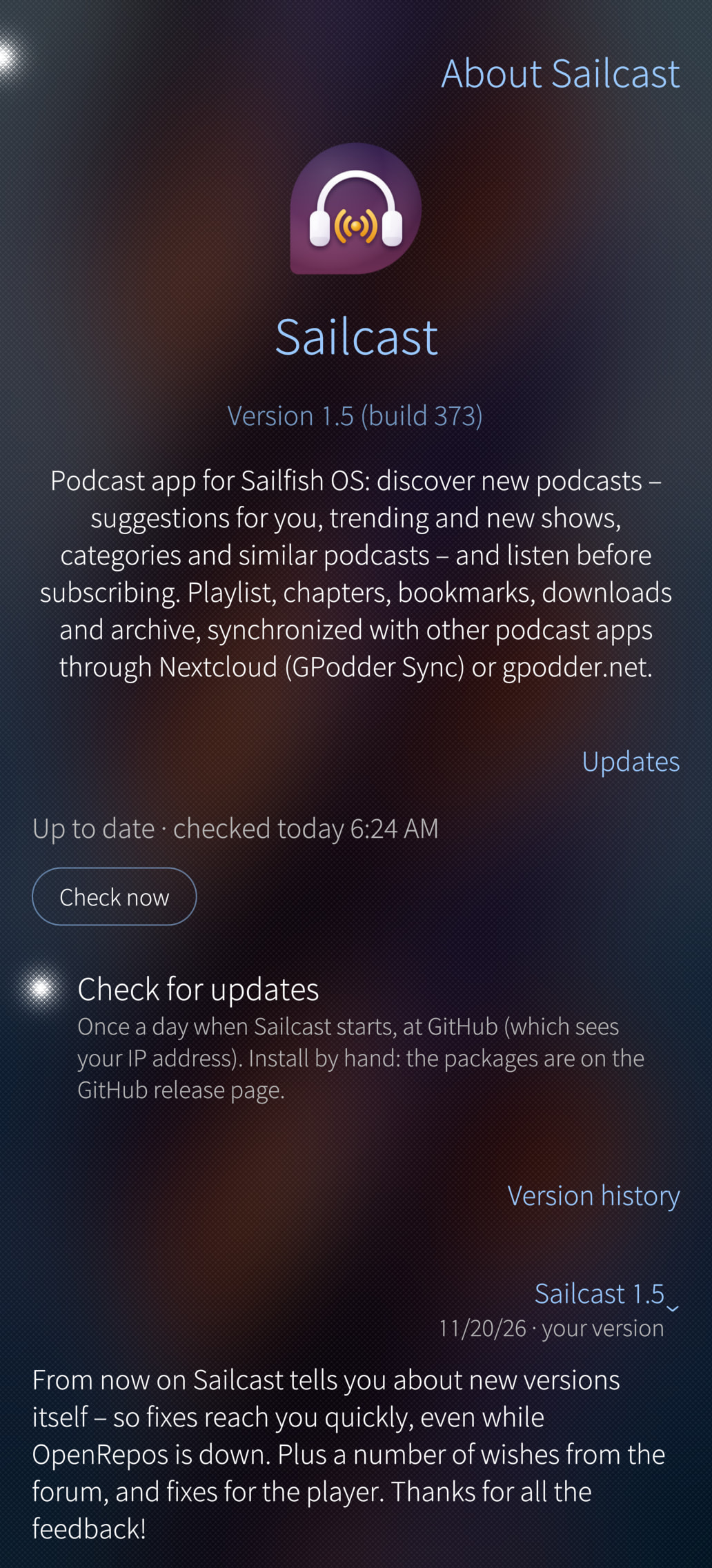
Biggest change first: from now on Sailcast checks once a day whether there is a new version on Github and notifies you with a line on the Podccsts posts when there is one. You can then download and install it right from the About page. So fixes and new features reach you quickly - even while OpenRepos is still not fully working. A future Jolla Store version will still be updated via the Store.

Report a problem

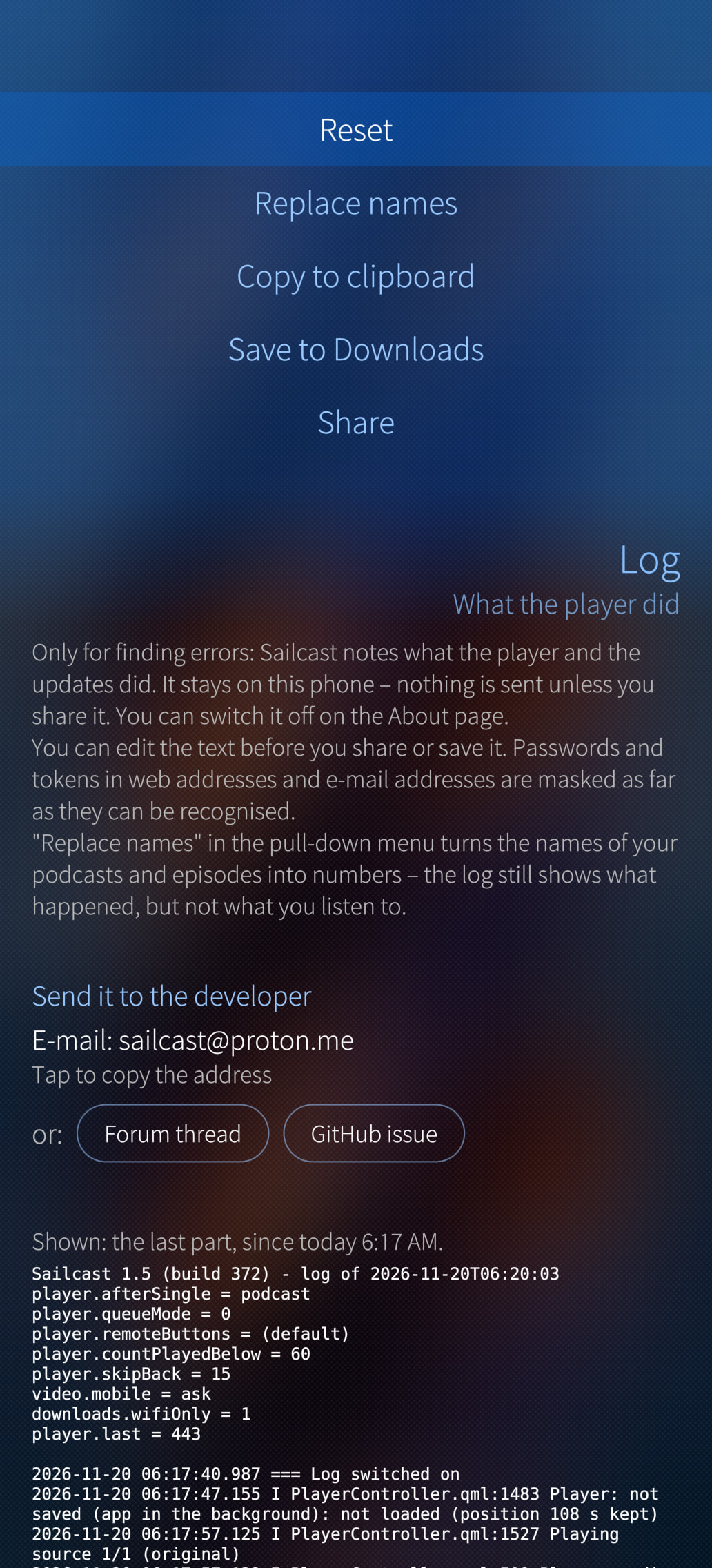
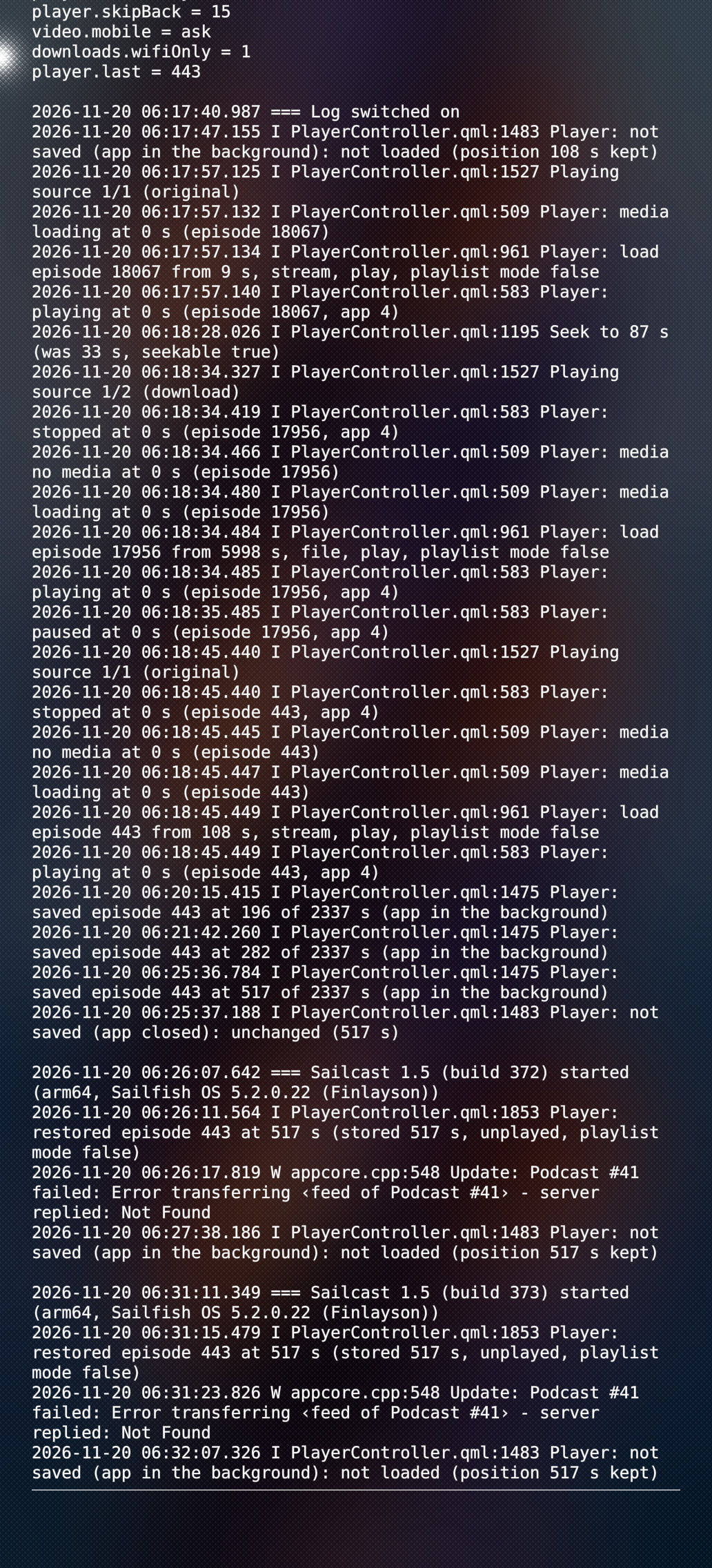
  • Sailcast now keeps a short log of what the player and the updates did. It stays on your phone and is never sent anywhere by the app. You can switch it off in the About page, the log is deleted then. It is on by default on purpose: a log only helps if it was already running when something went wrong.
  • This is purely for debugging purposes like the issues with epsiodes not starting automatically or skipping last positions.
  • About → “Show log” shows the log. You can read and edit it (for example delete lines) before your share , save or copy it.
  • Passwords, tokens and e-mail addresses are always masked - and “Replace names” from the pulley turns the number and names of your podcasts and episodes, their folders and web addresses into numbers ("Podcast #12, Episode #13…), so a shared log shows what’s happening, not what you listen to.
  • You can send the log to me, e-mail address is on the screen and can be copied by tapping it, the use “Share” and select your mail app.

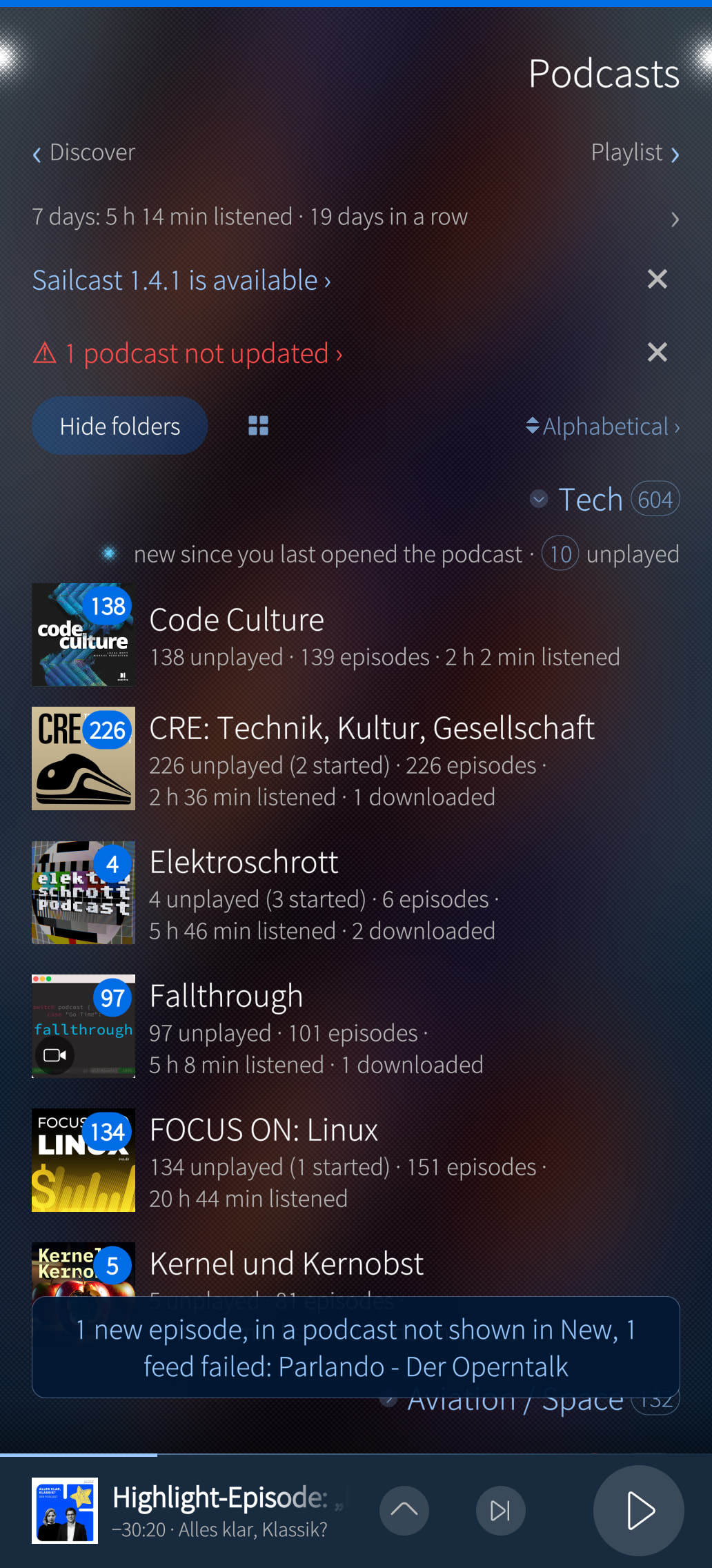
See screenshots.

Other changes

  • Search my podcast is much looser now and find words in any order, from podcast name and episode title. Episodes as search results will show the usual context menu

  • Feeds that could not be updated are now better shown and named - in the message after an update, in a line on the Podcasts page which will tell you what you can do

  • Share my podcasts now allows you to pick single podcasts for sharing

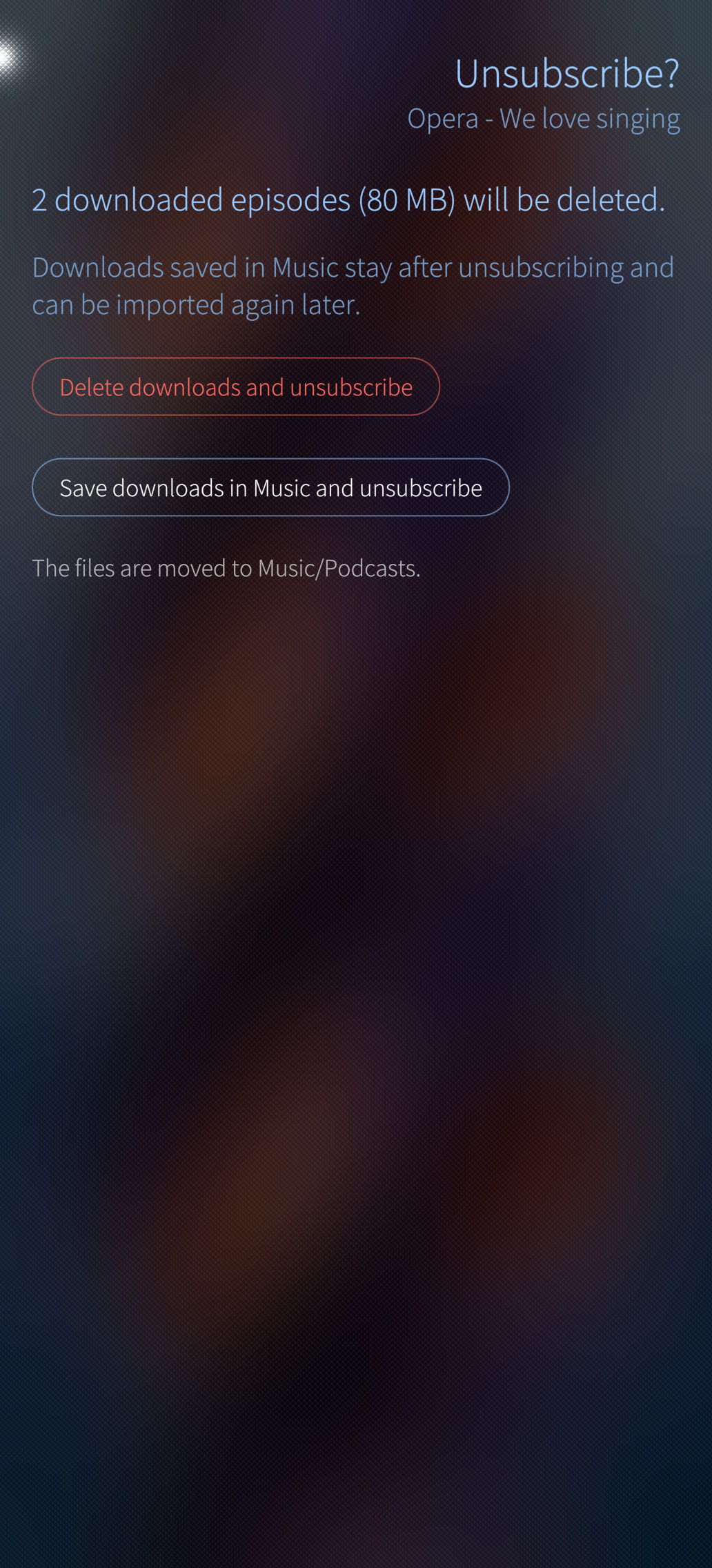
  • Unsubscribing a podcast with downloads asks first and offers to save the episodes in your Music folder, where stay and can be imported later again (thanks @n900n for pointing this out)

  • About page now also shows the version history

  • Bookmark a chapter: hold a chapter on the episode page or in the expanded player and the start of the chapter will be saved as a bookmark. More bookmark features and a rework of the Bookmarks page is coming soon.

    | Podcasts page with update and feed error | Unsubscribe page |

Player fixes

Thanks to the feedback here on the forum (and using the new Log feature myself) I was able to pinpoint and fix player problems:

  • An episode could count as played in the middle and start from the beginning at the next start
  • With the screen locked, the next playlist episode often started only when you woke up the phone by hand. This is now done automatically for a few seconds when an episode has ended.
  • A resumed episode no longer plays a moment of it’s beginning before jumping to the last saved position
  • Switching between episodes could stat the new one from the beginning (the known issues I mentioned on 1.4.1

Changes for privacy

“Recommendations from my subscriptions” is now off until you switch it on (My interests) as it sends the addresses of your 10 most listened podcasts to fyyd. A line at the top of “For you” points you to the switch (again thanks to @n900n for pointing this out)

Full list

Many of the fixes and featues came from your feedback here - thanks again for all your efforts and time! And if something doesn’t work, the new log makes it much easier for me to find the reason. It’s great to see how an app that started only as a small personal project is gaining traction and interest, without being on any store yet.

Greetings,
Thomas

Good morning, I’ll just go ahead and add the download link

Excellent app, smooth and UX well thinked !
A lot of podcast referenced for my country, thank you very much !

Hey, let me start off by thanking you for developing this app, much appreciated! A couple of questions from me:

  • When are you planning to add support for writing to the SD card (still missing on 1.5.1)? Also, where are podcasts saved currently? The option “Downloads in the Music folder” is not selected and my archive folder is set to ~/Podcast. There’s a .db file in a folder called Sailcast-Backups, is that it? Some flexibility in selecting the save location would be appreciated
  • Does your current player support skipping silence? It’s an option I currently use on Antennapod and that I appreciate immensely, would be great to have it

Defining a custom save location on the SD card is the only thing stopping me from deleting Antennapod atm, can’t wait to switch! Keep it up and thanks again

Hello Kissavos,

I have just taken the 2 most important steps for implementing SD card support: I’ve found a spare SD card in a drawer and I found out where to insert it on the Jolla Phone :smile:

So I can now report that SD card support for the next version is already in progress… writing to a SD card is the easy step, the more important things are correct handling when cards are removed, not present when starting the app/download/episode or when files are manipulated on the SD card. Therefore coming hand in hand is a more solid file handling (what @n900n has reported).

Coming with this version is also a more flexible management of locations, albeit limited by Sailjail restrictions.

Audio features like skipping silence, enhancing voices etc… would have to use GStreamer/libgstreamer, which was reported by the sfdk as not allowed on Harbour Store, when I did my first trials.
Since version 1.5, I am already building 2 RPM versions; one with the update feature (RPM’s released on Github) and one without it, for a future Jolla Store release, where this wouldn’t be allowed.
I am looking into implementing libgstreamer into the non-Jolla Store version - but I can’t give an estimate if the hassle of maintaining 2 functional completely different versions would be worth it.

Greetings,
Thomas

Thank you for this app!
It was something I was going to build if no one dared to! :slight_smile:

Thanks for this, looking forward to the next version! I think I speak for everyone in the community in saying that I’d prefer one single well-maintained version of the app, with silence skipping or without, rather than 2 versions that are eventually abandoned because it’s too much work.

So my advice is stick to the official Jolla Store route and make your life easier and simpler. The rest of us get to use a piece of maintained software instead of abandoware!

Keep up the good work!

Regarding file handling I can share my experience with Podcini hosted via F-Droid running on Sailfish OS AAS as example how not to do it.

-Podcini set to download to SD Card. All goes well: folders, naming, comments.. Building a little cosy house.

-Podcini complains external storage not accessible or mounted and automatically reverts to downloading on the device built in storage (Android partition in this case)

-Reboots & restarts of services, whole OS, or updates to Podcini don’t solve the issue.

-Re-selecting the SD Card storage under Podcini settings triggers a data migration process that whipes all previously downloaded data on the SD Card.

No warning!

Issue 100% reproducable. Weither or not this “losing track of SD card” is a Sailfish OS limited issue with Podcini and on native Android it runs fine, I can’t tell since I have no Android to test.

What I would have prefered:

Whenever locations change the user needs to be promted for action.

Automatic switch over from SD to Internal or visa versa should be conciously selected set in the settings

User should be warned about potential data overlap and folders should be merged or overwritten, database reset only when prompted the user for

Without any of that having been confirmed (automatic) downloads seize and functionally falls back to streaming untill memory issue resolved.

Without user interaction about the above their will be no autonomous switch over and the refresh system will check for SD present and just continue as before whenever the previously used SD card gets mounted.

When new SD is detected promt if user wants to download all previously downloaded episodes a new (reconstruct the archive based on DB held download statistics) or reset the download counter and start a brand new download folders structure (Podcini style)

SD Card storage support seems the only way to make an application like this complete.

Personally I find it quite easy to fill several hundreds of GB’s worth of historically or research relevant podcasts. The idea is not to take them out of one cloud (big podcast) to put them on another (i)cloud but to conserve for “offline on the go” and share locally to play back even on pre 2YK computers.

Thanks for taking the feature set of Sailcast next level, it was frankly quite unexpected after so many years of nothing moving.

Hello n900n,

thank you so much for taking your time and sharing your problems and experiences with Podcini. This is so much more worth than any feature request as I get to know where things go wrong. As losing an archive worth GB of data is the worst case, I hestitated at first to implement SD card support at all, but I am happy to confirm that work is underway for support in version 1.6 :slight_smile:

Most of your conditions are already implemented in my developments builds and currently tested:

  • if the card is missing (either physically or by unmounting), nothing is removed. Sailcast will keep every download entry and simply waits. When the same card comes back again, everything is there again, without migration or reset. The card itself is recognised by it’s file system ID, so a different card with same name isn’t mistaken.
  • Downloads are stored in readable folders per podcast, with a M3U playlist file, a cover (folder.jpg) and an episodes.json with episode data. That way the folder works with other players without Sailcast. I am testing this with the native Media player.

working on until 1.6:

  • no automatic switch between SD card and internal storage. Withouth the card, downlaods pause and episodes are streamed instead (with respecting the WiFi rules)
  • changing the storage location never moves, overwrites or deletes anything on it’s own. There is already a page for handling moving of data when you switch between internal storage and Music folder (either globally or per podcast) - this will be enhanced for handling SD card as well
  • when the target folder is already in use, the app will ask whether to merge (so keeping existing files, not overwriting files with the same name) or cancel
  • the database is never reset unless you explicitly choose so

As for your idea of a “new card”: I am planning that Sailcast would ask what to do:

  • use the new card as the new location (old entries stay assigned to the old card)
  • forget the old card => downloads on the old card are set back to state not downloaded
  • or rebuild the archive via downloading everything again that has been downloaded before

The first 2 options will come with 1.6, rebuilding the archive is a larger rework, so likely will come in a future release after 1.6

Expected ETA is somewhere in the coming days.

Greetings,
Thomas

I’d really like to switch from Podcatcher. Is there a way to transfer my feeds and downloaded podcasts?

Are there other people who like to listen to podcasts at faster speeds, like 1,2x? Can such a feature be implemented?

Greetings,

Alex

Playback speed setting is already there, as is OPML import. So if Podcatcher can export its feeds as OPML, you should be set. You’d have to redownload the actual files though.

Hello,

yes, like grawuzikapuzi already answered, the easiest way is importing an OPML file that has been created on your old player. When opening Sailcast for the first time you are offered to import an OPML.

When you extend the player (the bar in the lower part) with the “up”-arrow, you have the option to change speeds. From the episode page (for example when pressing the cover of an episode on the player), you have the same options.

Hope you have fun with Sailcast and if you have any problems or need help, just let me know (also via DM).

Greetings
Thomas