Sailcast 1.2 released – download from GitHub
Hello everyone,
I have now published the teased version 1.2 of Sailcast on Github. This post explains the new features and changes as well as how to install the app until it is available on OpenRepos and in the Jolla Store. It’s quite a big update – it should make Sailcast nicer to use and adds features you may know from podcast apps on Android or iPhone plus several suggested here in the thread.
Download:
Release Sailcast 1.2 · t-sappl/harbour-sailcast · GitHub – OpenRepos follows as soon as it accepts uploads again, I will also submit this version as the initial release for the Jolla Store 
How to install the RPM on the phone – no command line needed:
- Once: Go to Settings → Untrusted software → allow installation
- Download the RPM for your device from the Github release page (at the end of the page under “Assets”)
aarch64– 64-bit devices such as the Jolla Phone (2026) and Jolla C2armv7hl– 32-bit installations (older Xperias)i486– Jolla Tablet and the emulator
- Tap the downloaded file (browser downloads or with Files app → Downloads) and confirm “Install”
Updating from an earlier version works the same way – just install the RPM of the new version and all your podcasts, settings and listening state stay.
(Command line alternative: devel-su pkcon install-local harbour-sailcast-1.2-1.aarch64.rpm)
New features and changes:
Thanks for all the feedback in this thread and via DM, a lot of it went straight into this version.
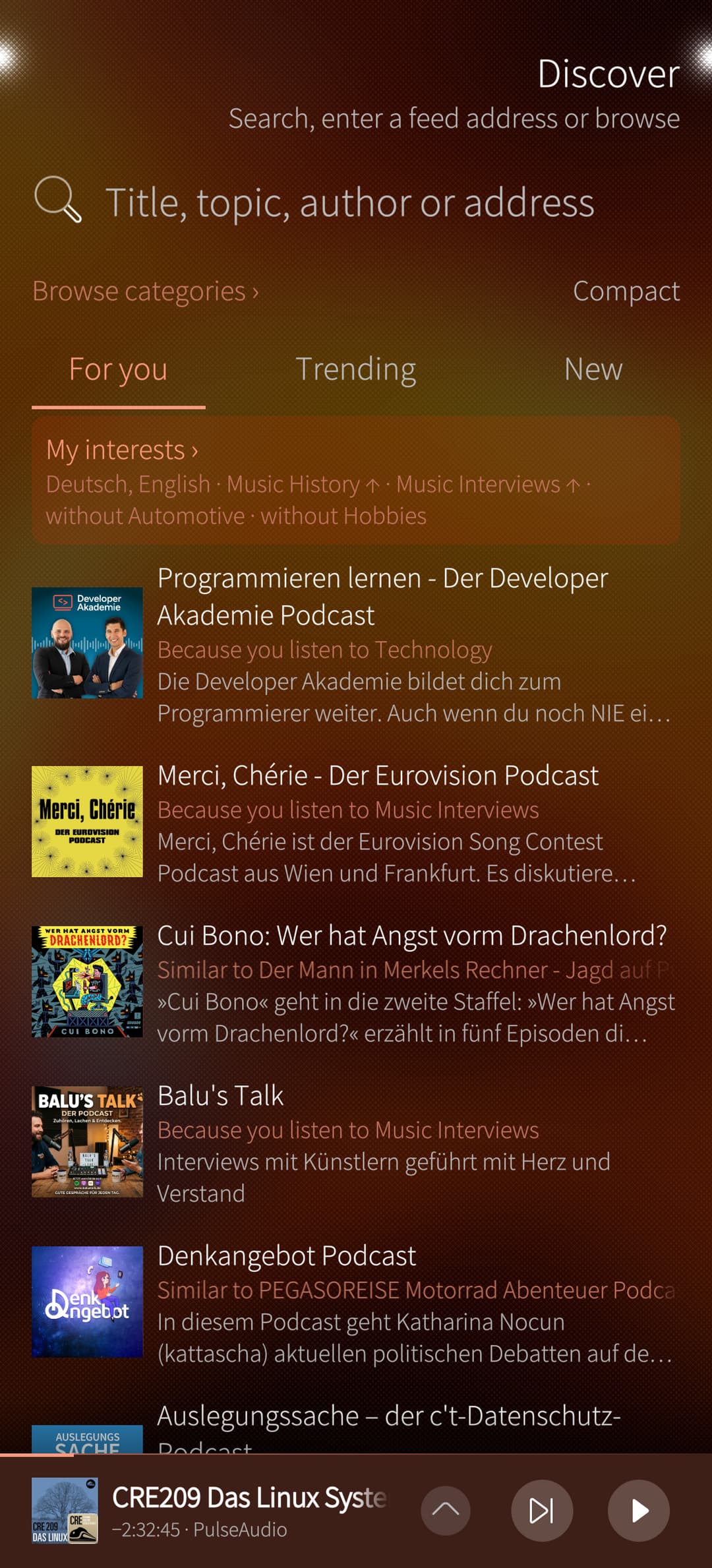
Discover
This is a completely new section - combining the former “Search / add podcast” page with “Discover” features:
- For you – suggestions based on what you actually listen to (your languages, categories and keywords, and podcasts similar to your favourites), each with the reason why it is suggested
- Trending podcasts from Podcast Index (german) and fyyd (english)
- New - first episodes of new German-language podcasts from fyyd / curation “Nullnummern” by Hörsuppe, trailers of new English-language shows from Podnews
- Browse categories, and similar podcasts for every podcast
- My interests – a visually pleasing page where you can refine your interests in each category and subcategory (more, less or never), plus keywords and languages
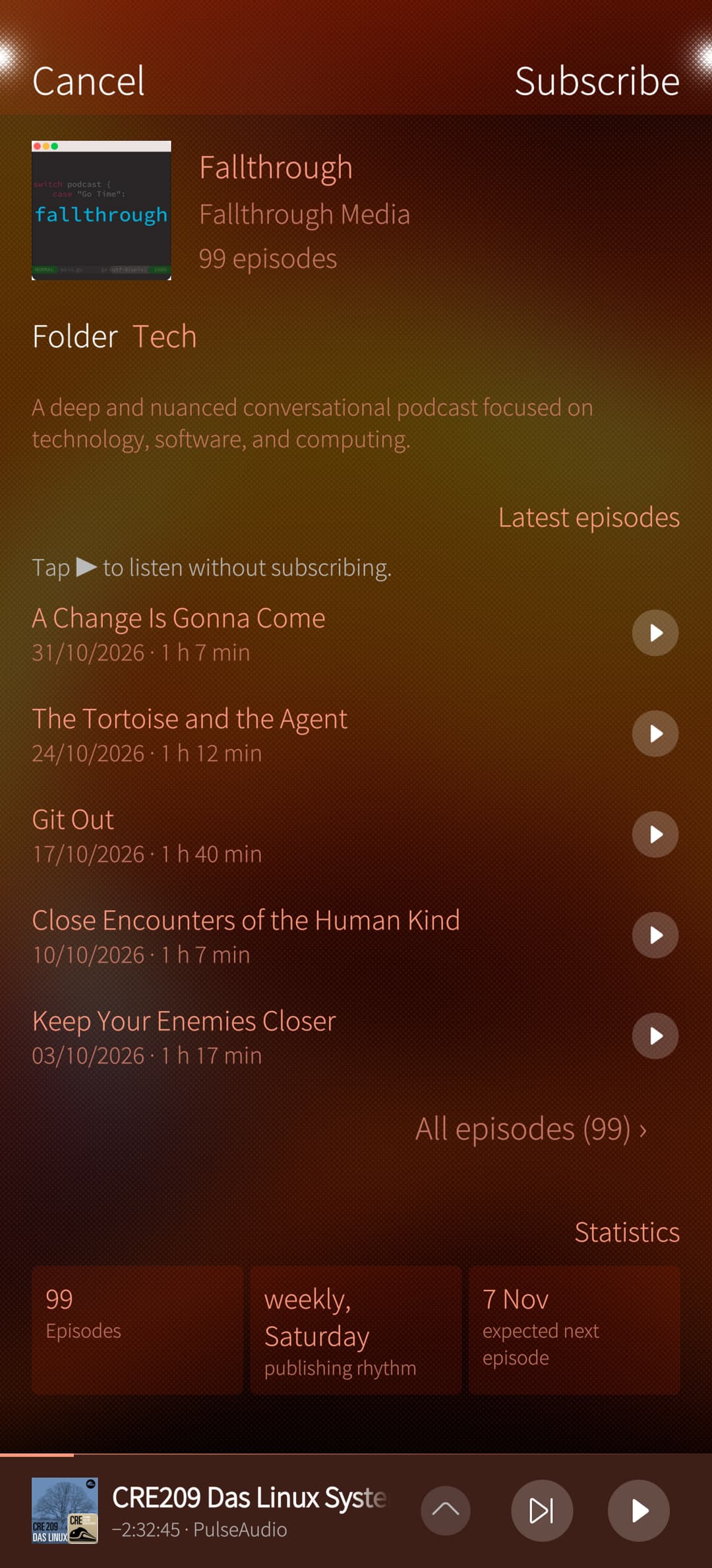
- Listen without subscribing - episodes can be listened to without subscribing the podcast, so you can try the latest episodes first or listen to the trailers to get hooked
As before, you can enter the URL of a feed, the URL of a website containing a feed (Sailcast finds all podcasts on this page), or just search by keywords.
Discover is a ring page between New episodes and Podcasts (on by default, can be switched off in Settings → General, can then be opened via the pulley on the podcasts page)

Other features and refinements
- Podcast page with statistics (hours listened, publishing rhythm, expected next episode) and long episode lists grouped by season or month
- Choose episodes to download, or to mark as played/unplayed – also optional on OPML import: only the newest episode unplayed (thanks @laoshu)
- Add all unlistened episodes of a podcast to the playlist at once
- An expanded player bar: seek, skip, speed, bookmark, sleep timer, and tabs for chapters, bookmarks with notes and what plays next
- The playlist plays in the order you see it; “next” skips an episode for good (played), and “Recently heard” brings it back where you left it
- Downloads in your Music folder – for all podcasts, chosen per podcast (one list in the settings), or single episodes kept there for good; by default they stay hidden in the app’s folder. Option to move existing downloads to the new location. Half-finished downloads resume and are cleaned up after a week – thanks for the question here in the thread @yusssufff
- Search on the phone - a switch to search also the episode descriptions / show notes (thanks @Eudoxos)
- Browser links like podcast://, pcast:// and itpc:// open Sailcast (also when it is closed) and show the podcast to subscribe
- First start experience - buttons on the empty pages to discover podcasts, set up the sync or import an OPML file, “What are you interested in?” in Discover, and short one-time hints where they help (player bar, podcast menu, folders, bookmarks, skipping)
Fixes: changing the speed while playing now takes effect at once; streams that hang on a weak network recover by themselves
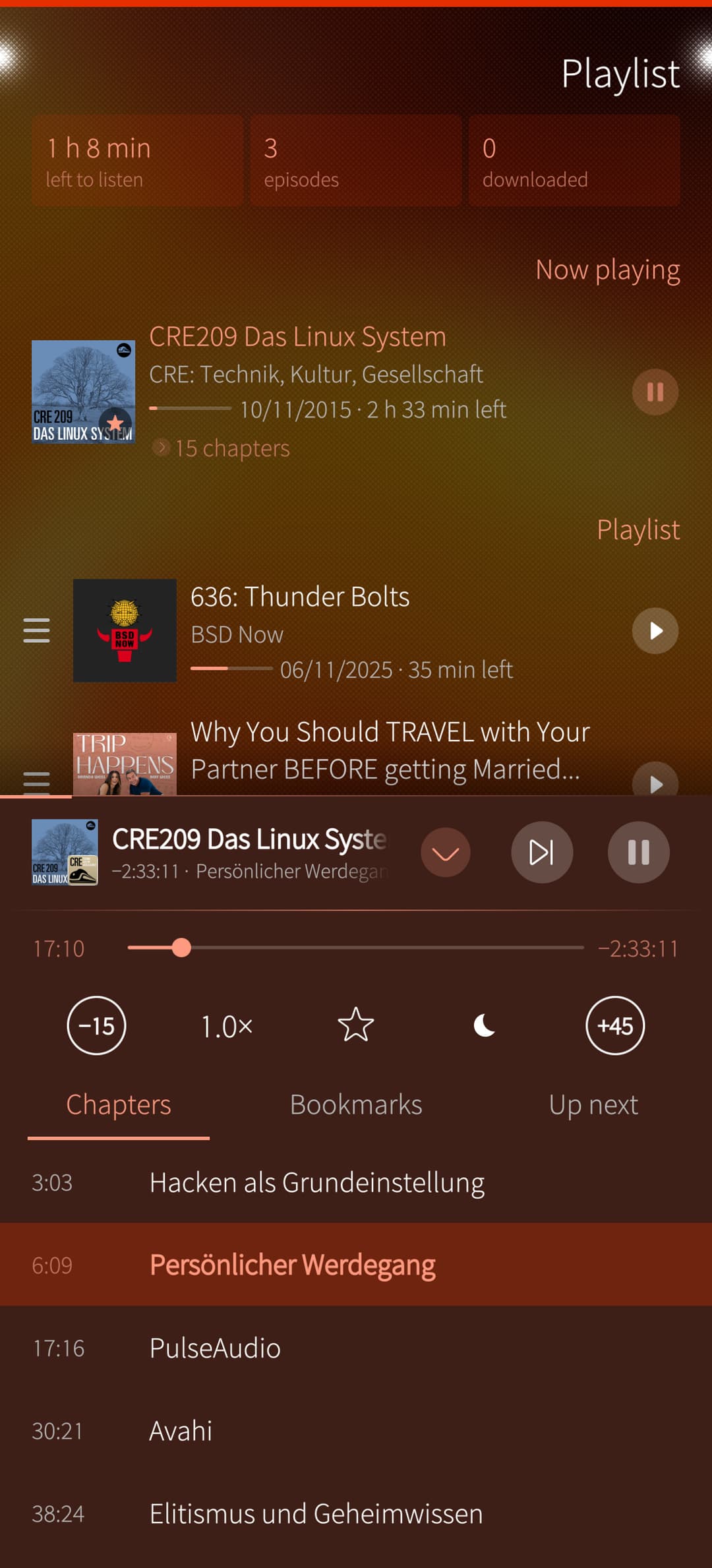
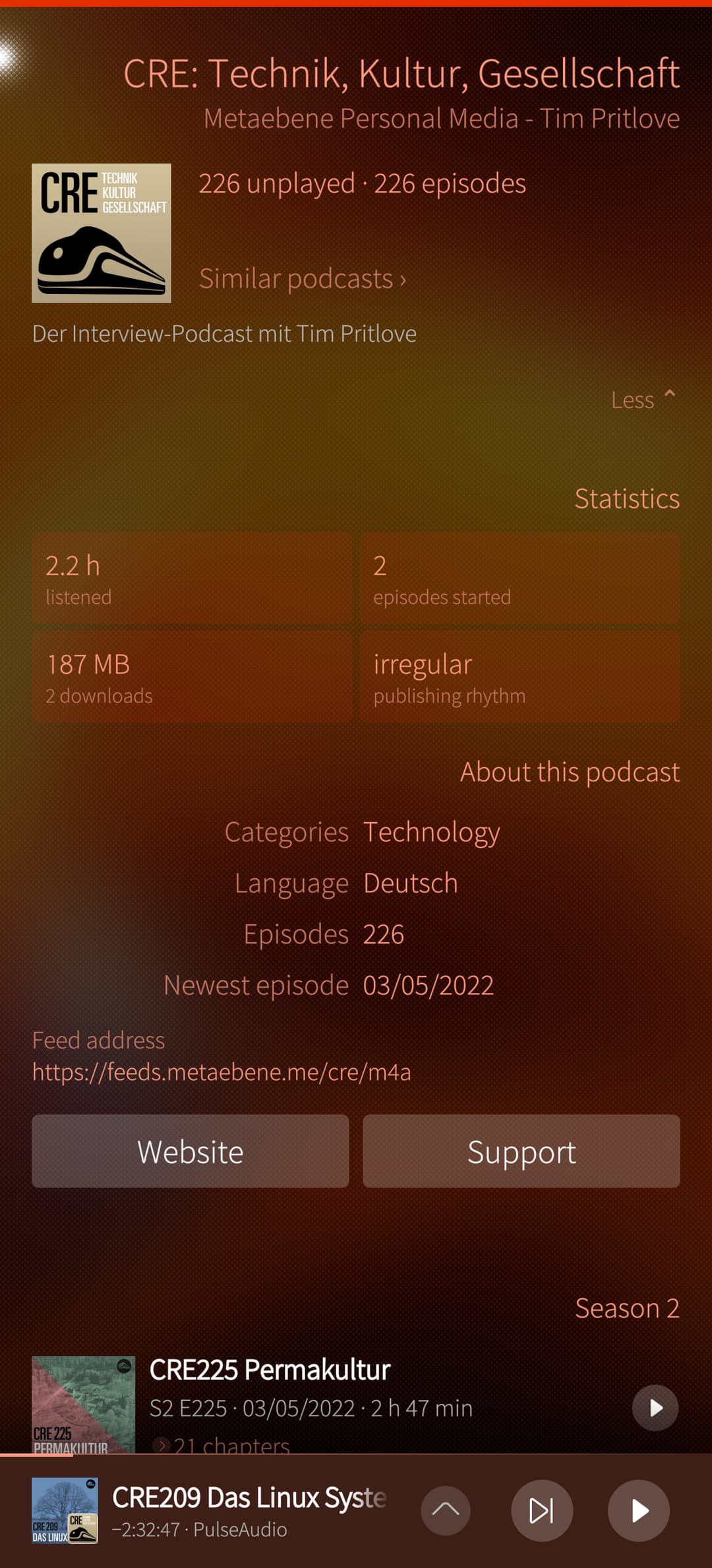
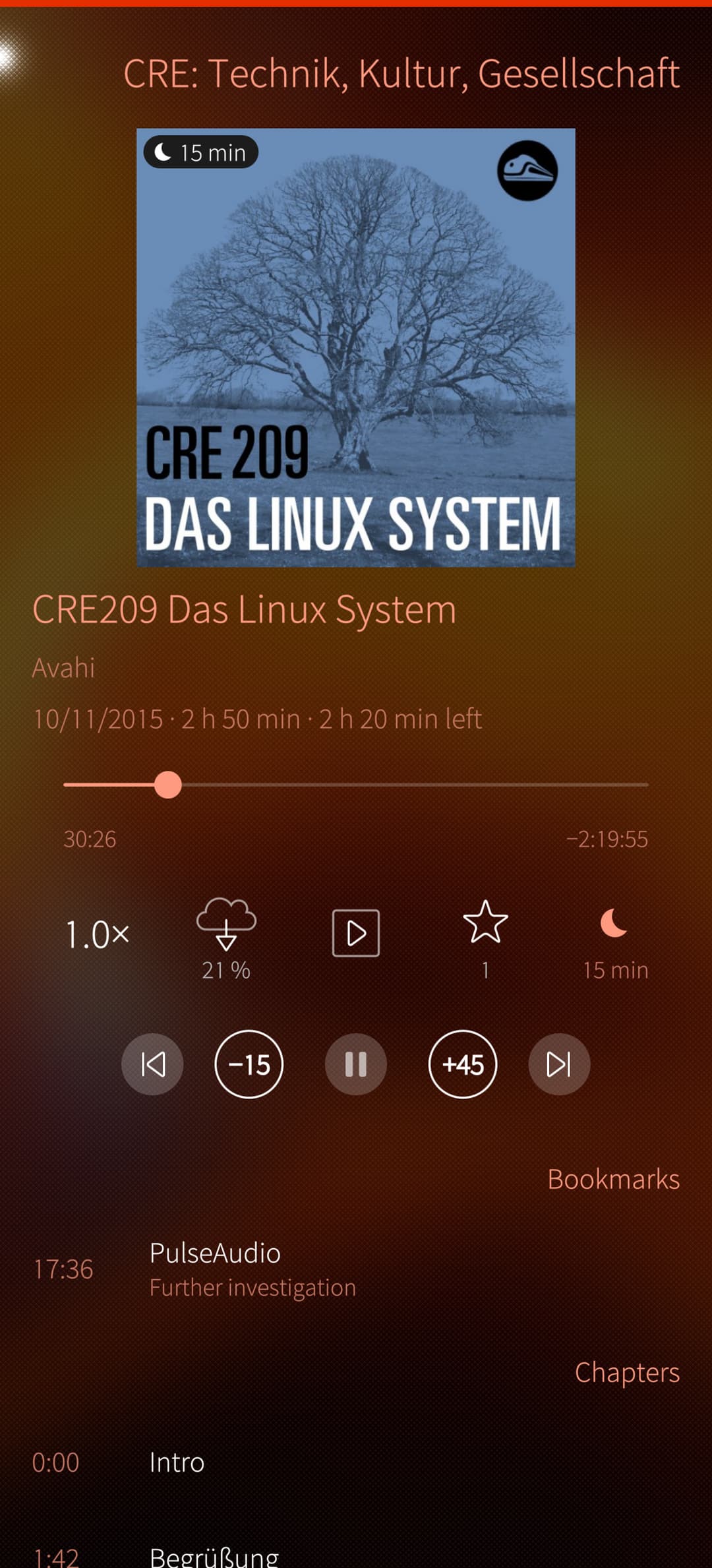
Playlist, expanded player bar | podcast details | episode page
Planned for 1.3: downloads and archive on the SD card or via WebDAV/Nextcloud, chapters from the show notes for podcasts without real chapters, and more curated lists from fyyd in Discover.
I’m also happy to include further suggestions from this thread – let me know what you like, what you don’t and what you’d like to see 
Privacy: Discover only sends languages, categories and search terms; “Recommendations from my subscriptions” (can be switched off) sends the addresses of your 10 most listened podcasts to fyyd. Details in PRIVACY.md.
As before, developed with the assistance of Claude – I decide and test everything on my Jolla Phone
Greetings from Vienna,
Thomas