I can happily announce my first port. I made an aarch64 port of SailfishOS for the XperiaX Compact. I made sure that waydroid is working too. you can find an image and install instructions here. GitHub - smatkovi/sailfishos-kugo · GitHub
wait! I can now actually use my Xperia X Compact with latest SailfishOS? ….cool, love you (no homo)
I currently have Ubuntu Touch on it, which just sucks. Before that I used a hacky solution where SailfishOS for the standard Xperia X was patched to support the Compact version (which only worked for so long).
Its nice to have also small phone with sailfishOS, the JP26 is so big & especially heavy
3 Likes
GREAT news! Xperia X Compact was designed almost like Nokia N9.
JP26 is sooo big and heavy, its hard to use with one hand and fit in pocket.
Hopefully JP27 will be something like Xperia X Compact with 2 front facing speakers and slimmer bezels 
Thank you!
2 Likes
I tried to install it and didnt work for me, first the script then manual
Might be because I had ubuntu touch previously installed. I guess OEM/stock firmware should be reflashed, but I dont know where to fine them as Sony dont provide them anymore
1 Like
well I tried that to reinstall/flash them, but no it didnt help.
oh and btw. your guide says to “fastboot boot twrp-3.7.0_9-0-kugo.img” but it seems X compact doesnt support it and you can only “fastboot flash recovery …”
——
here is the binary, it does exist by Sony if know how to find it
and here is the firmwares, a 3rd-party archive…either use xflasher or newflasher to get its files flashed.
1 Like
oh right it’s fastboot flash recovery, yes
1 Like
you need SW_binaries_for_Xperia_Android_8.1.6.4_r1_v13_loire.zip Software binaries for AOSP Oreo (Android 8.1) – Kernel 4.4 – Loire (v13) | Sony Open Devices
2 Likes
Thank you @smatkovi, this is great news! 
I’m running my X Compact with SFOS 4.6.0.15 with the patched X images, without Android/AppSupport, since it is useless to run the dead Android 4.4.
I’m considering installing this version, but I have a few questions.
- When version 5.2 (or later) is available, will it support OTA updates? Or should we wait for you (or anybody else) to build and provide new images? And then do we have to reflash the whole system again?
- The installation instructions suggest installing WayDroid with Lineage 17.1 (Android 10 SDK 29), which is also quite outdated. Is there a chance for a newer Android/WayDroid version?
- I also have an XA2 with 5.1.0.11, but I don’t see any significant changes over 4.6. Is it worth installing 5.1? (I know there are a lot of changes in the background, but most of them does not affect daily usage.)
Thank you in advance.
1 Like
oh it was that one, well I tried that one as well and it didnt work either.
okay i will get home by August 20th, then i will check what’s wrong
3 Likes
-
i don’t know if there will be ota updates, i will have to find out how to do that.
-
this is the last version of android that will work on this phone in waydroid to my knowledge. i tried patching back and forth and this was three only working combination.
- i don’t know by heart what the changes to 5.1 were
1 Like
It fits perfectly in an average Westeners hand and also in luxurious western European pockets, I must say. 
4 Likes
If you have built the image from OBS sources it can be OTA updated
1 Like
how much do you need the ability to take pictures or record videos? the cameras work, but saving the files doesn’t work. okay well taking a selfie works, but i think the main camera is more important. i had a wrong path in the script - this is now corrected on github, but i don’t know why this doesn’t work. i have two x compacts, one that is working perfectly and at the second i wanted to try the flashing procedure, but this last thing doesn’t work unfortunately
1 Like
my main phone is JP26 and testing phone is Xperia 10 II so I personally dont care so much if some feature dont work on it, I just like it to have it in mostly working condition . OC someone else might care if they wanted to use it as their main
If you already flashed with the old instructions (device stuck at the Sony logo): no need to start over — the rootfs just ended up in the wrong place. Boot into TWRP (power off, hold Power + Volume-Down), connect USB, then:
adb shell
mount /data 2>/dev/null || twrp mount data
cd /data && mkdir -p .stowaways/sailfishos
for f in * .[!.]*; do case "$f" in .stowaways|lost+found|media) ;; *) mv "$f" .stowaways/sailfishos/ ;; esac; done
sync && reboot
The very first boot is slow (2–3 minutes after the Sony logo) and can be a bit rough — finish the setup wizard, then reboot once; after that everything comes up cleanly.
2 Likes
yeah it seems to work, and first boot was fast at least for me. (DAMN the app icons are HUGE on the phone…way too big)
anyway I just flashed everything ..just in case because I already messed around with it before as mentioned and I didnt do some wiping that might be good to do.
There is was minor problems with the script at TWRP/adb phase, its aborts if you answer y instead of yes
oh and it somehow failed to find the /data/.stowaways/ files first time, then I tried again and it worked, maybe it would be a good to it trying again or ask if it should try again. Oh and maybe add a checksum
and there is issues to finding the phone when its in TWRP and you just need to try few times until it finds it, it would be good to mention this in the guide so you wont get asked things
last thing, add the TWRP download link to make it more convenient
1 Like
these icons are kind of WAY too huge by default, not sure if this is something you can change or if this is sailfishOS thing, I know this can be changed 3rd-party means afterwards but it would be nice if this could be fixed by default.
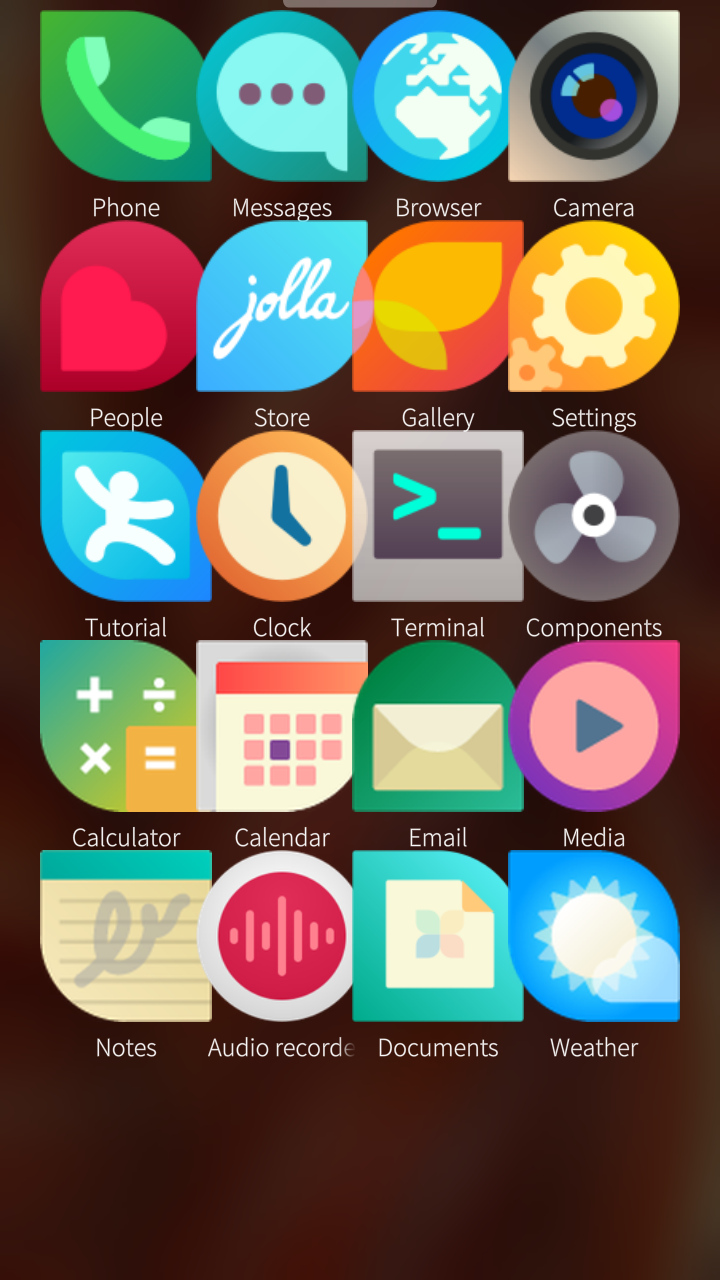
edit/update: I checked with Muoto app and the launcher icon size was set at (max) extra large 172? the Jolla phone has Large 151. I set the icons size at “default” 108 and that seem more normal
2 Likes
some of the jolla default native apps dont seem to work, seem to be a sailjail issue as they do run when I run on terminal (and it skips the sailjail sandbox), at least the weather app did.
Apps that dont work: phone, clock, calculator, calendar, notes, audio recorder
Apps that do work: messages, camera, web browser, people, store, gallery, settings, terminal, email, media, documents
(seem to be affecting some 3rd-party apps as well)
1 Like
oh right that’s the second problem