WhatsUp is back, and better than ever!
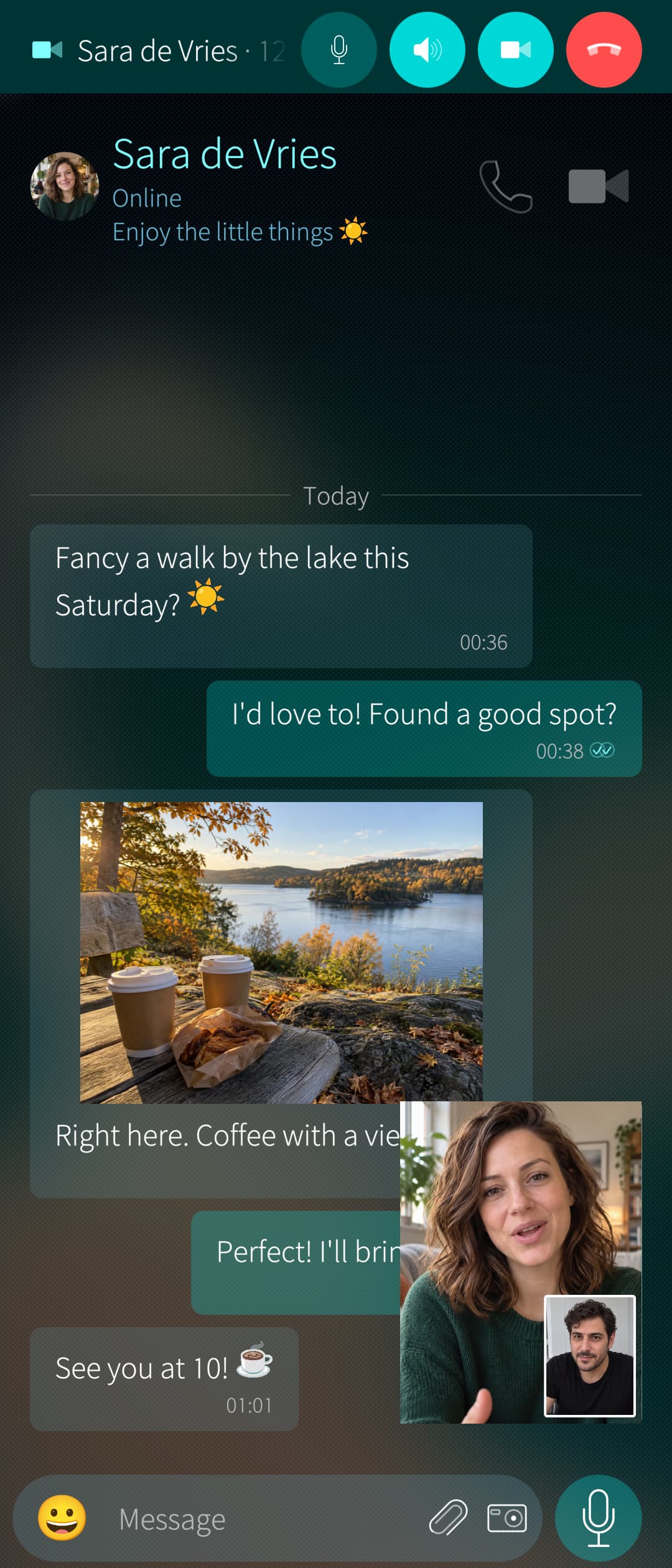
A familiar name returns to Sailfish OS! Enjoy your conversations in a native app, with voice and video calls, more freedom, and features worth getting excited about!
To use WhatsUp, you need an existing WhatsApp account. Link WhatsUp as a companion device using the official WhatsApp app on your main phone.
Unique features
- Make voice and video calls! Bring friends together in group calls too!
- Keep your call on screen! Use picture-in-picture while you do something else!
- Connect multiple accounts! Switch between them whenever you like!
- Read on your terms! Choose when messages are marked as read!
- Keep view-once photos and videos! View them and save the moments you want to remember!
- Don’t lose the conversation! Still see messages you received even after they’ve been deleted!
- Never miss a status! Revisit statuses you received after they expire or are deleted, and choose who can see the ones you post!
- Save profile pictures! Keep a picture even after someone changes it!
- Make space for privacy! Protect selected chats, control who can call you, and switch to Offline mode when you want a break!
- Send messages at the perfect time! Schedule them once or set them to repeat!
- Reach everyone easily! Create broadcast lists and set up automatic replies!
- Bring your chats to life! Send stickers and find GIFs with KLIPY or GIPHY!*
- Make it yours! Choose sounds and notifications for individual contacts and groups!
And of course, enjoy the essentials: chats, groups, photos, videos, voice messages, reactions, pinned messages, text formatting and more!
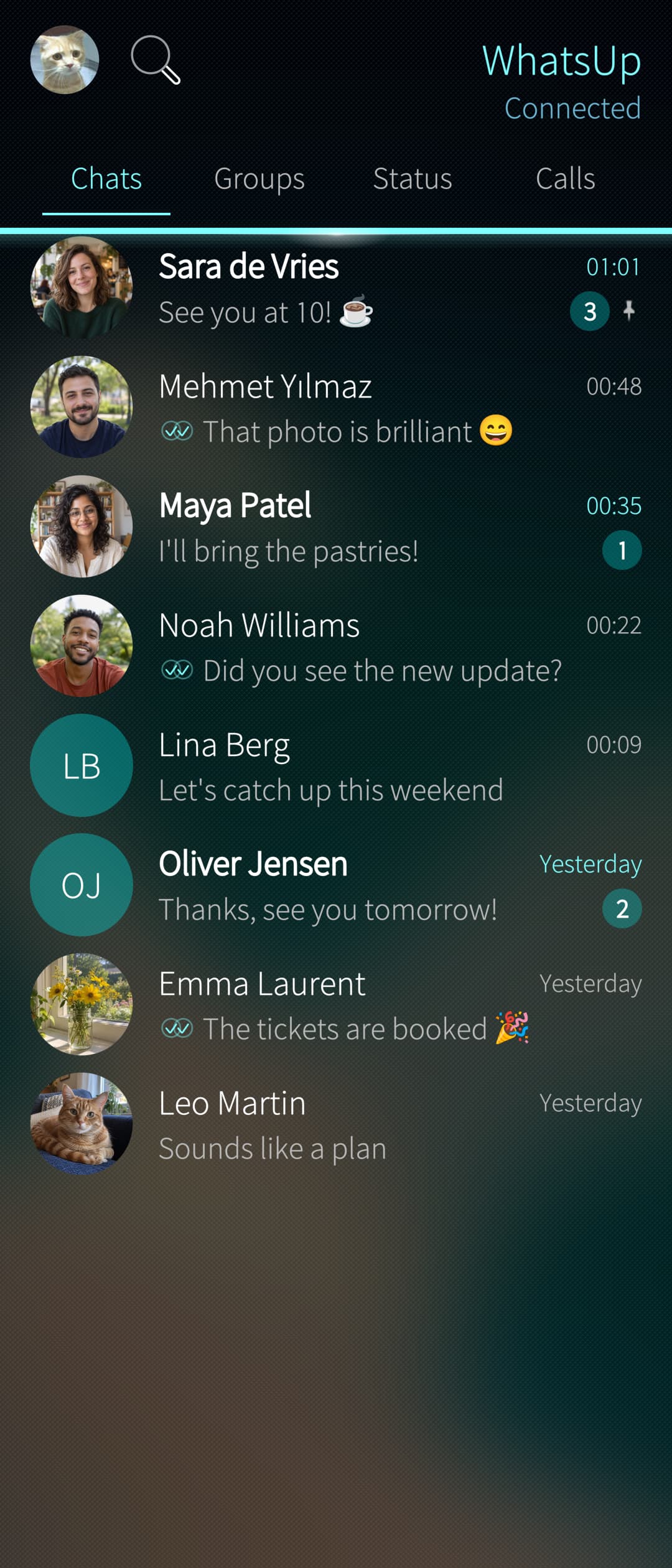
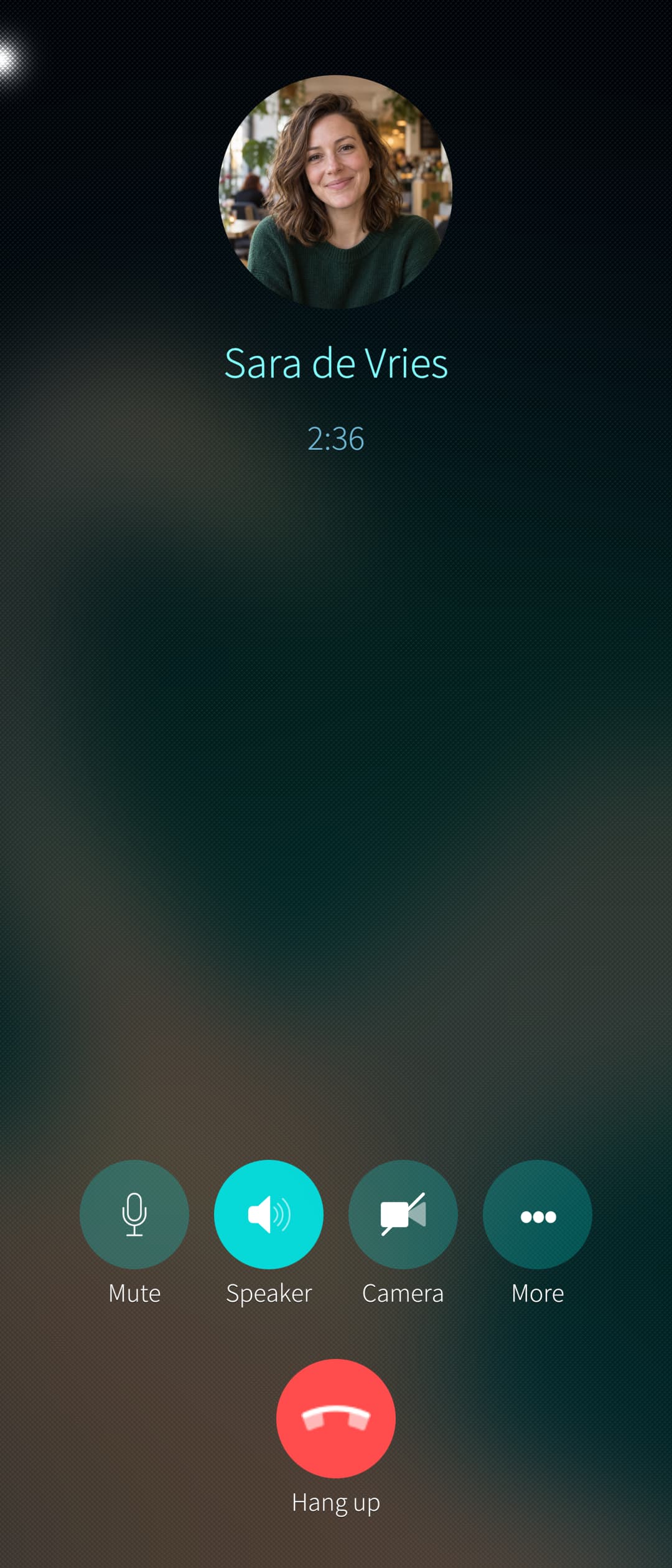
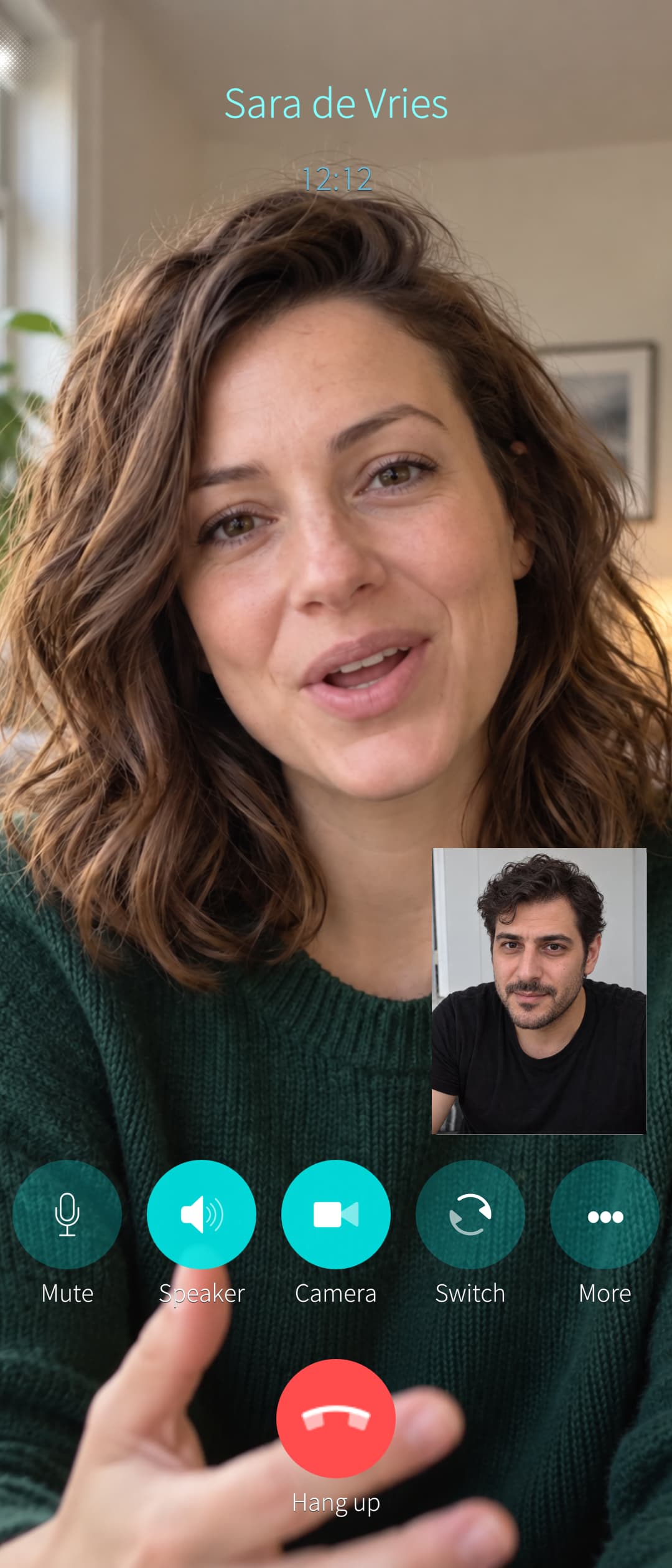
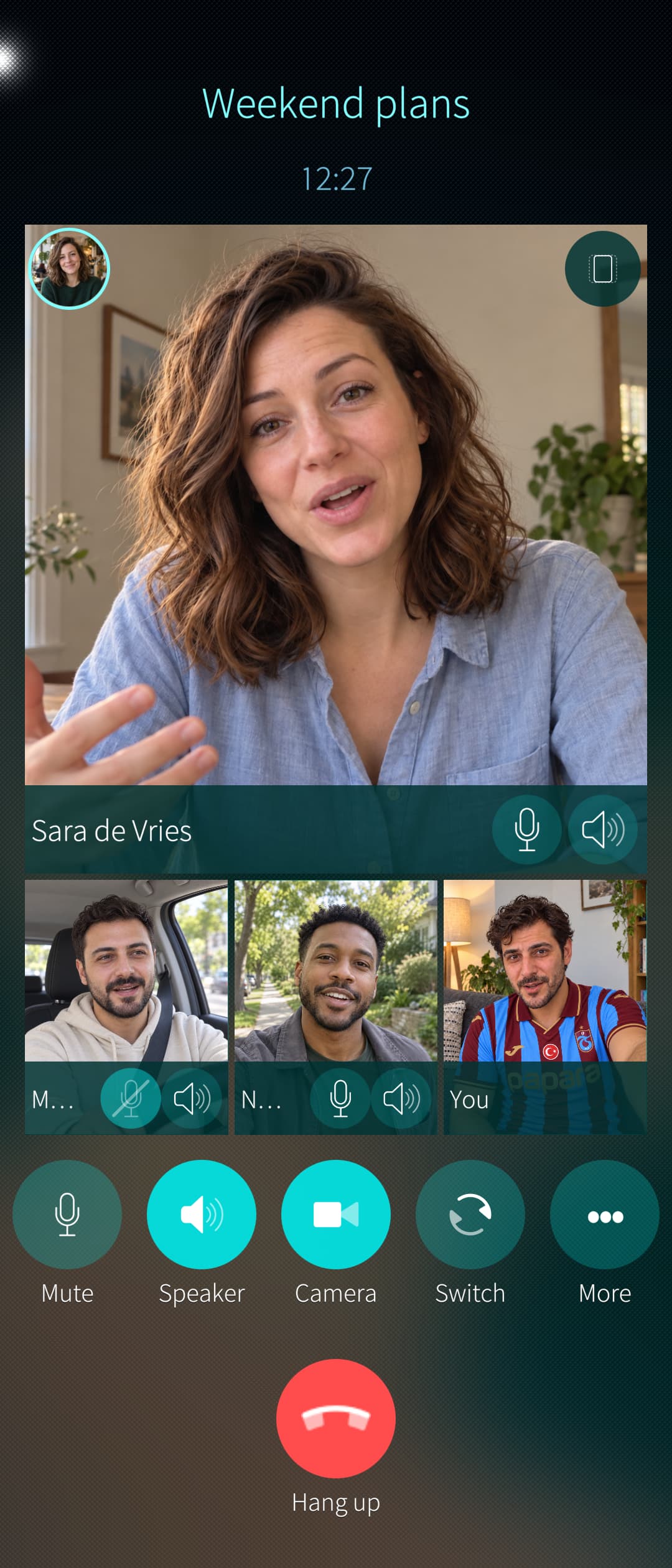
Changelog
1.0.0
Initial release
1.1.0
New features
- Create and manage Communities and their groups.
- Mute or archive groups from within a Community.
- Leave or deactivate Communities.
- Added support for 42 different languages.
- Separate Groups and Communities into sections you can expand or collapse.
- Choose whether Groups or Communities appear first.
- Save GIFs to your gallery or add them to your stickers.
- View, save, change or remove group pictures.
- Remove your own profile picture.
Fixes
- Received GIFs now display and play correctly, with three loops and a replay button.
- GIF previews no longer disappear when scrolling through the picker.
1.2.0
New features
- Choose to stop WhatsUp when you close it.
- Optionally show a bold header when Private chats have unread messages.
Fixes
- Fixed missing words when sending or saving text with the stock Sailfish keyboard.
- Reduced memory use when all accounts are offline and WhatsUp is closed.
1.3.0
New features
- Pin communities and groups within communities.
- Optionally show pinned community groups directly in the Groups tab.
- Join an ongoing group call, including switching from another linked device to WhatsUp.
- Saved pictures, videos and statuses now use the sender’s name or number and the original date and time.
Fixes
- Videos saved to the gallery now go into Videos instead of Pictures.
- Fixed rotated video and incorrectly mirrored selfie previews during calls.
- Group calls with only one other participant now use the regular call layout.
1.4.0
New features
- Export conversations and group chats as TXT, HTML, CSV or JSON, with optional downloaded media.
- Load more older messages from your main phone.
- Turn off read confirmations completely.
- Choose when to confirm that you’ve listened to a voice message.
- See when someone has listened to your sent voice messages.
- View message information, including delivery, read, listened and deletion times where available.
- More compact message menus with actions side by side.
- Choose whether profile status text follows the header or is centered.
- An icon beside Connected shows when Auto-reply is enabled.
Fixes
- Bold, italic and other formatting now appear correctly in chat-list and cover previews.
- Incoming typing indicators work even when your own typing indicator is disabled.
- Contact initials no longer include punctuation or symbols.
- Errors appear as warning popups instead of taking up space on the page.
- Community groups no longer briefly appear as ordinary groups during startup.
1.5.0
New features
- Added support for Channels.
- Follow channels and read their updates.
- Find channels by name or add them using a link.
- Explore categories such as Sports, Entertainment and News.
- Get recommendations for your account’s country, or choose another region.
- Add emoji reactions to updates.
- Mute individual channels or turn off all channel notifications.
- Move channels to Private.
- Choose automatic media downloads and saving to your gallery.
- View and save channel profile pictures.
- Show unread update counts on the Channels tab.
- Hide the Channels tab if you don’t use it.
- More ways to customize WhatsUp.
- Show tab names or icons.
- Choose which notifications show profile pictures for chats, groups, statuses, channels and calls.
- Easier navigation.
- Search settings to find options more easily.
- Appearance settings are organized into separate sections.
- Refresh the current list from the main header menu.
- Choose whether WhatsUp starts automatically when your phone starts.
Fixes
- Improved text formatting.
- Bold, italic and other styles display correctly in status-list and pinned-message previews.
- Formatting works next to emojis.
- Notification previews no longer show formatting markers.
- Opening a notification correctly loads the name and profile picture.
- Text sent with documents is shown correctly.
- GIFs are labelled correctly in message previews.
- Photos sent from the gallery display with the correct rotation on your own screen.
1.6.0
New features
- Create and manage channels.
- Post text, photos, videos, voice messages and attachments.
- Invite followers and admins with editable invitation messages.
- View followers and their profile cards.
- Manage pending admin invitations and transfer ownership.
- Configure reactions and follower/admin notifications.
- View channel alerts and available insights.
- Keep deleted channels as locally archived history until you remove them.
- Share channels and their updates.
- Share channel links, individual update links and QR cards.
- Customize QR colors, footer text and optional app logo.
- Show available view and forward counts.
- Forward updates using the shortcut beside reactions.
- Mark updates as seen according to your read-confirmation settings.
- On-device translation.
- Download packs for 19 translation languages.
- Translate chats, groups, channel updates and edit-history revisions.
- Set custom translation languages per conversation.
- Translate multiple selected messages.
- Choose text or icon controls, or hide the inline Translate button.
- Copy, partially copy, share and forward translated text.
- Profile QR codes.
- Share your contact QR card.
- Scan contact and channel codes using the camera or Gallery.
- Camera selection, flashlight and tap-to-focus controls.
- Video-call controls.
- Rotate each camera view locally.
- Zoom and pan another participant’s video locally.
- Zoom and pan your outgoing camera view.
- Choose between cameras exposed by the phone.
- Cover and privacy options.
- Separate counts for unread chats, groups, unseen statuses and channel updates.
- Optionally mute calls when muting a conversation.
- Disabling Channels stops channel retrieval and excludes channel unread counts.
- Statuses created in Private remain in your Private view.
- Calls inside conversations.
- Show incoming, outgoing and missed calls.
- Tap for call information or hold to delete.
- Deleting a call removes it from both the conversation and call list.
- Phone-number and profile actions.
- Tap phone numbers to copy, save or open them in the dialer.
- Registered WhatsApp numbers also offer contact information, messaging and calls.
- Tap voters in poll results to open their profile cards.
Fixes
- Fixed edited messages arriving as their original version, including edits from another linked device. Previously received versions remain available in edit history.
- Improved text formatting around punctuation.
- Fixed native Sailfish sharing into WhatsUp, including media previews, editing and View once before sending.
1.7.0
New features and improvements
- Tab appearance.
- Choose Names, Icons, or Names and icons.
- Improved sizing for longer translations and smaller screens.
- Unread badges overlap icons, or appear centered above text-only tabs.
- Apply app-language changes immediately without restarting WhatsUp.
- Small changes in the Settings layout.
- Added an in-app changelog with expandable release history.
Fixes
- Fixed forwarding your own sent text messages.
- Improved group mention handling, including names with unusual spacing.
- Improved alignment of numbers inside unread badges.
- Fixed View once messages becoming unavailable after relinking an account.
- Improved landscape layouts for messages, replies, media, attachments and download placeholders.
- Fixed repeated errors when scrolling past unavailable channel invitations.
- Fixed the Private unlock screen in landscape.
- Manage Storage now displays readable B, KB, MB and GB sizes instead of raw byte counts.
Download
Downloads are available at OpenRepos.net or the OpenRepos app Storeman
FAQ
How can I search and send GIF's?
To search for and send GIFs from the built-in picker, add your own free, rate-limited API key from KLIPY or GIPHY in WhatsUp’s settings. Receiving GIFs do not require a key.
Can I get banned by using WhatsUp?
Unlike other old applications, bans shouldn’t happen using the new WhatsUp as this app is only linking to your main account, instead of being the main account. At most, you’ll just be unlinked, which means you should be able to link it again.
Everything has been tested for quite some time now, and it should be ok.
Why is WhatsUp not being sandboxed?
WhatsUp currently runs without Sailjail because its native calls, call overlay, media sharing, updater, and background messaging service use several Sailfish integrations. Simply enabling Sailjail could break those features or access to existing data, while the separate background service would still need its own security review.
Hope this will eventually be available once everything is confirmed working while running sandboxed.
What about the privacy of my data?
WhatsUp works as a linked WhatsApp device. Personal messages, media and calls remain end-to-end encrypted, so WhatsApp and Meta cannot read or hear their content. WhatsApp still receives your account phone number, your connection’s IP address, and the device name/model shown in Linked devices.
Does WhatsUp upload my contacts?
No. WhatsUp does not automatically upload your Sailfish address book. When you open Share contact, it reads your contacts locally to show the picker. If you select a contact and continue, WhatsUp checks that contact’s number with WhatsApp; it sends the contact card to your chosen recipient only when you press Send. Contact syncing by the official WhatsApp app on your main phone is separate.
Is there a secret Private chats list, like in the old Whatsup?
Yes! On WhatsUp’s main screen, tap the tabs in this order: Chats → Chats → Calls → Chats → Calls → Chats → Calls → Calls. Keep each tap within three seconds of the previous one. If your Sailfish phone has a security code or fingerprint set up, you’ll be asked to unlock the Private area.
Private chats and groups disappear from WhatsUp’s ordinary lists, but this is local to WhatsUp on that phone. They remain visible in the official WhatsApp app on your main phone and on other linked devices. The other person won’t know you moved the chat, and the Private area is not separate encryption for your messages.
Can I use Android WhatsApp through AppSupport and WhatsUp on the same phone?
Yes! If the Android WhatsApp app is your primary WhatsApp device, you can link WhatsUp without trying to scan a QR code on the same phone:
- In WhatsUp, open Link account , turn off Scan QR code , enter your number with its country code, and tap Get code.
- In Android WhatsApp, open Linked devices → Link a device → Link with phone number instead (at the bottom of the screen).
- Enter the eight-character code shown in WhatsUp.
Can I turn off Android AppSupport if Android WhatsApp is my primary app and I’m using WhatsUp?
Yes! Once WhatsUp is linked, it connects independently, so you can stop Android AppSupport without unlinking WhatsUp. This also stops Android WhatsApp and your other Android apps until you start AppSupport again.
However, start AppSupport and open your primary Android WhatsApp while online at least once every 14 days. If the primary app remains unused for longer, WhatsApp may log out linked devices, including WhatsUp, and you’ll need to link them again.
Is AI involved in making this project?
Yes. AI has helped substantially with coding, debugging and design. I set the direction, test builds on real Sailfish devices, and decide what goes into each release. Like any other app, it can still have bugs, so constructive reports are welcome.
How can I report a bug?
When reporting a bug, please include your phone model, Sailfish OS and WhatsUp versions, and the steps that caused the problem.
To share a diagnostic log, open Settings → About and tap the version number quickly until you see Debug menu enabled. Then go back to Settings → Debug , turn on Enable logs , reproduce the problem, and tap Share logs. Turn logging off afterward.
Logs are designed to record technical errors and performance details, not message text, media or calls. Personal details are filtered where possible, but no filter is perfect. Please review the log before sharing it, and send it privately rather than posting it publicly on the forum. The exported file stays on your phone unless you choose to share it.
WhatsUp is an independent, unofficial client and is not affiliated with WhatsApp or Meta.
 just 2 mentions:
 ) , in WhatsUp these communities are displayed in “Groups”, where the sub-groups of a community sorted in of its last date of messages…


 Thanks for fast implementing languages