Hi, I am running it (0.1.1) on an Xperia 10 III with 5.1.0.8, but it only collects WiFi. Cell towers and BLE are not collected, although I enabled both of them in the UI. Is this expected behavior or is something going wrong?
[EDIT: maybe this is the wrong thread to discuss it, sorry]
After the update to 5.1.0.7 on my device (X10ii) the integrated XMPP client isn’t working anymore. After the update to 5.1.0.8 still the same. and in the meanwhile i used the shmooze client, but for me the integrated client is much better.
Update went fine, but needed to reboot manually on my Xperia10II. But where is the announced “Option to set default VPN, and top menu toggle”? Can find it in top menu options and not in VPN settings.
And there is one issue with VPN connection: If the VPN is on with WLAN and then toggling to mobile network, the VPN is no longer able to connect. The status icon blinks forever. I need to toggle mobile data once and VPN instantly connects again.
Update went fine on my Xperia 10 III. I needed to reboot manually at the end. Then, I initially tough that everything was OK. But, three days later I noticed at least two problems;
Notes are duplicated when I make some changes. The save mechanism seems to be bugged.
Calendar synchronization stopped working with my private Nextcloud install. When I tried to manually sync, it was not working. I deleted the Nextcloud account in the Settings and tried to recreate it. But it fails each time. I have the following error message (translated from french, sorry if it not the exact one):
Account error
Impossible to create account
Network request failed
I know that it is not an error in the server URL or the username/password, because, if I use a wrong password, I have this message instead:
Account error
Impossible to create account
Authentication failed for URL https://XXXXXXXXXXX/ocs/v2.php/cloud/user
Note that I forced 2FA on my Nextcloud instance (with TOTP), but I generated “application password“ for Sailfish OS. It was perfectly working on previous version. And it stills work with Fuoten app. Nextcloud is installed with Docker all-in-one method, updated each night.
In the end, I don’t have my contacts and my calendar anymore. My smartphone seems less smart suddenly…
I tried to play with ag-tool and msyncd but I don’t know what I should look for in msyncd logs and ag-tool does not show my account as it can not be created, even if I don’t check the “Login during account creation“. And I am not sure how to create a Nextcloud account completely from scratch with this tool.
If anyone has some ideas, I would be glad to test them! I am pretty sure that @dcaliste is the specialist for theses tools and code bases, but I don’t know if you have time or ideas for this.
Hello
I updated the C2,XA2 and the 10 III
I didn’t encounter any problems.
My big problem is with the 10 V
I no longer have internet on sailfishOs
But I have internet on Android.
action carried out but without results:
Resetting the wifi and gsm network
-Deactivation of ApSupporr
-Reboot
-power off
and all that, with several
As afar as I can see, you never mentioned problems with uninstalling, you just asked if you could uninstall without stating any such problem. Perhaps English is not your first language, but it is mine.
No need for apologies or sarcasm.
The option to set VPN as default is in Settings → VPN → VPN connection menu as the lowest item. It will then set the VPN icon on the right side of the connection to indicate which is the default. After this the top menu toggle enables that VPN when the top menu toggle is enabled.
That indicates some issue with the mobile data connection itself. Is it working correctly after you drop out from WLAN? We changed to use systemd-resolved as a DNS backend. When that happens can you get output of:
for id in 0 1 2 3 ; do systemd-resolve --status "rmnet_data$id" ; done
Usually any of the three first ones are used as mobile data.
Hi, installed the update yesterday on xperia 10 iii. Also discovered email not working. I use a self hosted IMAP for incoming email, SMTP with external mail provider. Looking into the logs of my IMAP server, I discovered that the phone is trying to log in with the user configured for outgoing email (SMTP). Changing the credentials for the SMTP / outgoing mail to the ones for the IMAP server solved retrieving the incoming mail to the phone. But it is obviously not the other way round, so SMTP / sending mail does currently not work.
Please, any hint is welcome where to correctly address this finding….
Today I had the on-screen keyboard misbehave for the first time since I started using SFOS years ago. Word suggestions didn’t react to taps and swiping between keyboard layouts didn’t work either.
Settings | Utilities | Restart keyboard brought it back to normal.
(Xperia X10iii)
May you check the settings of you email account with the ag-tool command-line utility ? Use devel-su -p ag-tool list-accounts to get the list of all accounts and to know the account id used by your email account. Then, with devel-su -p ag-tool list-settings <id> you can list all settings. Can you check what are the values of imap4/username and smtp/smtpusername ?
Thanks for your reply. imap4/username is set to my email address, but should be something like d******n , which shows up as value at default_credentials_username . Value of smtp/smtpusername is empty.
Will have more time to try differen configurations late today or the next days. Is there a way to set the values directly without GUI?
Indeed, you can change settings from the command-line, using ag-tool: devel-su -p ag-tool update-service 84 email string:imap4/authentication="2"
In this example, this will change the setting of account id 84, named “imap4/authentication” to the value “2”.
About default_credentials_username, it’s not used in the mail daemon, as far as I can tell (@pvuorela may correct me). It’s still set by the setting application though, but it should be set to the same value as imap4/username, which is supposed to be the value in the username field of the Incoming mail server section (see /usr/share/accounts/ui/EmailCommon.qml and /usr/share/accounts/ui/EmailSettingsDisplay.qml for instance). It looks unexpected that it contains different values in your case. Maybe some older behaviour…
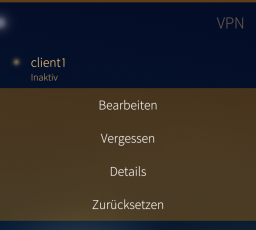
Interesting! I think there is a wrong translation in German. The last point is “Zurücksetzen”, which means “Reset”. So I don’t even try to use this I think the problem here is “set to default” vs. “set as default”
Fatal error: nothing provides 'libabsl_log_internal_message.so.2308.0.0()(64bit
)' needed by the to be installed valhalla-lite-3.4.0.6-1.6.1.jolla.aarch64
on my C2 when I try to install harbour-osmscout-server or valhalla-lite. It was fine until this OS update.
Good morning. I had actually intended to download Pispala 5.1.0.8 today, but it appears that this is currently not possible—presumably due to the storage issue or the high volume of update requests hitting the server?
It would be great if this could be made available again in the near future. I understand the concerns raised by some users. Perhaps a “small” note could be added within the update notification window—for instance: “Please manually check your internal storage before updating!” etc. Like many others, I have also been waiting a long time for the AppSupport Bluetooth (Beta). Once it is available, I can run some tests and post my findings in the feedback thread. Thank you.
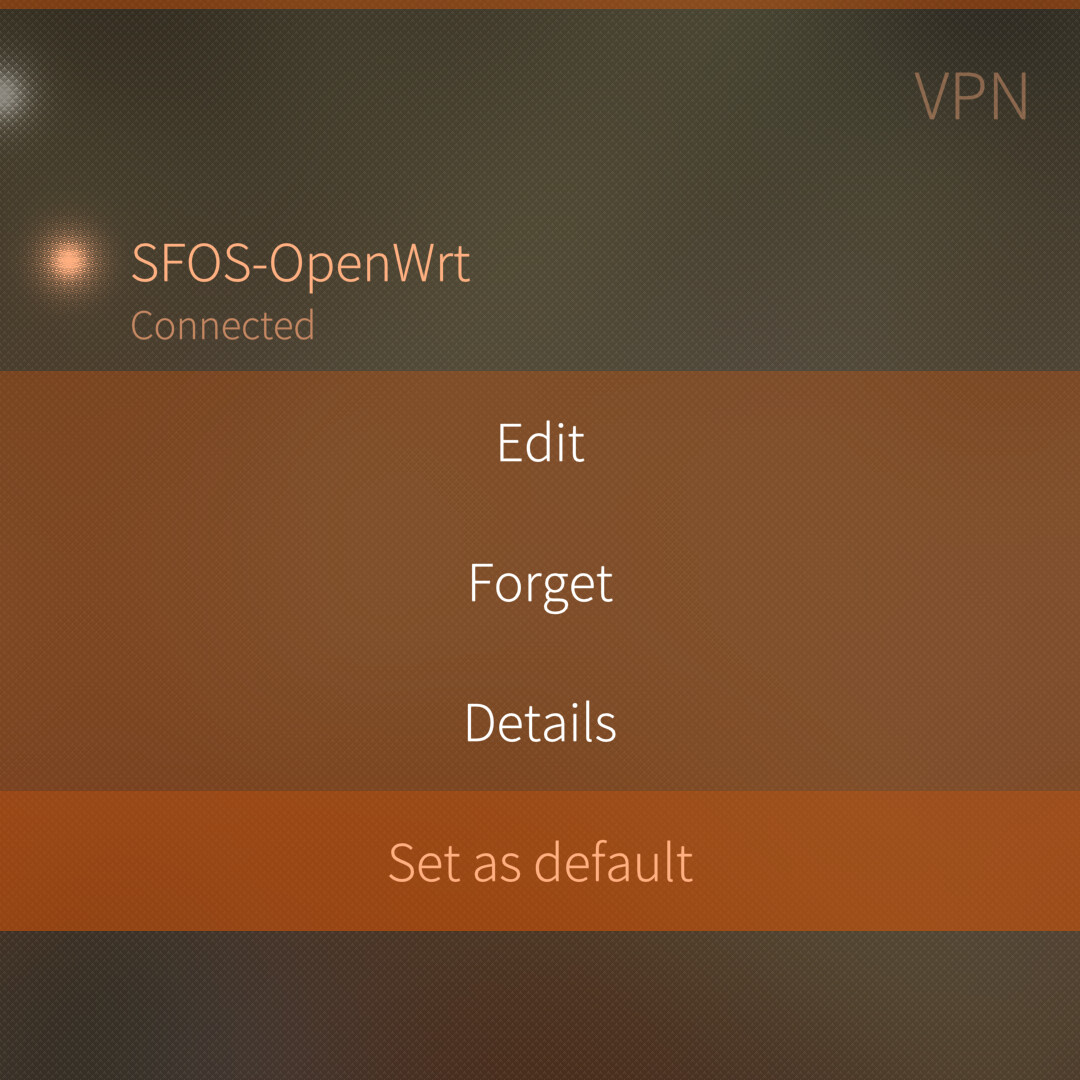
 I think the problem here is “set to default” vs. “set as default”