Unofficial XA2 install also worked perfectly. Jolla v115 browser and microg all great! Android App Support is still v13.
2 Likes
AAS has always had hardware accelerated gfx. Before release and AppSupport 15, the new phone was using software rendering with AppSupport 13 and was very sluggish. That’s why it’s been bumped to 15.
10 Likes
Hello Keto,
The update went smooth. I can enjoy one improvement: the problem with setting up General Mail that emerged after update Pispala is now solved
Thank you Jolla team!
The minor bug with launching some apps still exists.
Before installing Threema Libre on my Jolla2 again, which is always a hassle because Threema does not log your data, I would like to know if the access to camera is possible now. Can anyone tell me?
Thanks for the info! I have always thought that android apps work quite okay and for second I was surprised that hardware acceleration wouldn’t have been present before. Android 15 is nice addition anyway, but even more now so Jolla phone feels snappy for everyone 
Current version of Firefox ESR is 140.13, is it possible to update it?
If you mean native browser then sure. But it requires a huge amount of work. You can find impresive dev blog of one such update.
6 Likes
IIRC, it took almost 2 years to get from ESR91 to ESR115. IIRC there has been signs that Jolla is working with ESR140, but it won’t come immediately. If it remains to have priority I would say realistically maybe sometime in 2027, but this is just a guess
7 Likes
Update went fine, able to add my Fastmail account without issue.
Using Inari Blue TOH now with ability to turn off LED. Would be cool to see configuration options for this, with notifications perhaps.
12 Likes
Luckily, ESR115 is still supported by Mozilla, and scheduled to remain so into 2027 (March?).
So there shouldn’t be problems with websites wanting a newer version. And if they do they are in the wrong.
7 Likes
Ah, this is definitely great news! Would be fun to know when was last time SFOS had supported gecko engine in use 
5 Likes
I have serious audio issues since the update. Media is refusing to play, is playing without audio, or give errors.
pipepipe (AAS) gives error message
crunchyroll (AAS) gives error message
Deezer (AAS) does not play audio, stays at 0:00 forever
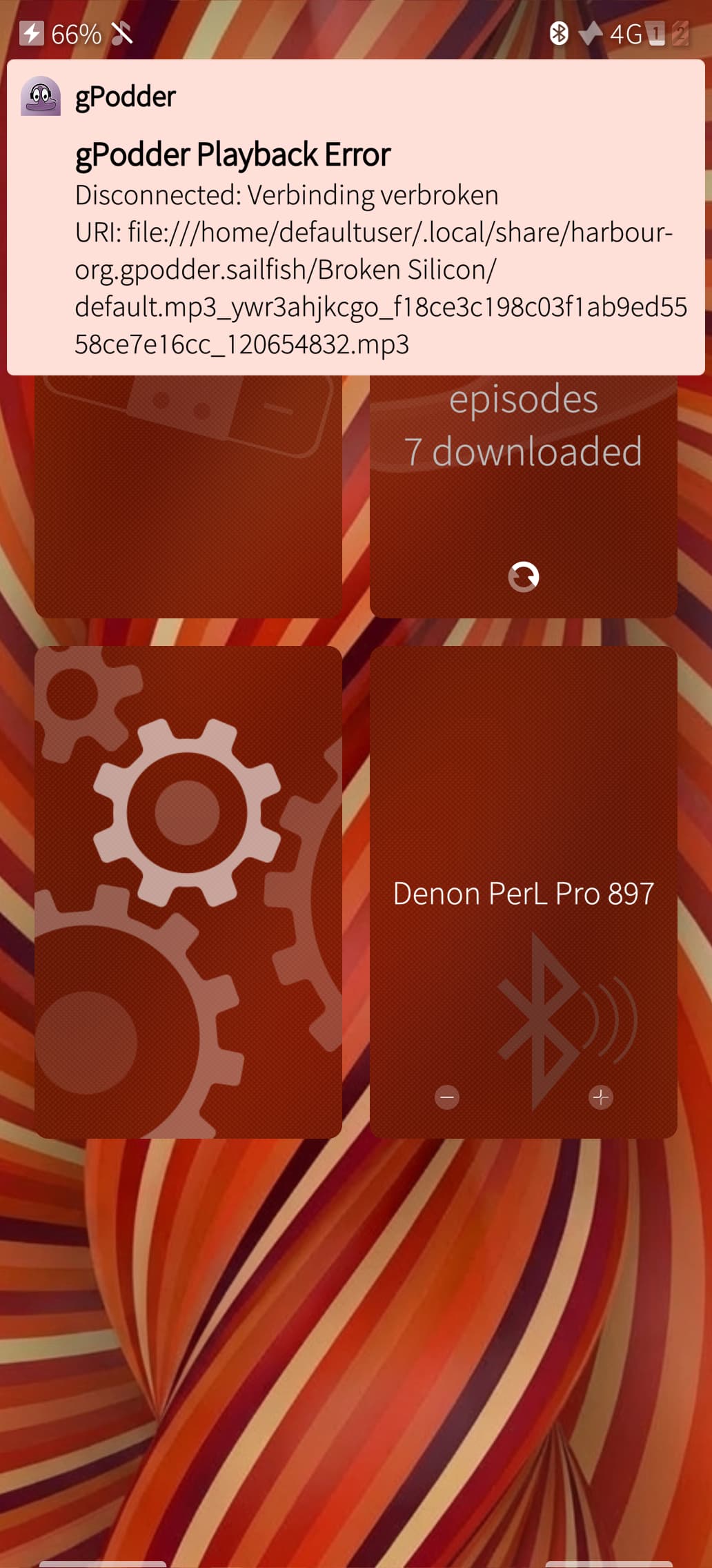
gpodder gives error message about broken connection to a local file
playing video’s from within File Browser don’t work at all, or play without audio.
I can play audio from deezer, gpodder or videos from file browser after a reboot, but after I choose an app, the rest won’t work anymore until I reboot. Using bluetooth headphones sometimes stops the ability to play audio.
This morning I listened to a podcast. I put away my headphones. 3 hours later, I try to continue listening, and I got the error as seen in the picture below. This problem is now system wide.
Restarting audio subsystem makes gpodder play again, but with no sound. Even putting my headphones away, I get no sound through the speakers.
I have seen no one talk about this.
Am I the only one? Or should I make a proper bug report?
1 Like
Is this on the Jolla Phone2026 or another device?
If the latter, please take a look at the OP again!
1 Like
Jolla Phone 2026, there are no other devices with 5.2.0.15
Sidenote:
As you can see from the screenshot, I have patchmanager running, but I have no patches installed yet.
I think nephros was checking as someones have already updated other phones also than Jolla phone 2026. There is hacky way to do so, which is not recommended to do
1 Like
Thank you for the update!
One question: Would the ‘‘usb-audio working for calls’’ feature also benefit the Xperia 10 IV and V Jolla ports in 5.2?
1 Like
I found the cause of the issue. PulseAudio keeps crashing, but the instance stays as a zombie. There are no logs as far as I can find.
1 Like
Separate bug report would be good, so we can track this better.
4 Likes
Possibly, once we get the general audio issues sorted on the other devices.
2 Likes
Have you tried to reconnect bluetooth device? There is a long standing issue with gstreamer locking audio while listening to the internet stream via bluetooth. It happens during initialization and transfer hiccups.
2 Likes
It may have something to do with it. There are so many different symptoms, that I might have addressed this to it as well. Now that I looked for it, I did find reconnecting bluetooth could give me back my audio.
This does not change the fact that PulseAudio is crashing or zombieing on my phone, but your comment is helpful in differentiating these two issues.
I will keep investigating.
2 Likes