ProCam 1.4 beta: computational photography camera for the Jolla Phone 2

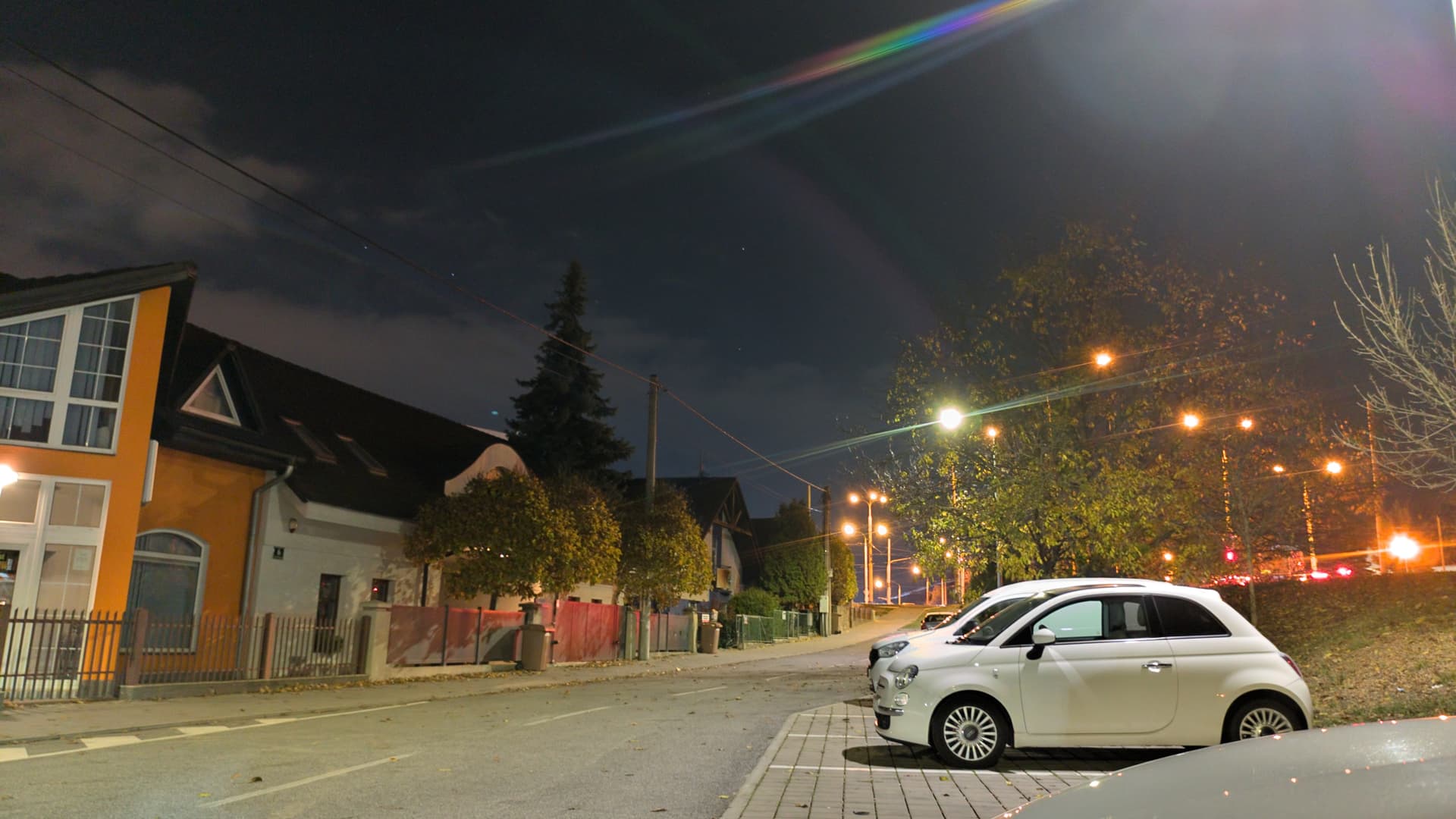
Also a preview, how night photos look like. I was just stupid and didn’t realize that I have a street light in my top corner shining.

Make sure you turn on night mode :slight_smile: When scene is too dark, it shows a moon icon that you need to tap on, to enable.

Yeah, installed both with Harpoon and both work.

You can install both, but one will overwrite others bridge and qml module. I had to modify bridge to increase burst images from 8 to 16 for night mode. I will move it to a different path so people can use both.

Impressing!
I like the rainbow + light flair. Makes the pic alive, imho.
I saw you even use 16 RAW pics for the night mode.
And also, using the GPU, that’s cool, really next next gen.
I’ve got to try, along with RAWfish, to see the differences in the night stacking modes.

Hey, it works perfect on xperia 10 III with 5.1.0.11. It is possible to add a camera choose for all 3 cameras from x10III please? In the moment I can only choose 2 cameras and the portrai camera.

You got it working on an 10 III with 5.1 ??? I wonder why it didn’t work for me? Maybe I had the rawfish install still there, after all? Hmmmm. It’s difficult to test all these camera2 apps :slight_smile:
EDIT: I made sure all the rawfish installed files were gone. Photos do not get assembled. Video recording works. Rawfish works for photos.

Hey all. I pushed a new version which should be able to coexist with RAWFish Release ProCam v1.4.0-beta.2 · IvanVojtko/PROCam · GitHub

Yes, that’s simple to add.

@poetaster could you provide please Pictures/ProCam/procam-capture.log and also ProCam_20261102_…json for photo you were trying to take? This might give me more information, why it is failing for you.

Very interesting app, thanks for making this available.
On my community port Volla Quintus the preview is not available and says ‘libprocamcamera2.so’ not found when trying to capture a shot.

That is great news. Both apps are sufficiently different to coexist and therefore it is good news that they can now coexist.

Even though these are two forks now, it would be great if improvements relevant for both could be exchanged in the spirit of cooperation back and forth.

Log: openSUSE Paste

I took several photos and there are quite a few json files: I’ve made a gist of Pictures/ProCam/ProCam_20261101_111209*json

Could you send me also this file?

~/.local/share/com.procam/procam/device-profiles/generated-hal.json

ProCam only allows bursts when the camera reports all four of these:

  • that apps can set ISO and shutter time per frame
  • that the camera is certified for full manual control
  • that it reports back the actual exposure of each frame
  • that it has a usable RAW size

One of them is false on this Xperia. My guess is that the camera allows manual ISO and shutter but doesn’t claim the full manual-control certification. If so, a small relaxation of that check would turn bursts on.

Thanks, that helped. Could you try this new release? Release ProCam v1.4.0-beta.3 · IvanVojtko/PROCam · GitHub

Long story short - xperia doesn’t report exposure for each frame, which we don’t really need anyway, so I dropped this check.

You have right only video is working the camera mode give this false “Camera2 warm capture failed”. With v1.4.0-beta.1-1, v1.4.0-beta.2-1 and v1.4.0-beta.3-1…

If it fails even with beta3, could you provide

 ~/Pictures/ProCam/procam-capture.log

and also run the app from terminal, take a photo and provide a log file

/usr/bin/procam 2>&1 | tail -80

Fails same way.

Log: https://paste.opensuse.org/pastes/dc2277402391

/usr/bin/procam 2>&1 | tail -80

on force quit (CTRL-C):

[D] unknown:0 - override-hal "config_dir=/home/defaultuser/.local/share/com.procam/procam/device-profiles"
[D] unknown:0 - override-hal "path=/home/defaultuser/.local/share/com.procam/procam/device-profiles/override-hal.json" "exists=0" "size=0"
[D] unknown:0 - override-hal valid=0
[D] unknown:0 - shutter-limit "camera=0" "hal_max=1376614725" "observed_max=1376614725" "profile=none"
library "libandroidicu.so" needed or dlopened by "/system/lib64/libmedia.so" is not accessible for the namespace "(default)"
[D] unknown:0 - override-hal "config_dir=/home/defaultuser/.local/share/com.procam/procam/device-profiles"
[D] unknown:0 - override-hal "path=/home/defaultuser/.local/share/com.procam/procam/device-profiles/override-hal.json" "exists=0" "size=0"
[D] unknown:0 - override-hal valid=0
[D] unknown:0 - shutter-limit "camera=0" "hal_max=1376614725" "observed_max=1376614725" "profile=none"
[W] unknown:1973 - file:///usr/lib64/qt5/qml/com/procam/camera/settings/SettingsOverlay.qml:1973:9: QML HeaderLabel: Cannot anchor to an item that isn't a parent or sibling.
[D] unknown:0 - preview-size "0" QSize(1440, 1080)
[D] unknown:0 - library "libandroidicu.so" needed or dlopened by "/system/lib64/libmedia.so" is not accessible for the namespace "(default)"
[D] logEvent:135 - exposure-control state {"acknowledged":false,"actual_iso":0,"actual_shutter_ns":"0","ae_mode":-1,"ae_state":-1,"calibration_samples":0,"camera":"0","compensation_steps":0,"device_verified":false,"effective_ev":0,"iso_mode":"auto","limit":"","manual_supported":false,"meter_ev":0,"metering":"unavailable","metering_reason":"disabled","requested_ev":0,"requested_iso":0,"requested_shutter_ns":"0","residual_ev":0,"result_ev_steps":null,"result_exposure_supported":false,"sample_age_ms":null,"shutter_mode":"auto"}
[D] onCompleted:111 - ViewPlaceholder requires a SilicaFlickable parent. Instance with text: Captured photos and videos will appear here when you take some
[D] _completeCapture:1471 - capture-timing qml shutter t=0 format=raw speed=balanced
[D] _startCamera2ImageCapture:1293 - capture-rotation qml format=raw path=warm advanced=false captureOrientation=90 rotation=90
[D] unknown:0 - capture-exposure warm-raw requested_iso=0 requested_shutter=0 actual_iso=776 actual_shutter=40000000 actual_frame=40070028
[D] unknown:0 - capture-effective warm-raw requested_iso=0 requested_shutter=0 hal_iso=776 hal_shutter=40000000 hal_frame=40070028 submit_to_image_ms=350 command_to_image_ms=350 suspect_hal_exposure=0
[D] unknown:0 - rawpipeline frames 1 reference 0 noise "measured_profile_rejected" rejection 0 gains 0.683424 2.05027 ms load 41 align 0 merge 516 finish 1998
[W] unknown:0 - Corrupt JPEG data: premature end of data segment
[D] unknown:0 - capture-timing app raw render start 6 end 2705
[D] unknown:0 - capture-timing app raw complete t 2739
[D] unknown:0 - preview-size "0" QSize(1440, 1080)
[D] unknown:0 - library "libandroidicu.so" needed or dlopened by "/system/lib64/libmedia.so" is not accessible for the namespace "(default)"
[D] unknown:0 - preview-size "0" QSize(1440, 1080)
[D] unknown:0 - library "libandroidicu.so" needed or dlopened by "/system/lib64/libmedia.so" is not accessible for the namespace "(default)"

Here my log file at ax10III with 5.1.0.11. Please rename it to txt:
log Procam.txt.targz (7.4 KB)

procam-1.4.0.beta.3+master.20261102102934.5520607-1.aarch64.rpm.targz (4.5 MB)

Try to install this as it gives more logging, just remove .targz from the end and send me again ~/Pictures/ProCam/procam-capture.log.

Also do you guys have same phone? One is reporting telephoto, another doesn’t.

Now it runs, the main problem was I had to create the Folder “ProCam” manual under /home/defaultuser/Pictures/. After it the app work and saved .jpg, .json, .raw16 and the .log in this folder. I the folder Video the files are saved in the Folder Camera and there exist from the native app.
procam-capture.log.targz (14.8 KB)