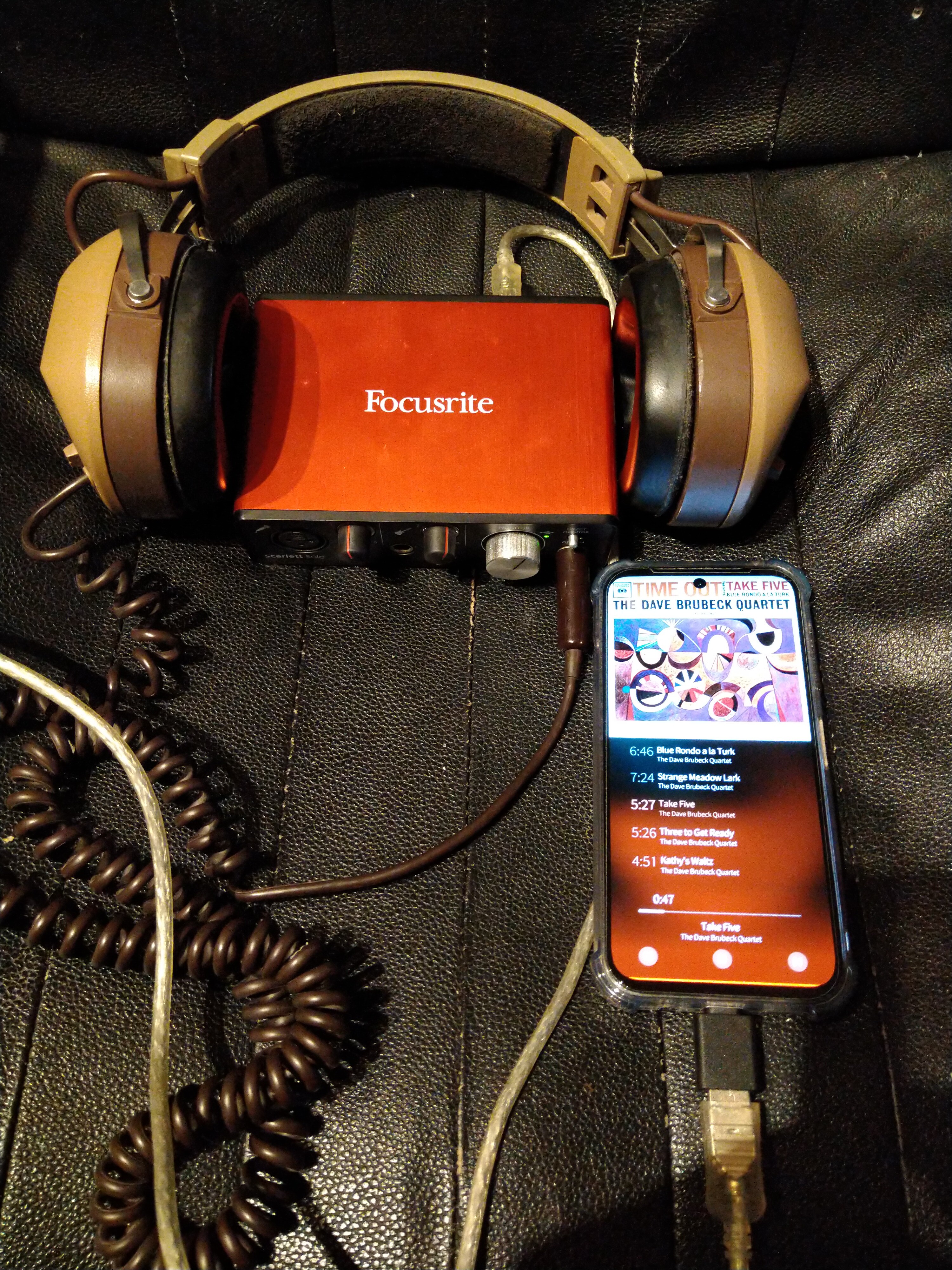
Problem with USB DAC playback

on the Xperia10V create symlink (like it is on 10ii by default):
as root: ln -s /etc/pulse/xpolicy.conf.d/usbaudio.conf.disabled /etc/pulse/xpolicy.conf.d/usbaudio.conf

as defaultuser systemctl --user restart pulseaudio.service

Apple dac silent volume fix after plug:

/usr/local/bin/set-usb-dac-volume.sh (make it executable)

#!/bin/sh
# !!! update sink name to yours - it contains unique serial number !!! `pactl list sinks|grep Name`
# someone could improve this to autotdetec script
sleep 2
pactl set-sink-volume alsa_output.usb-Apple__Inc._USB-C_to_3.5mm_Headphone_Jack_Adapter_DWH504202DRL1MQAF-00.analog-stereo 100%

/usr/local/bin/udev-create-flag (make it executable)

#!/bin/sh
# called by udev (runs as root)
# write a flag in the user's runtime dir so the user service notices it
USER="defaultuser"
FLAG="/run/user/$(id -u "$USER")/usb-dac-connected.flag"
mkdir -p "$(dirname "$FLAG")"
touch "$FLAG"

/etc/udev/rules.d/99-usb-dac-volume.rules

ACTION=="add", SUBSYSTEM=="sound", RUN+="/usr/local/bin/udev-create-flag"
ACTION=="change", SUBSYSTEM=="sound", RUN+="/usr/local/bin/udev-create-flag"

/home/defaultuser/.config/systemd/user/usb-dac-volume.path

[Unit]
Description=Watch for USB DAC flag

[Path]
PathExists=/run/user/%U/usb-dac-connected.flag
Unit=usb-dac-volume.service

[Install]
WantedBy=default.target

/home/defaultuser/.config/systemd/user/usb-dac-volume.service

[Unit]
Description=Run USB DAC volume script when flag present
After=default.target

[Service]
Type=oneshot
Environment=XDG_RUNTIME_DIR=%t
ExecStart=/usr/local/bin/set-usb-dac-volume.sh
ExecStartPost=/bin/rm -f /run/user/%U/usb-dac-connected.flag
TimeoutStartSec=60

[Install]
WantedBy=default.target

as root:
udevadm control --reload
now run as the defaultuser:
Reload user units:
systemctl --user daemon-reload
Enable and start the path unit so it watches for the flag:
systemctl --user enable --now usb-dac-volume.path

now it works perfectly, i just plug Apple USB-C to 3.5"Jack (Part number: MW2Q3ZM/A)
music is instantly routed to headphones and in two seconds the volume is without limit and then could be adjusted in UI/buttons 0% <=> true 100% like it is expected.

Interesting. You do not need

pactl load-module module-udev-detect

?

no it looks like it is loaded by default

pactl list modules |grep udev
	Name: module-udev-detect
	Argument: device_id="1" name="usb-Apple__Inc._USB-C_to_3.5mm_Headphone_Jack_Adapter_DWH504202DRL1MQAF-00" card_name="alsa_card.usb-Apple__Inc._USB-C_to_3.5mm_Headphone_Jack_Adapter_DWH504202DRL1MQAF-00" namereg_fail=false tsched=yes fixed_latency_range=no ignore_dB=no deferred_volume=yes use_ucm=yes avoid_resampling=no card_properties="module-udev-detect.discovered=1"

from /etc/pulse/default.pa

### Automatically load driver modules depending on the hardware available
.ifexists module-udev-detect.so
load-module module-udev-detect
.else
### Use the static hardware detection module (for systems that lack udev support)
load-module module-detect
.endif

yeah, I know it’s there. It just doesn’t work on the volla phones. But, I’ve adapted your approach to use pactl so that it works to pactl load instead of volume since the adapter I’m using does not require setting the volume. Thanks :slight_smile:

EDIT: on the xperia 10iii I also have to force

pactl load-module module-udev-detect

Ooof. Sadly, I can no longer use the telephone, freezes. :frowning: Need to roll back and start again.

EDIT: @koza technique worked on the volla22 / rephone, BUT caused the phone app to freeze. Manually loading the module is fine. When a call comes in the usb-audio stop (and media player, for instance) and calls work normaly. On the experia 10iii The same technique doesn’t work for me, but manually starting (using the same script systemd is supposed to run) works. Hmmmm.

for the Apple dac the volume fix works perfectly, no issues with anything.
i think that module-udev-detect should be loaded before you plug dac to usb port otherwise perhaps loading after plug may confuse/hang pulseaudio and then phone app or maybe even media player will freeze too

i dont have 10iii but 10ii loading module-udev-detect automaticlaly without tweaking system, there is /etc/pulse/xpolicy.conf.d/usbaudio.conf

all on SFOS 5.0.0.72

1 Like

Oh by the way if you guys want better sound quality for music, because Jolla is all about legacy and still uses garbage tier resampler because jolla phone 1 couldn’t handle better one (we got much better cpus since then) then i recommend my blog post Audiophile ways on SailfishOS

4 Likes

At user defaultuser the command returns an error.

Running pactl list shows the module loaded already (on my fp4 with SailfishOS)

defaultuser@fp4-1:~ $ pactl list
…
Module #2Name: module-udev-detect
Argument:
Usage counter: n/a
Properties:
module.author = “Lennart Poettering”
module.description = “Detect available audio hardware and load matching drivers”
module.version = “14.2+git9”
…

But i don’t get the Fairphone USB DAC working …:thinking:

Did you enable /etc/pulse/xpolicy.conf.d/usbaudio.conf

and add a udev rule? The one suggested by Jolla requires a hardcoded card id. I the one I posted does not:

echo 'ATTRS{id}=="mtsndcard", ENV{PULSE_IGNORE}="1"' > /etc/udev/rules.d/89-pulseaudio-usb.rules

I’d reboot, though you could in theory just reload udev.

2 Likes

I enabled the usbaudio.conf and created the 89-pulseaudio-usb.rules as described above.
After rebooting the device it works as expected :slightly_smiling_face:.

Many thanks

1 Like

This works for Fairpbone 5 as well. Nice since neither have headphone jacks.


This setup works now, but must never be used in front of a wife or girlfriend.

And maybe we should let @mal know about this. So I guess I did…

2 Likes

Did you really need that udev-rule? Fairphones should have functioning udev rule already, just the usbaudio.conf symlink is missing, I don’t have any USB DAC so I don’t have any way to test it and I missed that earlier. I’ll also check other devices what those are missing.

3 Likes

@mal you are right. The udev rule is not requiriert on the SailfishOS for fp4 (and the same on fp5 i think :wink:). Many thanks for your support.

1 Like

buy the apple dongle :smiley: Inexpensive and good enough for testing :stuck_out_tongue:

Same for the fairphone usb-audio adapter whitch i use Adapter USB-C-Audioklinke (3,5 mm) | Fairphone:wink:

1 Like

Yes, likewise on FP5. I rechecked without the udev rule. Copying/renaming/linking usbaudio.conf was the only change necessary and it was sufficient to play audio through my USB DAC. :slight_smile:

1 Like

These wiki instructions made my Fiio KA11 USB DAC work on the Xperia 10 V with 5.0.0.72 !!

1 Like

I wanted to point out that playing with the udev rules and loading modules SHOULD, if you can, be avoided :slight_smile: In my case, dynamically forcing pactl to load the pulse module works but kills incoming phone calls :frowning: It’s good to hear that the fp4/5 devices have functioning rules. Could someone post what those udev rules are? @mal ? I’ll update the wiki …

Which device are you using? The udev rules are device specific.

I’m using a volla 22 and an xperial 10iii. The default rules on the volla don’t include any like the recommended (from the usbaudio.conf)
KERNEL=="<CARD-HERE>", SUBSYSTEM=="sound", ATTR{id}=="<DEVICE-ID-HERE>", ENV{PULSE_IGNORE}="1"

The rule

'ATTRS{id}=="mtsndcard", ENV{PULSE_IGNORE}="1"'

from the oesf.org forum entry, works on both xperia and volla phones.

One or two things to be said about that blog post:

  1. If the audio you are playing was sampled produced at 16 bits there is NO point in doing 24/32 bit output
  2. If the audio was sampled at 48kHz, there is NO point in changing the sample rate.

As it stands, relatively little music is distributed (flac or otherwise) at more than more than 16 bits for playback. For internal processing 24/32 bits is standard at rates of up to 192kHz (though 98 is more common). So, it’s a waste of processing power unless you know you have high resolution data.

The apple dongle (and a couple of others I’ve now tested) all support 48kHz and 24 bits, which works for me, but the fact is, I don’t record most material at 24 bits. In any case, the libsoxr advice on that blog page is good and it will help, though, just using a usb dac makes a big difference.