Yesterday I managed to find a usable way to switch the Bluetooth between AAS and SFOS without using a terminal. The motivation for this was that I wanted to change my watch face on my GTS, and unfortunately, my last Android phone is now broken.
So, it works quite easily. I tested it on the Xperia 10 and 10III. The X10III is a bit tricky, but more on that later. So I could install Zepp and could connect the GTS via AAS.
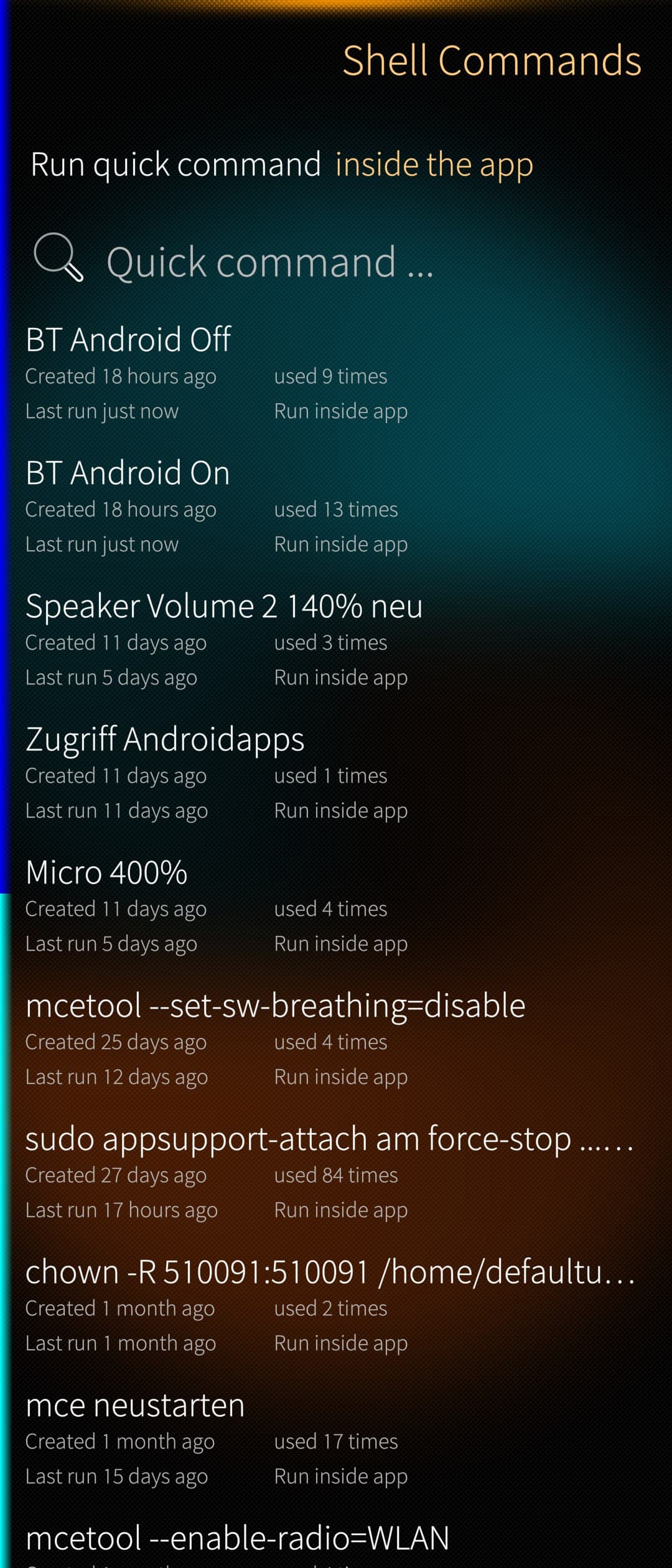
I’m a fan of ShellEx and Sudo. So I create in ShellEx two command blocks into one command. Of course, I modified the AAS file /opt/appsupport/etc/appsupport.conf.d/10-hybris.conf beforehand. I found out, this change can even remain permanent, because we can disable/enable the BT package from AAS.
Now my way of working:
- Stop the AppSupport and open with root@tIDE editor follow file and add one line (in my case line 50 in SFOS 5.0.0.67)
   /opt/appsupport/etc/appsupport.conf.d/10-hybris.conf
   Proxies=android.hardware.camera.provider@2.4::ICameraProvider/legacy/0
   #Add this line below line 49
   Proxies=android.hardware.bluetooth@1.1::IBluetoothHci,android.hardware.bluetooth@1.0::IBluetoothHci/default
-
Start the AppSupport
-
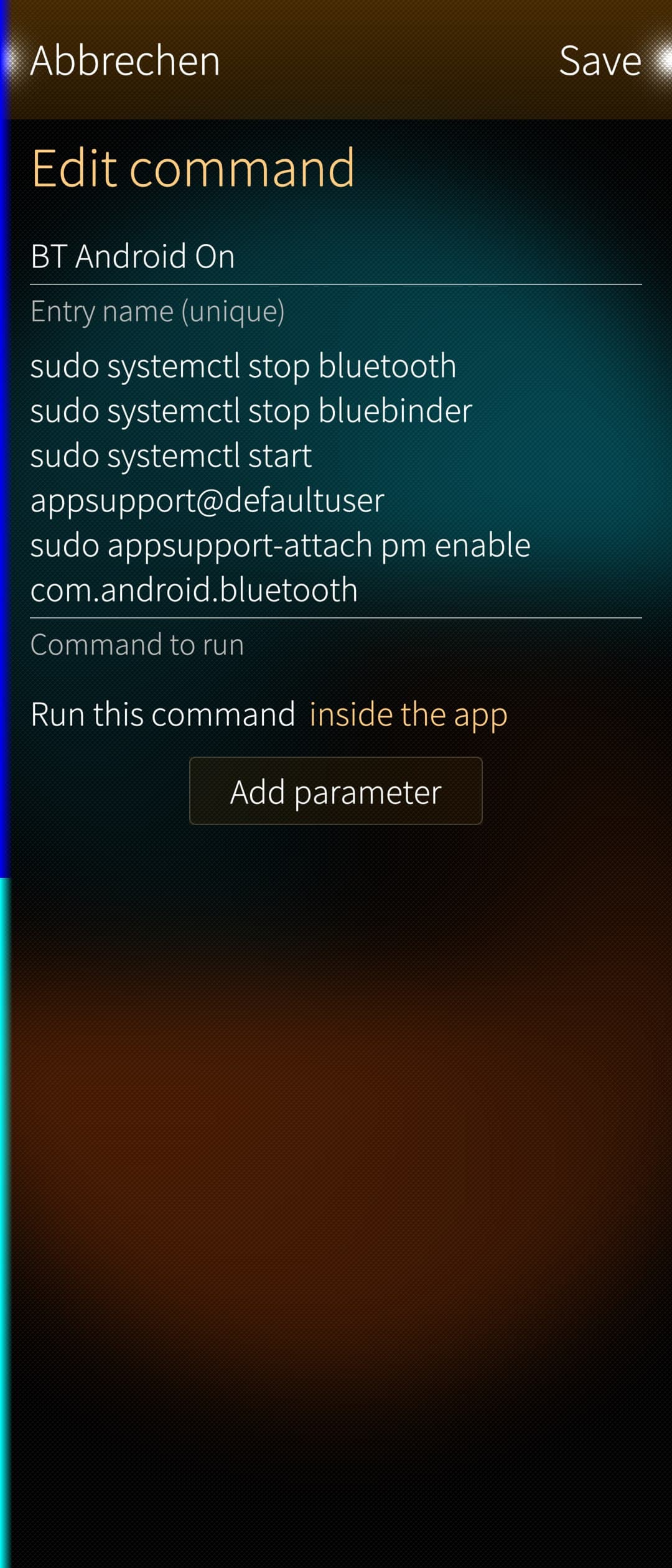
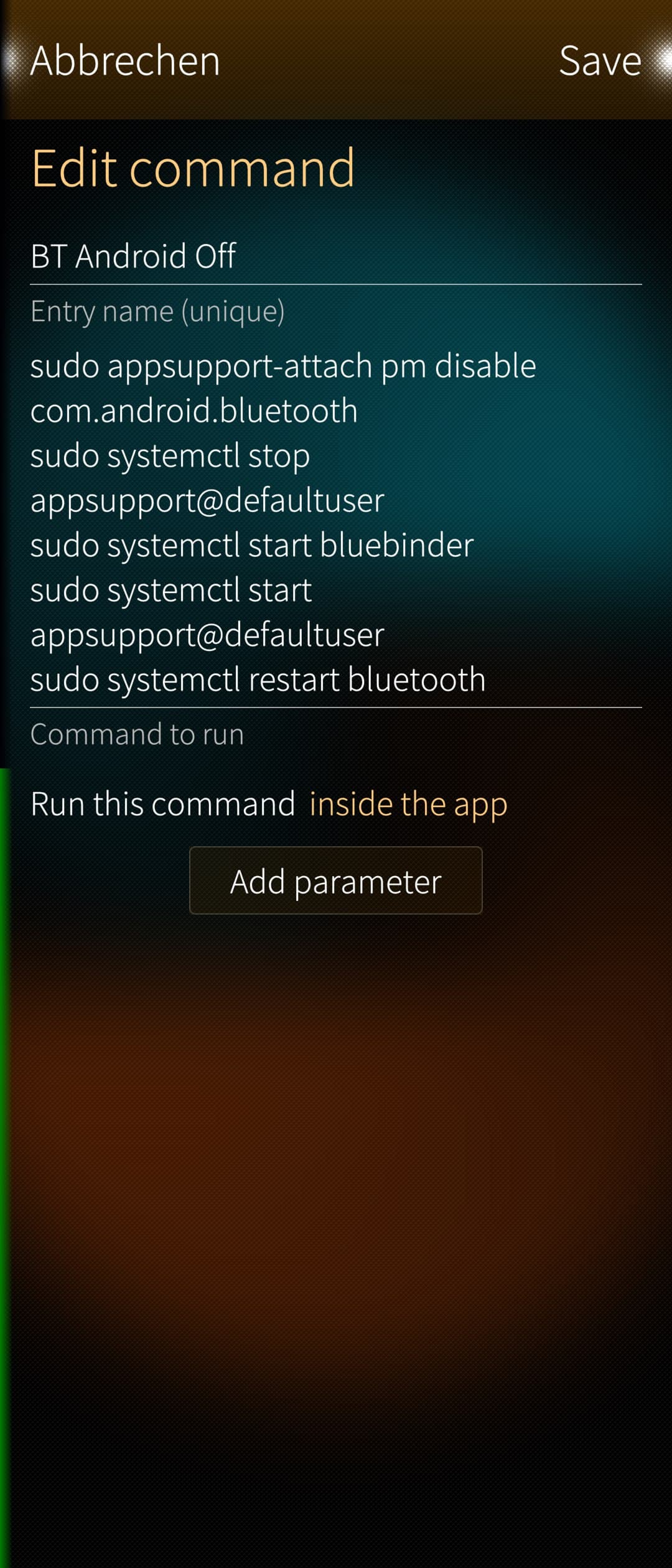
Than create follow commands in ShellEx or in Situations!
Name 1: “BT AppSupport On”
   sudo systemctl stop bluetooth
   sudo systemctl stop bluebinder
   sudo systemctl start appsupport@defaultuser
   sudo appsupport-attach pm enable com.android.bluetooth
Name 2: “BT AppSupport Off”
   sudo appsupport-attach pm disable com.android.bluetooth
   sudo systemctl stop appsupport@defaultuser
   sudo systemctl start bluebinder
   sudo systemctl start appsupport@defaultuser
   sudo systemctl restart bluetooth
-
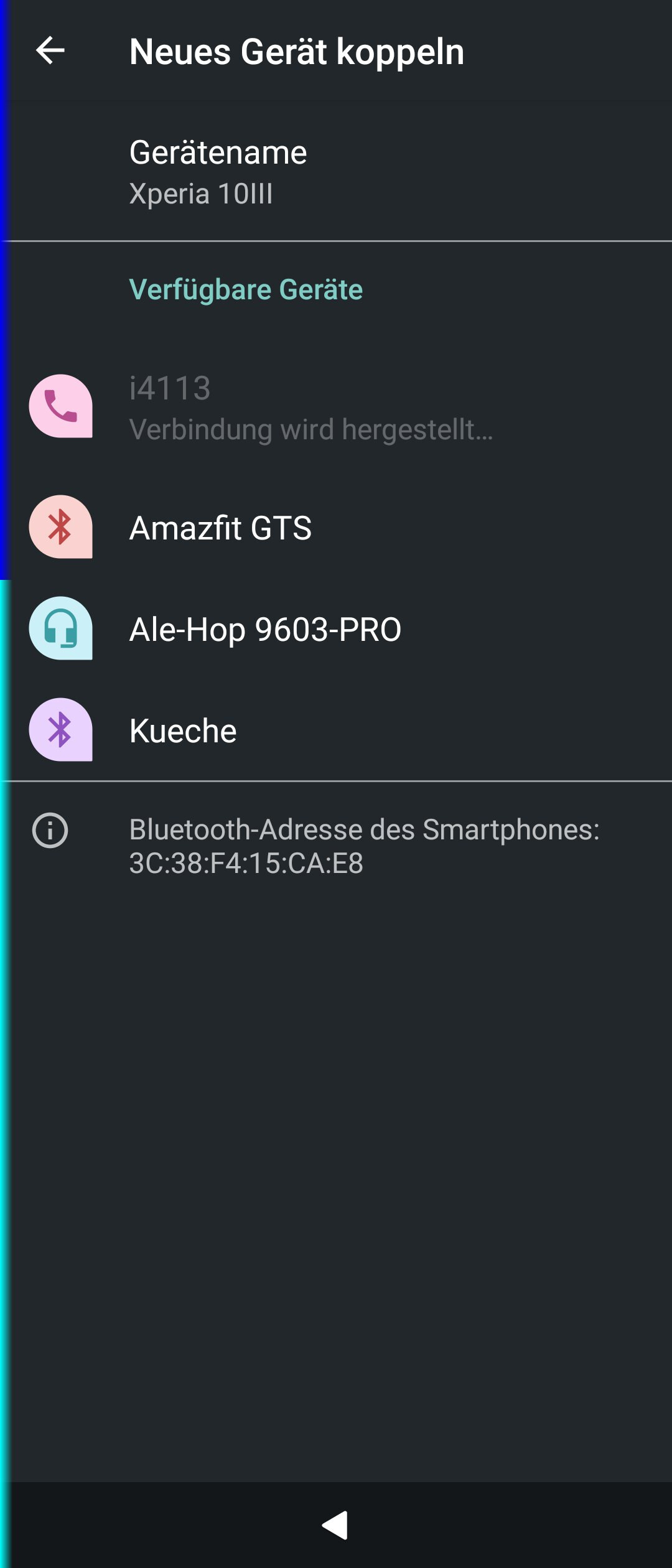
Open Android settings and go to the second menu “Bluetooth” and see the BT devices
-
On X10III it needs time and I had to give the BT a name first time (e.g. Xperia10III). If the phone not found any BT devices under AAS its help to connect the phone form another phone via BT one time. On X10 it was not a problem but the X10III need this procedure.
-
With the Command “BT AppSupport Off” you can bring back your Phone to normal BT under SFOS.
Don’t be surprised. The first command block runs quite quickly, provided AAS is already running. The second block takes a while because AAS has to be stopped and started. So, the gyroscope in ShellEx is normal, and only at the end does a restart of the BT complete everything.
Only as additional information - to sudo settings:
- Install Sudo: devel-su + Password ; pkcon install sudo
- Create a file “my-personal-settings” under
/etc/sudoers.d/ - Fill the file with follow lines:
   defaultuser ALL = (ALL) NOPASSWD: ALL
   defaultuser ALL = NOPASSWD: /usr/bin/dbus-send
   defaultuser ALL = NOPASSWD: /usr/bin/systemctl
   defaultuser ALL = NOPASSWD: /usr/bin/killall
   defaultuser ALL = NOPASSWD: /usr/bin/kill
In Situations you can also bring the command blocks and it’s possible to create only one Situation because you can run the commands at start and stop from this Situation. So now enough text. 
It’s not app or patch but it works well and without terminal. Mybe qcommand can this also and it’s able to create desktop files…