Potential Bluetooth Support in the Android App Support (AAS)

Would it work if your enable script was something like

  1. Stop AAS and BT
  2. echo "Proxies=android.hardware.bluetooth@1.1::IBluetoothHci,android.hardware.bluetooth@1.0::IBluetoothHci/default" > /opt/appsupport/etc/appsupport.conf.d/99-passthrough.conf
  3. Restart BT and AAS

And disable script could be something like enable script, except in step 2. you delete that previously created config-file?

2 Likes

or maybe to have two files, one original, one modified and scripts will rename them as needed.

2 Likes

better yet, create a symlink and change it when needed

Including this is in Sailfish would be a giant step.
I’m not unfamiliar in tinkering with Linux but in my current everyday life there is just not enough time for things like these.

6 Likes

Maybe a control-split can be made, so that some BT-Hardware is only visible, paired and controlled by AAS while other BT-Hardware is only visible, paired and controlled by SFOS.

4 Likes

What makes you think that would be possible?

1 Like

Yesterday I managed to find a usable way to switch the Bluetooth between AAS and SFOS without using a terminal. The motivation for this was that I wanted to change my watch face on my GTS, and unfortunately, my last Android phone is now broken.
So, it works quite easily. I tested it on the Xperia 10 and 10III. The X10III is a bit tricky, but more on that later. So I could install Zepp and could connect the GTS via AAS.

I’m a fan of ShellEx and Sudo. So I create in ShellEx two command blocks into one command. Of course, I modified the AAS file /opt/appsupport/etc/appsupport.conf.d/10-hybris.conf beforehand. I found out, this change can even remain permanent, because we can disable/enable the BT package from AAS.

Now my way of working:

  1. Stop the AppSupport and open with root@tIDE editor follow file and add one line (in my case line 50 in SFOS 5.0.0.67)
   /opt/appsupport/etc/appsupport.conf.d/10-hybris.conf 
   Proxies=android.hardware.camera.provider@2.4::ICameraProvider/legacy/0
   #Add this line below line 49
   Proxies=android.hardware.bluetooth@1.1::IBluetoothHci,android.hardware.bluetooth@1.0::IBluetoothHci/default
  1. Start the AppSupport

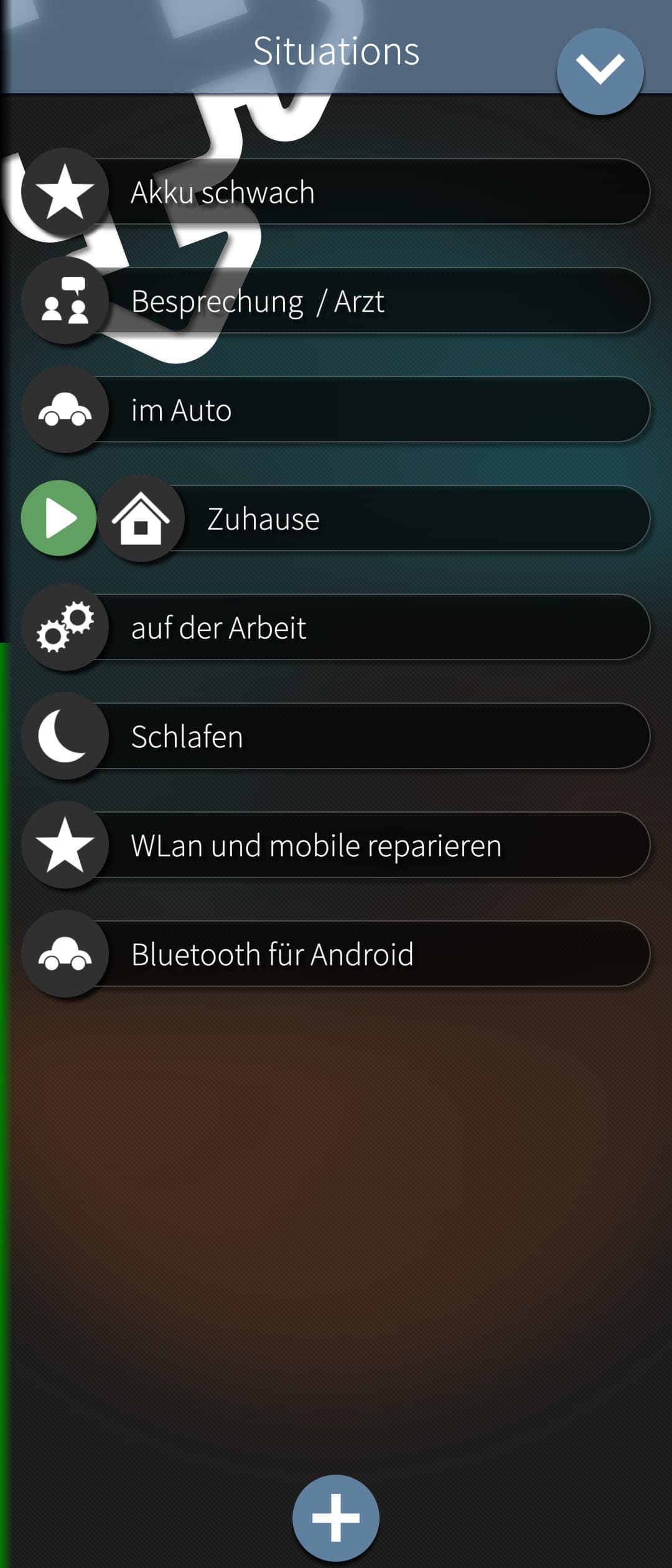
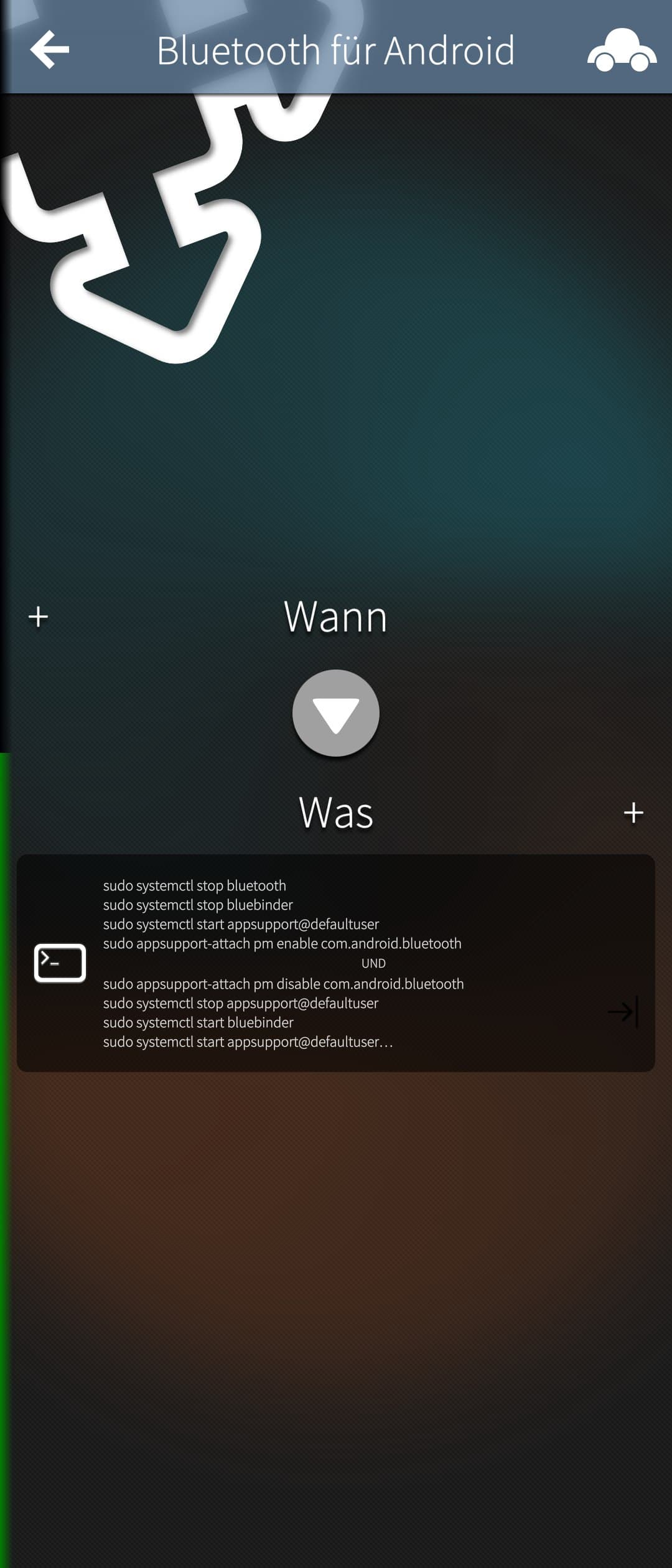
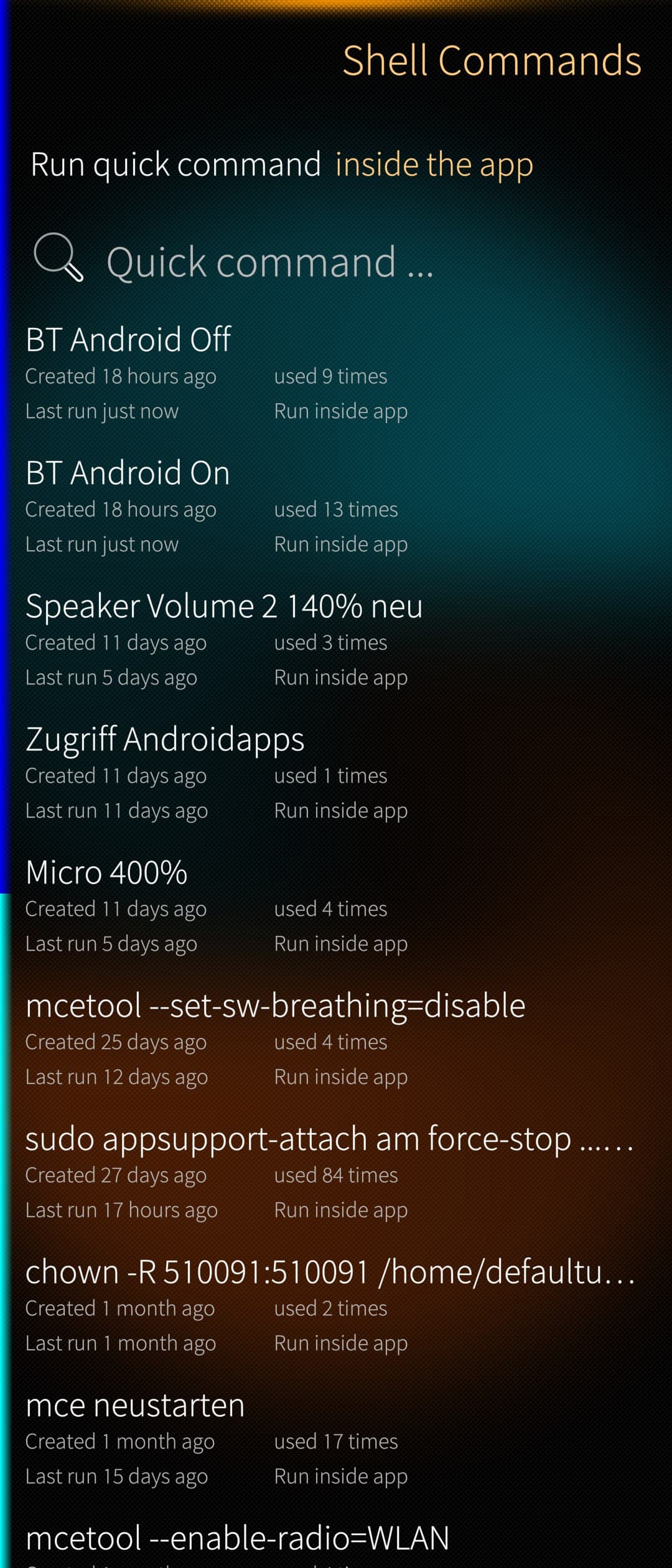
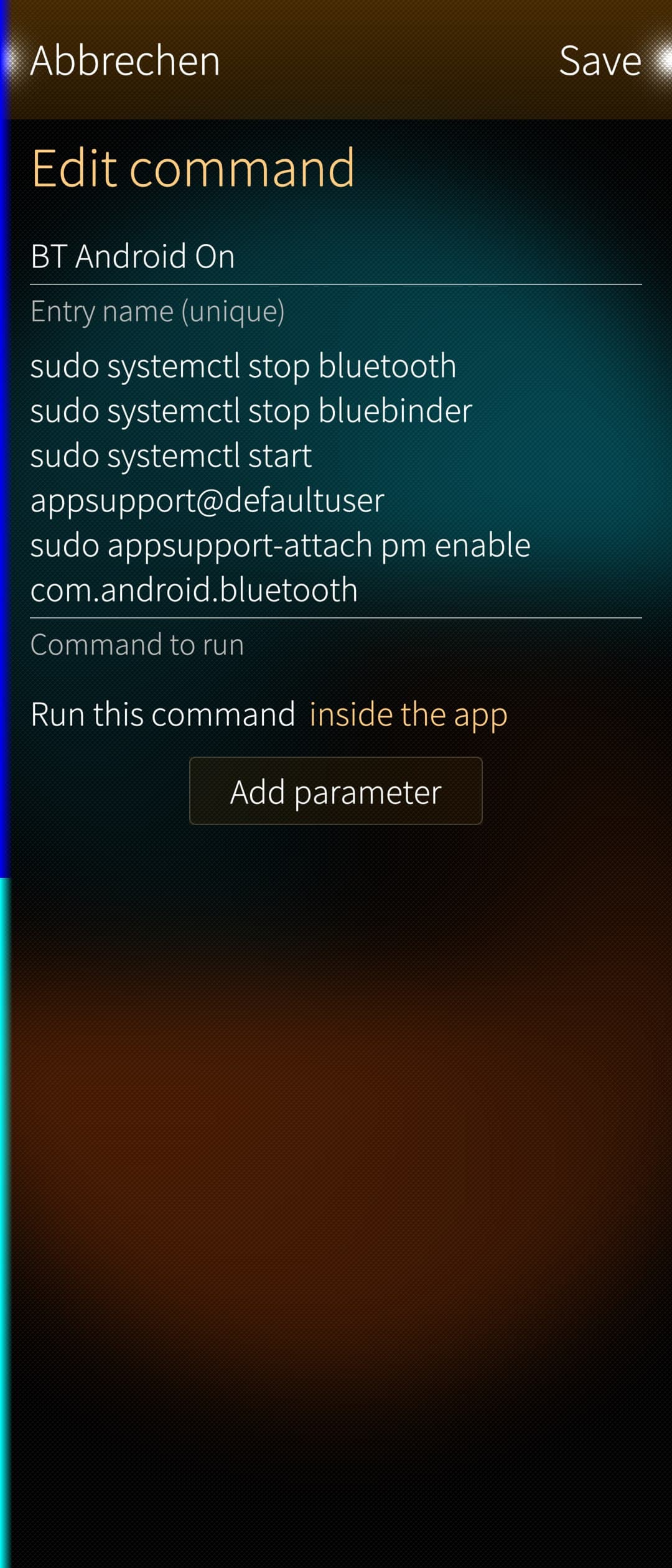
  2. Than create follow commands in ShellEx or in Situations!

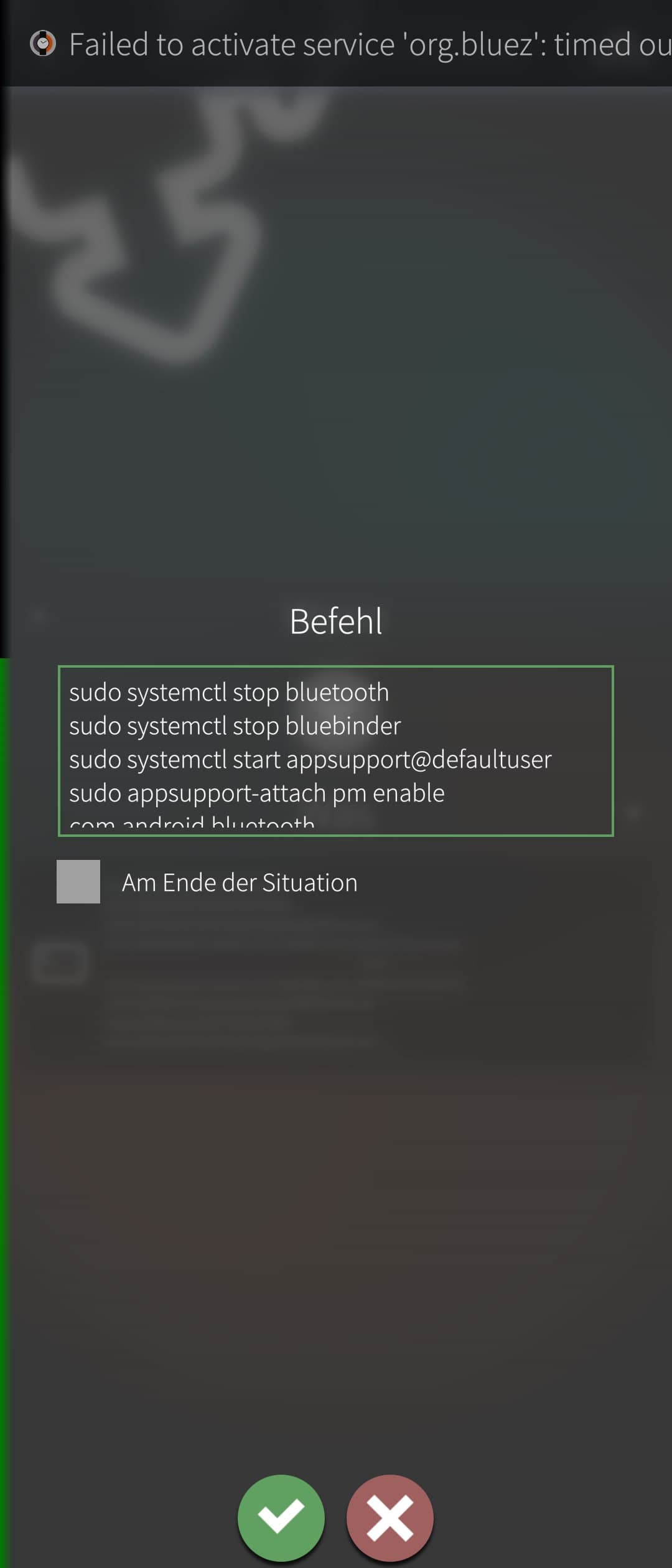
Name 1: “BT AppSupport On”

   sudo systemctl stop bluetooth
   sudo systemctl stop bluebinder
   sudo systemctl start appsupport@defaultuser
   sudo appsupport-attach pm enable com.android.bluetooth

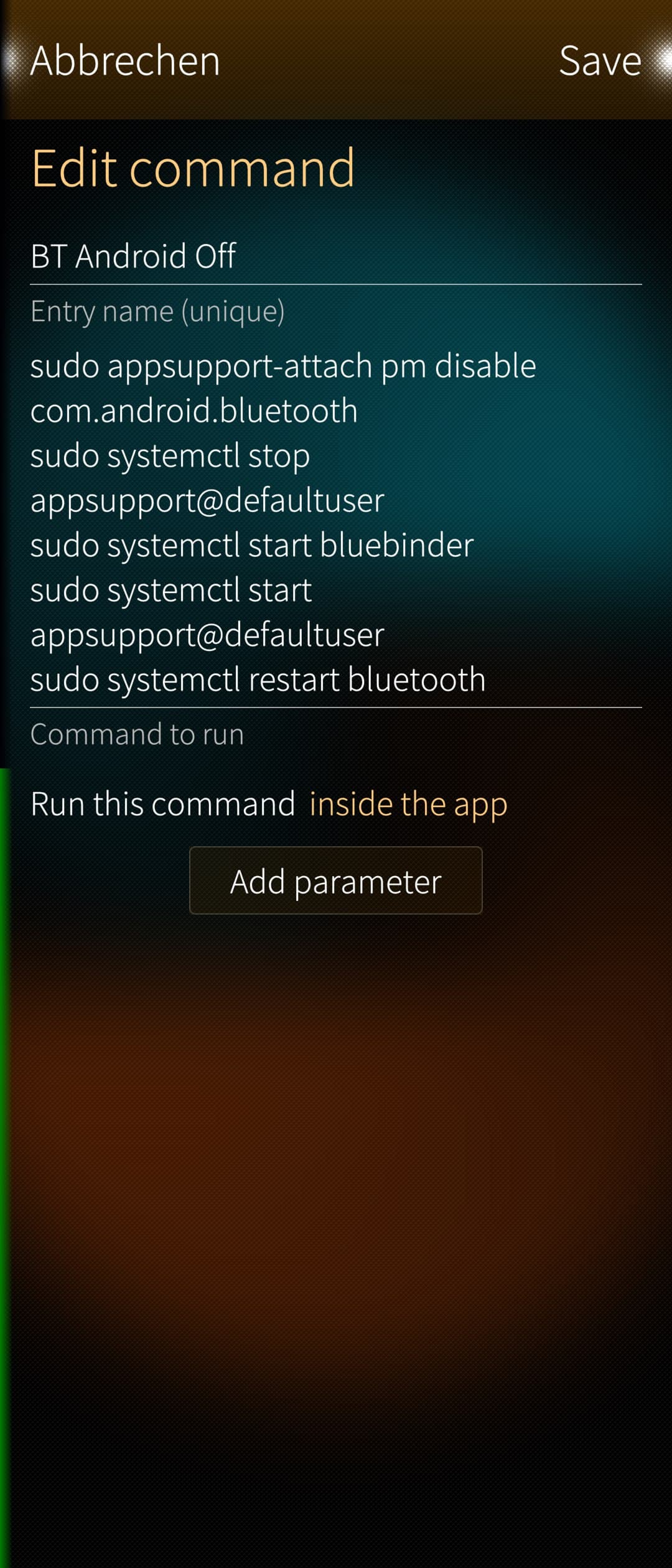
Name 2: “BT AppSupport Off”

   sudo appsupport-attach pm disable com.android.bluetooth
   sudo systemctl stop appsupport@defaultuser
   sudo systemctl start bluebinder
   sudo systemctl start appsupport@defaultuser
   sudo systemctl restart bluetooth
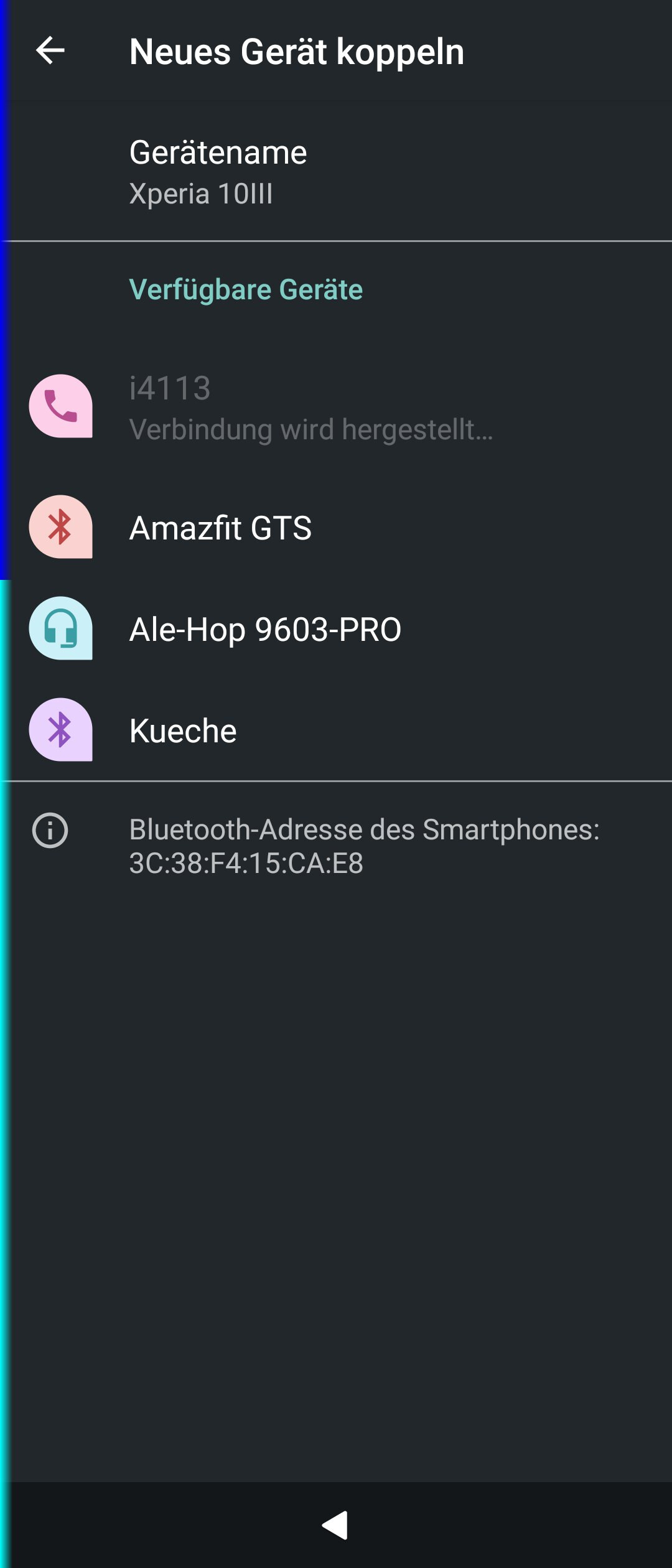
  1. Open Android settings and go to the second menu “Bluetooth” and see the BT devices

  2. On X10III it needs time and I had to give the BT a name first time (e.g. Xperia10III). If the phone not found any BT devices under AAS its help to connect the phone form another phone via BT one time. On X10 it was not a problem but the X10III need this procedure.

  3. With the Command “BT AppSupport Off” you can bring back your Phone to normal BT under SFOS.
    Don’t be surprised. The first command block runs quite quickly, provided AAS is already running. The second block takes a while because AAS has to be stopped and started. So, the gyroscope in ShellEx is normal, and only at the end does a restart of the BT complete everything.

Only as additional information - to sudo settings:

  1. Install Sudo: devel-su + Password ; pkcon install sudo
  2. Create a file “my-personal-settings” under /etc/sudoers.d/
  3. Fill the file with follow lines:
   defaultuser ALL = (ALL) NOPASSWD: ALL
   defaultuser ALL = NOPASSWD: /usr/bin/dbus-send
   defaultuser ALL = NOPASSWD: /usr/bin/systemctl
   defaultuser ALL = NOPASSWD: /usr/bin/killall
   defaultuser ALL = NOPASSWD: /usr/bin/kill

In Situations you can also bring the command blocks and it’s possible to create only one Situation because you can run the commands at start and stop from this Situation. So now enough text. :slight_smile:

It’s not app or patch but it works well and without terminal. Mybe qcommand can this also and it’s able to create desktop files…
30 Likes

Thank you for sharing!

1 Like

Thanks.

I have something similar working using qCommand app: switching BT to AAS is working fine; switching it back to SfOS is still ‘work-in-progress’ - sometimes it works, sometimes not.

I’ll carry on working with qCommand (as a background task - too many other demands n my computer time :slight_smile: )

2 Likes

Hello - I had also trouble with the 2. part back to normal bluebinder service. The solution was to start AAS after start bluebinder and restart Bluetooth as last command. So you win time because the start from AAS and the bluebinder service is on if you start Bluetooth. You can also add the resart command on the end from your procedure.
With situations work this also good. I tested it for some minutes…

4 Likes

defsultuser is in your command!?!

4 Likes

Thanks it was a typo here and also in on the phone. I am old and have also the biggest font on my Sony :slight_smile:
sudo systemctl start appsupport@defsultuser it’s not working
sudo systemctl start appsupport@defaultuser it’s working
I corrected it in the post…sorry

3 Likes

Current status of my qCommand stuff. (for both commands I’ve commented out the if systemctl is-active condition, because it’s not working as expected)

qc_BT-to-Android : mostly works. I can connect to and sync my watch in the Garmin Connect Android app, and connect to and control my hearing aids in the BeMore Android app.

Code
if [[ ! $(whoami) = "root" ]]; then
echo "must be run as root" >&2
exit 1
fi

# start by setting up the config file,even if it exists already
echo "[Config]" > /opt/appsupport/etc/appsupport.conf.d/99-passthrough.conf
echo "Proxies=android.hardware.bluetooth@1.1::IBluetoothHci,android.hardware.bluetooth@1.0::IBluetoothHci/default" >> /opt/appsupport/etc/appsupport.conf.d/99-passthrough.conf

# Stop the BT services in SfOS
systemctl stop bluetooth
systemctl stop bluebinder

# Start AAS if it isn't running already:
# returns 3 if inactive
# 0 if active
if [[ ! $(systemctl is-active --quiet appsupport@defaultuser.service) = 0 ]]; then
  echo "starting appsupport"
  systemctl reload-or-restart appsupport@defaultuser
fi

# Start the Android BT process
appsupport-attach pm enable com.android.bluetooth

qc-BT-to-SfOS: mostly works. Occasionally gives an error when starting bluebinder times out. (I haven’t checked the status of BT in SfOS if the error occurs. Nor have I looked into detail in “journalctl -xe”. That, and sorting out the operations conditional on systemctl is-active are the next jobs :slight_smile:

Code
if [[ ! $(whoami) = "root" ]]; then
  echo "must be run as root" >&2
  exit 1
fi

# If AAS is running, stop / disable its BT  process
#if [[ $(systemctl is-active --quiet appsupport@defaultuser.service) = 0 ]]; then
echo "DisablingBT in Android" 
  appsupport-attach pm disable com.android.bluetooth
echo "Stopping AAS" 
  systemctl stop appsupport@defaultuser 
#fi

# Start the BT services in SfOS
echo "Starting bluebinder" 
systemctl start bluebinder
echo "Starting AAS" 
systemctl start appsupport@defaultuser  
echo "Restarting bluetooth" 
systemctl  restart bluetooth
Occasional error
Job for bluebinder.service failed because a timeout was exceeded.
See "systemctl status bluebinder.service" and "journalctl -xe" for details.`
7 Likes

Maybe it would be better to create 2 systemd units. One to start the original aliendalvik without BT and a unit for aliendalvik with BT.
With PostExec= all the magic for enabling and disabling of BT could be done by scriptingwhen it would be called.

This could be integrted into the top menu then.

Any software can always be ‘better’ :slight_smile:

My solution works well enough for me, so I can start to address any other issues that prevent me for using my SfOS device as my ‘daily driver’. If someone else needs a different solution, I’m sure they will make it, and I hope they will post details here.

had anybody experiencewitth the Toomenu?
I created two files on my textphone X10 called

  1. /usr/share/jolla-settings/entries/BluetoothAndroid.json
  2. /usr/share/jolla-settings/pages/BluetoothAndroid/BluetoothAndroidToggle.qml
  3. I gave the same rights like the exist folders and files
  4. and reastart the home screen, but its not work - no switches in Topmenu vissible
    Later I want to bring it in a diff file for a small patch.

Here content of the files:
BluetoothAndroid.json

// copy this file in a new folder called: /usr/share/jolla-settings/entries/
{
    "translation_catalog": "settings-system",
    "entries": [
        {
            "path": "system_settings/look_and_feel/topmenu/actions/toggle_BluetoothAndroid",
            "title": "BluetoothAndroid",
            "type": "custom",
            "icon": "image://theme/icon-m-bluetooth",
            "params": {
                "source": "/usr/share/jolla-settings/pages/BluetoothAndroid/BluetoothAndroidToggle.qml",
                "type": "grid"
            }
        }
    ]
}

BluethoothAndroidToggle.qml

// copy this file in a new folder called: /usr/share/jolla-settings/pages/BluetoothAndroid/
// restart lipstick or Homescreen

import QtQuick 2.1
import Sailfish.Silica 1.0
import com.jolla.settings 1.0

SettingsToggle {
    id: toggleSwitch
    active: checked
    checked: serviceRunning
    icon.source: checked ? "image://theme/icon-system-bluetooth-device" : "image://theme/icon-m-bluetooth"

    // top menu button status text: "Bluetooth Android Off"
    name: qsTrId("settings-Bluetooth-Android-status-off")
	
    // top menu button status text: "Bluetooth Android On"
    activeText: qsTrId("settings-Bluetooth-Android-status-on")

    // this for translations used in entries.json
    // button name in the top menu: "Bluetooth Android Toggle"
    readonly property string buttonName: qsTrId("settings-Bluetooth-Android-button")

    onToggled: {
        if (!checked) {
            systemctl stop bluetooth
            systemctl stop bluebinder
            appsupport-attach pm enable com.android.bluetooth
        } else {
            appsupport-attach pm disable com.android.bluetooth
            systemctl stop appsupport@defaultuser
            systemctl restart bluebinder
            systemctl start appsupport@defaultuser
            systemctl restart bluetooth
        }
    }

What is the trick to create own toggleswitches in Topmenu and it is possible to use commands in the qml file directly?
Maybe a specialist can help me or bring this in a small patch please. But its also good to learn what I make wrong… Thanks in advance

4 Likes

Maybe the button isn’t showing in the top menu itself, because you haven’t enabled it yet from the top menu settings? Have you checked if the button is listed there?

Yes but it’s not listed. No I have create a patch but also after activation its not listed in settings or topmenu. Tomorrow I will test aggain…

2 Likes

How to get to the Android Bluetooth settings after AAS is started with Bluetooth?

There is a patch in Patchmanager that can show up Android Settings, if that’s what you want.

2 Likes