Yes, I’m in 5.1. Maybe you have to remove waydroid and install it again
yes, maybe, like I asked above … how to do it in a proper way ? And is there a way to save my waydroid settings like a reflash without wiping ?
Sorry, I don’t know the most appropriate way to do it, and when I reinstalled waydroid, I lost my settings and applications.
I simply uninstalled all the waydroid packages, deleted the waydroid folders, and then reinstalled it.
Perhaps a more experienced user can help you.
1 Like
To flash 5.1, which stock version do I need 9.0.0.8 ends up in crash dump mode ?
same as 5.0, literally nothing changed.
but crashdump → Oneplus 6(t) - THE port to get - #298 by TheLion01
interesting video on flashing a OnePlus 6(t)… not meant for the non-techie…
1 Like
Thanks I got it working again. But now the update to 5.1… doesn’t go through, not via system settings, nor via terminal ota. Does not find all the packages witch are needed. (printed in red). Sorry I don’t know how to describe it better.
Well that’s not nearly enough info for me to discern anything 
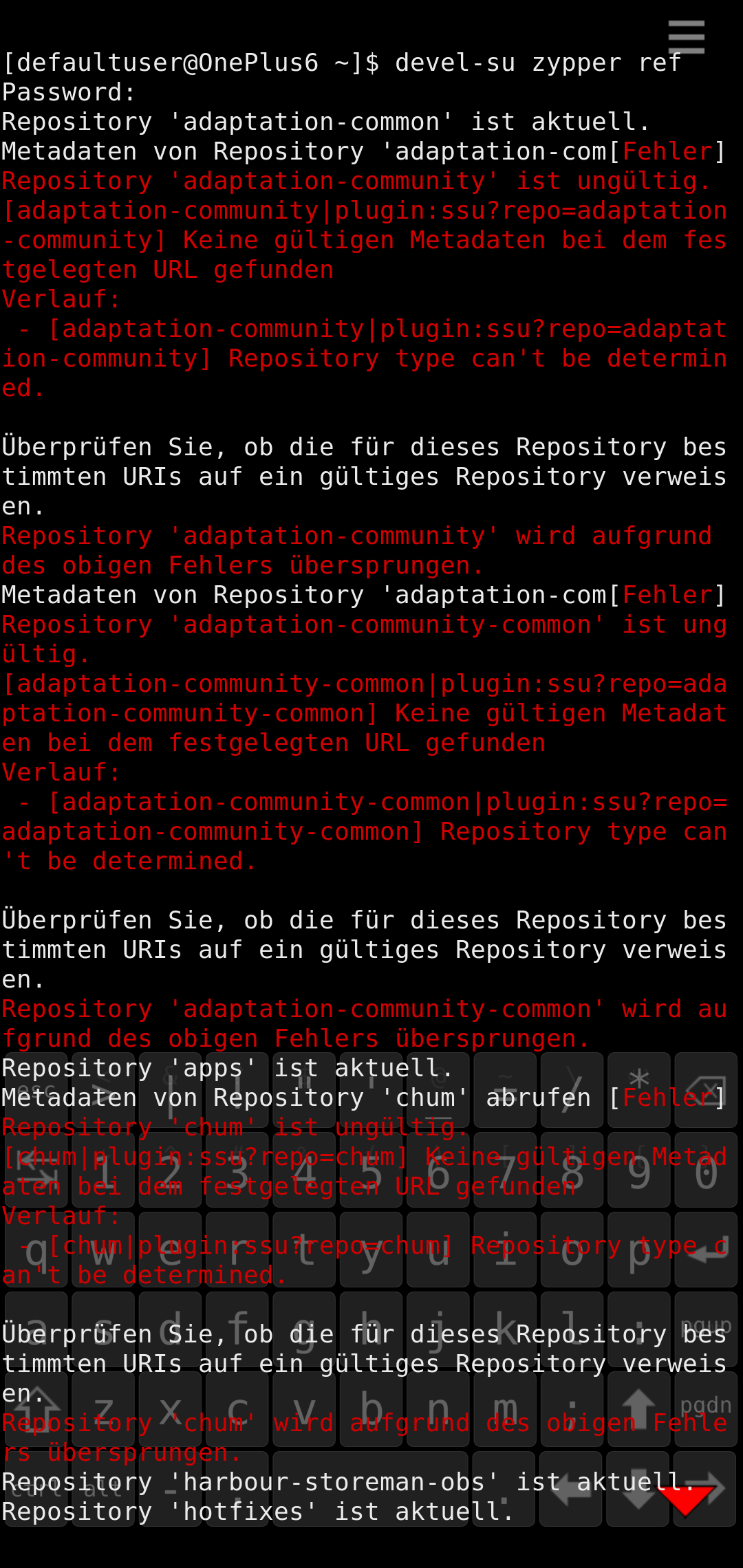
did you update to .57 first?
I am on 5.0.0.62 and tried to update from there.
and how do I get german presage keyboard? the noarch rpm from sailfish keyboards doesn’t install.
sorry .67 the numbers mason, what do they mean
update to .67 first
1 Like
Beats me, that’s more app support than port support, try installing using zypper
1 Like
everything works like charm now. I am on 5.1… thanks. but I also had the bootloop after reboot and could fix it by plugging in the power usb c charger. Bootloop stopped and booted fine. hope that helps others, too.
Guys do zypper ref; zypper dup
Same camera improvements I mentioned in edge 30 neo port, disabled denoising and sharpening, camera quality UP!
2 Likes
I have a question.
I flahed OOS9 on both slots and flased LOS 16 on slot a.. Then flashed SFOS and it booted to the language select screen. After selecting the language, it began to bootloop. I followed the instructions on the website correctly.
let it bootloop couple times, if not install 5.0
1 Like